Refresh rate is one of those specs that gets thrown around constantly in monitor marketing, yet many gamers buy a display without really understanding what those numbers mean or whether they will notice the difference. It is arguably the single most impactful spec for how smooth and responsive a game feels, often more noticeable in everyday play than a bump in resolution. Learning what refresh rate does helps you avoid overpaying and, just as importantly, avoid missing out.
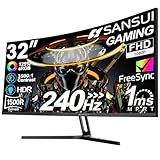
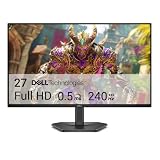
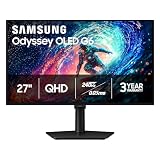
This guide explains what refresh rate actually is, how it differs from frame rate, and how much of it you can realistically perceive. You will learn how refresh rate interacts with your GPU, why higher is not always necessary, and what target makes sense for your kind of gaming. The high-refresh monitors below illustrate the 144Hz-and-up range where most gamers will find their sweet spot.
As an Amazon Associate we earn from qualifying purchases.






What Refresh Rate Actually Means
Refresh rate, measured in hertz, is the number of times per second your monitor redraws the image on screen. A 60Hz display updates 60 times each second, while a 144Hz panel updates 144 times, and a 240Hz screen updates 240 times. More updates per second mean motion appears smoother and more fluid, because your eyes receive more visual information in the same span of time. This is why a fast-moving scene looks crisp and connected on a high-refresh monitor but can appear choppy or smeared on a slow one.
Refresh Rate vs Frame Rate
These two terms are related but not the same, and confusing them leads to bad buying decisions. Frame rate, measured in frames per second, is how many images your GPU produces. Refresh rate is how many your monitor can display. To benefit from a 144Hz monitor, your GPU needs to actually output frames near that number in your games. A 144Hz panel like the LG UltraGear 27G414B shows its full value only when your graphics card can feed it enough frames, so the two must be matched. Buying a 240Hz monitor while your GPU produces 90 frames per second wastes much of the panel’s potential.
How Much Refresh Rate Can You Notice?
The improvement is real, but it follows a curve of diminishing returns.
- 60Hz to 144Hz: The most dramatic and universally noticeable jump; motion becomes visibly smoother.
- 144Hz to 165Hz: A modest, pleasant refinement that most people appreciate but do not find transformative.
- 165Hz to 240Hz: Noticeable mainly to competitive players in fast games; subtle for everyone else.
For most gamers, a 144Hz display like the ASUS TUF Gaming 24″ 144Hz or the msi PRO MP243L hits the sweet spot of clear benefit without paying for headroom you may never use.
Adaptive Sync and Overclocking
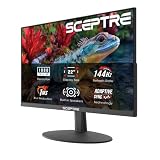
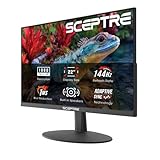
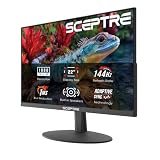
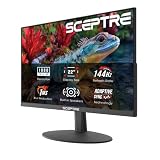
A high refresh rate works best alongside adaptive sync, either FreeSync or G-SYNC, which matches the monitor’s refresh to your GPU’s output to eliminate screen tearing. Many high-refresh monitors also support overclocking, letting a 144Hz panel run slightly higher, as seen on displays advertising 144Hz overclockable to 146Hz or 165Hz panels like the Sceptre IPS 24″. Enable adaptive sync in your driver settings and, if offered, the overclock in your monitor’s menu, so you get the smoothest, tear-free motion your hardware can deliver.
Choosing the Right Refresh Rate for You
Match the refresh rate to your games and your GPU. Competitive shooter players benefit most from the highest refresh rates their card can feed, since every fraction of a second of visual feedback counts. Players who mix single-player and multiplayer titles are well served by 144Hz to 165Hz panels such as the LG UltraGear 24G411A, which balance smoothness with affordability. If you mostly play slower, story-driven games, even 120Hz feels excellent, letting you redirect budget toward resolution or panel quality instead of chasing hertz you will not fully use.
Tips
- Make sure your GPU can produce frame rates near your monitor’s refresh rate, or the extra hertz go to waste.
- Always enable FreeSync or G-SYNC to pair high refresh with tear-free motion.
- The 60Hz to 144Hz jump is the one everyone notices; beyond that, returns diminish.
- If your monitor supports an overclock mode, turn it on for a small free boost in smoothness.
Frequently Asked Questions
Is 144Hz enough for gaming?
For the vast majority of gamers, yes. 144Hz delivers smooth, responsive motion that is a huge upgrade over 60Hz, and it is easier to drive than 240Hz. It is the sweet spot we recommend for most builds.
Do I need a powerful GPU for a high refresh rate monitor?
You need a GPU capable of producing frame rates close to the monitor’s refresh rate in your games. A fast panel with a weak GPU will not reach its potential, so match the two based on the titles you play.
What is the difference between Hz and FPS?
Hz is how many times per second the monitor refreshes the image, while FPS is how many frames your GPU renders. Both need to be high, and matched, for the smoothest experience.
Can I tell the difference between 144Hz and 240Hz?
Competitive players in fast-paced games often can, but for most people the difference is subtle. The leap from 60Hz to 144Hz is far more noticeable, so prioritize reaching 144Hz before chasing higher numbers.
Conclusion
Refresh rate is the spec that most directly shapes how smooth and responsive your games feel, and understanding it saves you from both overspending and underbuying. Aim for at least 144Hz for a clear, universally noticeable upgrade, make sure your GPU can feed enough frames to use it, and enable adaptive sync for tear-free motion. Match the number to your games rather than chasing the biggest figure, and your monitor will feel fast in exactly the way that matters.