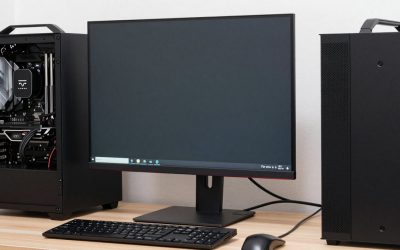
- Top Pick: Dell 27 240Hz Gaming Monitor – SE2726HG – 27-inch FHD (1920×1080) 240Hz Display, in-Plane Switching (IPS) Technology, AMD FreeSync Premium, TÜV 3-Star, 2X HDMI, DisplayPort 1.4, Tilt
- Best Value: Dell 24 240Hz Gaming Monitor – SE2426HG – 23.8-inch FHD (1920×1080) 240Hz Display, in-Plane Switching (IPS) Technology, AMD FreeSync™ Premium, TÜV 3-Star, 2X HDMI, DisplayPort 1.4, Tilt
- Premium Choice: Sceptre Curved 24.5-inch Prime Gaming Monitor up to 240Hz 1080p R1500 1ms DisplayPort x2 HDMI x2 Blue Light Shift Build-in Speakers, Machine Black 2025 (C255B-FWT240 Series)
For most of the last decade, 144Hz was the sensible upgrade — the point where a monitor stopped feeling like an office display and started feeling like gaming hardware. That’s no longer where the interesting decision sits. In 2026, 240Hz panels have fallen far enough in price that a 1080p 240Hz monitor often costs the same as a 1080p 144Hz model did two years ago, which means the old “is it worth the premium?” question has quietly changed into “is there any reason not to?”
The honest answer is: sometimes, yes. Refresh rate is only useful if your graphics card can actually feed it, and every extra hertz you buy at a given price point tends to be paid for somewhere else — usually in resolution, panel quality, or screen size. Below we break down how 144Hz and 240Hz genuinely differ in real games, who benefits from each, and which current monitors make the strongest case.
As an Amazon Associate we earn from qualifying purchases at no extra cost to you.








⚡ Save on Your Next PC — Amazon Prime
Prime members get fast free shipping on the systems above, plus early access to Prime Day & Black Friday PC deals. New members get a 30-day free trial.
As an Amazon Associate we earn from qualifying purchases at no extra cost to you.

Watch: 144Hz vs 240Hz Monitor: Worth It in 2026? — Video Review
Quick Verdict
Choose 144Hz if you play a mix of single-player and multiplayer titles, run a mid-range GPU, or would rather spend your budget on 1440p resolution and better colour accuracy than on raw speed. Choose 240Hz if you play competitive shooters, fighting games, or fast arena titles at 1080p, can reliably push 180+ fps, and want the clearest possible motion during flicks, strafes and tracking. At 1080p specifically, 240Hz is now the better default buy for most gamers.
Key Differences
- Frame delivery: 144Hz shows a new frame every 6.9ms; 240Hz does it every 4.2ms. That 2.7ms gap sounds trivial on paper but compounds across a full second of tracking a moving target.
- Motion clarity: Higher refresh reduces perceived blur on sample-and-hold LCDs. Text and enemy outlines stay legible while you’re panning, which is where most competitive players actually notice the jump.
- GPU demand: 144Hz is comfortable for mid-range cards at 1080p or 1440p. Getting real value from 240Hz means sustaining very high frame rates, which usually pushes you toward lower settings or a stronger GPU.
- Resolution trade-off: At equal budgets, 144Hz buys you 1440p; 240Hz generally keeps you at 1080p. This is the single biggest practical difference for most buyers.
- Diminishing returns: The leap from 60Hz to 144Hz is dramatic and obvious. The leap from 144Hz to 240Hz is real and measurable but far subtler — noticeable in competitive play, easy to overlook elsewhere.
- Feature parity: Adaptive sync, low-blue-light modes and multiple inputs are standard on both tiers now, so features rarely decide the choice on their own.
The Case for 144Hz
144Hz remains the most balanced refresh rate available, and its biggest advantage isn’t speed at all — it’s what you can afford alongside it. A 144Hz budget stretches to 1440p, wider colour gamuts, better contrast and larger panels, all of which matter more in story-driven games, strategy titles and creative work than an extra 96 frames per second ever will. If your library leans toward single-player experiences, this is where your money works hardest.
It’s also far kinder to your hardware. Hitting a stable 144fps is realistic on a mid-range GPU across most modern titles at sensible settings, whereas 240fps often requires dropping visual quality to a level that undercuts the point of a nicer panel. A monitor you can consistently max out feels smoother than one you’re constantly falling short of, and adaptive sync smooths over what’s left.
The Case for 240Hz
If your games are decided by reaction time, 240Hz is the more capable tool — and the current crop makes it affordable. The ASUS TUF Gaming VG279QM5A is the standout for competitive play, pairing a 0.3ms Fast IPS panel with G-SYNC compatibility and Extreme Low Motion Blur Sync for exceptionally clean motion. Dell’s SE2726HG (27-inch) and SE2426HG (23.8-inch) take a simpler approach: IPS panels, FreeSync Premium, dual HDMI plus DisplayPort 1.4, and pricing that undercuts a lot of slower monitors.
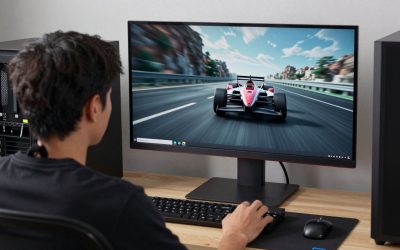
If you’d rather have immersion than an esports setup, the curved options are worth a look. The SANSUI 27-inch curved 240Hz offers a 1500R curve, 130% sRGB coverage and 4000:1 contrast, while the SANSUI 32-inch curved trades pixel density for sheer presence. The Sceptre C255B-FWT240 splits the difference at 24.5 inches with an R1500 curve, 1ms response, dual DisplayPort and built-in speakers — a tidy all-in-one for a compact setup.
Which Should You Buy?
- For competitive FPS and fighting games: pick 240Hz — the ASUS TUF VG279QM5A is the sharpest performer here.
- For a mixed library on a mid-range GPU: pick 144Hz, ideally at 1440p, so you’re not fighting for frames.
- For small desks and close viewing distances: pick 240Hz at 24 inches — the Dell SE2426HG or Sceptre C255B-FWT240.
- For immersion and racing or open-world games: pick a curved 240Hz panel like the SANSUI 27-inch or 32-inch.
- For the best value overall in 2026: pick 240Hz at 1080p — the Dell SE2726HG delivers it without a premium.
Frequently Asked Questions
Can you actually see the difference between 144Hz and 240Hz?
Yes, though it’s subtle. Most people notice it as smoother motion and less blur while panning rather than as “more frames.” Competitive players tend to spot it immediately; casual players often need a side-by-side comparison.
Do I need a high-end GPU for a 240Hz monitor?
Not to use one, but you do to benefit fully. A 240Hz monitor works perfectly at 90fps — you just won’t see its advantage. Esports titles hit 240fps on modest hardware; demanding AAA games generally won’t.
Is 1440p 144Hz better than 1080p 240Hz?
For most people, yes. 1440p is a visible upgrade in every game you play, while the extra refresh rate mainly pays off in fast multiplayer. Reverse that only if competitive performance is your priority.
Does 240Hz reduce input lag?
Slightly. Faster refresh shortens the wait between a frame being ready and appearing on screen, trimming a few milliseconds. It’s a genuine benefit, but smaller than the motion-clarity improvement.
Final Verdict
At 1080p in 2026, 240Hz has become the sensible default — models like the Dell SE2726HG and ASUS TUF VG279QM5A deliver it at prices that no longer demand a trade-off, so there’s little reason to choose 144Hz at the same resolution. The genuine decision is between 1080p 240Hz and 1440p 144Hz: pick the former if competitive play drives your buying, and the latter if you want every game you own to simply look better.