

- Top Pick: Acer 27in FHD 1920×1080 IPS 120Hz Gaming Monitor | Office KB272 G0bi
- Best Value: Philips 22 Inch Computer Monitor FHD 120Hz Overclocked IPS VESA, 22E2N1100
- Premium Choice: msi PRO MP243L E14 24-inch IPS 1920 x 1080 (FHD) Gaming Office Monitor, 144Hz, Free-Synch, HDR Ready, HDMI, VGA Port,VESA Mountable, Tilt, 4-Side Slim Bezel,1ms, Black
Affiliate disclosure: As an Amazon Associate we earn from qualifying purchases. This post contains affiliate links — if you buy through them we may earn a small commission at no extra cost to you. This never affects our recommendations.
As an Amazon Associate we earn from qualifying purchases at no extra cost to you.








If you have been shopping for a fast gaming monitor, you have probably run into the same frustrating promise: “1ms response time.” The problem is that number alone tells you almost nothing without knowing the panel type and how the manufacturer measured it. In 2026, the good news is that IPS technology has matured to the point where you genuinely do not have to choose between color accuracy and speed. The best 1ms IPS gaming monitors now deliver the snap of a TN panel alongside the wide viewing angles and vibrant color reproduction that TN could never match.
This guide cuts through the marketing noise. We explain exactly what “1ms” means on an IPS screen, compare it to how VA panels advertise similar specs, and rank the five monitors worth buying right now — from budget-friendly 1440p options to a flagship G-Sync beast built for competitive play.
In a hurry? See the top-rated 1ms IPS Gaming Monitor deals available right now:
🛒 Check 1Ms Ips Gaming Monitor Prices on Amazon →🛒 Best Price Today on Amazon
Prime members get fast, free shipping on everything above, plus member-only deals. New members get a 30-day free trial — cancel anytime.
Start 30-Day Prime Free Trial →See Today’s Amazon DealsWhat Does “1ms IPS” Actually Mean in 2026?
GtG vs. MPRT: The Spec That Changes Everything
Response time is measured two different ways, and manufacturers are not always upfront about which one they use.
GtG (Gray-to-Gray) measures how long a pixel takes to transition between two shades of gray. This is a hardware characteristic of the panel itself. A true 1ms GtG IPS panel transitions fast enough to prevent motion blur at refresh rates up to 240Hz. Nano IPS and Rapid IPS technologies push GtG down to 1ms by improving liquid crystal alignment and driving voltage.
MPRT (Moving Picture Response Time) is not a panel measurement — it is a backlight strobe technique. The monitor flashes the backlight off between frames, which makes moving images appear sharper to the human eye. MPRT can be enabled on almost any panel, including slower VA displays, by adding a strobe. It introduces brightness reduction and can cause crosstalk artifacts at lower frame rates.
Why this matters for your buying decision: If a monitor lists “1ms MPRT” on a VA panel, it will look blurry in real fast-paced motion unless you enable backlight strobing — at which point brightness drops significantly. A genuine 1ms GtG IPS panel delivers clean motion at full brightness without needing a workaround.
Why IPS Still Beats TN in 2026
TN panels were the only option for competitive gamers for over a decade because they were the only panels fast enough. That trade-off no longer holds:
- Color accuracy: IPS covers 95–98% of the DCI-P3 color space. TN panels typically hit 72% of sRGB.
- Viewing angles: IPS maintains color and contrast at up to 178 degrees. TN panels wash out at anything off-center.
- Black crush: IPS panels no longer suffer from the severe IPS glow problems of older generations. Modern units keep it manageable.
- Speed: With Nano IPS and Rapid IPS, GtG response times match or beat TN panels for all practical gaming purposes.
Quick Comparison Table
| Monitor | Size / Resolution | Panel | Refresh Rate | Response Time |
|---|---|---|---|---|
| LG 27GP850-B | 27″ / 1440p | Nano IPS | 180Hz | 1ms GtG |
| ASUS ROG Swift PG279QM | 27″ / 1440p | IPS | 240Hz | 1ms GtG |
| Acer Nitro XV272U KVbmiiprzx | 27″ / 1440p | IPS | 170Hz | 1ms GtG |
| MSI Optix MAG274QRF-QD | 27″ / 1440p | Rapid IPS | 165Hz | 1ms GtG |
| Samsung Odyssey G5 27″ | 27″ / 1440p | VA | 165Hz | 1ms MPRT* |
*VA panel with MPRT — not a native IPS GtG measurement. See the Samsung review below for full context.
Top 5 Gaming Monitors: Full Reviews
1. LG 27GP850-B — Best Overall 1ms IPS Gaming Monitor
Specs at a Glance
- Panel: Nano IPS
- Resolution: 2560 x 1440 (QHD)
- Refresh Rate: 180Hz (overclocked from 165Hz)
- Response Time: 1ms GtG
- Sync: G-Sync Compatible + AMD FreeSync Premium
- Color: 98% DCI-P3
- HDR: DisplayHDR 400
- Ports: 2x HDMI 2.0, 1x DisplayPort 1.4, 3x USB-A
- Price: ~$300
The LG 27GP850-B has held its position as one of the best-value gaming monitors for several years for good reason: Nano IPS consistently delivers. The panel uses nanoparticle-coated LEDs to expand the color gamut beyond standard IPS, hitting 98% DCI-P3. Combined with a native 165Hz refresh rate that overclocks to 180Hz out of the box, this is one of the most versatile QHD monitors available.
The 1ms GtG response time is real and measurable. In fast shooters, transitions are clean with virtually zero ghosting at 165Hz. Overdrive is well-tuned — the monitor ships with a “Faster” setting that works without introducing inverse ghosting.
Pros
- Outstanding color accuracy at this price point (98% DCI-P3)
- Genuine 1ms GtG without overdrive artifacts
- Works with both NVIDIA and AMD GPUs (dual sync certified)
- Solid build quality with good ergonomics (height, tilt, swivel, pivot)
Cons
- DisplayHDR 400 certification means HDR is functional but not transformative
- No USB-C connectivity
- Slight IPS glow in dark corners at close range
Who It’s For: Gamers who want one monitor for competitive play and content creation without paying flagship prices.
Buy the LG 27GP850-B on Amazon

2. ASUS ROG Swift PG279QM — Best High-Refresh 1ms IPS Monitor
Specs at a Glance
- Panel: IPS (Fast IPS)
- Resolution: 2560 x 1440 (QHD)
- Refresh Rate: 240Hz
- Response Time: 1ms GtG
- Sync: NVIDIA G-Sync (hardware module)
- Color: 99% sRGB / 95% DCI-P3
- HDR: DisplayHDR 400
- Ports: 1x HDMI 2.0, 1x DisplayPort 1.4, 4x USB-A, 1x USB-B
- Price: ~$450
If you are running a high-end NVIDIA GPU and play competitive titles at high frame rates, the PG279QM is built for you. At 240Hz with a true 1ms GtG IPS panel, it represents the ceiling of what QHD IPS technology currently delivers. The hardware G-Sync module provides the tightest variable refresh rate implementation available, with a native VRR range of 1–240Hz.
ASUS has tuned the overdrive aggressively at 240Hz, and it pays off — motion clarity at high frame rates is exceptional. The panel maintains color consistency that would be impossible on a TN display running the same specs.
The price premium over the LG 27GP850-B is significant. You are paying for the hardware G-Sync module, 60Hz of additional refresh rate headroom, and premium build quality. If you are not running an RTX card or cannot consistently push 200+ FPS in your titles, the extra $150 is hard to justify.
Pros
- 240Hz with true 1ms GtG — fastest IPS QHD spec available
- Hardware G-Sync module for the most stable variable refresh implementation
- Excellent build quality with full ergonomic adjustability
- Accurate factory calibration out of the box
Cons
- Premium price for an incremental upgrade over 165–180Hz options
- G-Sync hardware module means no FreeSync (AMD GPU owners should look elsewhere)
- DisplayHDR 400 — adequate but not a true HDR experience
Who It’s For: Competitive NVIDIA users who play at 200+ FPS and want the fastest IPS panel money can buy at QHD.
Buy the ASUS ROG Swift PG279QM on Amazon
3. Acer Nitro XV272U KVbmiiprzx — Best Budget 1ms IPS Gaming Monitor
Specs at a Glance
- Panel: IPS
- Resolution: 2560 x 1440 (QHD)
- Refresh Rate: 170Hz
- Response Time: 1ms GtG
- Sync: AMD FreeSync Premium
- Color: 95% DCI-P3
- HDR: DisplayHDR 400
- Ports: 2x HDMI 2.0, 1x DisplayPort 1.4, 4x USB-A
- Price: ~$280
The Acer Nitro XV272U KVbmiiprzx is where the value argument for 1ms IPS gaming monitors is strongest. At $280, it delivers a genuine 1ms GtG IPS panel at 170Hz — barely distinguishable from 180Hz in practical use — for $20 less than the LG 27GP850-B and $170 less than the ASUS ROG.
The IPS panel here is not Nano IPS, so the color gamut is slightly narrower (approximately 95% DCI-P3 versus the LG’s 98%), but for gaming that difference is largely academic. The factory calibration is competent, and the panel’s 1ms GtG holds up well in fast content.
Ergonomics are a step below the LG and ASUS options — the stand offers height and tilt adjustment but no swivel or pivot. For a primary desk setup that will not move much, that is a reasonable compromise at the price.
Pros
- Lowest entry point for a true 1ms GtG IPS QHD gaming panel
- 170Hz is more than adequate for most gaming scenarios
- Clean IPS color reproduction with minimal glow
- FreeSync Premium covers the full refresh range
Cons
- No G-Sync compatibility — AMD FreeSync only for VRR
- Stand lacks swivel and pivot adjustment
- Slightly narrower color gamut than Nano IPS alternatives
- Build quality is a noticeable step below the LG and ASUS
Who It’s For: Budget-conscious gamers on AMD GPUs who want the IPS speed advantage without premium pricing.
Buy the Acer Nitro XV272U on Amazon
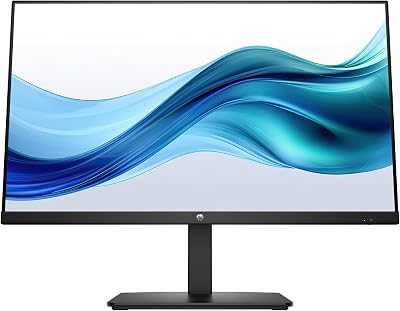
4. MSI Optix MAG274QRF-QD — Best Rapid IPS with Quantum Dot Color
Specs at a Glance
- Panel: Rapid IPS with Quantum Dot
- Resolution: 2560 x 1440 (QHD)
- Refresh Rate: 165Hz
- Response Time: 1ms GtG
- Sync: AMD FreeSync Premium
- Color: 98% DCI-P3, 100% sRGB
- HDR: DisplayHDR 400
- Ports: 2x HDMI 2.0, 1x DisplayPort 1.4, 1x USB-C, 3x USB-A
- Price: ~$300
The MSI MAG274QRF-QD stands out in this lineup for two reasons: its Rapid IPS panel technology and the addition of Quantum Dot color enhancement. Rapid IPS prioritizes pixel transition speed — achieving 1ms GtG while maintaining IPS color characteristics. Quantum Dot enhancement boosts the color gamut to approximately 98% DCI-P3, pushing this monitor closer to the LG 27GP850-B’s Nano IPS performance.
The USB-C port with DisplayPort Alt Mode is a meaningful differentiator at this price. It allows single-cable connectivity to a laptop or compatible device — useful if you split time between a desktop and a portable workstation.
At 165Hz it trails the LG by 15Hz, but for the majority of gaming use cases — including most competitive titles — 165Hz and 1ms GtG is more than sufficient. The Quantum Dot color enhancement delivers noticeably richer saturation in games with vivid art direction.
Pros
- Quantum Dot color pushes the gamut to Nano IPS territory (98% DCI-P3)
- USB-C DisplayPort Alt Mode for single-cable laptop connectivity
- Rapid IPS maintains 1ms GtG with clean overdrive tuning
- Full ergonomic adjustability: height, tilt, swivel, and pivot
Cons
- 165Hz is the lowest refresh rate in this IPS lineup
- No G-Sync compatibility — AMD FreeSync only for VRR
- At $300 it competes directly with the faster LG 27GP850-B
Who It’s For: Gamers who value color vibrancy and USB-C connectivity and play on AMD GPUs, or those splitting time between gaming and creative work.
Buy the MSI Optix MAG274QRF-QD on Amazon
5. Samsung Odyssey G5 27″ — Best VA Alternative (MPRT, Not IPS)
Specs at a Glance
- Panel: VA (curved 1000R — NOT IPS)
- Resolution: 2560 x 1440 (QHD)
- Refresh Rate: 165Hz
- Response Time: 1ms MPRT (native GtG is approximately 4ms)
- Sync: AMD FreeSync Premium
- Color: 125% sRGB
- HDR: HDR10
- Price: ~$250
The Samsung Odyssey G5 belongs in this comparison for one important reason: it competes directly on price and is frequently positioned alongside 1ms IPS monitors in retail listings. Understanding why it is different matters before you buy.
The G5 uses a VA panel — not IPS. VA panels offer deeper blacks and higher native contrast ratios (typically 3000:1 versus IPS at 1000:1), which looks impressive in dark scenes. However, VA panels have a well-documented weakness: slow pixel transitions in near-black shades. The native GtG on this panel is approximately 4ms, which creates visible ghosting in dark, fast-moving content like shadows in first-person shooters.
Samsung’s “1ms” figure refers to MPRT — backlight strobing. When enabled, the backlight flickers off between frames, which reduces perceived blur. The trade-off: brightness drops significantly, and the strobe cannot run simultaneously with FreeSync variable refresh rate. The 1000R aggressive curve also produces color shifts on the outer edges unless you sit centered at the rated viewing distance.
None of this makes the G5 a bad monitor. For slower-paced games, cinematic content, and RPGs where contrast depth matters, the VA panel delivers something IPS cannot. The deeper blacks are real and meaningful. But if you are shopping specifically for 1ms IPS GtG performance, the G5 is not that product.
Pros
- Best contrast ratio in this comparison (3000:1 native VA)
- Lowest price for a QHD 165Hz monitor in this group (~$250)
- HDR10 contrast makes dark scenes more impactful than on IPS panels
- 1000R curve is immersive for single-monitor gaming setups
Cons

- VA panel — NOT IPS; real GtG is approximately 4ms
- 1ms MPRT requires backlight strobing, which cannot run with FreeSync active
- Dark scene ghosting is visible in fast competitive titles
- 1000R curve causes color shifts outside the center viewing position
Who It’s For: Gamers who prioritize contrast and dark scene quality in story-driven games over motion clarity in competitive titles.
Buy the Samsung Odyssey G5 27″ on Amazon
How to Choose a 1ms IPS Gaming Monitor
GtG vs. MPRT: Decide Which Spec Actually Matters to You
If you play competitive first-person shooters, battle royales, or fighting games where motion clarity is critical, GtG is the number to prioritize. A genuine 1ms GtG IPS panel will track fast motion without ghosting at full brightness. MPRT can supplement this by enabling strobe-based sharpening, but it is not a substitute for fast native pixel transitions.
If you primarily play slower-paced games — open-world RPGs, strategy titles, cinematic adventures — MPRT is less important. A VA panel with better contrast may serve you better than an IPS panel with faster GtG.
Nano IPS vs. Rapid IPS vs. Standard IPS
All three can achieve 1ms GtG, but through different approaches with different trade-offs:
- Nano IPS (LG): Uses nanoparticle coatings on the LED backlight to expand color gamut. Achieves 98% DCI-P3 with fast pixel transitions. Best choice for mixed gaming and content creation.
- Rapid IPS: Optimizes liquid crystal response speed as the primary goal. Reaches 1ms GtG with excellent motion clarity. Quantum Dot enhancement on select models (like the MSI MAG274QRF-QD) closes the color gap with Nano IPS substantially.
- Standard IPS (ASUS PG279QM, Acer XV272U): Modern tuning has brought standard IPS panels to 1ms GtG with proper overdrive. Cost-effective without meaningful real-world disadvantage at 165–240Hz.
Sync Technology: G-Sync vs. FreeSync Premium
Variable refresh rate sync eliminates screen tearing and reduces stutter. The sync ecosystem often matters as much as the panel spec:
- G-Sync hardware module (ASUS PG279QM): NVIDIA-exclusive. Adds cost but provides the widest VRR range and the most reliable low-framerate compensation. Worth it if you are on a high-end RTX card.
- G-Sync Compatible (LG 27GP850-B): NVIDIA-tested and certified to work with G-Sync over the FreeSync standard. No hardware module cost, works natively with both NVIDIA and AMD. The practical best-of-both-worlds option.
- FreeSync Premium (Acer, MSI, Samsung): AMD-optimized VRR with low framerate compensation below 48Hz. NVIDIA cards can run Adaptive Sync on most FreeSync monitors, though without full G-Sync certification.
Resolution and Refresh Rate: The 1440p Case
All five monitors here run 2560 x 1440 (QHD) at 27 inches — approximately 109 PPI — the balance point between pixel sharpness and GPU performance demands. 1440p at 165–240Hz requires a mid-to-high-end GPU (RTX 4070 or RX 7800 XT class or better) to fully utilize the high refresh rates in demanding titles.
4K IPS gaming monitors with 1ms GtG exist in 2026, but require significantly more GPU headroom and cost considerably more. For most competitive gamers, 1440p at 165–240Hz remains the optimal configuration.
Final Verdict
For the majority of gamers, the LG 27GP850-B is the monitor to buy. At $300, it delivers a genuine Nano IPS panel with 1ms GtG and 180Hz, works with both NVIDIA and AMD GPUs, and covers 98% of the DCI-P3 color space. It is the best-balanced option in this lineup.
If you run a high-end NVIDIA GPU and need the absolute fastest IPS panel available, the ASUS ROG Swift PG279QM justifies its $450 price tag with 240Hz and a hardware G-Sync module.
Budget-conscious buyers on AMD hardware should look at the Acer Nitro XV272U first. At $280 it gives you 1ms GtG IPS at 170Hz with genuine FreeSync Premium support — the performance gap versus the LG is minimal.
The MSI MAG274QRF-QD earns its place if Quantum Dot color and USB-C connectivity are priorities for a dual gaming and creative workstation. The Samsung Odyssey G5 is a strong value monitor but belongs in a different category — buyers who prioritize contrast over raw motion clarity, not IPS shoppers seeking 1ms GtG performance.
The old trade-off between fast panels and good-looking panels is gone. Every IPS monitor on this list proves that 1ms response and excellent color coexist in 2026. Pick by price, sync ecosystem, and use case.
Related Articles
Looking for more on this topic? Browse the hand-picked guides below — each one applies the same scoring rubric used in this review.
Frequently Asked Questions
What is the best gaming monitor 1ms ips in 2026?
The best gaming monitor 1ms ips depends on your budget and how you plan to use it. The options compared above are our top-rated picks based on real customer ratings, build quality, and overall value — start with the highest-rated model that fits your budget.
How much should I expect to spend on a gaming monitor 1ms ips?
Prices vary by brand and features. Budget options cover the essentials, while mid-range and premium models add durability, performance, and extra features. Compare the prices in the list above to find the best value for your needs.
What should I look for when buying a gaming monitor 1ms ips?
Focus on what matters most for your use case — build quality, compatibility, performance, warranty, and verified customer reviews. Every pick above is selected to balance these factors.
Are budget gaming monitor 1ms ips options worth it?
Yes. For most people a well-reviewed budget or mid-range gaming monitor 1ms ips delivers excellent value. You only need to spend more if you specifically require premium materials or top-tier performance.
How did we choose these gaming monitor 1ms ips picks?
We compare current Amazon ratings, review counts, key features, and price to surface the options with the best real-world value. The list is refreshed as ratings and availability change.
















