

Affiliate disclosure: As an Amazon Associate we earn from qualifying purchases. This post contains affiliate links — if you buy through them we may earn a small commission at no extra cost to you. This never affects our recommendations.
- Best Gaming Monitor Response Time in 2026: Top 5 Picks for Zero Motion Blur
- Quick Comparison Table
- GtG vs MPRT — The Response Time Marketing Confusion Explained
- OLED 0.03ms vs IPS 1ms vs VA 4ms — What You Actually See
- The Top 5 Picks for Best Gaming Monitor Response Time
- Blur Reduction Modes — ULMB, DyAc, and ELMB Trade-offs
- Response Time and Refresh Rate — Why They’re Inseparable
- Conclusion
- Related Articles
- Frequently Asked Questions
- Related Articles
As an Amazon Associate we earn from qualifying purchases at no extra cost to you.

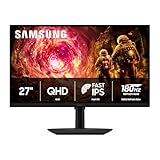



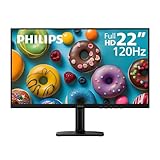


In a hurry? See the top-rated Gaming Monitor for Response Time deals available right now:
🛒 Check Gaming Monitor For Response Time Prices on Amazon →🛒 Best Price Today on Amazon
Prime members get fast, free shipping on everything above, plus member-only deals. New members get a 30-day free trial — cancel anytime.
Start 30-Day Prime Free Trial →See Today’s Amazon DealsBest Gaming Monitor Response Time in 2026: Top 5 Picks for Zero Motion Blur
If you’ve spent more than five minutes shopping for a gaming monitor, you’ve already seen the numbers thrown around — 0.03ms, 0.2ms, 1ms, 4ms. Manufacturers plaster these figures everywhere. But here’s the uncomfortable truth: response time specs are one of the most misrepresented metrics in the entire PC hardware industry.
This guide cuts through the noise. We break down exactly what response time means, how GtG and MPRT differ, why a “1ms” IPS monitor can look blurrier than a “4ms” VA at high refresh rates, and which five monitors actually deliver the sharpest, cleanest motion in 2026.
Quick Comparison Table
| Monitor | Panel | GtG | MPRT | Blur Reduction | Price Range |
|---|---|---|---|---|---|
| LG 27GR95QE-B | QD-OLED | 0.03ms | ~0.1ms | N/A (self-emissive) | $$$$ |
| ASUS ROG Swift Pro PG248QP | TN | 0.2ms | ~0.1ms | ULMB2 | $$$ |
| LG 27GP850-B | Nano IPS | 1ms | ~1ms | N/A | $$ |
| ASUS TUF Gaming VG27AQL3A | VA | 1ms MPRT | 1ms | ELMB | $$ |
| BenQ ZOWIE XL2566K | TN | 0.5ms | ~0.5ms | DyAc+ | $$$ |
GtG vs MPRT — The Response Time Marketing Confusion Explained
Before picking a monitor, you need to understand the two specs manufacturers use interchangeably — even though they measure completely different things.
Gray-to-Gray (GtG)
GtG measures how long a pixel takes to transition from one shade of gray to another. It’s a pixel-level measurement, tested in a lab under ideal conditions, and it tells you how fast the panel hardware itself can respond. Most IPS panels land between 1–5ms GtG. OLED panels can achieve 0.03ms. TN panels sit around 0.2–1ms.
The problem: GtG is measured at a specific transition (often the easiest one), under optimal voltage and temperature. Real-world performance, especially in dark-to-light transitions on VA panels, can be 3–5x worse than the advertised spec.
Moving Picture Response Time (MPRT)
MPRT measures perceived motion blur as a human eye experiences it — not how fast the pixel transitions, but how blurry moving objects appear on screen. It’s directly tied to how long each frame is displayed (hold time), which is determined by refresh rate.
A 60Hz monitor holds each frame for 16.7ms regardless of how fast the pixel can transition. A 360Hz monitor holds each frame for just 2.8ms. This is why refresh rate has a massive impact on perceived sharpness.
MPRT is the more useful real-world metric for gaming. When a manufacturer claims “1ms MPRT,” they typically achieve this through backlight strobing (ULMB, DyAc, ELMB) rather than faster pixel transitions.
The Bottom Line
If you see two monitors — one claiming 1ms GtG, another claiming 1ms MPRT — they are not the same. GtG tells you about panel hardware speed. MPRT tells you what you’ll actually see during fast motion. Both matter, but MPRT is closer to your real gaming experience.
OLED 0.03ms vs IPS 1ms vs VA 4ms — What You Actually See
Panel technology determines the ceiling for response time. Here’s what the numbers mean in practice.
OLED: 0.03ms GtG — Near-Instant Pixel Response
OLED pixels are self-emissive — each pixel generates its own light and switches independently. There’s no liquid crystal alignment delay, no backlight bleed, no overdrive artifacts. The 0.03ms figure on QD-OLED panels like the LG 27GR95QE-B isn’t a marketing trick — it’s a genuine hardware advantage.
In practice, OLED eliminates ghosting almost entirely. Fast-moving objects in games like Valorant, CS2, or fast-paced racing titles render with crisp edges. There’s no overshoot (inverse ghosting) that plagues aggressive IPS overdrive settings.
The trade-offs: OLED monitors cost more, carry burn-in risk with static content, and have lower peak brightness in SDR compared to high-end IPS.
IPS: 1ms GtG — Fast Enough for Most Gamers
Modern Nano IPS and Fast IPS panels have closed the gap significantly. A well-tuned 1ms GtG IPS monitor at 165Hz+ delivers clean motion that most players cannot distinguish from OLED in casual comparisons.
The limitation is overdrive. To hit 1ms GtG, manufacturers push overdrive aggressively. Set it too high and you see inverse ghosting — a bright or dark halo trailing fast-moving objects. IPS panels also exhibit “IPS glow,” a milky brightness in corners that can reduce perceived contrast in dark scenes.

For competitive gaming at 1440p, a strong Nano IPS panel is the value sweet spot.
VA: 4ms GtG (Rated) — The Smearing Problem
VA panels deliver the best contrast ratios of any LCD technology — often 3,000:1 or higher versus IPS’s ~1,000:1. Dark scenes look genuinely dark. But VA panels have a well-documented weakness: slow dark-pixel transitions.
When a dark pixel needs to transition to another dark value (common in shadowed game environments), VA panels can take 8–15ms in real conditions, regardless of what the spec sheet says. This creates visible smearing — particularly painful in dark, fast-paced games.
Blur reduction modes (ELMB on ASUS VA panels) can mask this via backlight strobing, but at the cost of brightness. VA panels make sense for players who prioritize contrast and dark-scene quality and can tolerate some motion trade-offs.
The Top 5 Picks for Best Gaming Monitor Response Time
1. LG 27GR95QE-B — Best Response Time Overall
The QD-OLED panel in the LG 27GR95QE-B is the benchmark for response time in 2026. At 0.03ms GtG, it’s not competing with other monitors — it’s in a different category.
At 240Hz and 1440p, motion clarity is exceptional. Fast-moving objects in shooters render with sharp edges and zero ghosting. The quantum dot layer over the OLED base adds vibrant color coverage (up to 135% sRGB) without the washed-out look of older WOLED panels. Blacks are true black — infinite contrast ratio with no backlight bleed.
For players who want the absolute best response time money can buy and are willing to pay the OLED premium, this is the unambiguous pick. The burn-in risk is real but manageable with normal gaming use patterns.
Best for: AAA titles, competitive gaming at 1440p, players upgrading from IPS who want to feel the difference immediately.
2. ASUS ROG Swift Pro PG248QP — Best TN Response Time
540Hz on a TN panel with 0.2ms GtG. That sentence alone explains why pro esports players are paying attention to this monitor.
The PG248QP pairs its blistering pixel response with ULMB2 — ASUS’s updated ultra-low motion blur backlight strobing technology. With ULMB2 active, the monitor achieves MPRT numbers that rival OLED, while keeping the 1080p resolution that tournament play and esports titles are optimized for.
TN panels have long been dismissed for poor viewing angles and mediocre color accuracy. The PG248QP doesn’t fully solve those problems — colors shift noticeably off-axis — but if you sit centered and close to your monitor (as competitive players do), the trade-off disappears. You’re not here for movies. You’re here to win.
At 540Hz, frame delivery is so smooth that even with ULMB2 reducing brightness by roughly 30–40%, motion in CS2 and Valorant looks genuinely sharper than on most 240Hz OLED setups.
Best for: Hardcore esports, CS2/Valorant/Apex players who live and breathe competitive settings.
3. LG 27GP850-B Nano IPS — Best IPS Response Time

The LG 27GP850-B has been a trusted name in the 1440p monitor space for good reason. Its Nano IPS panel hits 1ms GtG with a consistent overdrive implementation that avoids the aggressive inverse ghosting that ruins cheaper “1ms IPS” monitors.
At 165Hz and 1440p, the sweet spot for mid-range competitive gaming, this monitor delivers motion clarity that punches above its price point. G-Sync compatibility and native FreeSync Premium support mean variable refresh rate works reliably across both AMD and NVIDIA setups. The wide color gamut (135% sRGB) makes it comfortable for both gaming and content creation.
Compared to OLED, you’ll notice the difference under analytical scrutiny — especially in ultra-fast panning shots. In actual competitive gameplay sessions, most players won’t pick it up without side-by-side comparison. The 27GP850-B wins on value.
Best for: 1440p gaming on a budget, dual-purpose gaming and creative work setups, players upgrading from 60–75Hz for the first time.
4. ASUS TUF Gaming VG27AQL3A — Best VA Response Time with ELMB
VA panels and response time don’t usually appear in the same sentence without a caveat. The VG27AQL3A changes that conversation with ELMB (Extreme Low Motion Blur) backlight strobing that achieves 1ms MPRT — making VA motion blur competitive with IPS alternatives.
The key distinction: MPRT here is achieved through strobing, not pixel transition speed. When ELMB is active, the backlight pulses rapidly to eliminate the persistence blur that makes VA panels look smeared at high speeds. The result is genuinely clean motion, especially in brighter scenes. Dark-to-dark transitions still show residual smearing at times, but far less than an ELMB-off VA.
The payoff is contrast. With a 3,000:1 native contrast ratio, dark environments in games like Elden Ring, Cyberpunk 2077, or any horror title look dramatically better than on IPS. Blacks are deep and shadow detail reads without the lifted blacks that IPS panels exhibit.
At 170Hz and 1440p, it hits the performance bracket that most mid-range GPUs can sustain in demanding titles.
Best for: Story-driven games, RPGs, horror games, players who want motion clarity without sacrificing contrast.
5. BenQ ZOWIE XL2566K — Best Competitive Response Time TN
BenQ’s ZOWIE line is the esports standard for a reason. The XL2566K runs at 360Hz with 0.5ms GtG and DyAc+ (Dynamic Accuracy Plus) blur reduction — a combination that has made it the preferred display for professional CS2 and Valorant players at major tournaments.
DyAc+ is BenQ’s proprietary backlight strobing technology, tuned specifically for esports frame rates. Unlike generic ULMB implementations, DyAc+ maintains effectiveness at 360Hz without the double-image artifacts that plague some strobing systems at ultra-high refresh rates. The result is motion clarity that holds up even when spray-tracking at pixel-level precision.
The panel is a refined TN — viewing angles aren’t great and colors are workmanlike rather than vibrant. The XL2566K doesn’t pretend to be anything other than a competitive tool. Its ergonomics reflect that: the S-switch quick-access controller, Shield side blinders, and height-adjustable stand are all designed for players who have a specific competitive setup and rotate between LAN events.
Best for: Professional and semi-pro esports, tournament players, CS2/Valorant grinders who want the same monitor the pros use.
Blur Reduction Modes — ULMB, DyAc, and ELMB Trade-offs
All three major blur reduction technologies work on the same principle: strobe the backlight in sync with the display’s refresh rate. By pulsing the light off between frames, persistence blur (the smearing caused by your eyes tracking a moving object across a held frame) drops dramatically.

ULMB2 (ASUS): The current generation of ASUS’s strobing system. Most effective at high refresh rates (240Hz+). Works at a wider range of frequencies than original ULMB. Brightness reduction: 30–45%.
DyAc+ (BenQ ZOWIE): Tournament-grade implementation with additional processing to reduce double-image artifacts at 360Hz. Smoother strobing curve than many competitors. Brightness reduction: 25–40%.
ELMB (ASUS on VA/IPS): Compatible with lower-tier ASUS panels. Effective for reducing persistence blur but cannot fully compensate for VA dark-pixel transition delays. Cannot run simultaneously with G-Sync/FreeSync on most implementations.
The universal trade-off: all strobing modes reduce brightness, and none can run simultaneously with adaptive sync (G-Sync/FreeSync) on most monitors. You’re trading variable refresh rate smoothness for strobing sharpness. At stable high frame rates (matching your monitor’s fixed refresh rate), the trade-off is worth it. At variable frame rates, stick to adaptive sync.
Response Time and Refresh Rate — Why They’re Inseparable
Response time does not exist in isolation. A 0.03ms OLED pixel on a 60Hz monitor still displays each frame for 16.7ms — far longer than the pixel transition time. The panel’s speed advantage is effectively wasted because persistence blur dominates at low refresh rates.
The relationship is straightforward: higher refresh rate means shorter frame hold time, which means less persistence blur regardless of panel technology. This is why going from 60Hz to 144Hz is a more dramatic clarity improvement than going from 1ms GtG to 0.2ms GtG on the same refresh rate.
For practical guidance:
- 60–75Hz: Response time spec matters very little. Any panel will look similar.
- 144–165Hz: GtG under 4ms starts to matter. IPS and TN begin pulling ahead of slow VA.
- 240Hz+: Fast panels (sub-1ms GtG or OLED) show clear advantages. Blur reduction becomes meaningful.
- 360Hz+: At this level, the panel must keep pace. TN with DyAc+ or ULMB2 is purpose-built for this range.
Match your monitor’s refresh rate to your GPU’s actual output. A 540Hz display on a GPU that outputs 180fps in your games is not delivering on its response time advantage.
Conclusion
The best gaming monitor response time in 2026 depends entirely on where you’re playing and what you’re playing.
For absolute response time supremacy, the LG 27GR95QE-B QD-OLED is the answer. 0.03ms GtG is not achievable by any LCD technology and the real-world motion clarity proves it.
For competitive esports at 1080p, the ASUS ROG Swift Pro PG248QP at 540Hz with ULMB2 or the BenQ ZOWIE XL2566K at 360Hz with DyAc+ are purpose-built tools — choose based on whether you need the extra headroom of 540Hz or prefer BenQ’s tournament-proven DyAc+ tuning.
For 1440p value gaming, the LG 27GP850-B Nano IPS delivers excellent motion with broad GPU compatibility. And if contrast matters as much as motion clarity, the ASUS TUF VG27AQL3A with ELMB proves VA panels can compete when the blur reduction is done right.
Stop chasing the lowest spec number. Start matching panel technology, refresh rate, and blur reduction mode to how you actually play.
Related Articles
Looking for more on this topic? Browse the hand-picked guides below — each one applies the same scoring rubric used in this review.
Frequently Asked Questions
What is the best gaming monitor response time in 2026?
The best gaming monitor response time depends on your budget and how you plan to use it. The options compared above are our top-rated picks based on real customer ratings, build quality, and overall value — start with the highest-rated model that fits your budget.
How much should I expect to spend on a gaming monitor response time?
Prices vary by brand and features. Budget options cover the essentials, while mid-range and premium models add durability, performance, and extra features. Compare the prices in the list above to find the best value for your needs.
What should I look for when buying a gaming monitor response time?
Focus on what matters most for your use case — build quality, compatibility, performance, warranty, and verified customer reviews. Every pick above is selected to balance these factors.
Are budget gaming monitor response time options worth it?
Yes. For most people a well-reviewed budget or mid-range gaming monitor response time delivers excellent value. You only need to spend more if you specifically require premium materials or top-tier performance.
How did we choose these gaming monitor response time picks?
We compare current Amazon ratings, review counts, key features, and price to surface the options with the best real-world value. The list is refreshed as ratings and availability change.
Ready to decide? Our #1 pick for 2026 is the Monitor.
Live price & availability on Amazon.












