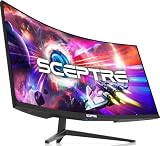
- Top Pick: Samsung 27" Odyssey G5 (G51F) Series QHD (1440P) Gaming Monitor
- Best Value: Acer 27in FHD 1920×1080 IPS 120Hz Gaming Monitor | Office KB272 G0bi
- Premium Choice: msi PRO MP243L E14 24-inch IPS 1920 x 1080 (FHD) Gaming Office Monitor, 144Hz, Free-Synch, HDR Ready, HDMI, VGA Port,VESA Mountable, Tilt, 4-Side Slim Bezel,1ms, Black
Affiliate disclosure: As an Amazon Associate we earn from qualifying purchases. This post contains affiliate links — if you buy through them we may earn a small commission at no extra cost to you. This never affects our recommendations.
As an Amazon Associate we earn from qualifying purchases at no extra cost to you.








Title: Best 1ms Gaming Monitor in 2026: Top Picks for Competitive Gaming
If you’ve spent more than five minutes shopping for a gaming monitor, you’ve been hit with the “1ms response time” claim on seemingly every product page. Budget 60Hz office panels. Mid-range FreeSync displays. $800 flagship IPS screens. All of them say 1ms. All of them cannot be right — and most of them aren’t.
This guide exists to cut through that noise. We’ll explain what response time measurements actually mean, which panel technologies can genuinely deliver sub-2ms performance, and which five monitors stand out as the best options in 2026 for buyers who actually care about motion clarity.
In a hurry? See the top-rated 1ms Gaming Monitor deals available right now:
🛒 Check 1Ms Gaming Monitor Prices on Amazon →🛒 Best Price Today on Amazon
Prime members get fast, free shipping on everything above, plus member-only deals. New members get a 30-day free trial — cancel anytime.
Start 30-Day Prime Free Trial →See Today’s Amazon DealsWhy “1ms” Is One of Gaming’s Biggest Marketing Myths
Here’s the thing manufacturers don’t put in big font on the box: there are two completely different ways to measure monitor response time, and they produce wildly different numbers.
GtG (Gray-to-Gray) measures how fast a pixel transitions between two specific gray shades. This is the number that actually matters for perceived ghosting and motion blur. A fast GtG means pixels keep up with fast on-screen movement. A slow GtG means you see smearing trails behind moving objects.
MPRT (Moving Picture Response Time) measures something else entirely — the amount of time a pixel is visible during a single frame when backlight strobing is applied. Backlight strobing (also called MBR, ULMB, or similar brand names) artificially reduces motion blur by flickering the backlight off between frames, similar to how a CRT worked. The “1ms MPRT” figure tells you about the strobe window, not how fast the pixel itself moves.
A VA panel with 6ms GtG can claim “1ms MPRT” because its strobe window is 1ms. That pixel is still moving slowly — the strobe just hides some of the motion blur. You can’t use backlight strobing simultaneously with variable refresh rate (VRR/G-Sync/FreeSync) on most monitors, which makes MPRT figures largely irrelevant for the way most competitive gamers play today.
Real-world GtG by panel type:
- TN: 0.5–1ms GtG (fastest, but color and viewing angles suffer)
- Fast IPS / Nano IPS: 1–2ms GtG (best balance of speed and image quality)
- QD-IPS / OLED: 0.03–1ms GtG (OLED is in a class of its own)
- Standard IPS: 3–5ms GtG
- VA: 4–8ms GtG (avoid for response time-critical use)
One more thing: overdrive matters. Every monitor has multiple overdrive settings. Cranking overdrive too high causes inverse ghosting — a bright or dark halo that trails behind fast-moving objects in the opposite direction of the smear. The best monitors balance their overdrive to eliminate ghosting without introducing this artifact. We compared overdrive behavior for every pick below.
Response time only starts making a visible competitive difference above 144Hz. At 60Hz, each frame lasts ~16.7ms — even a 4ms GtG panel won’t cause noticeable ghosting. Once you’re at 240Hz (4.2ms per frame) or 360Hz (2.8ms per frame), sub-2ms GtG becomes genuinely meaningful.
Quick Comparison: Best 1ms Gaming Monitors in 2026
| Monitor | Panel | Actual GtG | MPRT | Refresh Rate |
|---|---|---|---|---|
| ASUS ROG Swift PG279QM | Fast IPS | ~1ms | 1ms | 240Hz |
| LG 27GR95QE | OLED | 0.03ms | 0.1ms | 240Hz |
| BenQ ZOWIE XL2411K | TN | 0.5ms | 1ms | 144Hz |
| Alienware AW2724DM | Fast IPS | ~1ms | 1ms | 165Hz (OC 180Hz) |
| MSI MAG274QRF-QD | QD-IPS | ~1ms | 1ms | 165Hz |
GtG figures at manufacturer-recommended overdrive settings. OLED GtG courtesy of LG’s panel spec sheet.
The 5 Best 1ms Gaming Monitors in 2026
ASUS ROG Swift PG279QM
ASUS ROG Swift PG279QM on Amazon

Key Specs
- Panel: 27-inch Fast IPS
- Resolution: 2560 x 1440 (1440p)
- Refresh Rate: 240Hz (native)
- Response Time: ~1ms GtG (Extreme overdrive: inverse ghosting present; Normal overdrive recommended)
- HDR: DisplayHDR 400
- Connectivity: DisplayPort 1.4, HDMI 2.0 x2, USB hub
- G-Sync Compatible + Full G-Sync module
Pros & Cons
Pros
- Genuine 1ms GtG at Normal overdrive — no inverse ghosting
- Excellent out-of-box color accuracy for a gaming panel (DCI-P3 ~92%)
- 240Hz native makes every millisecond of response time count
- Full G-Sync module provides the smoothest VRR implementation available
- Solid build quality with a versatile stand (height, tilt, pivot, swivel)
Cons
- Extreme overdrive mode produces noticeable inverse ghosting — stick to Normal
- HDR400 is a floor-level certification; HDR performance is underwhelming
- HDMI limited to 2.0 (no 4K@144Hz over HDMI; use DisplayPort for full specs)
- Price premium over comparable Fast IPS panels from other brands
Who It’s For
The PG279QM is the pick for competitive 1440p players who want a genuine 240Hz Fast IPS experience with G-Sync reliability. If you’re coming from a 1080p TN panel and want to step up in image quality without sacrificing response time, this is the straightforward choice. Avoid the Extreme overdrive preset — Normal delivers clean pixel transitions without the artifacts.
LG 27GR95QE
Key Specs
- Panel: 27-inch WOLED
- Resolution: 2560 x 1440 (1440p)
- Refresh Rate: 240Hz
- Response Time: 0.03ms GtG (self-emissive pixels — no liquid crystal to transition)
- HDR: VESA DisplayHDR True Black 400
- Connectivity: DisplayPort 1.4, HDMI 2.1 x2
- G-Sync Compatible / FreeSync Premium Pro
Pros & Cons
Pros
- 0.03ms GtG is not marketing — OLED pixels physically turn on and off per-pixel
- Perfect blacks and infinite contrast ratio; HDR is actually meaningful here
- No overdrive artifacts by design; the pixel is the light source
- Best motion clarity available in a flat panel monitor in 2026
- Near-instantaneous pixel response at any refresh rate
Cons
- OLED burn-in risk — static HUD elements (health bars, minimaps, crosshairs) can cause permanent image retention over months/years of heavy use
- ABL (Automatic Brightness Limiter) reduces brightness on bright, full-screen scenes
- Peak brightness (~450 nits) lags behind high-end mini-LED in SDR
- Most expensive option in this roundup
- Glossy coating increases reflections in bright rooms
Who It’s For
The 27GR95QE is for the player who wants objectively the fastest pixel response possible and understands the burn-in trade-off. Esports titles with static HUDs (Valorant, CS2, Apex) carry more burn-in risk than open-world games with varied imagery. If you rotate content and occasionally display wallpapers, the risk is manageable. If you grind 10+ hours daily in a single title, a Fast IPS is the smarter long-term investment.
BenQ ZOWIE XL2411K
Key Specs
- Panel: 24-inch TN
- Resolution: 1920 x 1080 (1080p)
- Refresh Rate: 144Hz
- Response Time: 0.5ms GtG (TN’s natural advantage)
- HDR: None
- Connectivity: DisplayPort 1.2, HDMI 1.4 x2, DVI-D
- FreeSync / Adaptive-Sync
Pros & Cons
Pros
- Fastest GtG measurement in this list for a non-OLED panel (0.5ms is real for TN)
- 1080p at 144Hz is extremely easy to drive; budget GPUs handle it without issue
- ZOWIE’s DyAc backlight strobing is well-implemented with minimal flicker annoyance
- Purpose-built for esports — BenQ’s Black eQualizer helps visibility in dark areas
- Most affordable pick; strong value for tournament or training use
Cons
- TN color quality is objectively inferior — washed-out viewing angles, limited color volume
- 1080p resolution looks noticeably soft on a 24-inch screen compared to 1440p alternatives
- 144Hz is the ceiling — not suitable if you’re running a 240Hz+ GPU setup
- No HDR support; purely a functional competitive tool, not a multimedia display
- DVI-D port feels like 2015; HDMI 1.4 caps at 1080p@60Hz (use DisplayPort)
Who It’s For
The XL2411K targets budget-conscious competitive players and LAN tournament regulars who prioritize absolute pixel speed above everything else. TN panels genuinely do have the fastest liquid crystal response of any non-OLED technology. If you’re grinding ranked matches in CS2 or Valorant on a mid-range GPU and don’t need stunning visuals, the ZOWIE delivers real-world speed at a price that leaves money for the rest of the build.
Alienware AW2724DM
Key Specs
- Panel: 27-inch Fast IPS
- Resolution: 2560 x 1440 (1440p)
- Refresh Rate: 165Hz (overclockable to 180Hz)
- Response Time: ~1ms GtG at Fast overdrive setting
- HDR: DisplayHDR 600 (600-nit peak — one of the better HDR implementations in this price range)
- Connectivity: DisplayPort 1.4, HDMI 2.1, USB-C (90W PD)
- G-Sync Compatible / G-Sync Certified
Pros & Cons
Pros

- DisplayHDR 600 with local dimming makes HDR content genuinely pop
- USB-C with 90W Power Delivery is rare at this price — useful for laptop users
- Clean overdrive implementation: Fast setting hits ~1ms GtG with minimal inverse ghosting
- HDMI 2.1 allows consoles to run 1440p@120Hz natively
- Alienware’s OSD software (AlienFX) is polished and easy to navigate
Cons
- 165Hz base rate is lower than the PG279QM’s 240Hz; 180Hz OC requires DisplayPort
- Alienware branding adds a price premium over comparable Fast IPS panels
- The cherry RGB lighting under the stand is purely aesthetic — some may find it distracting
- 27-inch 1440p at 165Hz is a more modest spec ceiling than competitors at similar pricing
Who It’s For
The AW2724DM suits multipurpose gamers — people who play competitive titles but also watch movies, play single-player games with high visual fidelity, and occasionally use the monitor for work. The HDR600 implementation is genuinely useful (unlike the checkbox HDR400 on many panels), and USB-C PD makes it versatile for mixed desktop/laptop setups. Pure competitive players will want the higher refresh rate of the PG279QM instead.
MSI MAG274QRF-QD
Key Specs
- Panel: 27-inch QD-IPS (Quantum Dot IPS)
- Resolution: 2560 x 1440 (1440p)
- Refresh Rate: 165Hz
- Response Time: ~1ms GtG (Rapid overdrive; Fastest overdrive introduces light inverse ghosting)
- HDR: DisplayHDR 400
- Connectivity: DisplayPort 1.4, HDMI 2.0b x2, USB hub (3x USB-A + 1x USB-B)
- FreeSync Premium / G-Sync Compatible
Pros & Cons
Pros
- Quantum Dot layer pushes color volume to ~95% DCI-P3 — noticeably richer than standard IPS
- Best color-per-dollar in this roundup; content creators and gamers both benefit
- Rapid overdrive hits ~1ms GtG without significant artifacts — well-tuned from the factory
- Competitive price for QD-IPS technology
- USB hub with upstream port is genuinely useful for desk setups
Cons
- 165Hz is adequate but not a competitive peak; 240Hz alternatives exist at higher prices
- DisplayHDR 400 is entry-level; don’t expect meaningful local dimming
- HDMI 2.0b limits consoles to 1440p@60Hz or 1080p@120Hz (no 1440p@120Hz)
- Fastest overdrive mode causes mild inverse ghosting — Rapid is the sweet spot
Who It’s For
The MAG274QRF-QD is the best value pick for players who want competitive response times and excellent color quality without paying OLED prices. If you split time between competitive multiplayer and visually rich single-player games, QD-IPS gives you accurate, vibrant colors with fast enough pixel response to stay competitive at 165Hz. It won’t satisfy hardcore 240Hz esports grinders, but for most players it hits an excellent balance.
Buyer’s Guide FAQ
Does 1ms GtG actually matter at 144Hz?
At 144Hz, each frame lasts ~6.9ms. A 4ms GtG VA panel still completes its pixel transition within a single frame at this refresh rate. You may see slight trailing at the very start of fast pans, but the practical difference between 4ms and 1ms GtG is minimal at 144Hz. At 240Hz (4.2ms per frame) and above, sub-2ms GtG starts making a real, visible difference because slow pixels don’t finish transitioning before the next frame arrives.
Should I use the highest overdrive setting?
No. Manufacturers include the maximum overdrive setting to hit marketing numbers, not because it produces the best image. Extreme or Fastest overdrive on most monitors causes inverse ghosting — a bright halo or dark smear trailing moving objects in the opposite direction. Test your monitor’s overdrive settings in a fast-moving scene (a first-person shooter works well) and pick the highest setting that doesn’t produce visible halos.
Is MPRT the same as GtG?
Definitively no. MPRT (Moving Picture Response Time) is measured with backlight strobing enabled. It reflects the strobe window duration, not actual pixel transition speed. A “1ms MPRT” panel may have 6ms GtG. You cannot use backlight strobing simultaneously with G-Sync or FreeSync on most displays. For VRR gaming — which is the standard setup for most players in 2026 — GtG is the only number that matters.

Are VA panels worth considering for competitive gaming?
Generally, no. VA panels have the best static contrast ratios (3000:1 vs IPS’s 1000:1) and excellent black levels, but their GtG response times of 4–8ms are a real disadvantage in fast games. You’ll see smearing on fast-moving objects, particularly in dark areas. If your primary use is cinematic single-player games and you occasionally play competitive titles casually, VA is acceptable. If competitive performance is a priority, stick with Fast IPS, TN, or OLED.
Will OLED burn in if I use it for gaming?
OLED burn-in risk is real but manageable. Static elements — crosshairs, health bars, minimaps, taskbars — are the primary risk. Modern OLED gaming monitors include pixel-shift, pixel refresh cycles, and screen savers to mitigate risk. Heavy esports players who run the same game with the same HUD for 8+ hours daily should take burn-in seriously. Casual to moderate gamers who vary their content typically don’t see permanent burn-in within a 3–5 year product lifecycle.
Verdict: Which Monitor Should You Buy?
Best overall fast IPS pick: ASUS ROG Swift PG279QM — 240Hz native, genuine 1ms GtG at Normal overdrive, and full G-Sync support make it the most complete competitive monitor in this roundup.
Best absolute pixel speed: LG 27GR95QE — 0.03ms OLED GtG is physics, not marketing. If budget isn’t the constraint and you accept the burn-in trade-off, nothing else in this list touches it.
Best budget competitive pick: BenQ ZOWIE XL2411K — TN is fast, it’s affordable, and ZOWIE’s feature set is purpose-built for esports. The color compromise is real, but so is the performance-per-dollar.
Best multipurpose monitor: Alienware AW2724DM — HDR600 with local dimming, USB-C PD, and HDMI 2.1 make it the most versatile panel here for mixed-use setups.
Best value 1440p all-rounder: MSI MAG274QRF-QD — QD-IPS color accuracy at a competitive price, with 1ms GtG that’s actually delivered in the Rapid overdrive setting.
Whatever you pick, pay attention to the GtG number at the recommended overdrive setting — not the MPRT marketing headline. That single discipline will save you from buying a “1ms monitor” that doesn’t actually behave like one.
Related Articles
Looking for more on this topic? Browse the hand-picked guides below — each one applies the same scoring rubric used in this review.
Frequently Asked Questions
Does 1ms response time actually eliminate motion blur?
It reduces it but does not eliminate it. The advertised 1ms figure is grey-to-grey measured under best-case overdrive, and perceived blur also depends on refresh rate and sample-and-hold behaviour of the panel. A 1ms 144Hz screen looks dramatically sharper than a 5ms 60Hz screen, but a 240Hz panel improves clarity further regardless of the response spec.
Is 1ms GtG the same as 1ms MPRT?
No, and manufacturers mix them deliberately. GtG measures how fast a pixel shifts between grey levels. MPRT measures how long a pixel stays visible to your eye and is usually achieved by strobing the backlight, which cuts brightness. A 1ms MPRT claim on a slow panel is far less impressive than a genuine 1ms GtG rating.
Can an IPS panel really hit 1ms, or do I need TN?
Modern Fast IPS panels genuinely reach 1ms GtG with overdrive engaged, closing most of the gap to TN while keeping far better colours and viewing angles. TN still has a small edge in worst-case transitions, but for the vast majority of competitive players Fast IPS is the better overall buy in 2026.
Should I max out the overdrive setting?
No. Overdrive pushes pixels harder to hit the rated response time, and the highest setting almost always introduces inverse ghosting, which shows as bright trails behind moving objects. The middle setting is usually the sweet spot. Test with a moving-picture test pattern and pick the highest level that shows no visible overshoot.
Do I need a high-end GPU to benefit from a 1ms monitor?
You need enough frames to feed it. A fast response time only helps when your frame rate is high, so pair a 1ms 240Hz panel with a GPU that can drive well over 144fps in your main titles. In esports games like CS2 or Valorant even mid-range cards clear that bar easily at 1080p.
Ready to decide? Our #1 pick for 2026 is the Monitor.
Live price & availability on Amazon.