

- Top Pick: Samsung 27" Odyssey OLED G6 (G61SH) QD-OLED, QHD (1440P) Gaming Monitor
- Best Value: AOC 27" Gaming Monitor QHD 240Hz QD OLED NVIDIA G-SYNC Compatible Q27GAZD
- Premium Choice: Alienware 34 240Hz QD-OLED Curved Gaming Monitor – AW3425DW – 34.2-inch WQHD (3440 x 1440) 0.03ms Display, 1800R Curve, AMD FreeSync Premium Pro, VESA AdaptiveSync, DisplayHDR TrueBlack 400
An OLED gaming monitor delivers the kind of image quality that transforms every session: perfect blacks, instant pixel response, and colors so vivid they feel three-dimensional. In 2026 the technology has matured, prices have dropped, and burn-in protections have improved dramatically. This roundup breaks down the best OLED gaming monitors worth your money right now.
As an Amazon Associate I earn from qualifying purchases.
As an Amazon Associate we earn from qualifying purchases at no extra cost to you.



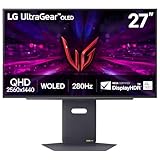

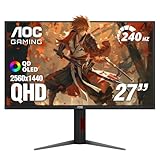

🛒 Best Price Today on Amazon
Prime members get fast, free shipping on everything above, plus member-only deals. New members get a 30-day free trial — cancel anytime.
Why an OLED Gaming Monitor Is Worth It in 2026
The single biggest reason to buy an OLED gaming monitor is contrast. Because each pixel produces its own light and can switch off completely, you get true blacks with no backlight bleed, something no LCD panel can match. Add near-instant 0.03ms gray-to-gray response times and refresh rates that now stretch to 240Hz and beyond, and you have a display that is equally at home with cinematic single-player worlds and twitchy competitive shooters. Modern QD-OLED and WOLED panels also solve older concerns around brightness and text clarity, making them viable as everyday desktop screens rather than gaming-only luxuries. If you are still weighing panel types, our guide comparing OLED versus IPS panels lays out the trade-offs in plain language.
Best OLED Gaming Monitor Picks Compared
| Product | Best For | Standout Feature | Rating |
|---|---|---|---|
| Alienware 27 QD-OLED (AW2725DF) | Competitive esports | 360Hz refresh with 0.03ms response | 4.8/5 |
| LG UltraGear 27 OLED (27GS95QE) | All-round gaming | Dual-mode 240Hz/480Hz switching | 4.7/5 |
| Samsung Odyssey OLED G8 (G80SD) | 4K immersion | 4K 240Hz with glare-free coating | 4.7/5 |
| ASUS ROG Swift OLED PG27AQDM | Color-critical work + play | Custom heatsink burn-in defense | 4.6/5 |
| MSI MAG 271QPX QD-OLED | Value performance | 1440p 240Hz at a lower price | 4.5/5 |
Alienware 27 QD-OLED: The Esports Benchmark OLED Gaming Monitor
The Alienware AW2725DF pushes a QD-OLED panel to 360Hz, making it the sharpest choice for players who live in competitive shooters and fighting games. The 1440p resolution hits a sweet spot where mid-range GPUs can still drive those extreme frame rates without dropping to blurry upscaling. Dell backs the panel with a three-year burn-in warranty, which removes the last psychological barrier to buying OLED. Color accuracy straight out of the box is excellent, and the anti-glare treatment keeps reflections manageable in bright rooms. If you are pairing it with a fast rig, our overview of the best GPUs for high refresh rates will help you feed those frames.
LG UltraGear 27 OLED: The Versatile OLED Gaming Monitor
LG’s 27GS95QE is the do-everything pick thanks to its dual-mode feature, which lets you toggle between a crisp 1440p 240Hz mode for immersive games and a 1080p 480Hz mode for maximum competitive smoothness. That flexibility means one monitor genuinely serves two different play styles. The WOLED panel is bright for its class, HDR content pops, and the stand offers full ergonomic adjustment. LG’s anti-burn-in suite runs quietly in the background with pixel shifting and logo dimming. Gamers upgrading from a 60Hz screen should also read our notes on calibrating a new gaming monitor to get the most from the panel.
Samsung Odyssey OLED G8: The 4K OLED Gaming Monitor
For players who prioritize resolution and cinematic detail, the Odyssey OLED G8 delivers a genuine 4K QD-OLED experience at 240Hz. This is the display for sprawling open-world adventures where texture detail and color depth matter more than raw frame counts. Samsung’s matte glare-free coating is the best in the category, virtually eliminating the mirror-like reflections that plagued earlier OLED models. Built-in smart TV apps mean you can stream without a connected PC. Driving 4K at high frame rates is demanding, so budget accordingly, perhaps with help from our gaming PC build guide.
ASUS ROG Swift OLED: The Durable OLED Gaming Monitor
ASUS engineered the PG27AQDM around longevity, adding a custom bespoke heatsink and airflow design that keeps the panel cooler and reduces long-term burn-in risk. The result is one of the brightest and most reliable OLED gaming monitors available, and it doubles as a capable content-creation display thanks to factory color calibration. The uniform brightness in SDR is noticeably higher than many rivals, addressing a common OLED complaint. ASUS bundles genuinely useful features like a customizable crosshair overlay and refresh-rate counter.
MSI MAG 271QPX: The Value OLED Gaming Monitor
The MSI MAG 271QPX proves you no longer need a premium budget to own quality OLED. It pairs a 1440p QD-OLED panel with a 240Hz refresh rate at a price that undercuts most competitors while keeping the essential strengths intact. MSI includes a graphene film and custom thermal design to manage heat, plus a three-year burn-in warranty for peace of mind. Connectivity is generous with USB-C power delivery, making it a tidy choice for a hybrid work-and-play desk. For a broader shortlist of affordable displays, see our budget gaming monitor roundup.
How to Choose the Right OLED Gaming Monitor
Start with the resolution and refresh rate your graphics card can realistically sustain. A 360Hz 1440p panel is wasted if your GPU tops out at 120fps in modern titles, while a 4K 240Hz screen demands a flagship card to shine. Next, consider your room lighting: QD-OLED panels can look slightly washed in very bright spaces unless they have an effective matte coating like the Samsung G8. Finally, weigh the burn-in warranty, since a three-year policy meaningfully de-risks the purchase. Panel size and desk depth matter too, so measure your space before committing.
Frequently Asked Questions
Is burn-in still a concern on a 2026 OLED gaming monitor?
Burn-in risk is far lower than it once was because modern OLED gaming monitors include pixel shifting, logo dimming, and automatic panel-refresh cycles that redistribute wear. Combined with the three-year burn-in warranties now common from Dell, ASUS, and MSI, everyday mixed use of gaming, browsing, and video poses very little practical risk.
Do I need a powerful PC to run an OLED gaming monitor?
It depends on the resolution and refresh rate you choose. A 1440p 240Hz OLED can be driven well by a solid mid-range GPU, while a 4K 240Hz panel demands a high-end flagship card to reach its full potential. Matching your monitor to your graphics card is the single most important step for a smooth experience.
What refresh rate should I pick for an OLED gaming monitor?
Competitive shooter players benefit most from 240Hz or higher, where the near-instant OLED response time makes fast motion crystal clear. If you mostly play story-driven single-player games, a 144Hz to 165Hz OLED already looks stunning and lets you spend more of your budget on resolution and HDR performance instead.
Are OLED gaming monitors good for everyday desktop work?
Yes, current OLED gaming monitors handle desktop work well thanks to improved text clarity and higher full-screen brightness than earlier generations. Just enable the built-in burn-in protection features and avoid leaving a static image on screen at full brightness for many hours, and the panel will remain crisp for years of mixed productivity and gaming use.
















