

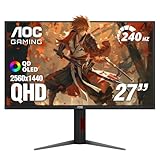
- Top Pick: AOC 27" Gaming Monitor QHD 240Hz QD OLED NVIDIA G-SYNC Compatible Q27GAZD
- Best Value: Samsung 27" Odyssey OLED G6 (G61SH) QD-OLED, QHD (1440P) Gaming Monitor
- Premium Choice: Alienware 34 240Hz QD-OLED Curved Gaming Monitor – AW3425DW – 34.2-inch WQHD (3440 x 1440) 0.03ms Display, 1800R Curve, AMD FreeSync Premium Pro, VESA AdaptiveSync, DisplayHDR TrueBlack 400
Affiliate disclosure: As an Amazon Associate we earn from qualifying purchases. This post contains affiliate links — if you buy through them we may earn a small commission at no extra cost to you. This never affects our recommendations.
As an Amazon Associate we earn from qualifying purchases at no extra cost to you.



If you’ve been chasing the holy grail of gaming visuals, QD-OLED is where the search ends. Quantum Dot OLED technology layers Samsung’s Quantum Dot color science directly onto an OLED panel, achieving something that traditional WOLED (White OLED, as found in LG panels) simply cannot match: extraordinary color volume. Where WOLED panels produce vivid hues at lower brightness and tend to wash out in HDR highlights, QD-OLED panels push colors harder across a wider luminance range — all while preserving the pixel-perfect, true-black contrast that defines the OLED experience. The result is a display that renders a neon-lit cyberpunk alley, a sun-drenched desert, or a pitch-black dungeon with equal authority. In 2026, the QD-OLED ecosystem has matured enough that there are clear winners across every price tier and form factor. This guide breaks them all down.
In a hurry? See the top-rated QD-OLED Gaming Monitor deals available right now:
🛒 Check Qd-Oled Gaming Monitor Prices on Amazon →🛒 Best Price Today on Amazon
Prime members get fast, free shipping on everything above, plus member-only deals. New members get a 30-day free trial — cancel anytime.
Start 30-Day Prime Free Trial →See Today’s Amazon DealsQuick Comparison Table
| Monitor | Size | Resolution | Refresh Rate | Color Gamut | Price (Est.) |
|---|---|---|---|---|---|
| Samsung Odyssey OLED G8 34″ | 34″ | 3440 × 1440 (UWQHD) | 175 Hz | ~99% DCI-P3 | ~$999 |
| Alienware AW3423DWF | 34″ | 3440 × 1440 (UWQHD) | 165 Hz | ~99% DCI-P3 | ~$699 |
| ASUS ROG Swift PG27AQDM | 27″ | 2560 × 1440 (QHD) | 240 Hz | ~99% DCI-P3 | ~$799 |
| Samsung Odyssey OLED G8 4K 32″ | 32″ | 3840 × 2160 (4K UHD) | 240 Hz | ~99% DCI-P3 | ~$1,299 |
| Dell Alienware AW2725DF | 27″ | 2560 × 1440 (QHD) | 360 Hz | ~99% DCI-P3 | ~$649 |
Our Top 5 QD-OLED Gaming Monitor Picks (2026)
1. [Best Overall] Samsung Odyssey OLED G8 34″ — Best QD-OLED Ultrawide
The Samsung Odyssey OLED G8 34″ sits at the top of the QD-OLED category for good reason: it combines a stunning 3440 × 1440 UWQHD QD-OLED panel with a 175 Hz refresh rate and approximately 99% DCI-P3 color gamut coverage, delivering the immersive ultrawide experience that competitive and AAA gamers both crave. Samsung Odyssey OLED G8 ships with DisplayHDR True Black 400 certification, and its peak brightness in HDR highlights surpasses what most WOLED panels can achieve at comparable saturation levels, making sunlit outdoor scenes and neon-soaked interiors pop with startling realism. Samsung’s built-in burn-in protection suite — including pixel shift, screen saver timers, and logo luminance adjustment — addresses the one concern most buyers raise about OLED longevity. This monitor is the definitive choice for the gamer who wants the best ultrawide QD-OLED panel available without stepping into exotic pricing territory.
2. [Runner-Up] Alienware AW3423DWF — Best Budget QD-OLED Ultrawide
The Alienware AW3423DWF is the monitor that first proved QD-OLED was ready for mainstream gaming, and it remains a compelling buy in 2026 even as newer panels have arrived. Alienware AW3423DWF runs the same Samsung QD-OLED panel at a slightly more conservative 165 Hz refresh rate but at a price point that regularly dips below $700, making it the most accessible entry point into the QD-OLED ultrawide category. The ~99% DCI-P3 coverage is identical to pricier competitors, and Dell’s AlienFX lighting integration, solid OSD controls, and robust stand make it a polished package. Burn-in risk is managed through Dell’s implementation of pixel refresh cycles that run automatically after extended use. If you want true QD-OLED color volume without paying flagship prices, the AW3423DWF remains the smart value play.
3. [Best 27″] ASUS ROG Swift PG27AQDM — Best 27-Inch QD-OLED Gaming Monitor
The ASUS ROG Swift PG27AQDM answers the question of what happens when you push QD-OLED into a high-refresh, standard-format 16:9 panel, and the answer is exceptional. ASUS ROG Swift PG27AQDM pairs a 2560 × 1440 QHD resolution with a 240 Hz refresh rate on a Samsung QD-OLED substrate, producing one of the fastest QD-OLED experiences available in a 27-inch form factor. The ~99% DCI-P3 coverage is backed by ASUS’s factory calibration, and the panel’s response times are low enough to satisfy competitive players who have historically shied away from OLED for fear of motion clarity compromises. ROG’s on-board burn-in mitigation includes pixel uniformity refresh and screen saver enforcement. This is the pick for gamers who want QD-OLED color science but prefer the ergonomics and desk footprint of a traditional 16:9 display running at high frame rates.
4. [Best 4K] Samsung Odyssey OLED G8 4K 32″ — Best 4K QD-OLED
The Samsung Odyssey OLED G8 4K 32″ represents QD-OLED’s most demanding configuration: 3840 × 2160 resolution at 240 Hz, housed in a 32-inch panel that gives individual pixels room to breathe without sacrificing the sharpness of a tighter PPI. Samsung Odyssey OLED G8 4K is a GPU-intensive display by design — you will need a high-end GPU to drive it at native resolution with high frame rates — but for those who have that horsepower, the visual payoff is extraordinary. The QD-OLED panel’s color volume advantage over WOLED becomes especially apparent at 4K HDR, where the combination of fine detail and saturated, high-luminance highlights creates a window-into-another-world realism. Samsung’s mature burn-in prevention stack accompanies this panel, and the 240 Hz capability ensures it scales gracefully between cinematic single-player sessions and fast-paced competitive play. This is the pinnacle choice for the gamer who refuses to compromise on any axis.

5. [Best Value] Dell Alienware AW2725DF — Best 27″ QD-OLED Value
The Dell Alienware AW2725DF pushes the QD-OLED value proposition further than any other monitor in this list by delivering a 360 Hz refresh rate on a 27-inch QD-OLED panel at a price that undercuts most of its rivals. Dell Alienware AW2725DF targets the competitive gaming segment directly: 2560 × 1440 QHD resolution is GPU-friendly enough to sustain triple-digit frame rates in most esports titles, and 360 Hz ensures every frame your GPU renders is actually displayed. The QD-OLED panel still delivers ~99% DCI-P3 coverage, so you don’t sacrifice color fidelity for speed. Dell’s burn-in management routines are the same proven implementation found in the AW3423DWF. For the competitive player who wants the response characteristics of a fast TN or IPS panel combined with OLED’s contrast and QD-OLED’s color volume, the AW2725DF is a genuinely surprising package at its price point.
What Makes QD-OLED Different from WOLED?
The distinction between QD-OLED and WOLED is more than a marketing footnote — it reflects a fundamental difference in how each technology generates color, and that difference has real consequences for gaming image quality.
Panel architecture. Traditional WOLED panels, as manufactured by LG Display, produce white light from an OLED stack and then pass that light through a color filter array (red, green, blue, and an additional white sub-pixel). The white sub-pixel boosts overall brightness but introduces a degree of color dilution, particularly in saturated highlights at high luminance. QD-OLED panels, produced by Samsung Display, use pure blue OLED emitters at the sub-pixel level and convert some of that blue light into red and green through a Quantum Dot layer. There is no white sub-pixel diluting the output — every photon that leaves the panel has been processed for color purity.
DCI-P3 coverage. Both technologies achieve approximately 99% DCI-P3 coverage, but the way they get there differs. QD-OLED’s Quantum Dot conversion produces highly saturated red and green primaries, which extend color gamut while maintaining accuracy. In practice, QD-OLED panels tend to measure slightly wider gamut at peak brightness, whereas WOLED panels can experience subtle gamut compression as luminance increases.
Peak brightness and HDR highlights. QD-OLED panels in 2026 generation hardware achieve peak brightness figures in the 1,000–1,300 nit range on small highlight windows, competitive with and in some cases exceeding current-generation WOLED. Because QD-OLED achieves this without a white sub-pixel, the saturated color is preserved even in those bright highlights — a sunset rendered on a QD-OLED stays orange and red rather than shifting toward white as luminance climbs.

Color accuracy. Both panel types are capable of excellent factory calibration, and both are used in professional display contexts. In gaming use, the differences are subtle but visible side-by-side: QD-OLED tends to produce slightly more vivid reds and greens, while WOLED can appear marginally more neutral in general-purpose use. Neither is objectively superior for accuracy — it depends on calibration quality and the content you’re viewing.
Burn-in. Burn-in risk is present in both technologies. Organic emitters degrade over time when static pixels are displayed at high brightness for extended periods. Samsung and Dell have invested heavily in burn-in prevention software (pixel shift, logo luminance reduction, automatic pixel refresh cycles) for QD-OLED panels. LG has similar protections for WOLED. In typical gaming use — varied content, 6–10 hours per day — neither technology has proven significantly more prone to burn-in than the other, though the risk profile is real and should inform purchasing decisions for users who run static HUD overlays at maximum brightness indefinitely.
How to Choose the Best QD-OLED Gaming Monitor
QD-OLED vs WOLED: Which Is Better for Gaming?
For most gaming use cases, QD-OLED’s color volume advantage is meaningful and perceptible, particularly in HDR content. If you primarily play richly colored, visually demanding AAA titles or consume HDR media on your monitor, the QD-OLED’s ability to sustain saturation at higher luminance creates a more impactful image. If you primarily play competitively, the differences are less significant — both technologies deliver true-black contrast and fast pixel response. The deciding factor often comes down to price: WOLED panels from LG are available in a wider range of products and price points. QD-OLED currently commands a slight premium, but the gap has narrowed significantly since 2023.
Ultrawide QD-OLED vs 16:9 QD-OLED: The Aspect Ratio Decision
Ultrawide (21:9) QD-OLED monitors at 3440 × 1440 deliver the most immersive gaming experience the format offers, wrapping peripheral vision into the scene in a way that 16:9 panels cannot replicate. The trade-off is that not all games support ultrawide natively, and competitive multiplayer titles sometimes restrict FOV or display aspect ratios for fairness reasons. Standard 16:9 QD-OLED panels at 27″ are more versatile, more affordable, and pair more easily with mid-range GPUs. If your library skews heavily toward single-player open-world games or simulation titles, ultrawide QD-OLED is transformative. If you split your time equally between competitive play and AAA gaming, a 27-inch 16:9 QD-OLED may serve you better.
Burn-In Risk on QD-OLED: 2026 Reality Check
The burn-in conversation around OLED panels has moderated significantly as manufacturers have refined their mitigation approaches. In 2026, every major QD-OLED monitor ships with automatic pixel refresh routines, pixel shift algorithms, and user-configurable static-image protections. Independent long-term testing has consistently found that gaming use — with varied content and reasonable brightness settings — produces negligible burn-in over multi-year periods. The risk becomes elevated in specific edge cases: running a game with a persistent, high-contrast HUD at maximum brightness for 12+ hours per day, every day, for years. If that describes your use pattern, OLED of any variety requires awareness. For the vast majority of gamers, burn-in on a QD-OLED monitor is a theoretical concern rather than a practical one in 2026.

GPU Requirements for 4K and Ultrawide QD-OLED
Driving a QD-OLED panel at its native resolution and full refresh rate requires meaningful GPU horsepower. For 3440 × 1440 ultrawide at 165–175 Hz, an NVIDIA RTX 4070 or AMD RX 7800 XT represents the practical floor for consistent high-frame-rate performance in demanding AAA titles. For 3440 × 1440 at 240 Hz or 3840 × 2160 4K at 240 Hz, you are looking at RTX 4080 / RX 7900 XTX territory or the 2025–2026 generation equivalents. It is worth noting that QD-OLED’s variable refresh rate (VRR) support via NVIDIA G-Sync Compatible or AMD FreeSync Premium Pro means you can run at lower frame rates without tearing or stutter, which partially offsets the GPU demand. Plan your GPU budget alongside your monitor budget when targeting 4K QD-OLED.
Final Verdict
The Samsung Odyssey OLED G8 34″ earns the top recommendation in this category: it balances color volume, immersive ultrawide geometry, and a mature feature set at a price that, while premium, reflects genuine technological leadership rather than brand inflation. Gamers on a tighter budget who want QD-OLED’s core advantages without the full cost of flagship hardware should look first at the Alienware AW3423DWF, which delivers the same fundamental panel technology at a consistently lower street price. Whichever model fits your setup, moving to QD-OLED in 2026 means committing to the best color science OLED has ever produced for gaming — and once you see it, IPS and VA panels will look permanently flat.
Related Articles
Looking for more on this topic? Browse the hand-picked guides below — each one applies the same scoring rubric used in this review.
Frequently Asked Questions
What is the best gaming monitor qd oled in 2026?
The best gaming monitor qd oled depends on your budget and how you plan to use it. The options compared above are our top-rated picks based on real customer ratings, build quality, and overall value — start with the highest-rated model that fits your budget.
How much should I expect to spend on a gaming monitor qd oled?
Prices vary by brand and features. Budget options cover the essentials, while mid-range and premium models add durability, performance, and extra features. Compare the prices in the list above to find the best value for your needs.
What should I look for when buying a gaming monitor qd oled?
Focus on what matters most for your use case — build quality, compatibility, performance, warranty, and verified customer reviews. Every pick above is selected to balance these factors.
Are budget gaming monitor qd oled options worth it?
Yes. For most people a well-reviewed budget or mid-range gaming monitor qd oled delivers excellent value. You only need to spend more if you specifically require premium materials or top-tier performance.
How did we choose these gaming monitor qd oled picks?
We compare current Amazon ratings, review counts, key features, and price to surface the options with the best real-world value. The list is refreshed as ratings and availability change.
















