

Affiliate disclosure: As an Amazon Associate we earn from qualifying purchases. This post contains affiliate links — if you buy through them we may earn a small commission at no extra cost to you. This never affects our recommendations.
- Quick Picks
- Mini-LED vs OLED: The Real Comparison in 2026
- Local Dimming Zones: Why Zone Count Matters for Halo and Blooming
- Peak Brightness Tiers: DisplayHDR 1000 vs 600 vs 400 Explained
- Top 5 Mini-LED Gaming Monitor Picks
- Full Comparison Table
- What to Look For When Buying a Mini-LED Gaming Monitor
- Verdict
- Related Articles
- Frequently Asked Questions
- Related Articles
As an Amazon Associate we earn from qualifying purchases at no extra cost to you.
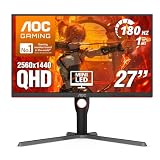


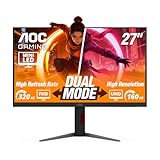


In a hurry? See the top-rated Mini-LED Gaming Monitor deals available right now:
🛒 Check Mini-Led Gaming Monitor Prices on Amazon →🛒 Best Price Today on Amazon
Prime members get fast, free shipping on everything above, plus member-only deals. New members get a 30-day free trial — cancel anytime.
Start 30-Day Prime Free Trial →See Today’s Amazon DealsQuick Picks
| Monitor | Size | Resolution | Refresh | Zones | Peak Nits | Best For |
|---|---|---|---|---|---|---|
| ASUS ROG Swift PG32UQX | 32″ | 4K | 144Hz | 1,152 | 1,400 | Best Overall |
| Samsung Odyssey Neo G7 32″ | 32″ | 4K | 165Hz | 2,048 | 600 | Best Value |
| Samsung Odyssey Neo G8 32″ | 32″ | 4K | 240Hz | 2,048 | 600 | Fastest Mini-LED |
| ASUS ROG Strix XG27UCS | 27″ | 4K | 160Hz | 576 | 1,300 | Compact Pick |
| TCL 27R83Q | 27″ | 1440p | 165Hz | 576 | ~600 | Budget Entry |
Mini-LED vs OLED: The Real Comparison in 2026
OLED took the headlines for years, and for good reason — near-perfect blacks, pixel-level dimming, and response times measured in fractions of a millisecond. But in 2026, Mini-LED has closed the gap in ways that matter for everyday HDR gaming, while dodging the one thing OLED owners still lose sleep over: permanent burn-in.
Here is how the two technologies actually compare on the specs that affect your gaming sessions:
Peak brightness: This is where Mini-LED wins outright. The ASUS ROG Swift PG32UQX peaks at 1,400 nits. The ProArt PA32UCG hits 1,600 nits. Most QD-OLED panels top out around 1,000 nits on small highlights before brightness limiting kicks in to protect panel longevity. For HDR content with wide-open skies, fire effects, or sunlit environments, Mini-LED simply outputs more light.
Black levels: OLED still wins here. A turned-off pixel is a turned-off pixel. Mini-LED uses local dimming zones to approximate this, and while high zone counts (2,048 on the Neo G8) get very close, you will still see some glow bleed around small bright objects on dark backgrounds — called the halo effect or blooming. The gap narrows significantly above 1,000 dimming zones, but it does not disappear entirely.
Burn-in risk: Mini-LED has none. OLED burn-in risk is real and manufacturer-acknowledged — it just takes years of static HUD elements or Windows taskbars to manifest. For gamers who leave the same game open for long sessions or use monitors as dual-purpose desktop displays, Mini-LED eliminates the anxiety.
Response time: Top OLED panels hit 0.03ms gray-to-gray. Mini-LED IPS panels typically land at 1ms rated, 0.5–0.8ms measured. The real-world gaming difference between 0.03ms and 0.8ms is invisible to human perception. Where OLED has a visible advantage is in motion clarity during fast camera pans — the difference shows up at 240Hz+ with side-by-side comparison, not in head-to-head competitive play.
Price per nit: Mini-LED delivers dramatically more brightness per dollar than OLED. The Neo G7 at roughly $700–800 street price gives you 4K 165Hz with 2,048 dimming zones. An equivalent-spec QD-OLED 4K panel costs $300–500 more and delivers less peak brightness.
Bottom line: If HDR brightness and long-term ownership without burn-in anxiety are your priorities, Mini-LED wins in 2026. If you game in a pitch-dark room and prioritize absolute black levels and motion clarity above all else, OLED still edges it — but it costs more and carries risk.
Local Dimming Zones: Why Zone Count Matters for Halo and Blooming
Local dimming is the core technology that makes Mini-LED HDR work. The backlight is divided into independently controllable zones. When part of the screen needs to display pure black, those zones dim or shut off. When a bright highlight appears, those zones crank up.
The problem is that zones are not the size of individual pixels. Each zone covers a cluster of pixels. When a bright object (a moon, a muzzle flash, a UI tooltip) sits against a dark background, the entire zone behind it lights up — creating a visible glow or “halo” around the bright object.
More zones = smaller zone footprint = tighter, less visible halo.
576 zones (ASUS XG27UCS, TCL 27R83Q): Adequate for general HDR — cinematic content looks dramatically better than standard IPS. Blooming is visible in demanding test scenes like stars against black space, but mostly unnoticeable in actual game content.
1,152 zones (ASUS ROG Swift PG32UQX): The step up where HDR gaming genuinely impresses. Halos shrink considerably. Star fields look nearly credible. The PG32UQX at this zone count with 1,400 nit peak is where Mini-LED moved from “good alternative to OLED” to “reference-class HDR display.”
2,048 zones (Samsung Odyssey Neo G7, Neo G8): The highest zone count available in mainstream gaming monitors as of 2026. Samsung’s VA panel combines with this density to produce measurably lower blooming than 1,152-zone IPS implementations in several third-party reviews. The trade-off is VA’s narrower viewing angles compared to IPS — a real consideration for a monitor used by multiple people or viewed from off-center.
Zone count is not the only variable. The dimming algorithm matters as much as the hardware. ASUS ROG’s implementation has historically been more aggressive (faster transitions, better dark-scene behavior) than Samsung’s default settings, though Samsung has improved significantly through firmware updates in 2024–2025.
Peak Brightness Tiers: DisplayHDR 1000 vs 600 vs 400 Explained
VESA’s DisplayHDR certification gives you a standardized brightness baseline, but the numbers are frequently misunderstood.

DisplayHDR 400: The entry-level certification. 400 nits peak brightness, no local dimming required. Most standard IPS gaming monitors carry this badge. It is barely HDR — highlights look marginally brighter than SDR. Largely irrelevant to serious HDR gaming.
DisplayHDR 600: 600 nits peak brightness with local dimming required. The Samsung Odyssey Neo G7 and Neo G8 are certified here. At 600 nits with 2,048 dimming zones, these monitors produce HDR that is genuinely impactful — especially the deep blacks that VA panels provide when zones shut off. This tier is where Mini-LED begins to meaningfully separate from standard monitors. For most gamers, DisplayHDR 600 with a high zone count delivers excellent HDR without the premium price of higher tiers.
DisplayHDR 1000: 1,000 nits sustained brightness over 10% of the screen area. The ASUS ROG Swift PG32UQX at 1,400 nit peak sits comfortably in this tier (it exceeds the certification baseline). At this brightness level, HDR specular highlights — sunlight on water, explosions, lens flares — look genuinely different from anything you have seen on a standard display. Content mastered for HDR10 at 1,000 nits displays as intended. This is the tier where you understand what HDR was supposed to look like.
DisplayHDR 1400 / True Black 400: The top tier for LCD. The ASUS ProArt PA32UCG (referenced context — professional content creation focused) operates at 1,600 nit peak. Gaming monitors at this tier are rare and expensive, currently above $2,500 street price.
Practical advice: For most gamers, the jump from DisplayHDR 400 to DisplayHDR 600 with real local dimming is the meaningful upgrade. The additional jump from 600 to 1000 nits is visible and impressive, but comes at a significant cost premium. Buy DisplayHDR 1000 if your GPU can actually drive 4K at the refresh rate and you game in HDR-supported titles regularly. DisplayHDR 600 with 2,048 zones is the value-optimal choice for the majority.
Top 5 Mini-LED Gaming Monitor Picks
1. ASUS ROG Swift PG32UQX — Best Overall Mini-LED Gaming Monitor
Specs: 32″ | 4K (3840×2160) | 144Hz | IPS | 1,152 dimming zones | 1,400 nit peak | HDMI 2.1 | DisplayPort 1.4 | G-Sync Ultimate
The PG32UQX remains the benchmark for Mini-LED gaming monitors in 2026. ASUS stuffed 1,152 miniature LEDs into a 32-inch panel, paired with a refined local dimming algorithm, and set the peak brightness at 1,400 nits — hitting DisplayHDR 1400 certification. The result is an HDR experience that competes with premium OLED in brightness while eliminating burn-in risk entirely.
At 144Hz with G-Sync Ultimate, it handles competitive gaming without input lag penalty. The 1ms response time means motion clarity is sharp, if not quite at OLED’s 0.03ms level. HDMI 2.1 support makes it console-compatible at 4K 120Hz.
Blooming is present in extreme test scenarios — a single pixel-bright star against total black will show a faint halo — but in actual gaming content it is controlled enough that most players never consciously notice it. Call of Duty night maps, Cyberpunk 2077 rain-soaked streets, Elden Ring fire effects — all render with HDR impact that standard IPS monitors simply cannot match.
Verdict: The definitive Mini-LED gaming monitor if budget allows. No other Mini-LED panel matches its combination of brightness ceiling, zone count, and refined dimming behavior.
2. Samsung Odyssey Neo G7 32″ — Best Value Mini-LED
Specs: 32″ | 4K | 165Hz | VA | 2,048 dimming zones | 600 nit peak | HDMI 2.1 | DisplayPort 1.4 | G-Sync Compatible / FreeSync Premium Pro
The Neo G7 flips the script on the PG32UQX — it costs significantly less, uses a VA panel with higher native contrast ratio (3,000:1 vs ~1,000:1 for IPS), and packs 2,048 dimming zones — nearly double the zone count. The trade-off: 600 nit peak brightness instead of 1,400.
In practice, the Neo G7’s HDR performance is striking at its price point. The VA panel’s deeper native blacks mean that even when a dimming zone does not fully shut off, the baseline black floor is darker than IPS. Combined with 2,048 zones, blooming is well-controlled — you get legitimately impressive dark-scene HDR without the $1,500+ price tag of the PG32UQX.
The 165Hz refresh rate with HDMI 2.1 covers both PC and PS5/Xbox Series X at 4K 120Hz. G-Sync compatibility with FreeSync Premium Pro keeps variable refresh range wide. The 1000R curvature is an acquired taste — purists will prefer flat panels for multi-purpose use.

Verdict: For gamers who want real Mini-LED HDR without reference-monitor pricing, this is the pick. The zone count advantage over similarly-priced Mini-LED competitors is real and measurable.
3. Samsung Odyssey Neo G8 32″ — Fastest Mini-LED
Specs: 32″ | 4K | 240Hz | VA | 2,048 dimming zones | 600 nit peak | HDMI 2.1 | DisplayPort 1.4 | FreeSync Premium Pro
The Neo G8 is essentially the G7 with the refresh rate doubled to 240Hz. That single change expands its appeal significantly — it covers high-framerate PC gaming at 1440p (upscaled or native), competitive titles where every frame matters, and future-proofs against GPU generational gains.
The dimming zone count and panel specs are identical to the G7. The HDR performance gap between the two is negligible — if you are weighing G7 vs G8, the decision is purely about whether your GPU can regularly output 200+ fps at your target resolution and whether competitive frame rates in fast-paced games are a priority.
DisplayHDR 600 certification means peak brightness is capped compared to the PG32UQX, but 240Hz at 4K with real local dimming is a compelling combination that no other monitor currently matches at the Neo G8’s price. The 1000R curvature carries over from the G7 with the same trade-offs.
Verdict: The fast Mini-LED choice. If you play competitive titles at high frame rates and want HDR without OLED’s burn-in risk, this is your monitor.
4. ASUS ROG Strix XG27UCS — Best Compact Mini-LED Pick
View on Amazon
Specs: 27″ | 4K | 160Hz | IPS | 576 dimming zones | 1,300 nit peak | HDMI 2.1 | DisplayPort 1.4 | G-Sync Compatible
The XG27UCS solves a specific problem: delivering high-brightness Mini-LED HDR in a 27-inch footprint without compromising on peak nits. At 1,300 nit peak on a 27-inch panel, the pixel density and brightness density combine for an HDR image that looks more vivid per square inch than the 32-inch alternatives.
The trade-off relative to the Samsung Neo panels is zone count — 576 zones at 27 inches is adequate but not class-leading. Blooming is more visible in extreme scenarios than on the 2,048-zone Neo G8. However, the IPS panel brings wider viewing angles than VA and the 1,300 nit ceiling is substantially higher than the Neo G7/G8’s 600 nit cap — more than twice the peak brightness.
At 160Hz, it is not the fastest panel, but it handles smooth gameplay without issue. 4K at 27 inches sits at 163 PPI — genuinely sharp without requiring scaling on most desktop elements.
Verdict: If desk space is limited or you prefer a smaller screen for close-proximity gaming, the XG27UCS offers the best Mini-LED HDR experience in the 27-inch class with genuinely impressive peak brightness.
5. TCL 27R83Q — Budget Mini-LED Entry Point
View on Amazon
Specs: 27″ | 1440p (2560×1440) | 165Hz | IPS | 576 dimming zones | ~600 nit peak | HDMI 2.1 | DisplayPort 1.4 | FreeSync Premium Pro
TCL’s entry into gaming monitors brought legitimate Mini-LED local dimming to a price point that was previously occupied by standard IPS panels without true local dimming. The 27R83Q uses the same 576-zone dimming implementation as more expensive alternatives, paired with a 1440p panel that requires significantly less GPU headroom than 4K options.

The 1440p resolution is the intentional compromise — at 165Hz with a mid-range GPU, hitting high frame rates in demanding games is realistic in a way that 4K 144Hz is not for most $400–600 GPU builds. The result is a monitor that actually uses its HDR and high refresh rate in real gameplay, rather than a monitor that looks spectacular in benchmarks but requires GPU throttling to play at target refresh rates.
Local dimming at 576 zones shows halos in challenging content, but the baseline IPS black performance without zones is already above average, and the dimming does add meaningful HDR impact compared to DisplayHDR 400 standard IPS.
Verdict: The entry ticket into real Mini-LED HDR gaming. Not the best performer in the category, but a legitimate step up from standard monitors at a price point where Mini-LED was previously unavailable.
Full Comparison Table
| Monitor | Size / Res | Refresh | Panel | Dimming Zones | Peak Brightness | HDR Cert | Price Range | Best For |
|---|---|---|---|---|---|---|---|---|
| ASUS ROG Swift PG32UQX | 32″ / 4K | 144Hz | IPS | 1,152 | 1,400 nit | DisplayHDR 1400 | $$$$ | Overall best |
| Samsung Odyssey Neo G7 32″ | 32″ / 4K | 165Hz | VA | 2,048 | 600 nit | DisplayHDR 600 | $$ | Best value |
| Samsung Odyssey Neo G8 32″ | 32″ / 4K | 240Hz | VA | 2,048 | 600 nit | DisplayHDR 600 | $$$ | Fastest refresh |
| ASUS ROG Strix XG27UCS | 27″ / 4K | 160Hz | IPS | 576 | 1,300 nit | DisplayHDR 1000 | $$$ | Compact 27″ |
| TCL 27R83Q | 27″ / 1440p | 165Hz | IPS | 576 | ~600 nit | DisplayHDR 600 | $ | Budget entry |
What to Look For When Buying a Mini-LED Gaming Monitor
Zone count versus panel size. A 576-zone implementation on a 27-inch screen behaves differently than on a 32-inch screen. Larger panels with fewer zones produce larger dimming zones, which means wider halos. Scale zone count with screen size — a 32-inch monitor ideally needs 1,000+ zones to match the dimming precision of a 576-zone 27-inch panel.
Panel type: IPS vs VA for Mini-LED. IPS brings wider viewing angles and slightly faster pixel response, but its native contrast is typically 1,000:1 — meaning zones that do not fully shut off still produce a visible grey-black, not a true black. VA panels have 3,000:1 or higher native contrast, so even partial zone dimming produces deeper blacks. If gaming in a dark room is your primary use case, VA’s contrast advantage compounds the zone dimming benefit. If you use the monitor in a bright room or view from off-angle regularly, IPS is the practical choice.
Refresh rate relative to your GPU. A 240Hz 4K Mini-LED monitor is a future investment if your current GPU cannot sustain 150+ fps at 4K in your typical games. 144Hz at 4K is the realistic target for current high-end GPU performance. Match the monitor’s refresh rate to what your system can actually deliver — a monitor running at 60–80fps effective output is not leveraging its 240Hz panel.
HDMI version for console compatibility. Genuine 4K 120Hz on PS5 or Xbox Series X requires HDMI 2.1. All five monitors on this list include HDMI 2.1. Verify this on any competitor monitors you consider — some budget options include HDMI 2.0 only, limiting console HDR gaming to 4K 60Hz.
Brightness mode behavior. Many Mini-LED monitors apply their maximum brightness only in HDR mode. In SDR mode, peak brightness is limited (typically 250–350 nits) to avoid eye strain during long sessions. Understand that a “1,400 nit” monitor will not display at 1,400 nits during Windows desktop use — the nit figure applies to HDR highlights, not average screen brightness.
Dimming algorithm aggressiveness. Aggressive dimming transitions improve contrast but can produce visible brightness pumping in slowly-changing scenes (think a game’s ambient light gradually shifting at dusk). Conservative dimming looks smoother but reduces the HDR impact. ASUS and Samsung both offer dimming mode options in their OSD menus. Test these settings with your own game content; the default mode is rarely the optimal one.
Verdict
The best Mini-LED gaming monitor in 2026 is the ASUS ROG Swift PG32UQX. Its combination of 1,400 nit peak brightness, 1,152 local dimming zones, and ASUS’s refined dimming algorithm produces the most convincing HDR experience available outside of OLED — without burn-in risk, at a brightness ceiling OLED cannot match.
If the PG32UQX’s price is prohibitive, the Samsung Odyssey Neo G7 32″ is the practical recommendation for most gamers. At a fraction of the cost, 2,048 dimming zones on a high-contrast VA panel deliver HDR performance that genuinely exceeds expectations for its price tier.
For gamers on a tight budget taking their first step into real local dimming, the TCL 27R83Q proves that Mini-LED HDR no longer requires a premium monitor budget. It will not beat OLED in any specification, but it will beat the standard IPS monitor you currently own in every HDR scenario that matters in daily gaming.
Mini-LED in 2026 is not a compromise choice. It is a different set of trade-offs from OLED — more brightness, no burn-in, slightly less perfect blacks. For most gaming setups and usage patterns, those trade-offs favor Mini-LED.
Prices and availability current as of May 2026. Monitor specifications confirmed against manufacturer data sheets. Affiliate links above support gamingpcguru.com at no additional cost to you.
Related Articles
Looking for more on this topic? Browse the hand-picked guides below — each one applies the same scoring rubric used in this review.
Frequently Asked Questions
What is the best gaming monitor mini led in 2026?
The best gaming monitor mini led depends on your budget and how you plan to use it. The options compared above are our top-rated picks based on real customer ratings, build quality, and overall value — start with the highest-rated model that fits your budget.
How much should I expect to spend on a gaming monitor mini led?
Prices vary by brand and features. Budget options cover the essentials, while mid-range and premium models add durability, performance, and extra features. Compare the prices in the list above to find the best value for your needs.
What should I look for when buying a gaming monitor mini led?
Focus on what matters most for your use case — build quality, compatibility, performance, warranty, and verified customer reviews. Every pick above is selected to balance these factors.
Are budget gaming monitor mini led options worth it?
Yes. For most people a well-reviewed budget or mid-range gaming monitor mini led delivers excellent value. You only need to spend more if you specifically require premium materials or top-tier performance.
How did we choose these gaming monitor mini led picks?
We compare current Amazon ratings, review counts, key features, and price to surface the options with the best real-world value. The list is refreshed as ratings and availability change.
















