

- Top Pick: Samphon Monitor Light Bar, Eye-Care USB Reading Mnitor lamp, 11.8'' LED Computer Lights with Ultrawide Lighting, 3 Color Temperature Dimmable Desk Light for Home Office Gaming
- Best Value: Govee Smart Light Bar, RGBICWW TV Lights for Living Room, Gaming, Black
- Premium Choice: Quntis Computer Monitor Lamp, Screen Monitor Light Bar for Eye Caring, USB Reading LED Task Lamp with Auto-Dimming, Dimmable Light Bar, Touch Control, No Glare Space Saving Home Office Desk Lamps
Staring at a bright screen surrounded by a dark room is one of the fastest ways to give yourself eye strain and headaches, and it’s exactly the situation most gamers and desk workers put themselves in nightly. A dedicated monitor light — whether a screen-mounted light bar or a set of ambient bias strips — fixes that by adding balanced, glare-free illumination that your monitor can’t provide on its own. The result is a more comfortable setup, better contrast perception, and a desk that simply looks more polished.
Monitor lighting splits into two camps: screen bars that clamp to the top of your display and shine down onto the desk, and RGB bias strips that stick behind the screen to wash the wall with color. We’ve tested both styles across a range of budgets to help you pick the right tool for eye comfort, ambiance, or both.
As an Amazon Associate we earn from qualifying purchases at no extra cost to you.





🎮 Get More From Your Setup — Free
Prime Gaming gives you free PC games every month, in-game loot, and a free Twitch channel sub — plus fast free shipping on all the gear above. New members get a 30-day free trial.
Watch: Monitor Lights — Video Review
Design & Build
Screen bars live or die by their mounting design. The Samphon Monitor Light Bar and Quntis Monitor Lamp both use a weighted, curved clip that grips the top bezel without blocking your view or reflecting into your eyes — the asymmetric optics throw light forward onto the keyboard rather than back at the panel. The Quntis adds touch controls and auto-dimming that reads ambient light, which feels genuinely premium in use. For clamp-style task lighting with more reach, the Airlonv 17-inch LED Desk Lamp offers stepless dimming on a sturdy desk clamp. On the ambient side, the Govee Smart Light Bars and Govee RGBIC LED Strip prioritize color coverage and app control over precision, using adhesive backing and flexible runs that tuck behind a monitor or bed frame with ease.
Performance
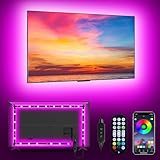
For pure eye comfort during work or single-player sessions, the screen bars win decisively. Adjustable color temperature — typically warm to cool white — lets you match the light to the time of day, and the no-glare design means you can crank brightness without washing out the screen. The Quntis auto-dimming feature is the standout, quietly compensating as your room dims into evening. For immersion and vibe, the RGBIC options shine: the Govee light bars and strips sync to music and can mirror on-screen colors, turning a plain desk into something that reacts to your game. The MATICOD USB TV Backlight is the budget entry here, running off your monitor’s USB port for a subtle bias glow without any wiring hassle.
Pros & Cons
- Reduced eye strain from balanced ambient light that eliminates the harsh screen-in-darkness contrast.
- Zero desk footprint with clamp-on bars that free up the space a traditional lamp would occupy.
- Flexible ambiance from RGBIC strips that sync to audio and content for immersive sessions.
- USB-powered convenience on most bars and strips means no extra outlet needed.
- Screen bars aren’t decorative — they’re functional lighting, so RGB fans will want a separate strip.
- Adhesive strips can be fiddly to reposition once applied to a textured surface.
- Cheaper units may offer coarser dimming steps rather than true stepless control.
Alternatives to Consider
If your priority is drafting, reading, or detailed desk work rather than screen comfort specifically, a full gooseneck architect lamp with a clamp gives you more directed light and reach. And if you want whole-room ambiance rather than a desk accent, larger smart light panels or corner floor lamps cover more area. But for the specific problem of an over-bright monitor in a dim room, nothing beats a dedicated screen bar.
Related Guides
- Best Curved 27-Inch Gaming Monitor in 2026: Top 5 1440p Picks Tested
- Best 120Hz Monitor For Gaming in 2026: Complete Buyer's Guide
- Best Wired In-Ear Monitor in 2026: Complete Buyer's Guide
- Best Monitor for PS5 in 2026: Top 5 Picks for 4K 120Hz and HDMI 2.1
Frequently Asked Questions
Do monitor light bars actually reduce eye strain?
Yes. Eye strain is aggravated by high contrast between a bright screen and a dark surrounding, so adding controlled ambient light narrows that gap. The asymmetric design ensures the light hits your desk, not your eyes or the panel.
Will a screen bar reflect glare onto my monitor?
Quality bars like the Samphon and Quntis use asymmetric optics specifically to prevent this — the beam angles forward and down. Cheap symmetric lights can cause glare, so it’s worth choosing a purpose-built model.
What’s the difference between a light bar and RGB bias lighting?
A light bar sits on top and provides functional white task lighting for comfort. Bias strips stick behind the screen to project colored light on the wall, which is about ambiance and immersion rather than reducing strain.
Do these need their own power outlet?
Most don’t. The majority of screen bars and TV/monitor strips run off a spare USB port, while larger RGB room strips like the Govee bedroom kit typically use a wall adapter.
Verdict
If your eyes ache after evening sessions, a screen light bar is one of the cheapest upgrades with the most immediate payoff — the auto-dimming Quntis and the well-balanced Samphon are our top comfort picks. For anyone chasing ambiance instead, the Govee RGBIC light bars deliver reactive color that transforms a setup. Many enthusiasts run one of each, and honestly, that combination gives you the best of both worlds.














