

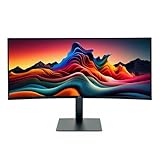
- Top Pick: Sceptre 34-Inch Curved Ultrawide WQHD Monitor (3440 × 1440), R1500, up to 180Hz/165Hz, DisplayPort x2, 99% sRGB, 1ms, Built-in Speakers, Machine Black, 2025 (C345B-QUT168)
- Best Value: SANSUI 34-Inch Curved Gaming Monitor UWQHD 3440 x 1440P Up to 200Hz Curved 1500R – PIP/PBP, OD 1ms, HDR, 300nits, sRGB 130%, DCI-P3 97%,AI Crosshair,HDMI2.1×2,DP1.4(Cable Included)
- Premium Choice: CRUA 34 Inch 21:9 UWQHD 100Hz IPS Ultrawide Curved Monitor, Speakers, White
Chasing that immersive 21:9 experience without emptying your wallet is easier than it has ever been. The gap between a bargain ultrawide and a premium one has narrowed dramatically, and today you can land a curved 34-inch panel with a sharp 3440×1440 resolution and a fast refresh rate for a fraction of what those specs used to cost. The trick is knowing which corners a manufacturer cut and whether those cuts actually matter for the way you game and work.
To save you hours of spec-sheet reading, we rounded up the most affordable ultrawide monitors that still deliver a genuinely good experience. From the value-focused Sceptre C345B to the feature-packed SANSUI and the clean-looking CRUA panels, these picks prove you do not need to spend flagship money to wrap your peripheral vision in extra pixels.
As an Amazon Associate we earn from qualifying purchases at no extra cost to you.


Check Price on Amazon →


Check Price on Amazon →

🛒 Best Price Today on Amazon
Prime members get fast, free shipping on everything above, plus member-only deals. New members get a 30-day free trial — cancel anytime.
Watch: Best Cheapest Ultrawide Monitor — Video Review
How to Choose a Cheap Ultrawide Monitor
- Resolution: Aim for UWQHD (3440×1440) rather than the older 2560×1080 standard. The extra sharpness is night and day for text clarity, and most budget 34-inch panels now hit this resolution without a huge price jump.
- Refresh rate: Anything at or above 100Hz feels smooth. Bargain hunters can find 165Hz and even 180Hz-200Hz panels, so do not settle for 60Hz unless the monitor is purely for office work.
- Panel type: IPS gives you better viewing angles and color accuracy, while VA delivers deeper contrast and inky blacks. Both appear at this price, so pick based on whether color work or dark-room gaming matters more.
- Curvature: A 1500R or 1000R curve pulls the edges of a wide screen toward you, reducing neck movement and boosting immersion. Flat ultrawides exist but curved is generally the more comfortable choice at 34 inches.
- Connectivity and extras: Check for at least one DisplayPort and modern HDMI, plus nice-to-haves like built-in speakers, adaptive sync, and a height-adjustable stand. Cheaper units often skimp on ergonomics.
The Best Cheap Ultrawide Monitors Reviewed
Sceptre 34-Inch Curved Ultrawide WQHD (C345B-QUT168)
The Sceptre C345B is the poster child for affordable ultrawide value. It packs a 3440×1440 resolution, a gentle 1500R curve, and a refresh rate that climbs up to 180Hz, all wrapped in a machine-black shell with dual DisplayPort inputs. With 99% sRGB coverage, 1ms response, and built-in speakers, it covers the essentials most gamers care about while keeping the price genuinely low.
SANSUI 34-Inch Curved Gaming Monitor UWQHD
SANSUI throws in features you rarely see at this tier. The 3440×1440 VA panel pushes up to 200Hz, and it adds picture-in-picture, HDR, an AI crosshair, and dual HDMI 2.1 ports with a cable in the box. If you want the highest refresh rate for your dollar and enjoy a punchier, contrast-heavy image, this one is hard to beat.
CRUA 34-Inch 21:9 UWQHD 100Hz IPS Curved
For creators and hybrid users, the white CRUA IPS model leans into color fidelity and a clean aesthetic. Its 100Hz refresh is plenty for casual gaming and everyday productivity, and the IPS panel keeps colors consistent across the wide, curved surface. Built-in speakers round out a tidy package that looks great on a bright desk.
Samsung 34-inch Odyssey G5 Ultra-Wide
Samsung’s Odyssey G5 brings brand-name reliability and an aggressive 1000R curve that hugs your field of view. The WQHD panel and gaming-tuned response make it a comfortable step up in build quality, and Samsung’s software and warranty support add peace of mind for buyers nervous about lesser-known names.
LG UltraWide 34 WQHD HDR10 Curved (34U62TB-B, Renewed)
If you want a recognizable panel maker on a budget, this renewed LG UltraWide delivers 3440×1440, HDR10, and a genuinely versatile tilt, height, and swivel stand. At 120Hz it stays smooth for most titles, and LG’s Reader Mode makes long work sessions easier on the eyes. Buying renewed shaves the cost while keeping LG’s panel quality.
Frequently Asked Questions
Is a cheap ultrawide good enough for gaming?
Absolutely. Modern budget ultrawides offer high refresh rates, adaptive sync, and UWQHD resolution, which is more than enough for immersive gaming as long as your GPU can drive the extra pixels.
Do I need a powerful graphics card for 3440×1440?
UWQHD demands more from your GPU than 1080p because it renders roughly 34% more pixels than 2560×1440. A mid-range modern card handles it well, though you may lower settings in demanding titles to hold high frame rates.
IPS or VA for a budget ultrawide?
Choose IPS for accurate colors and wide viewing angles, and VA for deeper blacks and stronger contrast. Both are common at this price, so let your primary use case decide.
Are built-in speakers on these monitors any good?
They are fine for system sounds, video calls, and casual media, but serious gamers and music listeners will still want dedicated speakers or a headset for better audio quality.
Final Thoughts
You no longer have to pick between affordable and immersive. Whether you grab the value-driven Sceptre, the feature-loaded SANSUI, or a trusted name like Samsung or LG, every pick here delivers the wraparound 21:9 experience that makes ultrawide gaming so addictive. Match the panel type and refresh rate to how you play, and you will get flagship-style immersion at a bargain price.
















