

- Top Pick: Alienware 34 Curved Gaming Monitor – AW3425DWM – 34-inch WQHD 180Hz 1ms Display, 1500R, AMD FreeSync Premium, VESA AdaptiveSync.
- Best Value: Sceptre 34-Inch Curved Ultrawide WQHD Monitor (3440 × 1440), R1500, up to 180Hz/165Hz, DisplayPort x2, 99% sRGB, 1ms, Built-in Speakers, Machine Black, 2025 (C345B-QUT168)
- Premium Choice: Samsung 34' Odyssey G5 Ultra-Wide Gaming Monitor with 1000R Curved Screen
Affiliate disclosure: As an Amazon Associate we earn from qualifying purchases. This post contains affiliate links — if you buy through them we may earn a small commission at no extra cost to you. This never affects our recommendations.
As an Amazon Associate we earn from qualifying purchases at no extra cost to you.


In a hurry? See the top-rated Ultrawide Gaming Monitor deals available right now:
🛒 Check Ultrawide Gaming Monitor Prices on Amazon →🛒 Best Price Today on Amazon
Prime members get fast, free shipping on everything above, plus member-only deals. New members get a 30-day free trial — cancel anytime.
Start 30-Day Prime Free Trial →See Today’s Amazon DealsQuick Picks
| # | Monitor | Size | Resolution | Refresh Rate | Panel | Best For |
|---|---|---|---|---|---|---|
| 1 | LG 34GP950G-B | 34″ | 3440×1440 | 160Hz | IPS Nano | Best Overall |
| 2 | Samsung Odyssey G9 LS49AG952N | 49″ | 5120×1440 | 240Hz | OLED | Best Super Ultrawide |
| 3 | ASUS ROG Swift OLED PG34WCDM | 34″ | 3440×1440 | 175Hz | OLED | Best OLED Ultrawide |
| 4 | Dell AW3423DWF | 34″ | 3440×1440 | 165Hz | QD-OLED | Best Value OLED |
| 5 | MSI MAG401QR | 40″ | 3440×1440 | 165Hz | VA | Best Budget Ultrawide |
Why Go Ultrawide?
Standard 16:9 monitors get the job done. Ultrawide monitors change the experience entirely.
The core argument for ultrawide is field of view. In an open-world RPG, a racing sim, or a flight game, a 21:9 panel shows you roughly 33% more horizontal content than a 1080p or 1440p 16:9 display. That means enemy flanks appear earlier, cockpit edges fill your peripheral vision, and landscapes stretch to the edge of your sight line. The immersion gain is real — not marketing copy.
Beyond gaming, the productivity case is strong. Running a browser, Discord, and a spreadsheet side by side on a 34″ ultrawide is more natural than on two separate monitors with a bezel gap in the middle. Creative professionals — video editors, streamers, 3D artists — often cite ultrawide as transformative for their timeline and viewport layouts.
The tradeoffs are real too. Not every game supports 21:9 natively. Some older titles stretch or black-bar, requiring community fixes. Multiplayer FPS games sometimes restrict ultrawide FOV to prevent competitive advantage. And these panels demand more GPU headroom than equivalent 16:9 displays at the same resolution.
If you’re primarily playing single-player story games, sims, or strategy titles, ultrawide is close to mandatory once you’ve tried it. For hardcore competitive FPS at maximum frame rates, a high-refresh 16:9 monitor may still edge it out.
21:9 vs 32:9 vs 32:10: Which Ratio to Choose?
21:9 (3440×1440 — the mainstream ultrawide)
The sweet spot for most people. At 34 inches, a 3440×1440 panel has enough pixel density (109 PPI) to look sharp from normal desk distances. GPUs from the RTX 4070 and RX 7800 XT tier can handle most games at high settings. It fits standard desks without requiring you to turn your head to see the edges.
32:9 (5120×1440 — the super ultrawide)
Effectively two 27″ 1440p monitors merged into one. The 49″ form factor is genuinely cinematic, and for sim racing, flight sims, and strategy games it is unmatched. The downsides: you need a very wide desk (ideally 70″+), you need a beefy GPU, and many games still don’t support it natively. It is a niche product for enthusiasts who know what they are buying.
32:10 (3840×1200 — the emerging format)
Less common, but growing. It splits the difference between the two above — wider than 21:9 but not as extreme as 32:9. Pixel density tends to be slightly higher per inch. Worth watching, but still limited software support in 2026.
Recommendation: Start with 21:9 unless you specifically want the dual-monitor-in-one experience and have the desk space and GPU budget to support 32:9.
GPU Requirements
Ultrawide gaming is demanding. Here is a realistic breakdown by tier for 3440×1440 (the most common ultrawide resolution):
| GPU Tier | 3440×1440 @ High/Ultra | Frame Rate Target |
|---|---|---|
| RTX 4070 / RX 7800 XT | Most AAA titles high settings | 80–120 fps |
| RTX 4070 Ti Super / RX 7900 GRE | High-ultra, ray tracing light | 100–144 fps |
| RTX 4080 / RX 7900 XTX | Ultra + ray tracing, 144+ fps | 120–160 fps |
| RTX 5080 / RX 9070 XT | Maximum settings, DLSS/FSR | 144–175 fps |
For 5120×1440 at 240Hz, you are realistically looking at an RTX 5090 or AMD equivalent to maintain high frame rates in demanding titles. Budget accordingly.
DLSS 4 (Nvidia) and FSR 4 (AMD) have meaningfully narrowed the performance gap at ultrawide in 2026. A frame-generation-boosted RTX 4070 can push playable frames at 3440×1440 in titles that support it. Factor this into your GPU selection — native performance ceilings matter less than they did two years ago.
Top 5 Picks
1. LG 34GP950G-B — Best Overall Ultrawide
Specs: 34″ | 3440×1440 | 160Hz | IPS Nano | 1ms GtG | HDR600 | G-Sync Compatible + FreeSync Premium Pro | USB-C 90W
The LG 34GP950G-B sits at the intersection of image quality, gaming responsiveness, and broad compatibility. IPS Nano Color delivers accurate, vivid colors with wide viewing angles — a meaningful step above standard IPS. The 160Hz refresh rate is competitive without demanding a flagship GPU, and the 1ms GtG response eliminates motion blur concerns at any setting.

HDR600 with VESA DisplayHDR 600 certification delivers noticeably brighter highlights than entry-level HDR panels, though it does not match OLED’s infinite contrast. The anti-glare coating handles bright rooms well, making it a realistic everyday monitor.
Pros:
- Excellent color accuracy out of the box
- 160Hz achievable on mid-range GPUs
- USB-C 90W powers a laptop while gaming
- Strong HDR performance for an IPS panel
- Wide FreeSync + G-Sync compatibility
Cons:
- No local dimming limits true HDR black levels
- IPS glow visible in dark room scenes
- Priced above budget alternatives despite being an IPS panel
Who it’s for: Anyone who wants a reliable, high-performance ultrawide that works well across gaming, creative work, and productivity without requiring an RTX 5080 to push frames.
2. Samsung Odyssey G9 LS49AG952N — Best Super Ultrawide
Samsung Odyssey G9 LS49AG952N
Specs: 49″ | 5120×1440 | 240Hz | OLED | 0.03ms GtG | HDR True Black 400 | FreeSync Premium Pro | 1800R curve
The 49″ Odyssey G9 OLED is the most cinematic gaming monitor you can buy in 2026. At 5120×1440, it delivers the combined canvas of two 1440p displays with no bezel gap and a 1800R curve that wraps your peripheral vision in content. The OLED panel adds pixel-perfect blacks and sub-millisecond response that no IPS or VA panel can match.
240Hz on OLED at this size is staggering for sim racing and flight games. The DisplayHDR True Black 400 certification is well-earned — OLED’s per-pixel dimming produces contrast ratios that IPS cannot approach.
The elephant in the room: GPU requirements. Pushing 5120×1440 at 240Hz demands serious hardware. Expect to pair this with an RTX 5080 minimum for competitive frame rates in demanding titles, or rely heavily on DLSS 4 frame generation.
Pros:
- Unmatched immersion for sim and strategy genres
- OLED response is effectively instantaneous
- True blacks elevate HDR content dramatically
- 240Hz ceiling for future GPU headroom
Cons:
- Requires a flagship GPU for demanding titles
- Massive desk footprint (49″ needs 55″+ desk width)
- OLED burn-in risk with static UI elements
- Premium price tier
Who it’s for: Sim racers, flight sim enthusiasts, and strategy game players who want the maximum possible immersion and have the desk space and GPU budget to match.
3. ASUS ROG Swift OLED PG34WCDM — Best OLED Ultrawide
ASUS ROG Swift OLED PG34WCDM
Specs: 34″ | 3440×1440 | 175Hz | OLED | 0.03ms GtG | HDR True Black 400 | FreeSync Premium Pro + G-Sync Compatible | 800R curve
ASUS’s ROG Swift OLED PG34WCDM brings OLED technology to the most practical ultrawide size. At 34″ and 3440×1440, it is GPU-manageable, desk-friendly, and delivers the contrast and response time advantages that OLED uniquely provides.
The 175Hz refresh rate is slightly above the standard 165Hz floor, and at OLED response speeds, even fast-action FPS games feel snappy. The 800R curve is aggressive enough for immersion without creating geometric distortion at the edges. ASUS includes its OLED Care suite — pixel cleaning cycles, pixel shift, and a static element detection warning — to address burn-in concerns proactively.
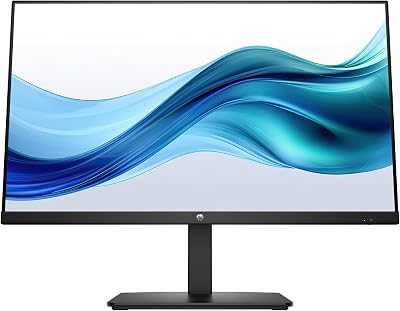
Build quality is flagship-tier. The ROG aesthetic is present but not garish, and the adjustable stand offers full ergonomic range. DisplayPort 1.4 and HDMI 2.1 cover modern GPU outputs.
Pros:
- OLED blacks and response in manageable 34″ form factor
- 175Hz pushable on RTX 4070-class GPUs with DLSS
- OLED Care features reduce burn-in risk
- Excellent color volume and saturation
- G-Sync Compatible + FreeSync dual support
Cons:
- Higher price than the Dell QD-OLED alternative
- 800R curve may feel too aggressive for productivity use
- OLED glossy coating increases reflections vs. IPS matte
Who it’s for: OLED believers who want the technology in a practical 34″ footprint without the desk demands and GPU appetite of a 49″ super ultrawide.
4. Dell AW3423DWF — Best Value OLED Ultrawide
Specs: 34″ | 3440×1440 | 165Hz | QD-OLED | 0.1ms GtG | HDR True Black 400 | FreeSync Premium Pro | 1800R curve
The Alienware AW3423DWF remains the benchmark for value in the OLED ultrawide segment. Using Samsung’s QD-OLED panel — quantum dot layer over OLED substrate — it achieves color volume that standard OLED cannot match: wider gamut, higher peak brightness in HDR, and still retaining OLED’s signature infinite contrast.
At 165Hz, it is not the fastest panel on this list, but 165Hz on a QD-OLED display with near-zero response time feels competitive with any 240Hz IPS monitor in practice. The 1800R curve is identical to the Odyssey G9, producing good immersion at 34″.
Dell’s price positioning is the key differentiator. The AW3423DWF consistently undercuts the ASUS ROG OLED by a meaningful margin while using the same underlying QD-OLED technology. For budget-conscious buyers who still want OLED, this is the rational choice.
Pros:
- QD-OLED panel punches above standard OLED in color volume
- Lowest price among the OLED options on this list
- Dell/Alienware warranty is among the best in the industry (burn-in covered)
- Excellent factory calibration
Cons:
- No USB-C connectivity
- 165Hz ceiling (no headroom above this)
- Glossy QD-OLED surface in bright rooms needs management
- Alienware aesthetic is polarizing
Who it’s for: Buyers who want genuine OLED quality without paying the ASUS ROG premium — the rational pick when budget matters but panel quality does not.
5. MSI MAG401QR — Best Budget Ultrawide
MSI MAG401QR
Specs: 40″ | 3440×1440 | 165Hz | VA | 1ms MPRT | HDR400 | FreeSync Premium | USB-C 65W
The MSI MAG401QR plays a different game entirely. At 40″, it occupies the curved 21:9 large-format segment where VA panels still hold an advantage: native contrast ratios around 3000:1 that blow IPS out of the water without OLED pricing.
The 3440×1440 resolution on a 40″ screen lands at 95 PPI — slightly lower than a 34″ ultrawide but still comfortable from standard desk distances. The size increase adds genuine immersion without the extreme GPU demands of a 49″ 5120×1440 panel.

165Hz is the current VA sweet spot, and MSI’s response time tuning is competent. Dark room gaming benefits from the high native contrast — VA panel blacks are noticeably deeper than IPS, even if they cannot match OLED.
USB-C 65W is a practical inclusion that broadens the monitor’s use case for laptop users. MSI’s build quality has improved considerably — the stand is solid and the OSD is navigable without frustration.
Pros:
- 40″ immersive size at an accessible price
- VA native contrast crushes IPS in dark scenes
- USB-C 65W for laptop connectivity
- 165Hz achievable on mid-range GPUs
- Anti-glare matte finish handles bright rooms
Cons:
- VA panel has slower pixel response than IPS or OLED — some ghosting in dark-to-dark transitions
- HDR400 is entry-level; don’t buy this for HDR performance
- Lower pixel density than 34″ panels at same resolution
- Color accuracy and viewing angles trail IPS and OLED
Who it’s for: Buyers who want a large, immersive ultrawide without OLED or IPS premium pricing — particularly strong for dark room RPG and strategy gaming where VA contrast shines.
Full Comparison Table
| Monitor | Size | Resolution | Refresh | Panel | HDR | USB-C | Curve | G-Sync |
|---|---|---|---|---|---|---|---|---|
| LG 34GP950G-B | 34″ | 3440×1440 | 160Hz | IPS Nano | HDR600 | Yes (90W) | 1900R | Compatible |
| Samsung Odyssey G9 OLED | 49″ | 5120×1440 | 240Hz | OLED | TB400 | No | 1800R | No (FreeSync) |
| ASUS ROG Swift PG34WCDM | 34″ | 3440×1440 | 175Hz | OLED | TB400 | No | 800R | Compatible |
| Dell AW3423DWF | 34″ | 3440×1440 | 165Hz | QD-OLED | TB400 | No | 1800R | Compatible |
| MSI MAG401QR | 40″ | 3440×1440 | 165Hz | VA | HDR400 | Yes (65W) | 1800R | No (FreeSync) |
What to Look For When Buying an Ultrawide
Resolution
3440×1440 is the standard — enough pixel density at 34″ for sharp text and game detail. Avoid 2560×1080 (21:9 1080p): the pixel density drop at 34″ is visible and the format is largely obsolete. 5120×1440 is excellent but requires a GPU to match.
Curve Radius
Lower numbers = tighter curve. A 1800R curve works well at 49″ but can feel excessive at 34″. An 800R–1000R curve at 34″ strikes the better balance between immersion and geometric accuracy. Flat 34″ ultrawides exist but are uncommon — curved is the default for good reason.
Refresh Rate
144Hz is the minimum worth targeting in 2026. The 160–175Hz range is the sweet spot — meaningful over 144Hz and achievable on mid-range hardware. 240Hz OLED at this size is elite, but requires an elite GPU to exploit.
Panel Type
- IPS: Best for brightness, viewing angles, color accuracy. Moderate contrast. Matte coating is easier in bright rooms.
- VA: Best native contrast without OLED pricing. Slower response can cause dark-scene ghosting. Good for dark room gaming.
- OLED/QD-OLED: Best contrast, best response, best HDR. Burn-in risk with static overlays. Glossy surface needs room light management.
HDR Support
HDR600 minimum for IPS if HDR matters to you — HDR400 certifications often disappoint in practice. For genuine HDR impact, OLED panels with DisplayHDR True Black 400 certification are the current standard: per-pixel dimming eliminates the blooming issues that plague LCD-based HDR.
Adaptive Sync
Both G-Sync Compatible and FreeSync Premium Pro work with Nvidia and AMD GPUs in 2026. True G-Sync hardware modules add cost without proportional benefit for most users. Prioritize panels that carry both certifications for flexibility.
Verdict
The LG 34GP950G-B wins the best overall ultrawide title for 2026. It delivers accurate color, 160Hz responsiveness, and USB-C convenience in the most practical ultrawide form factor — without demanding a flagship GPU or a desk the size of a dining table. For most people upgrading from a 16:9 monitor, it is the right answer.
If your budget allows and OLED matters to you, the Dell AW3423DWF is the rational OLED step-up. QD-OLED technology, covered burn-in warranty, and a price below the ASUS equivalent make it the smart upgrade path.
The Samsung Odyssey G9 OLED is for a specific buyer — someone who sims, strategies, or flies in virtual cockpits, has a large desk, and owns the GPU to back it up. It is not the best monitor for everyone, but for its target user it is genuinely unmatched.
Go ultrawide. You will not go back.
Frequently Asked Questions
Is an ultrawide monitor good for gaming?
Yes. An ultrawide 21:9 screen widens your field of view for greater immersion in supported games, and it is excellent for productivity. Most modern games support the wider aspect ratio.
Do all games support ultrawide resolutions?
Most modern titles do, but some older or competitive games do not, showing black bars or a stretched image. Support is broad, though it is worth checking your favorite games.
What GPU do I need for an ultrawide monitor?
Ultrawide resolutions like 3440×1440 push more pixels than standard 1440p, so aim for an upper-mid-range or better GPU to drive high frame rates comfortably.
Does ultrawide give a competitive advantage?
In games that support it, the wider field of view can reveal more of the scene. Some competitive titles lock the field of view, so the advantage depends on the game.
Related Articles
Looking for more on this topic? Browse the hand-picked guides below — each one applies the same scoring rubric used in this review.
















