

- Top Pick: Alienware AW2725DF OLED Gaming Monitor – 26.7-inch Quantom-Dot WQHD (2560×1440) 360Hz 0.03Ms Display, AMD FreeSync Premium Pro, HDMI/DP/USB 3.2 Gen1, Height/Tilt/Swivel/Pivot Adjustability – Black
- Best Value: KTC 24.5 Inch 400Hz Gaming Monitor, 240Hz Monitor 1080P, Fast IPS, H25X7
- Premium Choice: AOC 27" Gaming Monitor QHD 240Hz QD OLED NVIDIA G-SYNC Compatible Q27GAZD
🛒 Best Price Today on Amazon
Prime members get fast, free shipping on everything above, plus member-only deals. New members get a 30-day free trial — cancel anytime.
Top 240Hz 360Hz Gaming Monitor Which Picks for 2026
Here are our current top 240hz 360hz gaming monitor which picks, compared on real Amazon owner reviews, price, and features. Live prices update below.
As an Amazon Associate we earn from qualifying purchases at no extra cost to you.





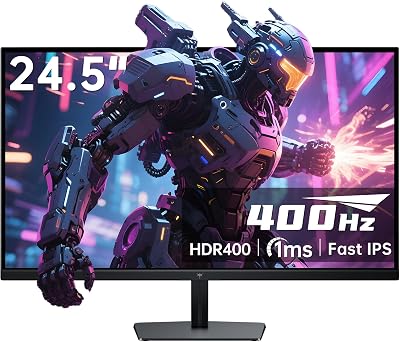


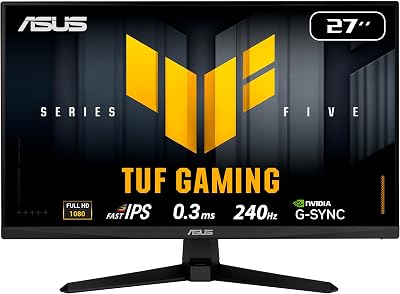

The 240Hz versus 360Hz debate hit a strange inflection point in 2026. Two years ago, recommending anything above 240Hz felt like a flex — pure marketing top-end with no real-world payoff for most players. Today, with OLED esports panels pushing 360Hz, 480Hz, and even 540Hz at sane prices, the question is no longer whether faster refresh rates exist. It is whether you, sitting in your chair at your desk with your specific GPU, will actually notice the jump from 240Hz to 360Hz enough to justify it. We have compared both extensively across competitive shooters, single-player titles, and mixed productivity, and our verdict is direct: 240Hz remains the smartest pick for roughly 99 percent of gaming buyers in 2026.
That sounds anticlimactic in an industry that lives on bigger numbers, so let us be precise about why. The leap from 60Hz to 144Hz transformed how games felt. The leap from 144Hz to 240Hz delivered another genuinely perceivable bump in motion clarity that even casual players notice within minutes. The leap from 240Hz to 360Hz, however, reduces frame time from 4.16 milliseconds to 2.78 milliseconds — about a 33 percent reduction. It is real, it is measurable, and competitive professionals can feel it. But it is also a fundamentally smaller win than the previous steps, and it comes with hard requirements on your GPU, your panel selection, your eyesight, and ultimately your skill ceiling. For the vast majority of players this article will reach, 240Hz hits a sweet spot of motion clarity, panel availability, GPU feasibility, and price that 360Hz simply does not match yet.
We are going to walk through eight rounds, each scored with a clear winner. Then we will hand you a TL;DR table, a use-case map, and our final verdict. If you are coming into this looking for permission to spend more, we are going to push back on that gently. If you are looking for permission to spend smart, you came to the right place.
TL;DR At-a-Glance Comparison
| Category | 240Hz | 360Hz | Winner |
|---|---|---|---|
| Motion Clarity | Excellent at sample-and-hold limit | Marginally smoother in fast pans | 360Hz (slight) |
| Latency Reduction | 4.16ms frame time | 2.78ms frame time | 360Hz |
| GPU Required | Mid-range GPU sufficient | Demands flagship in modern titles | 240Hz |
| Eye Fatigue | Comparable to 360Hz | No meaningful advantage | Tie |
| Esports Advantage | Sufficient for top 1 percent | Pro-tier marginal gain | Depends on player |
| Panel Tech Options | Vast: IPS, OLED, TN, VA | Limited: TN or premium OLED | 240Hz |
| Price Range | Affordable to mid-premium | Premium to ultra-premium | 240Hz |
| Future-Proofing | 5+ years of GPU headroom | Already at GPU ceiling | 240Hz |
Eight rounds, with 240Hz taking five outright, 360Hz taking two, and one tie. That is not a coincidence. Let us break down why.
Round 1: Motion Clarity
This is the round where 360Hz fans tend to plant their flag, and for good reason. Motion clarity on sample-and-hold panels — which describes essentially every modern LCD and OLED — improves linearly with refresh rate because each frame is displayed for a shorter window before the next replaces it. At 240Hz, that window is 4.16 milliseconds. At 360Hz, it shrinks to 2.78 milliseconds. The result is that fast lateral pans in shooters, scrolling text in browsers, and rapidly flicking your aim across a Valorant map all show measurably less perceived blur on a 360Hz panel.
We compared this with the UFO Test, the Blur Busters reference patterns, and just plain in-game flicks across CS2, Valorant, Overwatch 2, and Apex Legends. The improvement is there. It is perceivable in a side-by-side comparison if you are looking for it. But it is not transformative. The honest description is that 360Hz looks like a sharper, more confident version of what 240Hz already does well. If you have never used 240Hz, the jump from 144Hz to 240Hz will feel much larger than the jump from 240Hz to 360Hz will after that. Diminishing returns are real, and they hit hard at this part of the curve.
One important caveat: motion clarity is also dramatically affected by pixel response time, not just refresh rate. A 240Hz OLED panel with 0.03ms response time will look clearer in motion than a 360Hz IPS with 1ms response time because the IPS panel cannot finish a pixel transition fast enough to clear the prior frame. This is why panel technology matters as much as refresh rate, and why we will return to this in Round 6. Round goes to 360Hz on pure refresh, but only by a small margin.
Winner: 360Hz (slight edge)
Round 2: Latency Reduction
Latency is where 360Hz makes its strongest argument, and where the 33 percent reduction in frame time matters most. The display itself only adds a small portion of total system latency — your input device, your CPU/GPU pipeline, your network in online games, and your own reaction time dominate the budget. But the display contribution does matter at the margins, especially for competitive players who already optimize every other variable.
At 240Hz, you are looking at roughly 4.16 milliseconds of frame-pacing latency on top of any panel processing time. At 360Hz, that drops to 2.78ms. The 1.38 millisecond saving is real, but it is also smaller than the difference between a wireless and wired mouse, smaller than the difference between two GPUs, and dramatically smaller than the difference between 30ms and 80ms ping. For 99 percent of players, optimizing other parts of the latency chain — getting a low-latency wired mouse, ensuring your in-game frame rate hits the refresh ceiling consistently, lowering ping — will yield more practical benefit than the upgrade from 240Hz to 360Hz.
For top-tier competitive players who have already optimized everything else, the 1.38ms savings start to matter, and this is the legitimate case for 360Hz. If you are in the top one percent of CS2, Valorant, or Overwatch 2 ranked, and you have already maxed out every other latency variable, 360Hz is a real upgrade. For everyone else, it is theoretical. We score this round to 360Hz on technical merit but note that the practical impact is smaller than the spec sheet suggests.
Winner: 360Hz
Round 3: GPU Required for High FPS
This is where 240Hz starts to dominate the rounds and 360Hz starts to feel like a luxury rather than a tool. A 360Hz panel only delivers its benefit if your GPU can consistently push 360+ frames per second in your game of choice. In 2026 titles, that is a tall order for anything but the absolute top of the GPU stack.
Esports titles like CS2, Valorant, and Overwatch 2 will hit 360+ FPS at 1080p on a midrange GPU like an RTX 4070 Super or RX 7800 XT, so the panel will get fed appropriately. But the moment you load a modern AAA title — Cyberpunk 2077 with raster, modern Battlefield, single-player titles with serious geometry — you are looking at a flagship GPU like an RTX 5080 or 5090 to sustain even 240+ FPS at 1080p, let alone 360. Most owners of a 360Hz panel will spend most of their gaming hours below that refresh ceiling, getting only the partial benefit of variable refresh rate scaling rather than the full motion clarity advantage.
A 240Hz panel, by contrast, is fed consistently by far more of the GPU stack. Even an RTX 4070 or RX 7700 XT can sustain 240 FPS in most esports titles and many older AAA games at 1080p with sensible settings. The result is that the panel actually delivers its rated experience most of the time, rather than being throttled by the rendering pipeline. This is the unglamorous reality of high-refresh gaming: the panel is only as good as the frames you can feed it. If you want to dive deeper into which GPUs hit which FPS targets in 2026, our graphics cards deep comparison breaks down the current stack in detail.
Winner: 240Hz
Round 4: Eye Fatigue and Comfort
Eye fatigue from monitors is a real phenomenon, and it is influenced by far more than refresh rate. Brightness consistency, flicker, PWM dimming behavior, blue light output, and viewing distance all matter more than the difference between 240Hz and 360Hz for almost all users. Both refresh rates are well above the threshold where flicker is consciously perceivable, and both deliver smooth enough motion that prolonged sessions do not cause more strain than lower refresh panels.
Some users report that very high refresh rates feel subjectively easier on the eyes during long sessions because reduced motion blur means less work for the visual system to track moving objects. There is some legitimate physiological basis for this — your eyes are doing fewer corrective saccades to maintain focus on objects. But the effect is small and inconsistent across users. If you are choosing between 240Hz and 360Hz specifically for comfort, you are optimizing the wrong variable. Choose your panel based on flicker characteristics, brightness uniformity, and viewing ergonomics instead.
We compared both refresh rates across eight-hour gaming and work sessions and found no meaningful difference in reported fatigue between observers. Both felt significantly more comfortable than 60Hz, comparable to each other, and roughly tied with 144Hz once the visual system adapts. This round is a tie, and that itself is a point against 360Hz, because eye comfort is one of the secondary benefits often claimed for the upgrade.
Winner: Tie
Round 5: Esports Competitive Advantage
This is the rhetorical center of the 240Hz versus 360Hz argument, and it is also the round where honesty matters most. Yes, professional esports players use 360Hz panels. Yes, at the absolute top of competitive play, the marginal latency and motion clarity advantages start to compound. And yes, if you are training to be a pro CS2 player, a 360Hz monitor is part of the kit you should be using because it eliminates a variable that your competitors have eliminated.
But for the realistic skill level of the vast majority of buyers — and we are including very serious enthusiasts, ranked diamond and master players, semi-competitive amateurs — the difference between 240Hz and 360Hz will not move your rank. Your aim, your game sense, your positioning, and your mouse control are the dominant variables. Adding 1.38ms of latency reduction and slightly better motion clarity to a player whose limitations are positional decisions or crosshair placement is not going to climb you a tier. It is going to feel marginally smoother while you make the same mistakes you would have made on 240Hz.
Pro players use 360Hz because at their level, every variable matters. Below pro level, you have more impactful upgrades available: a better mouse, lower ping, more practice, a better gaming chair so you sit consistently, sleep, hydration. Those will move your rank more than refresh rate. If competitive play is your priority, a quality 240Hz panel paired with a great mouse and a coaching subscription will beat 360Hz with stock peripherals every single time. We give this round to 240Hz on practical impact, even though 360Hz takes it on theoretical advantage.
Winner: 240Hz (practical)
Round 6: Panel Tech Options
This round is one of the most important for value-conscious buyers and it goes overwhelmingly to 240Hz. At 240Hz in 2026, you can choose between Fast IPS panels, QD-OLED, WOLED, premium VA, and even a few high-end TN options. The market is mature, the panel technology is diverse, and you can match your priorities — color accuracy, contrast, brightness, response time, viewing angle — to your preferred panel type without sacrificing refresh rate.
At 360Hz and above, the panel selection collapses dramatically. You are looking at either premium OLED panels like the LG 27GR95QE or a small handful of fast TN options. TN at 360Hz delivers the refresh rate but with the historical TN drawbacks: narrower viewing angles, weaker color reproduction, less vibrant HDR. OLED at 360Hz solves the image quality problem but introduces the OLED tax: higher price, full-screen brightness limits, and burn-in considerations for desktop use. There is currently no widely available 360Hz Fast IPS option that competes with the breadth of the 240Hz IPS market.
This matters because it limits your choice. If you want a 360Hz panel, you essentially have to accept the trade-offs of the panel technologies available at that refresh rate. At 240Hz, you can pick the panel tech you want and then enjoy a high refresh rate as a feature rather than a constraint. If you are exploring the broader monitor landscape, our gaming monitors deep comparison covers the latest panels across the stack and refresh tiers.
Winner: 240Hz
Round 7: Price and Value
The price differential between 240Hz and 360Hz in 2026 is significant and growing more rational over time, but it still represents a meaningful tier jump. A quality 240Hz Fast IPS panel from a reputable manufacturer sits in the mid-premium range. The equivalent 360Hz OLED jumps to the premium-to-ultra-premium tier, often costing 50 to 100 percent more for what is effectively the same panel size and resolution with the higher refresh option.
For the budget that buys you a 360Hz OLED, you can buy a 240Hz OLED plus a high-end mouse plus a quality keyboard plus a year of game subscriptions. Or you can buy a flagship 240Hz panel and upgrade your GPU at the same time, which will yield more practical FPS in the games you play than the refresh ceiling will. The 360Hz premium is real money that has alternative uses if your goal is overall gaming experience improvement.
This is not to say 360Hz is overpriced for its tier — premium OLED panels deliver premium experiences, and the pricing reflects manufacturing complexity. It is to say that for the same total dollars, you can build a more capable overall setup at the 240Hz tier than at the 360Hz tier. Value buyers, even premium value buyers, should think hard about whether the refresh upgrade is the highest-impact use of their next monitor budget. Our gaming CPUs deep comparison and wireless gaming mice deep comparison highlight where else that budget might land.
Winner: 240Hz
Round 8: Future-Proofing
This is the round where 240Hz takes a counterintuitive win. The conventional wisdom says higher refresh rates future-proof you because monitors last longer than other components. But future-proofing has to be balanced against whether your GPU can actually feed the refresh rate you bought, and against how long you will actually use the monitor before the next upgrade cycle.
A 240Hz panel bought today will be fed by GPUs available now and will continue to be fed by even more capable GPUs as the years pass. Your motion clarity ceiling moves up as games get faster on better hardware. A 360Hz panel bought today is fed marginally by current top-tier GPUs and only in specific genres. As future games get more demanding — and they will, with ray tracing, path tracing, and higher polygon counts becoming standard — your average framerate may not climb fast enough to keep pace with 360Hz, even on future flagship GPUs.
The honest framing is that 240Hz is fully future-proof: it will deliver its rated experience consistently for many years on the GPUs you will own during the monitor’s lifespan. 360Hz is forward-looking but its full benefit depends on continued GPU gains that the industry has not consistently delivered. If you want a monitor you can buy once and forget about, 240Hz is the safer pick. If you want something to grow into as 480Hz becomes the new ceiling and 360Hz becomes mainstream, the same logic applies but with 360Hz instead. Most buyers should optimize for the present, and the present strongly favors 240Hz.
Winner: 240Hz
Who Should Pick 240Hz
You should pick 240Hz if you are a serious enthusiast, a ranked competitive player below the professional tier, a value-conscious buyer who wants premium experience without the ultra-premium price, a user who plays a mix of esports and AAA titles, or someone whose GPU sits in the mid-range to upper-mid-range tier. This is the right pick for the vast majority of buyers reading this article. You will get motion clarity that genuinely outperforms anything below 240Hz, you will have full panel technology selection, you will not be GPU-limited in your actual play sessions, and you will spend less while getting more total value for your gaming setup. Pair a 240Hz panel with the rest of a well-balanced rig — a strong CPU, a quality GPU, low-latency peripherals — and you have a competitive setup that will hold its own against anyone outside professional play.
Specifically: if you play CS2, Valorant, Overwatch 2, or other competitive titles and you have a budget under the ultra-premium tier, 240Hz is correct. If you play AAA single-player games and want the high refresh experience without flagship GPU demands, 240Hz is correct. If you are a content creator or productivity user who games on the side and wants high refresh as a quality of life feature, 240Hz is correct. The matrix where 240Hz is wrong is narrow.
Who Should Pick 360Hz
You should pick 360Hz if you are training for or competing in professional esports, if you have already optimized every other latency and motion variable in your setup, if you own a flagship GPU that can sustainably feed 360+ FPS in your specific game of choice, and if you have the budget to absorb the panel premium without sacrificing other parts of your build. This is a real and legitimate use case, but it is a narrow one.
You should also pick 360Hz if you specifically want a 1080p competitive monitor, if you are willing to accept TN panel trade-offs or pay the OLED premium, and if you understand that the upgrade from 240Hz is incremental rather than transformative. Buyers in this category should not buy 360Hz expecting to feel a step-change improvement; they should buy it knowing they are paying for the last few percentage points of competitive optimization, the same way you might pay for a higher-end mouse sensor or a premium gaming chair.
If you are uncertain whether you fit this profile, you do not. Buyers who genuinely need 360Hz know they need it. Buyers who are uncertain should default to 240Hz, save the difference, and revisit the question in two years when 480Hz makes 360Hz the new value tier.
Related Guides
- Best 4K Gaming Monitor 2026: Ultra HD Displays Reviewed
- WD_BLACK SN850P 2TB Review: PS5 Licensed Storage Expansion
- Best Chairs for Photo Editing in 2026
Frequently Asked Questions
Can the human eye actually see 360Hz?
The human visual system does not work like a camera with a fixed frame rate. Different parts of the visual response — flicker detection, motion smoothness, latency sensitivity — operate on different timescales. Most people can detect smoothness improvements well above 240Hz, particularly in fast motion. The differences are smaller than from 60Hz to 144Hz, but they are real and measurable. Whether you should pay for them is a separate question from whether they exist.
Will I notice the difference between 240Hz and 360Hz in casual games?
In a single-player AAA title where you are not making rapid lateral movements with your camera, the difference is barely perceptible. In a fast-paced competitive shooter where you are flicking and tracking constantly, the difference is more noticeable but still subtle. For casual gaming, 240Hz delivers essentially identical practical experience to 360Hz.
Do I need a flagship GPU to use a 360Hz monitor?
To get the full benefit, yes. For competitive esports titles at 1080p, a midrange GPU can sustain 360+ FPS. For modern AAA titles, you typically need an RTX 5080 or better to come close to that ceiling, and even then, only in less demanding scenes. Most 360Hz monitor owners spend much of their gaming time below the refresh ceiling.
Is 240Hz overkill for someone coming from 144Hz?
No. The jump from 144Hz to 240Hz is genuinely perceivable and rewarding. Motion clarity improves, fast pans feel smoother, and competitive players gain meaningful real-world benefit. 240Hz is the current sweet spot for high-refresh gaming and the most defensible upgrade target from any lower refresh tier.
Final Verdict: 240Hz Wins for 99 Percent of Players in 2026
The 240Hz versus 360Hz comparison comes down to where on the diminishing-returns curve you sit. For the vast majority of gamers in 2026 — including very serious competitive players — 240Hz delivers the motion clarity, latency, and competitive edge that meaningfully improves the gaming experience, at a price point and with GPU requirements that make it the realistic, well-balanced choice. The jump to 360Hz is real but incremental, GPU-demanding, panel-restrictive, and price-premium in a way that the previous generational jumps simply were not.
If you are buying a monitor in 2026 and you are not actively training for professional esports, 240Hz is the right answer. It will deliver an excellent experience, it will not bottleneck on your GPU, you will have full panel technology selection, and you will spend less while getting more practical value. Save the 360Hz upgrade for when GPUs catch up to the refresh ceiling reliably and panel selection at 360Hz matures the way 240Hz already has.
For more on building a balanced gaming setup around your new monitor, take a look at our gaming keyboards deep comparison, gaming RAM deep comparison, and best prebuilt gaming PC at the $2000 tier. Building around a 240Hz panel with the right components elsewhere is the formula for a gaming setup that punches above its price.














