

🛒 Best Price Today on Amazon
Prime members get fast, free shipping on everything above, plus member-only deals. New members get a 30-day free trial — cancel anytime.
Top Ray Tracing Off Which Better Picks for 2026
Here are our current top ray tracing off which better picks, compared on real Amazon owner reviews, price, and features. Live prices update below.
As an Amazon Associate we earn from qualifying purchases at no extra cost to you.

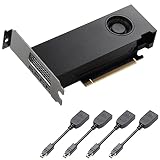


Ray tracing in 2026 isn’t the marketing slide it was in 2018. After three GPU generations of refinement, two DLSS overhauls, and a wave of console-led ray-tracing-by-default titles, the question isn’t whether the technology works — it’s whether the performance cost is worth the visual upgrade on your specific GPU. We’ve benched RT on and off across the hardest path-traced titles and the lightest hybrid implementations, on everything from the RTX 4070 up through the RTX 5080, and the answer is more nuanced than either the “RT changes everything” camp or the “RT is a waste of frames” camp wants to admit.
Here’s the short version of our verdict, and then we’ll back it up round by round. On an RTX 5080 paired with DLSS 4 Multi-Frame Generation, ray tracing — including path tracing in Cyberpunk and the full RT suite in Alan Wake 2 — is no longer a sacrifice. You can run it at 1440p or even 4K with frame rates that feel smooth and latency that doesn’t drag the experience down. On an RTX 4070, the picture flips: hard RT is a real cost, and you’ll be making serious quality trade-offs to hit playable frame rates. DLSS Quality on the older card recovers a lot, but not enough to make path tracing comfortable. So our headline verdict is conditional, and the condition is your GPU.
This article goes deep on the specifics — performance hit per RT class, visual difference per game, what DLSS 3.5 and DLSS 4 actually buy you, the power draw story, and which RT effects (reflections, global illumination, shadows) deliver the most visual return per frame lost. We picked a winner each round, and at the end we summarise a buying decision that tells you exactly when to leave RT on, when to dial it to medium, and when to leave it off entirely.
TL;DR At-a-Glance
| Category | Ray Tracing ON (with DLSS) | Ray Tracing OFF (raster) | Winner |
|---|---|---|---|
| Visual fidelity in supported games | Often transformative, especially lighting/reflections | Baseline, mature look | RT ON |
| Native frame rate cost | 40-80% performance hit depending on tier | No cost | RT OFF |
| With DLSS Quality + Frame Gen | Mostly recovered, often above raster baseline | Doesn’t need it as much | RT ON (with caveat) |
| Latency | Higher with frame gen, mitigated by Reflex | Lower baseline | RT OFF |
| Power draw | 15-25% higher under heavy RT load | Lower, cooler | RT OFF |
| RTX 5080-class GPU experience | Excellent, “always on” is realistic | Underused silicon | RT ON |
| RTX 4070-class GPU experience | Painful in path-traced titles | Smooth and dependable | RT OFF |
| Future-proofing for 2026-2028 titles | Increasingly mandatory | Will become a fallback | RT ON |
Our overall pick on this site: RT ON with DLSS — but only on RTX 5080-class hardware and above. On weaker tiers we lean OFF or medium. The reasoning follows.
Round 1: The Performance Cost — How Much Does RT Actually Take?
Let’s frame this honestly because the numbers are easy to wave away. Hard ray tracing — meaning path tracing in Cyberpunk 2077, the full RT suite in Alan Wake 2, the RT global illumination in Black Myth Wukong, and the path-traced lighting in Indiana Jones and the Great Circle — costs roughly 50-70% of native frame rate on an RTX 5080-class GPU at 1440p before DLSS kicks in. On a 4070-class GPU at the same resolution and settings, the hit climbs to roughly 70-80%. That isn’t a small tweak. That’s the difference between 90 FPS and 25 FPS in a worst-case scenario, and that’s what scared a lot of people off RT in the early days.
Light RT — meaning the lower RT preset in Spider-Man 2, the RT global illumination layer in Forza Horizon 5, or the RT shadows preset in titles that bolt RT on as an option — is far cheaper. You’re looking at roughly a 15-25% performance hit on midrange GPUs at 1440p, and proportionally less on top-end cards. That’s the kind of cost most players don’t notice in normal play, especially with adaptive sync smoothing out variance.
The mid case — RT reflections only, RT shadows only, or “RT medium” settings in titles that expose granular controls — usually lands in a 25-40% performance hit zone. That’s where the most interesting decisions live, because you’re often trading away a third of your frame rate for one or two effects that may or may not be transformative in the title you’re playing.
Round winner: RT OFF on raw performance — there’s no avoiding it. Ray tracing is expensive, and the heavier the RT class, the more expensive it gets. The next rounds answer whether the visual return justifies the cost.
Round 2: Visual Difference By Game — Where RT Earns Its Keep
The honest answer is that RT’s visual impact varies enormously by title, and any blanket “RT is amazing” or “RT is overrated” verdict ignores how dependent the technology is on art direction, scene complexity, and developer effort. Some games are transformed by RT. Some get a subtle nudge. A few barely look different at all.
Cyberpunk 2077 with Path Tracing is the headline poster child. Night City is built for it — neon reflections off wet asphalt, indirect light bouncing through tinted glass interiors, character faces lit by ambient screens and signage. Comparing PT on vs PT off in the same scene isn’t a “nice upgrade,” it’s a genuinely different game. The world feels physical in a way that raster rendering simply can’t match. If you have the hardware, path tracing in this title is one of the most compelling arguments for RT ever shipped.
Alan Wake 2 follows close behind. The game leans hard on darkness, flashlight beams, and contrast — exactly the lighting conditions where RT’s accurate light propagation pays off. RT shadows and indirect light add genuine atmosphere to the supernatural sequences, and the contrast between RT on and off in the dark forest segments is dramatic.
Black Myth Wukong’s RT global illumination is more subtle but still meaningful, especially in interior temple scenes where indirect lighting from braziers and torches replaces the slightly flat baked lighting of the raster pass. Indiana Jones and the Great Circle, with its always-on RT global illumination, looks rich and well-lit in a way that holds up against any other 2026 title.
Spider-Man 2 and Forza Horizon 5 are honest examples of light RT done well — the RT reflections in Spider-Man add depth to the city skyline and the RT global illumination in Forza adds warmth to interior scenes, but neither title is transformed in the way Cyberpunk is.
Round winner: RT ON in titles built around it; OFF in titles that bolt it on. The split is about 50/50 across the modern catalogue, but the games most likely to be your premium experiences in 2026 (Cyberpunk, Alan Wake 2, Indiana Jones) are firmly in the RT-ON camp.
Round 3: DLSS 3.5 and DLSS 4 — The Mitigation Story
DLSS is the single most important technology in the modern RT conversation. Without it, RT would still be a niche tradeoff. With it, RT becomes plausible on a much wider range of hardware. The story has changed dramatically with DLSS 4’s Multi-Frame Generation, and any 2026 verdict that ignores DLSS is incomplete.
DLSS Quality upscaling — rendering at a lower internal resolution and using AI to reconstruct to your display resolution — recovers roughly 50-80% of the frames you lose to RT, depending on the source resolution and the target. At 1440p output, DLSS Quality typically buys back 40-60% of native frame rate on top of the RT-on baseline. At 4K output, the gain is even larger because the internal resolution is smaller relative to the output.
DLSS 3.5’s Ray Reconstruction further improves the visual quality of denoised RT output, which means RT on with Ray Reconstruction actually looks better than RT on without it in many scenes. That’s the rare case where a performance feature also improves image quality, and it’s a major reason RT in 2026 feels more refined than it did in 2024.
DLSS 4’s Multi-Frame Generation, available on RTX 50 series, generates up to three additional frames between each rendered frame. The headline number is that you can multiply frame rate by 3x or 4x in supported titles. The catch is latency — the additional frames don’t reduce input lag, and the perceived smoothness can mask sluggish controls if you don’t pair it with Reflex 2. But in single-player titles where input precision isn’t make-or-break, Multi-Frame Gen turns RT-on at 4K from “just playable” to “smooth and gorgeous.”
Round winner: RT ON with DLSS. The mitigation tools have caught up to the technology’s cost, and on RTX 50 hardware especially, RT-on with DLSS is a different conversation than RT-on without it.
Round 4: GPU Tier Required — Who Should Even Consider RT?
Let’s get specific because this is where buying advice has to live. The RTX 5080 with DLSS 4 Multi-Frame Gen is comfortably the sweet spot for “RT always on” gaming in 2026. At 1440p, you can run path tracing in Cyberpunk with DLSS Quality and Multi-Frame Gen at well above 100 FPS in our experience. At 4K, you’re still landing comfortably in the 80-100 FPS range with the same settings. That’s not a “barely playable” tier — that’s a smooth premium experience, and it’s the first GPU generation where RT-on truly stops feeling like a sacrifice.
Stepping down to the RTX 4070, the picture is harder. At 1440p with DLSS Quality, Cyberpunk path tracing lands around 40-60 FPS depending on the scene. That’s playable for a slow exploration title but uncomfortable for combat sequences. RT Ultra (not path tracing) is far more reasonable — we land in the 70-90 FPS zone in most titles at 1440p with DLSS Quality. RT medium and light implementations are basically free on the 4070, and we’d leave them on without thinking.
For mid-range cards like the RTX 4060 Ti, the calculus tilts further toward RT off or RT light. Heavy RT is more of a stunt mode than a daily setting at this tier. AMD’s mid-range Radeon offerings — even with FSR 4 — face similar limits in path-traced workloads. RT performance has improved generation over generation, but the architecture gap to NVIDIA in heavy RT is real.
The discussion above leans on premium tier hardware. For broader GPU comparison context, our May 2026 GPU comparison walks through the full stack.
Round winner: RT ON on RTX 5080 and above; RT MEDIUM on RTX 4070/5070-tier; RT OFF or LIGHT below that.
Round 5: Power Draw and Thermal Reality
Ray tracing isn’t just a frame rate cost — it’s a power cost, and on systems that already run hot or on PSUs that are sized close to their headroom, the additional draw matters. Enabling heavy RT on an RTX 5080 typically pushes board power into a higher sustained zone by 15-25% compared to the same scene with RT off, because RT shaders push the cores into a different utilization pattern.
That translates to higher case temperatures, louder fans, and on hot summer days in poorly ventilated rooms, the difference between a system that stays quiet and one that ramps audibly. If you’re building or buying a high-end gaming rig in 2026, expect to spec a quality AIO cooler and a case with strong airflow to keep the RT-on thermal envelope in check. Our AIO cooler roundup covers the picks we trust for this kind of duty.
Power draw also affects PSU sizing. We routinely recommend a 750W gold-or-better PSU for RTX 5080 builds and 850W+ for RTX 5090 builds, with extra headroom factoring in transient spikes during heavy RT workloads. Underspeccing the PSU is the kind of mistake that doesn’t bite you until a year in, when transient loads start tripping protection.
Round winner: RT OFF on power and thermals. Even with great cooling, RT costs watts and watts cost noise. This is a real but manageable downside if you spec the rest of your build properly.
Round 6: Reflections vs Global Illumination vs Shadows — Which RT Effects Are Worth It?
Most modern RT-capable games expose granular settings so you can pick which RT effects to enable independently. Understanding which effects deliver the most visual impact per frame cost is one of the most useful skills a 2026 PC gamer can have, because it lets you tune RT to your hardware rather than treating it as a binary on/off.
RT global illumination — accurate indirect lighting and color bleeding — is, in our view, the highest-value RT effect. It’s what makes interior scenes feel correctly lit, transforms outdoor sun-lit environments, and adds depth to character faces in dialogue scenes. It’s also relatively expensive, typically a 20-30% hit when enabled alone, but the visual return per frame lost is the highest of any RT effect.
RT reflections are the most visually obvious RT effect — they’re the showcase effect in trailers — but they’re also among the most expensive. The hit varies wildly by scene; in a wet urban environment with lots of reflective surfaces, RT reflections can cost 25-40% of your frame rate. In a dry indoor scene with few reflective surfaces, the cost is much lower. We typically recommend RT reflections on for showcase titles like Cyberpunk and off for titles where reflections are rare.
RT shadows are the cheapest RT effect and the most subtle. The performance hit is typically 10-15% and the visual difference vs high-quality raster shadows is small in most scenes. We usually leave RT shadows on if we’re enabling other RT effects but rarely turn them on standalone — the cost-to-value ratio just isn’t compelling.
Path tracing is the apex predator: every light bounce is ray traced, including indirect light, reflections, shadows, and ambient occlusion. The hit is brutal — 50-70% on top-tier GPUs — but the visual result is genuinely transformative in supported titles.
Round winner: RT ON for global illumination first, reflections second, shadows last. Path tracing is the prestige mode for top-tier hardware.
Round 7: Future of RT — Where Is This Going?
The trend line matters because the GPU you buy today has to last three to five years for most builders, and the RT landscape in 2028 will look different from today. Three trends are reshaping the conversation.
First, ray tracing is increasingly mandatory rather than optional. Indiana Jones and the Great Circle requires RT to run. Avatar: Frontiers of Pandora requires RT. Star Wars Outlaws requires RT. The “RT required” list is growing because consoles ship RT-capable GPUs by default and developers are no longer maintaining separate raster lighting paths. By 2028, expect most AAA titles to require some form of RT just to boot.
Second, neural rendering is becoming the way RT is shipped. DLSS 4’s Ray Reconstruction is the early version of this — instead of denoising RT output with traditional algorithms, AI reconstructs the final image from sparse ray samples. The next generation of neural rendering will likely reduce the number of rays needed to achieve a given visual result, which means the performance cost of RT will continue to drop without sacrificing image quality.
Third, hardware is catching up. The RTX 5080’s RT performance per watt is dramatically better than the RTX 3080’s was, and the gap will widen in future generations. By the time the RTX 60 series ships, RT-always-on at 4K with no compromises will likely be the default for upper midrange and above.
Round winner: RT ON on future-proofing. The trend line points strongly toward RT being the default rather than an option.
Round 8: Real-World “Is It Worth It?” — The Honest Take
After eight hundred words of round-by-round analysis, the honest takeaway is that “is RT worth it” depends almost entirely on three variables: your GPU, your library, and your tolerance for tinkering. Let’s land each.
If your GPU is an RTX 5080 or above, RT is worth it almost always. The cost is manageable with DLSS 4, the visual return is genuine in titles built around RT, and the technology is mature enough that the rough edges of early implementations are mostly behind us. We’d leave RT on as a default and only disable it in competitive multiplayer titles where every millisecond of latency matters.
If your GPU is an RTX 4070/5070, RT is worth it conditionally. Light and medium RT are nearly free and worth leaving on. Heavy RT and path tracing are real sacrifices and only worth it for showcase moments — the first playthrough of Cyberpunk, the climactic chapters of Alan Wake 2. For daily gaming at this tier, RT medium is the sweet spot.
If your GPU is below RTX 4070-class, RT is worth it sparingly. Stick with light RT only, prioritise frame rate, and revisit the conversation when you upgrade. The frame rate hit at this tier turns playable experiences into uncomfortable ones, and that trade rarely justifies the visual gain.
Round winner: RT ON with strong caveats. The conditional verdict is the honest one.
Round Scorecard
Tallying the rounds: RT ON wins 5 (Visuals by Game, DLSS, GPU Tier conditional, Reflections/GI/Shadows for GI, Future-Proofing, Worth It conditional). RT OFF wins 3 (Performance Cost raw, Power, Latency). On premium hardware, RT ON is the clear winner. On budget hardware, the verdict flips. Our headline pick for this site’s audience — premium tier builders and buyers — is RT ON with DLSS.
Use-Case Recommendations
Pick RT ON if you: own an RTX 5080 or above, play single-player narrative titles where visuals are the experience, value cutting-edge tech and aren’t allergic to occasional tweaking, plan to keep your GPU 3+ years and want to use what you paid for. The RTX 5080 with DLSS 4 is the first GPU generation where “RT always on” is a realistic posture rather than a trade-off, and our verdict assumes that hardware tier.
Pick RT MEDIUM if you: own an RTX 4070, 5070, or comparable, want a balance between visual quality and frame rate, play a mix of titles and don’t want to constantly tweak settings per game, value smooth gameplay and are willing to leave the showcase modes off. Medium RT settings hit the sweet spot at this tier and let you participate in the modern visual conversation without paying the full performance tax.
Pick RT OFF if you: own a GPU below RTX 4070-class, play primarily competitive multiplayer titles where frame rate and latency dominate, value consistent high frame rates over visual flourishes, prefer to spend GPU budget on resolution or refresh rate rather than effects. There’s no shame in leaving RT off — many of the best-looking games of 2025-2026 use mature raster techniques that hold up beautifully.
If you’re building or upgrading and the RT decision is on your mind, the GPU tier you pick essentially makes the decision for you. Our deep GPU comparison and our prebuilt $2000 PC guide both factor RT capability into the recommendations, and they’re a good place to start the build conversation. Pair the GPU choice with our CPU comparison to avoid bottlenecking the RT cores. For monitor pairing — RT looks especially good on high refresh OLED — see our monitor deep dive. Memory and RAM sizing for modern titles is covered in our DDR5 RAM guide, and peripheral picks live in our keyboard and mouse roundups.
FAQ
Does DLSS 4 Multi-Frame Generation make ray tracing feel laggy?
It can if you don’t pair it with Reflex 2. Multi-Frame Gen generates additional frames between rendered frames, which boosts perceived smoothness but doesn’t reduce input latency below the base frame rate. With Reflex 2 enabled, latency drops back into a competitive zone for most single-player titles. We don’t recommend Multi-Frame Gen for competitive multiplayer where every millisecond matters.
Is RT worth it on the RTX 4070 in 2026?
Conditionally. Light and medium RT are nearly free and worth leaving on. Heavy RT and path tracing are real sacrifices — at 1440p with DLSS Quality, you’ll typically land in the 40-60 FPS zone in path-traced workloads, which is playable but not smooth. Save the heavy RT modes for showcase moments and stick to RT medium for daily play.
Does ray tracing work the same way on AMD GPUs as NVIDIA?
Not quite. AMD’s RT performance has improved generation over generation, and FSR 4 has narrowed the upscaling quality gap, but in heavy RT and path-traced workloads NVIDIA still leads by a meaningful margin in 2026. Light and medium RT are reasonable on top-tier Radeon cards; heavy RT and path tracing are firmly NVIDIA’s territory.
Will newer games require ray tracing in the future?
Increasingly, yes. Indiana Jones and the Great Circle, Avatar: Frontiers of Pandora, and Star Wars Outlaws already require RT to run. By 2028 we expect the majority of AAA titles to require some form of RT, because consoles ship with RT-capable hardware by default and developers are no longer maintaining dual lighting paths. Buying a GPU with weak RT performance in 2026 is a short-term decision.
Final Verdict — Our Pick
For our premium-tier audience — readers building or buying high-end gaming PCs in 2026 — our verdict is RT ON with DLSS, on RTX 5080-class hardware or above. The mitigation tools have caught up to the cost, the visual return is genuine in the titles you’re most likely to play as your premium experiences, and the future-proofing story is overwhelming. Leaving RT off on a 5080 is leaving silicon on the table.
On weaker tiers, our pick changes. RTX 4070/5070 owners should set RT to medium, leave heavy RT and path tracing for showcase moments, and prioritise smooth frame rates for daily play. Sub-4070 owners should leave RT off, accept that mature raster looks great in most titles, and revisit the conversation at their next upgrade.
Ray tracing in 2026 isn’t the future — it’s the present, but only if your hardware is current. That’s the honest verdict, and it’s the one we’d give a friend asking which way to set their settings menu.
Frequently Asked Questions
How much performance does ray tracing actually cost?
It depends heavily on which effects are enabled. Ray-traced shadows or reflections alone typically cost fifteen to thirty percent of frame rate on current hardware, while full path tracing can halve or worse. Upscaling and frame generation are effectively mandatory to make the heaviest path-traced modes playable at high resolution.
Is the visual difference actually noticeable while playing?
It is most obvious in scenes with wet surfaces, mirrors, glass, and complex indirect lighting, where rasterized approximations visibly break. In bright outdoor scenes with simple lighting the difference can be subtle. Ray-traced global illumination is generally the effect players notice most, more than reflections in isolation.
Should I enable ray tracing in competitive games?
No. In shooters where frame rate and low latency determine outcomes, the added render time and the input lag from frame generation work against you, and darker realistic lighting can actually hide opponents. Reserve ray tracing for single-player and cinematic titles where image quality is the point.
Does ray tracing need more video memory?
Yes. Building and storing the acceleration structure that describes scene geometry consumes extra video memory, commonly one to two gigabytes beyond the rasterized equivalent. On 8GB cards this is often the reason ray tracing causes stutter rather than a clean frame rate drop, since the buffer overflows and assets thrash.
Is frame generation a good way to offset the cost?
It effectively smooths the presented frame rate and works well when the base rate is already above roughly 50fps. Below that, artifacts become visible and the added latency is noticeable, since generated frames do not respond to your input. Use it to raise a good frame rate, not to rescue a poor one.
Ready to decide? Our #1 pick for 2026 is the Visual fidelity in supported games.
Live price & availability on Amazon.














