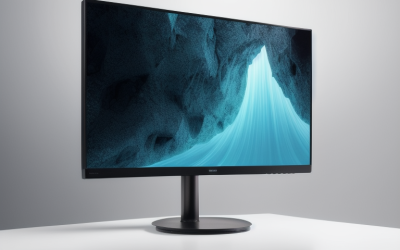
- Top Pick: Philips 24 Inch Computer Monitor FHD 100Hz VA VESA Flicker-Free, 241V8LB | 1920×1080 LED Monitor, 4ms GtG, Adaptive Sync, HDMI 1.4, Tilt Adjust, Low Blue Light, 4yr Advance Replacement Warranty
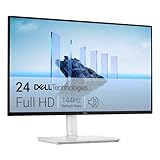
- Best Value: Dell 24 Monitor – SE2426H – 23.8-inch FHD (1920×1080) 144Hz 1ms Display, in-Plane Switching (IPS) Technology, AMD FreeSync™, TÜV 3-Star 2X HDMI, Tilt
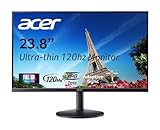
- Premium Choice: Acer 23.8in FHD 1920×1080 IPS 120Hz Office Monitor KB242Y G0bi | 1ms, AdaptiveSync (FreeSync Compatible), sRGB 99%, HDMI, VGA, VESA Mountable, Bluelight Filter, Flickerless Technology
A 23 inch monitor is the choice you make when the desk, not the budget, sets the limit. The footprint is narrow enough for a shelf-style desk, a dorm corner, or a dual-screen row that still leaves room for a keyboard and a mug. The catch is that almost nobody labels a panel exactly 23 inches anymore. Most screens in this class are sold as 24-inch models with a 23.8-inch viewable diagonal, and only a few older professional units really are 23 inches.
This guide is for buyers who want a compact 1080p screen for office work, school, console play, or a first gaming setup, and who need to know which refresh rate, panel type, and ports matter at this size. Every pick below is judged from the specifications in its product listing, so treat the notes as a shortlist for 2026 shopping and confirm the details on the live page before you order.
Quick Picks
As an Amazon Associate we earn from qualifying purchases at no extra cost to you.





| Product | Best for | Key spec from the title |
|---|---|---|
| Philips 241V8LB | Plain office screen | VA panel, 100Hz, 4ms GtG, HDMI 1.4 |
| Dell SE2426H | All-round 1080p | 23.8-inch IPS, 144Hz, 1ms, 2x HDMI |
| Acer KB242Y | Color-aware office work | IPS, 120Hz, sRGB 99%, HDMI plus VGA |
| Dell S2425HSM | Desks without speakers | 144Hz, 2 x 3W speakers, height and pivot stand |
| Samsung S30GD | Simple IPS upgrade | 24-inch IPS, 100Hz, Eye Care, tilt-only stand |
| Acer SB243Y | Second office screen | IPS, 120Hz, 1ms, VESA mountable |
| Dell SE2426HG | Fast-paced games | 240Hz IPS, FreeSync Premium, DisplayPort 1.4 |
| Dell P2319H | True 23-inch size | 23in IPS, VGA, HDMI and DP, renewed |
How to Choose
Match the size claim to the real diagonal
Look for 23.8 inches in the title if you want a current-style panel. A listing that only says 24 inch is almost certainly the same class, so do not rule it out. If you have a stand, arm, or shelf cut for a true 23-inch frame, the only listed unit here that says 23in outright is the Dell P2319H, which is also the oldest design. Measure the width of the bezel, not just the diagonal, because a thin-bezel 24-inch screen can occupy less desk than an older 23-inch one.
Pick a refresh rate by what you run
For spreadsheets, browsing, and video, 75Hz to 100Hz is plenty. At 120Hz to 144Hz, cursor motion and scrolling look noticeably smoother, and that range suits casual shooters and racing games. Go to 240Hz only if your graphics card can push that many frames at 1080p. Ignore a 1ms claim on its own, because it usually describes a best-case response mode rather than everyday behavior. Also check whether the listing names Adaptive Sync or FreeSync, since that is what lets the screen follow a graphics card whose frame rate moves up and down during a game.
IPS or VA
IPS panels keep color and brightness steady from the side, which helps on a shared desk or when you sit at an angle. VA panels such as the Philips tend to show deeper blacks but narrower viewing angles. At 1920×1080 on a 24-inch frame, either works, yet an sRGB figure like 99% is a better sign for photo edits than any refresh claim.
Ports and stand matter more than they look
Count the inputs you need today: HDMI for consoles, DisplayPort for a gaming card, VGA only for an old tower. Budget models cut corners on the stand, so a tilt-only base may force you to raise the screen on a stack of books. A VESA mount or a height-adjustable stand solves that, and a pivot stand adds a portrait option for code and documents. If you plan a two-screen row, buy two identical models so brightness and color match across the seam.
The 8 Best Options
Philips 241V8LB
This is the plain, no-frills pick for a work desk, built around a VA panel at 1920×1080 with a 100Hz refresh rate. The listing also names Adaptive Sync, flicker-free backlighting, a low blue light mode, VESA mounting, and a four-year advance replacement warranty, which is unusual in this group.
- Strength: 100Hz refresh gives smoother scrolling than a basic 60Hz office screen.
- Strength: The long warranty term is stated in the title, which reassures anyone outfitting a workplace.
- Trade-off: HDMI 1.4 and a tilt-only adjustment limit connection and posture options.
Skip it if you want wide viewing angles from an IPS panel or a height-adjustable stand. Buyers who sit directly in front of the screen will notice that limit far less than those who share the desk.
Dell SE2426H
The SE2426H pairs a 23.8-inch IPS panel with a 144Hz refresh rate and a 1ms response claim. AMD FreeSync support and two HDMI inputs are listed, so a PC and a console can share the screen without swapping cables. It is the most balanced spec sheet of the group for a shared desk.
- Strength: 144Hz on an IPS panel is a strong middle ground for work and play.
- Strength: A TUV eye-comfort certification is named in the title.
- Trade-off: The stand is listed as tilt only, and no DisplayPort input is mentioned.
Skip it if your graphics card relies on DisplayPort or you need a pivoting stand for portrait mode.
Acer KB242Y
Acer sells this one as an office monitor, and the specs lean that way: 23.8-inch IPS, 120Hz, sRGB 99%, and AdaptiveSync that is described as FreeSync compatible. It offers both HDMI and VGA, which makes it friendly to mixed old and new equipment in a home office.
- Strength: The VGA port keeps an older desktop or projector in play.
- Strength: A bluelight filter and flickerless technology are listed for long sessions.
- Trade-off: The title names no height or swivel adjustment, only VESA mounting.
Skip it if you want a second HDMI input or built-in speakers, because the listing mentions neither.
Dell S2425HSM
The only Dell here with a fully adjustable stand: height, tilt, pivot, and swivel are all listed. It also adds two 3W speakers, a 144Hz refresh rate, and FreeSync, wrapped in an Ash White finish that looks different from the usual black plastic.
- Strength: Pivot lets you rotate the screen for code, documents, or a vertical chat window.
- Strength: Built-in speakers clear one item off a tight desk.
- Trade-off: Only HDMI is named, so there is no DisplayPort option.
Skip it if you plan to use external speakers or want a dark cabinet color, since the white finish will stand out beside black peripherals.
Samsung S30GD
Samsung lists a 24-inch IPS panel, a 100Hz refresh rate, Advanced Eye Care, and a Game Mode, all on an essential-tier stand that tilts only. It reads as a straightforward step up from an aging 60Hz screen, with presets rather than a long feature list.
- Strength: IPS at 100Hz covers general use without stepping into a performance-gaming tier.
- Strength: Eye Care and Game Mode give quick presets for evening reading or play.
- Trade-off: A tilt-only stand means little control over height.
Skip it if you need a specific input list, since the title does not spell out the ports, and verify the connectors on the live page first.
Acer SB243Y
The SB243Y reads almost identically to the KB242Y: 23.8-inch IPS, 120Hz, 1ms, AdaptiveSync, sRGB 99%, HDMI, VGA, VESA mounting, bluelight filter, and flickerless technology. It suits a second screen placed next to a primary display, where matching specs keep the pair consistent.
- Strength: A 120Hz panel with 99% sRGB is a balanced spec set for mixed work.
- Strength: VESA support lets you move it onto an arm and free the desk surface.
- Trade-off: The title lists no speakers and no DisplayPort.
Skip it if you already own the KB242Y and want something different, as the listed features overlap.
Dell SE2426HG
This is the performance entry in the group: a 23.8-inch IPS gaming monitor at 240Hz with AMD FreeSync Premium, two HDMI inputs, and DisplayPort 1.4. It is aimed at players with a graphics card that can hold very high frame rates at 1080p.
- Strength: 240Hz is the fastest refresh rate on this list.
- Strength: DisplayPort 1.4 is named, the cleanest route from a desktop graphics card.
- Trade-off: The tilt-only stand, and a refresh rate that needs strong hardware to use fully.
Skip it if you mostly browse and type, since you would never use the extra frames.
Dell P2319H
A renewed professional monitor with a true 23in diagonal, a 1920×1080 IPS LED-lit display, and VGA, HDMI, and DisplayPort inputs. It is the choice for filling a stand or desk slot built around the older size, or for a spare-room workstation.
- Strength: Three input types cover almost any source, including legacy gear.
- Strength: A renewed unit can suit a budget build or a secondary desk.
- Trade-off: No refresh rate above standard is named, so it is not a gaming pick.
Skip it if you want modern adaptive sync or guaranteed new condition, because a renewed unit may carry cosmetic wear.
Which One Fits Your Situation
A compact home-office desk
The Dell S2425HSM is the neat fit, because its pivot and height adjustments plus built-in speakers cut the clutter around a laptop dock. A docked laptop already uses the cable runs, so fewer separate devices helps.
A console beside a PC
The Dell SE2426H gives you two HDMI inputs at 144Hz, so both devices stay plugged in and you switch with the input button instead of reaching behind the screen.
A competitive shooter on a desktop
The Dell SE2426HG with its 240Hz panel and DisplayPort 1.4 is the match, provided your graphics card can deliver high frame rates at 1080p. Remember to select the higher refresh rate in your display settings after connecting, since screens often start at 60Hz.
An old tower or a replacement screen
The Dell P2319H or the Acer KB242Y keep VGA available, so legacy hardware still connects without an adapter, and both have 1080p IPS panels.
Common Mistakes
- Searching only for the number 23 and skipping 23.8-inch and 24-inch listings that are the same size class.
- Chasing 240Hz and then running office software that never needs it.
- Trusting a 1ms claim without checking the panel type and refresh rate beside it.
- Forgetting that a tilt-only stand cannot raise the screen to eye level.
- Skipping the port list, then discovering the monitor lacks DisplayPort or a second HDMI input.
Related guides
- Combination Smoke And Carbon Monoxide Detectors
- Aio Liquid Coolers For High Performance Gaming
- Graphics Cards For Low Wattage Power Supplies
Frequently Asked Questions
Is a 24-inch monitor too big for a 23 inch space?
Usually not. Most 24-inch listings have a 23.8-inch viewable area, so the frame is close to the same footprint. Measure the width of the bezel and stand base if your desk is tight.
Is 1080p enough at this size?
Yes. At roughly 24 inches, 1920×1080 stays sharp at a normal viewing distance. Higher resolutions add more value on larger screens, where the same pixel count would look softer.
Do I need FreeSync?
It helps smooth out tearing when a graphics card changes frame rate in games. For office work it makes no visible difference, so treat it as a bonus rather than a requirement.
Is a renewed monitor a good idea?
It can be, especially for a spare desk. Check the seller’s condition grade and return terms, and confirm the stand and cables are included before you commit to the purchase.