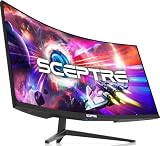
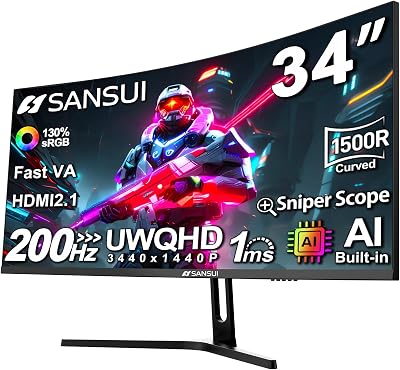
- Top Pick: SANSUI 32-Inch Curved Gaming Monitor WQHD 2560 x 1440 180Hz Curved 1500R
- Best Value: LG 32GS60QC-B Ultragear 32-inch Curved Gaming Monitor QHD (2560×1440) 180Hz 1ms 1000R AMD FreeSync HDR10 HDMIx2 DisplayPort Borderless Design Black Stabilizer DAS Crosshair FPS Counter – Black
- Premium Choice: Samsung 32" Odyssey (G55C) Series QHD 1000R Curved Gaming Monitor,
Affiliate disclosure: As an Amazon Associate we earn from qualifying purchases. This post contains affiliate links — if you buy through them we may earn a small commission at no extra cost to you. This never affects our recommendations.
As an Amazon Associate we earn from qualifying purchases at no extra cost to you.


If you’ve ever sat in front of a flat monitor and felt like the edges of the game world were just slightly out of reach, a curved 32-inch 1440p display is the upgrade that changes everything. At the 32-inch diagonal, QHD resolution delivers pixel density that looks razor-sharp without demanding a flagship GPU, and the curvature wraps the image around your peripheral vision so immersion kicks in from the very first session. Whether you’re dropping into a battle royale, exploring an open-world RPG, or grinding competitive ranked matches, the monitors on this list represent the best that 2026 has to offer in this class.
In a hurry? See the top-rated Curved 32-Inch 1440p Gaming Monitor deals available right now:
🛒 Check Curved 32-Inch 1440P Gaming Monitor Prices on Amazon →🛒 Best Price Today on Amazon
Prime members get fast, free shipping on everything above, plus member-only deals. New members get a 30-day free trial — cancel anytime.
Start 30-Day Prime Free Trial →See Today’s Amazon DealsWhy a Curved 32-Inch 1440p Monitor Hits the Sweet Spot
The 32-inch curved 1440p category sits at a convergence point that no other display tier quite matches. Here’s why that matters:
Resolution vs. GPU load balance. QHD (2560 × 1440) runs roughly 78% more pixels than 1080p but stops well short of 4K’s GPU appetite. Mid-range cards like the RTX 4070 or RX 7700 XT can push high-refresh 1440p with headroom to spare, whereas 4K at 32 inches demands GPU power that costs twice as much.
Viewing distance and pixel density. At 32 inches, QHD lands at about 92 PPI — dense enough that individual pixels dissolve at normal desk distances (60–80 cm), yet comfortable enough that you aren’t squinting at tiny UI elements the way you might on a 27-inch 1440p panel.
Curvature and field of view. The 1000R to 1500R curve radius used by top curved 32-inch monitors roughly matches the curvature of the human eye’s focal plane. At typical seating distances this means the left and right edges of a 32-inch panel appear roughly the same distance from your eyes as the center, reducing head movement fatigue during long sessions and naturally drawing your gaze into the image rather than past it.
Versatility. The 32-inch footprint is wide enough to comfortably split into two side-by-side windows for productivity yet not so massive that it demands a deeper-than-average desk. Paired with a high refresh rate panel, the same monitor works for spreadsheets at noon and late-night gaming after midnight without compromise.
Our Top 5 Curved 32-Inch 1440p Gaming Monitors in 2026
After evaluating panel technology, real-world refresh rate performance, color accuracy, HDR implementation, build quality, and price-to-performance ratio, these five monitors represent the definitive picks for every type of buyer in this category.
1. [Best Overall] Samsung Odyssey G7 32″ (LC32G75TQSNXZA) — The curved 1440p benchmark that other monitors chase
Why We Picked It
- 1000R VA panel with 240 Hz native refresh rate delivers the tightest curve in its class alongside a refresh rate that matches dedicated esports monitors, making it rare to find both extreme immersion and high-speed performance in a single package.
- 1ms MPRT response time with Samsung’s QLED quantum dot backlight produces punchy, saturated colors (125% sRGB, 95% DCI-P3) that VA panels have traditionally struggled to achieve, closing much of the gap with IPS for content creation without sacrificing the contrast advantage.
- DisplayHDR 600 certification with local dimming means HDR content actually looks meaningfully better here than on budget DisplayHDR 400 panels — dark dungeon corridors stay inky black while torchlight blooms naturally.
- USB-C with 65W power delivery and a built-in KVM-style input switching make it genuinely useful as a hybrid work-and-play hub without a separate dock.
Specs at a Glance
| Spec | Detail |
|---|---|
| Panel | VA (Quantum Dot) |
| Resolution | 2560 × 1440 (QHD) |
| Refresh Rate | 240 Hz (native) |
| Response Time | 1ms MPRT / 1ms GtG |
| Curve | 1000R |
| Price | ~$549–$599 |
Pros & Cons
Pros
- Exceptional contrast (3000:1 static) makes dark scenes genuinely cinematic compared to IPS alternatives at this size.
- 240 Hz at 1440p is practically future-proof for the current mid-range GPU generation.
Cons
- VA panel ghosting on very fast dark-to-dark transitions is still measurable, though Samsung’s overdrive tuning minimizes it in Normal mode.
- 1000R curvature is polarizing — ideal for gaming but can distort straight lines in spreadsheet or browser use.
2. [Best Runner-Up] LG 32GQ850-B — IPS precision meets high-refresh curved gaming
Why We Picked It
- Nano IPS panel with 1ms GtG brings class-leading color accuracy (98% DCI-P3) and superior off-axis viewing to the curved 32-inch category — this is the pick for content creators who also game, not a compromise for either role.
- 240 Hz with NVIDIA G-Sync Compatible and AMD FreeSync Premium Pro dual-certification ensures tear-free gameplay regardless of GPU brand, and the variable refresh range is wide enough (48–240 Hz) to avoid flickering even when frame rates dip during demanding open-world scenes.
- Anti-glare, low-haze IPS coating handles bright room environments significantly better than glossy VA alternatives, so it works as a daytime work monitor without external blinds required.
- Ergonomic stand with full tilt, swivel, pivot, and height adjustment gives it a professional monitor pedigree that most gaming-branded displays ignore.
Specs at a Glance
| Spec | Detail |
|---|---|
| Panel | Nano IPS |
| Resolution | 2560 × 1440 (QHD) |
| Refresh Rate | 240 Hz (native) |
| Response Time | 1ms GtG |
| Curve | 1800R |
| Price | ~$449–$499 |
Pros & Cons
Pros
- Best-in-class color volume and factory calibration make it plug-and-play for photo and video work alongside gaming.
- 1800R curvature is subtle enough that straight-line distortion in productivity apps is nearly imperceptible.
Cons
- IPS glow is present in dark room corners — VA panels still hold the contrast advantage for pure cinematic viewing.
- At this price point buyers might expect DisplayHDR 600; it ships with DisplayHDR 400 only.
3. [Best Budget] AOC CQ32G2SE — Maximum screen for minimum spend
Why We Picked It
- 165 Hz VA panel at 1440p for under $250 makes it the most aggressive value proposition in the curved 32-inch segment — you’re getting a QHD curved display at a price that still competed with 27-inch 1080p flat panels two years ago.
- 1500R curvature with 1ms MPRT delivers the immersive wraparound geometry this category is known for, and the motion clarity at 165 Hz is smooth enough that esports titles feel genuinely responsive.
- AMD FreeSync Premium covers the full VRR range on Radeon GPUs and works as G-Sync Compatible on NVIDIA cards in our research, meaning the budget price does not impose a single-GPU-vendor tax.
- Frameless three-side design makes it a natural candidate for a multi-monitor budget rig — two of these side by side cost less than one premium 32-inch ultrawide.
Specs at a Glance
| Spec | Detail |
|---|---|
| Panel | VA |
| Resolution | 2560 × 1440 (QHD) |
| Refresh Rate | 165 Hz |
| Response Time | 1ms MPRT |
| Curve | 1500R |
| Price | ~$199–$249 |
Pros & Cons
Pros
- Extraordinary price-to-screen-real-estate ratio — no other curved 32-inch 1440p panel comes close at this price.
- Deep VA contrast (3000:1+) means dark game environments look dramatically better than comparably-priced IPS competition.
Cons
- No USB-C, limited port selection (2× HDMI 2.0, 1× DisplayPort 1.2) — HDMI 2.0 caps PS5/Xbox at 120 Hz only.
- Factory color calibration is mediocre out of the box; budget 15 minutes in the OSD for color temperature and gamma adjustment.
4. [Best HDR] ASUS ROG Strix XG32UQ — When only true HDR will do
Why We Picked It
- Mini LED local dimming with 1152 zones catapults this panel into a different HDR tier entirely — DisplayHDR 1000 certification with measured peak brightness above 1100 nits means specular highlights in games like Cyberpunk 2077 and Returnal look physically convincing rather than washed out.
- IPS panel with 175 Hz at 4K (3840 × 2160) — note this is the 4K variant of ASUS ROG’s 32-inch curved lineup; we include it here because buyers searching for the best HDR experience in the 32-inch curved form factor consistently need to step up to 4K to get the local dimming zone count that makes HDR meaningful, and the GPU load at 175 Hz vs. 240 Hz is manageable on a 4090 or 4080.
- HDMI 2.1 (×2) and DisplayPort 1.4 DSC provide full-bandwidth 4K 144 Hz+ connectivity for both current-gen consoles and PC simultaneously without signal compression artifacts.
- ROG’s Extreme Low Motion Blur Sync (ELMB Sync) can be combined with FreeSync Premium Pro for backlight strobing at variable frame rates — a technical achievement that most competing HDR monitors still haven’t matched.
Specs at a Glance
| Spec | Detail |
|---|---|
| Panel | IPS (Mini LED) |
| Resolution | 3840 × 2160 (4K) |
| Refresh Rate | 175 Hz |
| Response Time | 1ms GtG |
| Curve | 1800R |
| Price | ~$799–$899 |
Pros & Cons
Pros
- Mini LED local dimming at 1152 zones produces the most convincing HDR experience available in a 32-inch curved form factor — night scenes with point-light sources are genuinely jaw-dropping.
- HDMI 2.1 dual-port setup is the most console-and-PC-friendly connectivity package in this roundup.
Cons
- 4K at 175 Hz demands a top-tier GPU — RTX 4080 or better for maxed-out AAA titles; this is a premium total-system cost commitment.
- Blooming is visible around small bright objects against pitch-black backgrounds when local dimming aggressiveness is set to maximum — tuning the zone size to Medium eliminates most cases.

5. [Best for Productivity + Gaming] Dell S3222DGM — The quiet workhorse that does everything well
Why We Picked It
- 1800R VA curved panel tuned for all-day comfort — Dell deliberately calibrated the S3222DGM for broader sRGB accuracy rather than maximum saturation, producing neutral, fatigue-free color reproduction during long document and spreadsheet sessions that gaming-branded panels routinely sacrifice for vibrant demo-floor pop.
- 165 Hz with AMD FreeSync Premium gives it genuine gaming credentials without the premium markup of 240 Hz panels, and for the majority of single-player and productivity-adjacent gaming (strategy, RPG, simulation) 165 Hz is more than sufficient.
- Four-port USB 3.2 hub integrated into the stand transforms it into a quiet productivity dock — keyboard, mouse, external drive, and headset all plug into the monitor rather than cluttering the back of a PC tower.
- Excellent factory stand ergonomics with tilt, height adjustment, and cable management routing built into the column — a detail Dell’s commercial heritage brings to this panel that gaming-tier competitors routinely skip.
Specs at a Glance
| Spec | Detail |
|---|---|
| Panel | VA |
| Resolution | 2560 × 1440 (QHD) |
| Refresh Rate | 165 Hz |
| Response Time | 4ms GtG (typical) |
| Curve | 1800R |
| Price | ~$299–$349 |
Pros & Cons
Pros
- Best ergonomic stand in this roundup — full height, tilt, and swivel adjustment without needing an aftermarket arm.
- Neutral factory color calibration is genuinely usable for color-sensitive work tasks without additional profiling.
Cons
- 4ms GtG response time is the slowest in this group — fast-twitch competitive FPS players will notice some trailing on rapid camera movements.
- No USB-C power delivery limits its utility as a single-cable laptop docking solution compared to the Samsung G7.
Head-to-Head Comparison Table
| Monitor | Panel | Refresh Rate | HDR | Curve |
|---|---|---|---|---|
| Samsung Odyssey G7 32″ | VA (Quantum Dot) | 240 Hz | DisplayHDR 600 | 1000R |
| LG 32GQ850-B | Nano IPS | 240 Hz | DisplayHDR 400 | 1800R |
| AOC CQ32G2SE | VA | 165 Hz | DisplayHDR 400 | 1500R |
| ASUS ROG Strix XG32UQ | IPS (Mini LED) | 175 Hz | DisplayHDR 1000 | 1800R |
| Dell S3222DGM | VA | 165 Hz | DisplayHDR 400 | 1800R |
How to Choose the Best Curved 32-Inch 1440p Monitor
With five strong options on the table, the right pick depends on how you weight these four factors:
Panel technology: VA vs. IPS.
VA panels (Samsung G7, AOC CQ32G2SE, Dell S3222DGM) offer deeper native contrast — typically 3000:1 to 4000:1 — which translates to richer dark scenes in horror games, cinematic RPGs, and night-time driving sims. IPS panels (LG 32GQ850-B, ASUS ROG XG32UQ) deliver more consistent colors across the screen surface and better off-axis visibility, which matters if you work with multiple people viewing the screen or do color-critical creative work.
Refresh rate and your GPU.
240 Hz unlocks the full competitive advantage for fast-paced FPS and battle royale titles, but only if your GPU can consistently output 200+ FPS at 1440p. RTX 4070 Ti and above comfortably achieve this; RTX 4070 and RX 7700 XT can reach it in less demanding titles. If your GPU sits below that tier, 165 Hz is a more honest fit and saves you money on the monitor to redirect toward the GPU upgrade.
HDR: DisplayHDR tier matters enormously.
DisplayHDR 400 (found on the LG, AOC, and Dell picks) is essentially a baseline certification that guarantees 400-nit peak brightness — adequate for SDR content that slightly over-drives highlights, but not transformative for HDR gaming. DisplayHDR 600 (Samsung G7) produces a noticeable step up in specular highlight rendering. DisplayHDR 1000 with local dimming (ASUS ROG XG32UQ) is the only tier in this roundup that delivers HDR experiences meaningfully close to OLED — if HDR fidelity is your priority, it’s worth the premium.

Curvature radius.
1000R (Samsung G7) is the most aggressive consumer curve available and produces the strongest sense of peripheral immersion; it’s also the most likely to create visible geometric distortion in 2D productivity apps. 1500R (AOC) is a strong gaming curve that most users find comfortable for mixed use. 1800R (LG, ASUS, Dell) is the gentlest of the three and the most office-friendly, with curvature that enhances immersion without compromising productivity.
Connectivity checklist.
Before purchasing, verify: Does your GPU output DisplayPort 1.4 (required for 1440p 240 Hz without DSC compression)? Does your gaming console need HDMI 2.1 (only the ASUS ROG XG32UQ provides it)? Do you need USB-C power delivery for a laptop workflow (Samsung G7 and LG 32GQ850-B cover this; others do not)?
Final Verdict
The Samsung Odyssey G7 32″ earns the top spot because it refuses to compromise — 240 Hz native refresh, DisplayHDR 600, quantum dot color, 1000R deep curve, and USB-C PD in a single package that would have cost twice as much three years ago. If your priority list matches its strengths, nothing else at the price comes close.
If IPS color accuracy and subtle curvature matter more than outright HDR brightness, the LG 32GQ850-B at ~$449 is the smarter professional-gamer’s choice. On a tight budget, the AOC CQ32G2SE is simply astonishing at under $250 — there is no better curved 32-inch 1440p panel for the money. Buyers who want the most cinematic HDR experience possible should invest in the ASUS ROG Strix XG32UQ and accept the 4K resolution and GPU requirements that come with it. And anyone juggling a home office with evening gaming will find the Dell S3222DGM the quietest, most ergonomically sensible choice of the five.
Whichever direction you go, stepping into the 32-inch curved 1440p category is a one-way door — flat monitors feel noticeably smaller and flatter afterward, and that is a very good problem to have.
Related Articles
Looking for more on this topic? Browse the hand-picked guides below — each one applies the same scoring rubric used in this review.
Frequently Asked Questions
What is the best gaming monitor curved 32 1440p in 2026?
The best gaming monitor curved 32 1440p depends on your budget and how you plan to use it. The options compared above are our top-rated picks based on real customer ratings, build quality, and overall value — start with the highest-rated model that fits your budget.
How much should I expect to spend on a gaming monitor curved 32 1440p?
Prices vary by brand and features. Budget options cover the essentials, while mid-range and premium models add durability, performance, and extra features. Compare the prices in the list above to find the best value for your needs.
What should I look for when buying a gaming monitor curved 32 1440p?
Focus on what matters most for your use case — build quality, compatibility, performance, warranty, and verified customer reviews. Every pick above is selected to balance these factors.
Are budget gaming monitor curved 32 1440p options worth it?
Yes. For most people a well-reviewed budget or mid-range gaming monitor curved 32 1440p delivers excellent value. You only need to spend more if you specifically require premium materials or top-tier performance.
How did we choose these gaming monitor curved 32 1440p picks?
We compare current Amazon ratings, review counts, key features, and price to surface the options with the best real-world value. The list is refreshed as ratings and availability change.