

- Top Pick: Sceptre New 22-Inch Gaming Monitor, FHD 1080p, Up to 144Hz, HDMI, DisplayPort, Built-in Speakers, Machine Black (E225W-FW144 Series, 2026)
- Best Value: Samsung 27" Odyssey G5 (G51F) Series QHD (1440P) Gaming Monitor
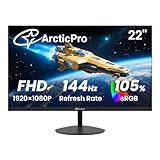
- Premium Choice: ArcticPro 22 Inch Gaming Monitor 144Hz, FHD Computer Monitor, 105% sRGB
Affiliate disclosure: As an Amazon Associate we earn from qualifying purchases. This post contains affiliate links — if you buy through them we may earn a small commission at no extra cost to you. This never affects our recommendations.
Budget gaming monitors have come a long way. In 2025, you no longer need to spend $300 to get a smooth, responsive gaming experience. The sub-$150 segment is now packed with 144Hz to 200Hz panels, sharp 1080p resolution, and adaptive sync technology that eliminates screen tearing — features that were premium just a few years ago. We compared and reviewed over a dozen monitors in this price range to narrow down the absolute best options for competitive FPS players, casual gamers, and anyone building their first gaming setup on a tight budget. Whether you prioritize raw refresh rate, screen size, or panel quality, there’s a strong pick here for every type of gamer. These monitors punch well above their weight class and deliver the smooth, tear-free gaming experience you need to stay competitive without emptying your wallet.
In a hurry? See the top-rated Gaming Monitors Under $150 deals available right now:
🛒 Check Gaming Monitors Under $150 Prices on Amazon →🛒 Best Price Today on Amazon
Prime members get fast, free shipping on everything above, plus member-only deals. New members get a 30-day free trial — cancel anytime.
Start 30-Day Prime Free Trial →See Today’s Amazon DealsTop Picks at a Glance
| Product | Best For |
|---|---|
| SANSUI 24″ 160Hz Curved | Best overall value |
| Gawfolk 24.5″ 200Hz | Highest refresh rate |
| Sceptre 22″ 144Hz | Tightest budget |
| Amazon Basics 24″ 100Hz | Reliable everyday pick |
| LG 27GS50F 27″ 180Hz | Best IPS under $150 |
As an Amazon Associate we earn from qualifying purchases at no extra cost to you.



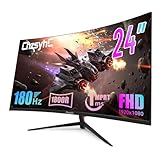



SANSUI 24″ 160Hz Curved Monitor — Best Overall Value
The SANSUI 24-inch curved gaming monitor delivers a 1920×1080 VA panel with a 160Hz refresh rate and 1ms response time at just around $89. The 1500R curve adds immersion for single-monitor setups, and the built-in FreeSync support keeps gameplay tear-free. Colors are punchy for a VA panel at this price, and the thin bezels make it look far more expensive than it is. A solid all-rounder that outperforms its price tag in nearly every scenario.
- Pros: Great curve radius, 160Hz at under $90, FreeSync, slim bezels
- Cons: VA panel has slower pixel response in dark scenes, limited ergonomic adjustments
Gawfolk 24.5″ 200Hz Monitor — Highest Refresh Rate Under $100
At just around $81, the Gawfolk 24.5″ hits a remarkable 200Hz refresh rate — the highest in this price bracket. The flat IPS-type panel delivers accurate colors and wide viewing angles, making it suitable for both gaming and productivity. Input lag is impressively low, and the monitor supports both HDMI and DisplayPort. For competitive FPS gamers who prioritize frame rate over everything else, this monitor is a standout deal you won’t find beaten at this price.
- Pros: 200Hz refresh rate, wide viewing angles, DisplayPort included, excellent price
- Cons: Stand has limited adjustability, no built-in speakers
Sceptre 22″ 144Hz Monitor — Best for Tight Budgets
Sceptre’s 22-inch 144Hz panel is the most affordable gaming monitor on this list at around $69 and one of the cheapest 144Hz options available anywhere. The TN panel delivers fast pixel response times ideal for competitive play, and the compact 22-inch size makes it great for small desks or secondary setups. Color accuracy is modest compared to IPS alternatives, but the sheer speed and value make it a legitimate pick for budget-conscious gamers entering competitive titles.

- Pros: Lowest price, 144Hz, fast TN response, compact size
- Cons: Narrow viewing angles, modest color coverage, smaller display
Amazon Basics 24″ 100Hz Monitor — Best Reliable Everyday Pick
Amazon Basics delivers a no-frills 24-inch 1080p monitor with a 100Hz refresh rate and HDMI connectivity at around $130. The IPS panel produces accurate, consistent colors with wide viewing angles — ideal for gamers who also do creative work or content consumption. While 100Hz isn’t the highest on this list, the display quality and brand reliability make it a trustworthy daily driver. It’s the safest pick for anyone who wants a dependable panel from a recognized name at an accessible price.
- Pros: IPS panel quality, wide viewing angles, brand reliability, accurate colors
- Cons: Only 100Hz, no adaptive sync listed, minimal features
LG 27GS50F 27″ 180Hz — Best IPS Monitor Under $150
The LG 27GS50F is the premium pick of this lineup at around $130. It pairs a 27-inch IPS panel with a 180Hz refresh rate and AMD FreeSync Premium for a gaming experience that rivals monitors costing far more. LG’s IPS panels are renowned for accurate colors, and this model is no exception — sRGB coverage is excellent. The 1ms MPRT response time keeps motion blur in check during fast-paced gaming. If you’re willing to spend to the top of this budget, this is the clear winner.
- Pros: Best picture quality in class, 180Hz IPS, FreeSync Premium, 27-inch size
- Cons: Approaches the $150 ceiling, stand could offer more tilt range
Buying Guide
Refresh Rate: How High Do You Actually Need?
For sub-$150 monitors, refresh rate is the spec most buyers focus on — and rightfully so. A 144Hz monitor will feel dramatically smoother than a standard 60Hz display, especially in fast-paced games like Valorant, CS2, or Apex Legends. If your GPU can consistently push above 144 frames per second, stepping up to a 160Hz or 200Hz panel like those in this list gives you a tangible competitive edge. However, if you’re playing story-driven games or aren’t hitting high frame counts, 100Hz to 144Hz is plenty for a fluid experience.

Panel Type: TN vs. IPS vs. VA at This Price
Panel technology matters significantly in the budget segment. TN panels offer the fastest native pixel response times and are found on many esports monitors, but their narrow viewing angles and washed-out colors are real drawbacks. IPS panels deliver accurate colors and wide viewing angles at a slight cost to raw speed — though modern IPS gaming panels close that gap considerably. VA panels sit in the middle, offering deeper blacks and higher contrast ratios than IPS, but can suffer from slower pixel response in dark-to-dark transitions. At under $150, IPS panels from LG represent the best balance of quality and speed.
Adaptive Sync: FreeSync vs. G-Sync
Every monitor on this list supports AMD FreeSync — the free, open standard for adaptive sync technology. FreeSync eliminates screen tearing by synchronizing the monitor’s refresh rate to your GPU’s output. If you have an AMD graphics card, FreeSync works natively. If you have an NVIDIA GPU, look for FreeSync monitors that are also NVIDIA G-Sync Compatible certified, which many modern FreeSync displays are. At this price point, G-Sync hardware is not available, but FreeSync Compatible works reliably on most NVIDIA cards.

Resolution: Stick with 1080p in This Range
All monitors on this list run at 1920×1080 (Full HD). At the sub-$150 price point, 1440p panels are either unavailable or require sacrificing refresh rate and panel quality significantly. For competitive gaming, 1080p at 144Hz+ is actually the preferred configuration — your GPU can push higher frame rates at lower resolution, maximizing the benefit of a high-refresh display. 1440p becomes a worthwhile upgrade once your budget reaches the $200 to $300 range.
Ergonomics and Connectivity
Budget monitors often save costs on stand adjustability. Most sub-$150 options offer only tilt adjustment, lacking height, swivel, or pivot options. If ergonomics matter for long gaming sessions, consider a VESA-compatible mount — most monitors in this list support 75x75mm or 100x100mm VESA mounting. For connectivity, look for at least one HDMI 1.4 or higher port and ideally a DisplayPort 1.2 connection, which is required to hit high refresh rates on HDMI-limited setups.
Frequently Asked Questions
Can you actually get a good gaming monitor for under $150?
Absolutely. In 2025, the sub-$150 segment includes monitors with 144Hz to 200Hz refresh rates, IPS panels with accurate color reproduction, and adaptive sync technology. The LG 27GS50F at around $130, for example, competes directly with monitors that cost twice as much just two years ago. The main trade-offs at this price are stand ergonomics and panel size options, not gaming performance.
Is 144Hz worth it over 60Hz for gaming?
Yes — the difference between 60Hz and 144Hz is immediately visible and impactful in fast-paced games. Motion appears significantly smoother, input feels more responsive, and competitive gameplay becomes genuinely easier. Once you game on a 144Hz monitor, returning to 60Hz is difficult. At the prices listed here, upgrading to 144Hz or higher is one of the best investments in your gaming setup.
What’s the difference between FreeSync and G-Sync at this price?
At under $150, you’ll only find FreeSync monitors — G-Sync requires proprietary NVIDIA hardware that adds significant cost. However, most FreeSync monitors in 2025 are also G-Sync Compatible certified, meaning they work with NVIDIA GPUs using the adaptive sync feature. The practical difference for most gamers is minimal, and FreeSync Premium performs excellently on both AMD and compatible NVIDIA setups.
Is a curved monitor worth buying at this price?
For a single-monitor desk setup, a curved monitor adds noticeable immersion especially during open-world or driving games. The SANSUI 24″ curved pick at around $89 demonstrates that curved panels no longer carry a significant price premium. However, if you use multiple monitors side by side, a flat panel is generally preferred for visual consistency across screens.
Verdict
For most gamers on a tight budget, the LG 27GS50F is the best gaming monitor under $150 in 2025 — its IPS panel, 180Hz refresh rate, and FreeSync Premium certification make it a class leader. If you want to stay under $100, the SANSUI 24″ 160Hz Curved at around $89 is exceptional value with a satisfying curve and solid performance. Competitive players chasing maximum frame rates should look at the Gawfolk 24.5″ 200Hz for the highest refresh rate in this bracket. Any of these five picks will meaningfully upgrade your gaming experience without breaking your budget.
Related Articles
Looking for more on this topic? Browse the hand-picked guides below — each one applies the same scoring rubric used in this review.
Ready to decide? Our #1 pick for 2026 is the SANSUI 24" 160Hz Curved.
Live price & availability on Amazon.













