- Top Pick: LG 27GX704A-B 27-inch Ultragear QHD (2650×1440) OLED Gaming Monitor 240Hz, 0.03ms, NVIDIA G-Sync Compatible, AMD FreeSync Premium Pro, VESA Display HDR TrueBlack400, HDMI 2.1, DisplayPort, Black
- Best Value: LG 45GX950A-B 45-inch Ultragear 5K2K WUHD (5120 x 2160) OLED Curved Gaming Monitor, Dual-Mode, 165Hz, 0.03ms, NVIDIA G-Sync, AMD FreeSync Premium Pro, HDR True Black 400, USB Type-C 90W, DP2.1
- Premium Choice: LG 32GX850A-B 32" UltraGear 4K UHD (3840 x 2160) Glossy OLED Gaming Monitor, Dual-Mode 165Hz/330Hz, 0.03ms, G-SYNC, FreeSync Premium Pro, TrueBlack 400, HDMI, DP, Tilt/Height/Swivel/Pivot Stand, Black
The LG UltraGear 27GX704A-B is a 27-inch 1440p OLED gaming monitor running at 240Hz with a 0.03ms response time, G-Sync compatibility, and FreeSync Premium Pro. It represents the sweet-spot configuration many gamers actually want: QHD sharpness that a mid-to-high GPU can drive at high frame rates, on an OLED panel that delivers the contrast a fast LCD never will.
This monitor is for the player who prioritizes responsive, high-frame-rate gaming over raw 4K resolution and does not want to spend flagship money. Competitive and mixed-genre gamers on a single-GPU build are the target audience. If you mainly do 4K content creation or want the absolute highest refresh numbers, other panels in LG’s own range will suit you better.
As an Amazon Associate we earn from qualifying purchases at no extra cost to you.







⚡ Save on Your Next PC — Amazon Prime
Prime members get fast free shipping on the systems above, plus early access to Prime Day & Black Friday PC deals. New members get a 30-day free trial.
Watch: LG UltraGear OLED Review — Video Review
Design & Build
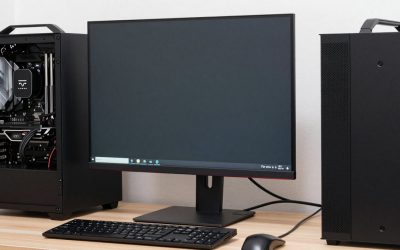
LG keeps the UltraGear look understated: a thin OLED panel, slim bezels on all four sides, and a sturdy V-shaped or tripod-style stand depending on region, with tilt, height, swivel, and pivot on this SKU. Build quality is solid plastic rather than metal, which keeps weight down, and the rear carries LG’s usual subtle gamer styling without RGB overload. Inputs include HDMI 2.1 and DisplayPort, plus a USB hub.
Performance
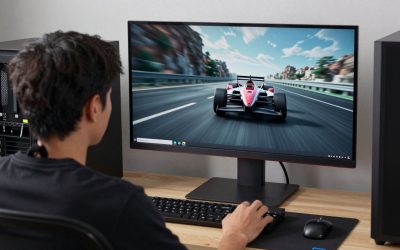
The 240Hz refresh combined with OLED’s instant pixel response makes motion exceptionally clean, with none of the ghosting or overshoot you fine-tune out of an LCD. Contrast is perfect blacks against bright highlights, and the anti-glare coating on this model keeps reflections manageable. Input lag is very low, which matters for twitch gameplay.
Color accuracy out of the box is good and improves with a quick calibration, and HDR True Black 400 gives punchy, if not blindingly bright, highlights. As with all current OLEDs, fullscreen white brightness for desktop work is more modest than an LCD, and the RWBG subpixel structure can add faint fringing to small text.
Pros & Cons
- Excellent 240Hz motion clarity with 0.03ms response
- Perfect OLED blacks and strong per-pixel contrast
- 1440p is easy to drive at high frame rates on mid-range GPUs
- Full ergonomic stand and HDMI 2.1 connectivity
- Fullscreen brightness is modest for a bright office
- Text rendering shows minor OLED fringing
- Plastic build feels less premium than metal rivals
Alternatives to Consider
If you have the GPU headroom for 4K, LG’s own 32GX850A steps up to a dual-mode 4K panel, and the 27GX790A pushes refresh all the way to 480Hz for esports diehards. Those chasing an ultrawide cinematic setup should consider the curved 45GX950A 5K2K, while the 27GS93QE offers a similar 240Hz QHD experience if this exact SKU is out of stock.
Frequently Asked Questions
Is 1440p OLED better than 4K LCD for gaming?
For most gamers, yes. OLED’s contrast, response time, and motion clarity have a bigger visual impact than the extra resolution, and 1440p is far easier to run at high frame rates.
What GPU do I need for this monitor?
A current upper-mid-range card comfortably pushes 1440p toward 240Hz in most titles. You do not need a flagship GPU the way a 4K/240Hz panel would demand.
Does it work well with a Mac or for productivity?
It works fine for productivity, but OLED fullscreen brightness and text fringing make it a better gaming-first display than a pure office monitor. It supports standard DisplayPort and HDMI sources.
How is burn-in risk on this LG UltraGear?
LG includes pixel-cleaning and logo-dimming safeguards, and the panel is covered against burn-in under warranty. Vary your content and it should not be a practical concern.
Verdict
The 27GX704A-B lands on the price-to-performance sweet spot for OLED gaming in 2026. It will not out-bright an LCD or out-resolve a 4K panel, but for fast, contrast-rich 1440p gaming on a reasonable GPU, it is one of the smartest buys LG offers.