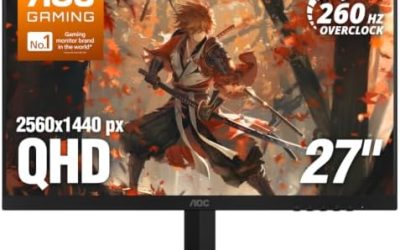
Updated November 2026 – Are TVs and projectors good for gaming? Yes, a modern TV with a Game Mode, HDMI 2.1 and variable refresh rate is good for gaming, especially from the couch. For fast competitive play at a desk, a gaming monitor still wins on refresh rate and latency, and projectors are best for big-screen console or casual PC sessions.
This guide answers the common questions behind the search: are TCL TVs good for gaming, are Roku TVs good for gaming, how Vizio fits in, whether a 60Hz TV is good for gaming, and how a TV compares with a monitor or a gaming projector. It leans on the makers’ own support pages and published reviewer measurements, and it flags where sources disagree.
Are TVs and Projectors Good for Gaming? Quick Verdict Table
| Use case | Verdict | What to pair it with |
|---|---|---|
| Couch gaming with a console or PC | TV is an excellent fit | HDMI 2.1 TV with Game Mode and VRR |
| Competitive shooters at a desk | Monitor is the better tool | High-refresh gaming monitor, DisplayPort |
| Single-player 4K at 120Hz | TV works well | HDMI 2.1 port on both the TV and the graphics card |
| 60Hz TV with a console or PC | Fine for casual play, limited for fast action | Game Mode on, frame rate capped near 60 |
| Projector for big-screen gaming | Good for casual and cinematic games | Low-latency model, dark room, 1080p high-refresh mode |
| Large TV as a PC monitor | Works with caveats | Sit back from the screen, expect softer text |
Xbox Monitor vs TV: Which Is Better for Gaming?
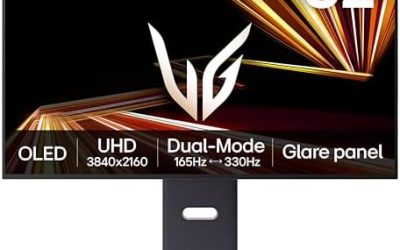
For a console living-room setup, a TV is usually the better choice, and a monitor suits a desk. Third-party roundups that summarize RTINGS-style measurements agree that monitors generally have lower input lag than TVs, but a good TV in Game Mode comes close. Their numbers disagree with each other, though, with sources placing gaming monitors anywhere from about 1 to 6 ms and TVs in Game Mode from roughly 5 to 13 ms, so treat the figures as rough and check the reviewer’s page for your exact model.
The main differences:
- Size and distance: TVs scale up for couch distance and shared play, while monitors fit a desk.
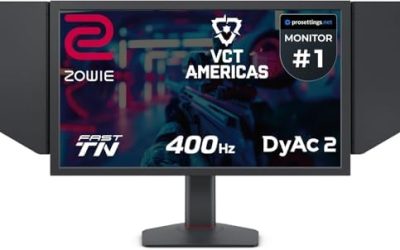
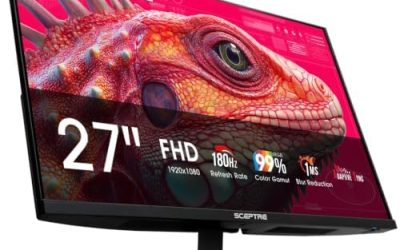
- Refresh rate: monitors reach 240Hz and beyond, while most TVs top out at 120Hz, with some recent models listing 144Hz.
- Ports: monitors offer DisplayPort, and TVs rely on HDMI.
- Features: TVs bring speakers, a smart platform and often better contrast, while monitors bring tighter VRR ranges and clearer text.
Samsung monitor vs TV
The same logic applies across brands: pick on size, refresh rate, port support and input lag, not the brand. Some Samsung models are sold as smart monitors that blur the line, with a TV-like platform in a desk-size panel. Compare the maker’s spec sheet for the exact model.
Input Lag and Game Mode: Why They Matter
Input lag is the delay between a controller or mouse input and what appears on screen. TVs run heavy picture processing such as motion smoothing and noise reduction, so a TV outside Game Mode can add noticeable delay, with some sources saying it climbs past 10 to 15 ms. Game Mode skips most of that processing.
Practical steps:
- Turn on Game Mode for the HDMI input your PC or console uses.
- Turn off motion smoothing, noise reduction and other extras if they stay active.
- Enable ALLM (Auto Low Latency Mode) so supported consoles switch the TV automatically.
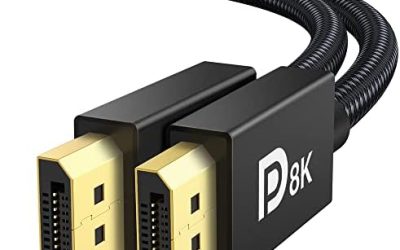
- Use a certified high-speed or ultra-high-speed HDMI cable, because old cables may not carry HDR, VRR or high frame rates.
Is a 60Hz TV Good for Gaming?
A 60Hz TV is fine for casual and story-driven games, but it caps motion smoothness for fast action. A 60Hz panel can show at most 60 frames per second, so a PC or console that could produce 120 frames per second will not look any smoother. HDMI 2.0 is generally limited to 4K at 60Hz, while 4K at 120Hz needs HDMI 2.1 on both ends.
A 60Hz TV still makes sense when:
- You play slower single-player titles, strategy or racing games at a locked 60 frames per second.
- The TV has a low-latency Game Mode, which matters more than refresh rate for feel.
- Your console or GPU cannot push past 60 frames per second at 4K anyway.
It is a weaker match for competitive shooters, where higher refresh and frame rate reduce blur and delay. In that case a 120Hz TV or a gaming monitor is the better path.
HDMI 2.1, VRR and 120Hz Explained
| Setting | What it does | Note |
|---|---|---|
| HDMI 2.1 | Carries 4K at 120Hz with variable refresh rate | Some TVs enable it on only one or two ports, so use the right one |
| VRR (variable refresh rate) | Matches screen refresh to the frame rate, reducing tearing and stutter | Supported ranges differ between TVs and monitors |
| ALLM | Switches Game Mode on automatically | May need enabling in the console settings |
| Game Mode | Reduces picture processing for lower latency | Per-input on many TVs |
| 4:4:4 chroma | Keeps text and fine detail sharp from a PC | Confirm PC-mode behavior in the TV manual |
Reviewers report that TV VRR is less mature than monitor VRR, with TVs often supporting a narrower window, for example roughly 48 to 120Hz versus 40 to 144Hz or more on a monitor. These ranges come from secondary guides and vary by model.
Are TCL TVs Good for Gaming?
Several TCL models are strong gaming TVs for the money. RTINGS lists the TCL QM6K as its pick for best budget gaming TV, and states it has two HDMI 2.1 ports, 4K at 144Hz, 1080p at 288Hz and VRR support. RTINGS’s review of the larger TCL 98QM8K says it supports up to 288Hz at 1080p or 1440p and 144Hz at 4K, with low input lag across its supported modes and support for all three VRR types.
The caveats:
- Lower-end TCL models differ from the QM series, and not every model has HDMI 2.1 or a high-refresh panel.
- Blog-level input lag figures for TCL sets conflict with each other, from under 6 ms to around 14 ms, so lean on the reviewer measurements for your exact model.
- One RTINGS list entry for a lower-end TV notes unusually high input lag in a 1440p 120Hz mode, so read the specific review before choosing a resolution.
Are Roku TVs Good for Gaming?
Roku is a smart-TV platform, not a panel type, so a Roku TV is as good for gaming as the hardware inside it. Roku’s support page says supported consoles can trigger Game Mode, HDR, ALLM, VRR, FreeSync, high frame rate and THX Game Mode automatically for an HDMI port. If the VRR menu option does not appear, that Roku TV does not support VRR.
- Only certain Roku TV models have HDMI 2.1 inputs that accept 4K at 120Hz; Roku’s user guide marks those inputs with a bounding box, a 120Hz label and a game controller icon.
- ALLM is described as available on 4K Roku TVs other than those with model numbers starting with 6, per the Canadian French version of Roku’s page.
- Game Mode cannot be turned on while watching streaming channels or over-the-air TV, and some users report stutter or flicker with ALLM, according to the Roku community.
Are Vizio TVs Good for Gaming?
Vizio TVs include gaming features even at the budget end, though many are 60Hz-class panels. Vizio’s own pages for current V-Series 4K models list Auto Low Latency Mode and VRR, with input lag under 10 ms at 60Hz. RTINGS notes that Vizio TVs usually include gaming features such as VRR, and a retailer listing for a 2026 Vizio Mini LED model describes three HDMI 2.1 ports with ALLM and VRR. Third-party deal pages are less reliable, so confirm against Vizio’s spec sheet.
- Not every Vizio supports VRR: one older V-Series entry is described as lacking high-refresh gaming and VRR while still offering Auto Game Mode.
- Vizio’s smart platform is described by RTINGS as weak, and some owners add a streaming box.
- Vizio states that a retailer account is required for smart TV functions and updates on current models.
Best TV as PC Monitor: What to Expect
A 42-inch OLED such as the LG C5 is RTINGS’s top pick for a TV used as a PC monitor, but text clarity and burn-in are the known trade-offs. RTINGS says low pixel density makes text slightly blurry on the C5, and lists burn-in risk as a con for both the C4 and C5, especially with static elements left on screen. BGR agrees that a 4K image stretched across 42 inches looks worse up close than on a 27-inch 4K monitor.
If you use a TV as a monitor, sit farther back, vary what is on screen, and use the OLED care features the maker provides. Follow the maker’s manual for panel-care settings.
Gaming Projector 4K 120Hz: What Is Realistic
True 4K at 120Hz projectors are rare, and most gaming projectors trade resolution for speed. The BenQ X3100i is rated at about 8 ms at 120Hz and 16.7 ms at 4K 60Hz, with 4.16 ms at 1080p 240Hz, but Trusted Reviews and What Hi-Fi note its HDMI 2.0 inputs cannot accept 4K at 120Hz. Optoma’s UHD35 and UHD38 families list roughly 4.2 ms at 1080p 240Hz and around 16 ms at 4K 60Hz, with HDMI 2.0.
The Optoma UHZ68 is one model with an HDMI 2.1 port. ProjectorCentral reviewed it in February 2026, measuring input lag of 19 ms at 1080p 60Hz, 13 ms at 1080p 120Hz, 7 ms at 1080p 240Hz and 19 ms at 4K 60Hz, and listing no 4K 120Hz figure. It is a native 1080p projector using pixel shifting to reach 4K.
For gaming projectors, the practical rule is to choose the 1080p high-refresh mode for fast games and the 4K 60Hz mode for cinematic ones. Projectors need a dark room and do not match a TV’s brightness.
Best Wireless TV Headset for Gaming
For a TV gaming headset, the key spec is latency. Look for a headset with a USB or optical transmitter that offers low-latency wireless audio, rather than relying on standard Bluetooth, which can add delay. Confirm that your TV or console supports the transmitter type, and check the headset maker’s compatibility list.
Frequently Asked Questions
Are TVs good for gaming?
Yes, modern TVs with Game Mode, HDMI 2.1 and VRR are good for gaming. They suit couch play best, while monitors lead for fast competitive games at a desk.
Is a 60Hz TV good for gaming?
It is fine for casual and slower games at 60 frames per second. It limits smoothness for fast action, and 4K at 120Hz needs HDMI 2.1.
Are TCL TVs good for gaming?
Many are, especially the QM series, which RTINGS lists with 144Hz at 4K and VRR. Lower-end models vary, so confirm refresh rate and HDMI 2.1 support for your model.
Are Roku TVs good for gaming?
It depends on the model, since Roku is only the software platform. Roku states that supported models auto-enable Game Mode, ALLM and VRR when a console connects.
Is a TV or a monitor better for Xbox?
A TV is usually better for couch play, and a monitor for desk play. Both work well when the display supports Game Mode and VRR.
Can a projector run games at 4K 120Hz?
Almost none do. Most gaming projectors offer 4K at 60Hz or 1080p at 120 to 240Hz, with reviewers confirming that models like the BenQ X3100i lack 4K 120Hz input.