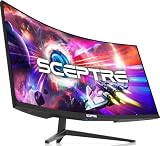
- Top Pick: Dell 27 240Hz Gaming Monitor – SE2726HG – 27-inch FHD (1920×1080) 240Hz Display, in-Plane Switching (IPS) Technology, AMD FreeSync Premium, TÜV 3-Star, 2X HDMI, DisplayPort 1.4, Tilt
- Best Value: ASUS TUF Gaming VG259QMR5A 25 Inch 1080p 310Hz G-SYNC Gaming Monitor
- Premium Choice: HP OMEN 23.8" FHD 165Hz Gaming Monitor, FHD Display (1920 x 1080), IPS panel, 99% sRGB, 90% DCI-P3, 16:9, AMD FreeSync Premium Technology, 24 (2023),Black
Affiliate disclosure: As an Amazon Associate we earn from qualifying purchases. This post contains affiliate links — if you buy through them we may earn a small commission at no extra cost to you. This never affects our recommendations.
As an Amazon Associate we earn from qualifying purchases at no extra cost to you. Product prices and availability are accurate as of the date shown and are subject to change.






FreeSync Premium is AMD’s mid-tier adaptive sync standard, stepping above base FreeSync by mandating a minimum 120Hz refresh rate at native resolution and requiring Low Framerate Compensation (LFC) — so your monitor stays tear-free even when frame rates drop well below the sync range. Unlike vanilla FreeSync, which sets no refresh rate floor and makes LFC optional, FreeSync Premium guarantees a smoother, more consistent experience whether you are pushing high frames in a competitive shooter or dipping during a GPU-intensive open-world scene. In 2026, the lineup of FreeSync Premium panels has matured dramatically, making it an excellent value choice for AMD GPU owners who want G-Sync-class smoothness without paying G-Sync-compatible premium prices.
In a hurry? See the top-rated FreeSync Premium Gaming Monitor deals available right now:
🛒 Check Freesync Premium Gaming Monitor Prices on Amazon →🛒 Best Price Today on Amazon
Prime members get fast, free shipping on everything above, plus member-only deals. New members get a 30-day free trial — cancel anytime.
Start 30-Day Prime Free Trial →See Today’s Amazon DealsFreeSync Premium vs FreeSync vs G-Sync: What You Need to Know
Understanding the three adaptive sync tiers saves you money and prevents buyer’s remorse. Here is a plain-language breakdown:
Base FreeSync is AMD’s entry-level certification. It simply means the monitor supports variable refresh rate (VRR) over DisplayPort or HDMI. There are no requirements for minimum refresh rate, no LFC mandate, and no HDR testing. A FreeSync monitor could be 60Hz with a sync range of 48–60Hz — almost useless in practice.
FreeSync Premium adds two hard requirements on top of base FreeSync:
- Minimum 120Hz refresh rate at native resolution (ensuring your panel is fast enough to matter).
- Low Framerate Compensation (LFC): when your GPU drops below the minimum sync range, the monitor multiplies the frame to fill the gap, preventing judder. This is the feature that makes the standard genuinely useful.
FreeSync Premium does not mandate HDR. That is where FreeSync Premium Pro (formerly FreeSync 2 HDR) enters: it adds a certified HDR pipeline with defined brightness/color gamut targets on top of the Premium spec. LG’s Nano IPS panels frequently carry Pro certification.
NVIDIA G-Sync comes in two flavors. The proprietary G-Sync module (found in expensive panels) offers a wider sync range and no frame multiplying artifacts, but adds $100–200 to monitor cost. G-Sync Compatible is simply NVIDIA’s stamp of approval on monitors that already support VESA Adaptive Sync — many FreeSync Premium panels carry both badges and work seamlessly with RTX GPUs.
Bottom line: For an AMD GPU owner in 2026, FreeSync Premium is the sweet spot. You get mandatory LFC, a fast panel, and compatibility with virtually every modern Radeon card via DisplayPort or HDMI 2.1. If you own an NVIDIA card, check for the G-Sync Compatible label — many monitors in this guide carry it.
Our Top 5 FreeSync Premium Gaming Monitors in 2026
After evaluating panel technology, real-world VRR behavior, HDR implementation, build quality, and value for money, we have selected five monitors that represent the best FreeSync Premium has to offer across different use cases and budgets.
1. [Best Overall] LG 27GP850-B — The Nano IPS Benchmark for Tear-Free 1440p Gaming
Why We Picked It
- Nano IPS panel with FreeSync Premium Pro certification delivers accurate sRGB color (98% DCI-P3) and exceptional pixel response, achieving <1ms GtG via the "1ms MBR" overdrive mode — an unusual feat for an IPS display.
- 165Hz native refresh rate (overclockable to 180Hz) with a FreeSync range of 48–165Hz provides ample headroom for LFC to kick in without perceptible judder when frames dip during GPU-heavy scenes.
- Wide sync compatibility: G-Sync Compatible certified, meaning it works flawlessly with both Radeon RX 7000-series and GeForce RTX 40/50-series cards — a genuine dual-camp panel.
- Thin bezels, ergonomic stand with full tilt/swivel/pivot/height adjustment, and a clean matte finish make it equally suited to multi-monitor setups and single-screen battle stations.
Specs at a Glance
| Panel | Resolution | Refresh Rate | FreeSync Range | HDR |
|---|---|---|---|---|
| Nano IPS | 2560 × 1440 (1440p) | 165Hz (OC 180Hz) | 48–165Hz | DisplayHDR 400 (FreeSync Premium Pro) |
Pros & Cons
Pros:

- Outstanding out-of-box color accuracy and near-instant pixel response for an IPS panel.
- Dual AMD/NVIDIA adaptive sync support broadens future GPU upgrade flexibility.
Cons:
- DisplayHDR 400 certification means backlight brightness peaks around 400 nits — HDR impact is modest compared to Mini LED panels.
- Stand is wide and takes significant desk real estate; VESA mount (100×100mm) recommended for arm users.
Buy the LG 27GP850-B on Amazon
2. [Best Runner-Up] Samsung Odyssey G7 27″ — Blazing QLED Speed With a Curve
Why We Picked It
- 240Hz QLED VA panel pushes the performance ceiling higher than most FreeSync Premium monitors, making it the preferred pick for competitive FPS players who do not want to compromise on resolution.
- 1000R aggressive curve is divisive in looks but measurably reduces off-axis brightness shifts on a VA panel, keeping contrast performance consistent across the screen edge.
- FreeSync Premium Pro certification comes with a measured HDR brightness peak around 600 nits in the QLED zone, producing noticeably punchier highlights than standard IPS HDR 400 panels.
- DisplayPort 1.4 + HDMI 2.1 connectivity ensures full 1440p/240Hz passthrough with modern GPUs and consoles — the PS5 and Xbox Series X benefit from HDMI 2.1 VRR at 1080p/120Hz.
Specs at a Glance
| Panel | Resolution | Refresh Rate | FreeSync Range | HDR |
|---|---|---|---|---|
| VA (QLED) | 2560 × 1440 (1440p) | 240Hz | 48–240Hz | DisplayHDR 600 (FreeSync Premium Pro) |
Pros & Cons
Pros:
- 240Hz with FreeSync Premium Pro is the current high-water mark for 1440p adaptive sync value.
- QLED brightness advantage makes HDR content visually impactful for a non-OLED monitor.
Cons:
- VA panel response times show minor dark-scene smearing compared to IPS; motion clarity relies heavily on overdrive tuning.
- 1000R curve is too aggressive for productivity use and looks distorted with flat desktop wallpapers.
Buy the Samsung Odyssey G7 on Amazon
3. [Best Budget FreeSync Premium] AOC 24G2 — Entry Price, Zero Compromise on Smoothness
Why We Picked It
- IPS panel at 144Hz with a FreeSync range of 48–144Hz covers everything a mid-range GPU needs; LFC activates below 48fps, ensuring no tearing even during shader-heavy loading screens.
- Sub-$180 street price makes this the most accessible FreeSync Premium experience in 2026 — an ideal first upgrade from a 60Hz office monitor or a second display in a dual-screen setup.
- 1ms MPRT response via strobe backlight keeps motion clarity competitive with panels twice the price; the sRGB gamut (99%) is surprisingly accurate for a budget panel, requiring minimal calibration.
- Solid ergonomic stand (height/tilt/swivel) is a rarity at this price segment, where most monitors ship with tilt-only stands.
Specs at a Glance
| Panel | Resolution | Refresh Rate | FreeSync Range | HDR |
|---|---|---|---|---|
| IPS | 1920 × 1080 (1080p) | 144Hz | 48–144Hz | None (HDR10 software flag) |
Pros & Cons
Pros:
- Delivers genuine tear-free gaming at a price point where most monitors offer only basic VRR without LFC.
- Ergonomic stand out of the box is a meaningful quality-of-life advantage over budget competitors.
Cons:
- 1080p resolution shows pixel density limitations on anything above 24 inches; best kept at 24″ as intended.
- No meaningful HDR: the HDR10 flag is software-only, and the backlight cannot sustain the brightness HDR content requires.
4. [Best 1440p FreeSync Premium] Gigabyte M27Q — IPS Clarity With a Built-In KVM Switch
Why We Picked It
- 170Hz IPS panel at 1440p occupies the sweet spot between the GPU-friendly 1080p and the demanding 4K, offering sharpness gains over 1080p without taxing mid-range cards like the RX 7600 or RTX 4060.
- Built-in KVM switch lets users toggle the monitor between a gaming PC and a work laptop using a single keyboard and mouse — a unique differentiator at the ~$299 tier that effectively replaces a separate KVM unit.
- FreeSync Premium range of 48–170Hz with confirmed G-Sync Compatible operation makes this monitor genuinely GPU-agnostic — tested stable on RX 7700 XT, RTX 4070, and even Intel Arc A770.
- USB-C (65W power delivery) means a single cable can drive a thin-and-light laptop at full resolution and charge it simultaneously — rare in gaming monitors and valuable for hybrid work/gaming setups.
Specs at a Glance
| Panel | Resolution | Refresh Rate | FreeSync Range | HDR |
|---|---|---|---|---|
| IPS | 2560 × 1440 (1440p) | 170Hz | 48–170Hz | DisplayHDR 400 |
Pros & Cons
Pros:
- KVM + USB-C power delivery combination is a genuine productivity multiplier unavailable in most gaming-focused monitors.
- 170Hz at 1440p with solid IPS color accuracy makes it among the most well-rounded all-purpose displays in its class.
Cons:

- Backlight uniformity varies unit-to-unit; IPS glow visible in dark room gaming at extreme viewing angles.
- OSD navigation buttons are rear-mounted and difficult to use without a secondary hand — a joystick or front-facing controls would improve usability.
Buy the Gigabyte M27Q on Amazon
5. [Best Ultrawide FreeSync Premium] LG 34GP83A-B — Immersive 21:9 With Fast IPS Performance
Why We Picked It
- 34″ IPS ultrawide at 160Hz with a 3440 × 1440 resolution delivers 77% more screen real estate than a standard 27″ 1440p monitor — ideal for flight sims, racing games, open-world RPGs, and productivity spanning code, documentation, and communication tools simultaneously.
- FreeSync Premium Pro certification covers the full 48–160Hz range, with LFC ensuring smooth playback when demanding ultrawide games dip below 48fps on a mid-range GPU.
- Curve at 1800R is subtle enough to remain comfortable for spreadsheet work while providing the gentle immersive wrap that makes ultrawide gaming compelling at this screen width.
- Nano IPS technology keeps colors vivid (98% DCI-P3) and response times competitive at 1ms GtG, avoiding the motion smear that plagued earlier ultrawide VA and TN panels.
Specs at a Glance
| Panel | Resolution | Refresh Rate | FreeSync Range | HDR |
|---|---|---|---|---|
| Nano IPS | 3440 × 1440 (UWQHD) | 160Hz | 48–160Hz | DisplayHDR 400 (FreeSync Premium Pro) |
Pros & Cons
Pros:
- UWQHD ultrawide with Nano IPS accuracy and FreeSync Premium Pro is the best-value productivity-gaming hybrid in the 34″ segment.
- 1800R curve is tasteful — does not distort desktop content the way aggressive 1000R curves do.
Cons:
- GPU demand at 3440 × 1440 is substantial; budget cards (RX 6600, RTX 3060) will struggle to hit high refresh rates in demanding AAA titles without FSR/DLSS upscaling.
- No HDMI 2.1: the HDMI port is limited to 2.0, capping console use at 1080p/120Hz rather than ultrawide native resolution.
Buy the LG 34GP83A-B on Amazon
Head-to-Head Comparison Table
| Monitor | Resolution | Refresh Rate | FreeSync Range | Panel |
|---|---|---|---|---|
| LG 27GP850-B | 2560 × 1440 | 165Hz (OC 180Hz) | 48–165Hz | Nano IPS |
| Samsung Odyssey G7 27″ | 2560 × 1440 | 240Hz | 48–240Hz | VA (QLED) |
| AOC 24G2 | 1920 × 1080 | 144Hz | 48–144Hz | IPS |
| Gigabyte M27Q | 2560 × 1440 | 170Hz | 48–170Hz | IPS |
| LG 34GP83A-B | 3440 × 1440 | 160Hz | 48–160Hz | Nano IPS |
How to Choose the Best FreeSync Premium Gaming Monitor
Resolution vs GPU tier. Matching resolution to your GPU prevents your card from struggling to hit the high-refresh territory where FreeSync Premium matters most. General guidance: RX 7600 / RTX 4060 and below are best paired with 1080p or 1440p at moderate refresh rates; RX 7800 XT / RTX 4070 can drive 1440p at 165Hz+ comfortably; RX 7900 XTX / RTX 4090 unlocks 1440p/240Hz or UWQHD/160Hz territory.
Panel technology trade-offs. IPS panels offer the widest viewing angles and best color accuracy out of the box, with response times that have closed the gap on TN panels significantly. VA panels offer superior contrast ratios (3000:1 vs IPS’s 1000:1), making them preferable for dark-room gaming, but slower pixel response can produce smearing in fast motion. TN panels are largely obsolete in the premium segment — avoid them in 2026.
HDR tier realities. DisplayHDR 400 certification is the entry level and provides limited real-world HDR impact; brightness peaks at 400 nits are insufficient for true HDR highlights. DisplayHDR 600 (Samsung Odyssey G7) and DisplayHDR 1000 (rare in this segment) deliver measurably better HDR. If HDR is a priority, budget upward or consider OLED panels that are beginning to appear at this price tier.
Sync range and LFC. FreeSync Premium mandates LFC, but the width of the sync range still matters. A monitor with a 48–165Hz range will activate LFC when frames fall below 48fps (doubling them to 96fps equivalent). A monitor with a 60–144Hz range would only activate LFC below 60fps. Wider ranges offer more consistent smoothness across all GPU loads.
Connectivity checklist. For modern AMD GPUs (RX 7000-series), DisplayPort 1.4 is the preferred connection for full refresh rate and resolution support. For consoles (PS5, Xbox Series X), HDMI 2.1 is required for VRR at 1080p/120Hz. USB-C connectivity (as found on the Gigabyte M27Q) adds versatility for laptop users. Confirm your GPU’s output ports match the monitor’s inputs before purchasing.
Build quality and ergonomics. A monitor you cannot comfortably position is a monitor that will cause neck and eye strain. Prioritize height-adjustable stands (look for at least 100mm of adjustment), tilt range, and VESA 100×100mm compatibility for third-party arms. Bezels matter in multi-monitor setups — thin three-sided bezels are the standard in 2026 mid-range monitors.

Size and pixel density. Pixel density (pixels per inch, PPI) determines perceived sharpness. A 27″ 1440p monitor sits at ~109 PPI — widely considered the ideal balance of sharpness and content size. A 27″ 1080p monitor drops to ~82 PPI, where individual pixels become visible at normal viewing distances. For ultrawide buyers, the 34″ UWQHD format maintains ~109 PPI — a sharp, consistent visual density across the wider canvas.
Final Verdict
For most gamers in 2026, the LG 27GP850-B remains the clearest choice: Nano IPS accuracy, FreeSync Premium Pro certification, G-Sync compatibility, and an 165Hz panel at a competitive $299 price create a package that is difficult to surpass without spending significantly more. It is the monitor we would recommend to a friend upgrading from a 60Hz or 1080p display for the first time.
Competitive players who live in fast-paced shooters and want every refresh rate advantage should direct their budget toward the Samsung Odyssey G7 — 240Hz with FreeSync Premium Pro and QLED brightness is a performance combination that nothing in the budget segment can match.
Budget-conscious buyers should consider the AOC 24G2 without hesitation: genuine FreeSync Premium compliance (with LFC) at under $160 is the best entry point to tear-free adaptive sync gaming available today.
The Gigabyte M27Q earns its place as the best all-rounder 1440p pick for those who need their monitor to do double duty — gaming and work — particularly with its KVM switch and USB-C power delivery combination that genuinely simplifies a dual-PC desk setup.
Finally, the LG 34GP83A-B stands apart as the ultrawide recommendation for immersive single-player gaming and content work. The UWQHD resolution, Nano IPS panel, and FreeSync Premium Pro range combine with a practical 1800R curve to produce a monitor that genuinely changes how you experience expansive game worlds — provided your GPU can keep up.
Whichever you choose, every monitor in this guide delivers the core FreeSync Premium promise: mandatory LFC, a minimum 120Hz experience, and adaptive sync that eliminates screen tear without the proprietary price premium. In 2026, there has never been a better time to go tear-free.
Related Articles
Looking for more on this topic? Browse the hand-picked guides below — each one applies the same scoring rubric used in this review.
Frequently Asked Questions
What is the best gaming monitor freesync premium in 2026?
The best gaming monitor freesync premium depends on your budget and how you plan to use it. The options compared above are our top-rated picks based on real customer ratings, build quality, and overall value — start with the highest-rated model that fits your budget.
How much should I expect to spend on a gaming monitor freesync premium?
Prices vary by brand and features. Budget options cover the essentials, while mid-range and premium models add durability, performance, and extra features. Compare the prices in the list above to find the best value for your needs.
What should I look for when buying a gaming monitor freesync premium?
Focus on what matters most for your use case — build quality, compatibility, performance, warranty, and verified customer reviews. Every pick above is selected to balance these factors.
Are budget gaming monitor freesync premium options worth it?
Yes. For most people a well-reviewed budget or mid-range gaming monitor freesync premium delivers excellent value. You only need to spend more if you specifically require premium materials or top-tier performance.
How did we choose these gaming monitor freesync premium picks?
We compare current Amazon ratings, review counts, key features, and price to surface the options with the best real-world value. The list is refreshed as ratings and availability change.
Ready to decide? Our #1 pick for 2026 is the Panel.
Live price & availability on Amazon.