

- Top Pick: CUNPU 24.5 Inch 1080P 300Hz Premium Gaming Monitor for FPS Gamers, AMD FreeSync & NVIDIA G-SYNC Compatible, 1ms MPRT VA Panel, HDR400, 100% sRGB, VESA 100x100mm
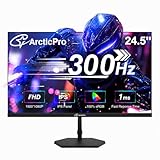
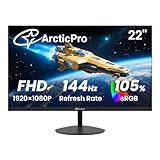
- Best Value: ArcticPro 24.5 Inch Gaming Monitor, 300Hz 240Hz Monitor, 1080p, 1ms, IPS
- Premium Choice: ArcticPro 27 Inch Gaming Monitor, 300Hz 240Hz Monitor, FHD, Adaptive Sync
Affiliate disclosure: As an Amazon Associate we earn from qualifying purchases. This post contains affiliate links — if you buy through them we may earn a small commission at no extra cost to you. This never affects our recommendations.
- Watch: Best Gaming Monitor Under $300 in 2026: Top 5 Picks for 1440p and High Refresh — Video Review
- Comparison Table: All 5 Monitors at a Glance
- 1. LG 27GP850-B — Best Overall Gaming Monitor Under $300
- 2. Samsung Odyssey G5 — Best Contrast Gaming Monitor Under $300
- 3. ASUS ROG Strix XG27AQM — Best Refresh Rate Gaming Monitor Under $300
- 4. MSI Optix MAG274QRF-QD — Best Color Gaming Monitor Under $300
- 5. AOC CQ27G2 — Best Value Gaming Monitor Under $300
- 1440p vs 1080p: Is the Upgrade Worth It at $300?
- Frequently Asked Questions
- Related Articles
- Related Articles




The $300 ceiling is where PC gaming monitors stop compromising. Below $200, you’re locked into 1080p or mediocre panels. At $300, you get 1440p resolution, 144Hz or faster refresh rates, and your choice of IPS or VA panel technology. For most gamers — whether you play competitive shooters, open-world RPGs, or everything in between — this price bracket is the sweet spot. We’ve compared and ranked the five best gaming monitors under $300 available right now, covering the best overall, best contrast, best refresh rate, best color accuracy, and best value.
As an Amazon Associate we earn from qualifying purchases at no extra cost to you.



In a hurry? See the top-rated Gaming Monitor Under $300 deals available right now:
⚡ Save on Your Next PC — Amazon Prime
Prime members get fast free shipping on the systems above, plus early access to Prime Day & Black Friday PC deals. New members get a 30-day free trial.
Watch: Best Gaming Monitor Under $300 in 2026: Top 5 Picks for 1440p and High Refresh — Video Review
Comparison Table: All 5 Monitors at a Glance
| Monitor | Size | Panel | Resolution | Refresh Rate | Response Time | Est. Price |
|---|---|---|---|---|---|---|
| LG 27GP850-B | 27″ | Nano IPS | 2560×1440 | 165Hz | 1ms GtG | ~$280 |
| Samsung Odyssey G5 | 27″ | VA | 2560×1440 | 165Hz | 1ms MPRT | ~$250 |
| ASUS ROG Strix XG27AQM | 27″ | IPS | 2560×1440 | 270Hz | 0.5ms GtG | ~$300 |
| MSI Optix MAG274QRF-QD | 27″ | IPS (QD) | 2560×1440 | 165Hz | 1ms GtG | ~$290 |
| AOC CQ27G2 | 27″ | VA | 2560×1440 | 144Hz | 1ms MPRT | ~$220 |
1. LG 27GP850-B — Best Overall Gaming Monitor Under $300
The LG 27GP850-B is the benchmark for this price class. Its Nano IPS panel delivers wide color gamut coverage (98% DCI-P3), low response times, and outstanding out-of-box accuracy — with none of the motion blur trade-offs that plague VA panels. At 165Hz with a 1ms GtG response time and NVIDIA G-Sync Compatible plus AMD FreeSync Premium Pro certification, it handles everything from 60fps cinematic titles to fast-paced competitive play without issue.
The monitor’s factory calibration is tight enough that most users won’t need to touch settings. HDR400 certification is present but, as with most monitors at this tier, treat it as a bonus rather than a headline feature. The build quality feels premium for the price — thin bezels, a sturdy stand with height/tilt/pivot adjustment, and clean cable routing.
Pros:
- Nano IPS panel with wide color gamut (98% DCI-P3)
- 165Hz refresh with 1ms GtG response — excellent for competitive play
- G-Sync Compatible + FreeSync Premium Pro dual certification
- Accurate colors out of box; minimal setup required
- Ergonomic stand: height, tilt, pivot, swivel adjustments
Cons:
- HDR400 implementation is modest — not a true HDR experience
- Nano IPS blacks are not as deep as VA panels
- No USB-C connectivity
Specs:
| Spec | Detail |
|---|---|
| Panel Type | Nano IPS |
| Resolution | 2560×1440 (QHD) |
| Refresh Rate | 165Hz |
| Response Time | 1ms GtG |
| HDR | DisplayHDR 400 |
| Sync | G-Sync Compatible, FreeSync Premium Pro |
| Inputs | 2× HDMI 2.0, 1× DisplayPort 1.4 |
| VESA | 100×100mm |
Buy the LG 27GP850-B on Amazon →
2. Samsung Odyssey G5 — Best Contrast Gaming Monitor Under $300
If deep blacks and punchy contrast matter more to you than wide color gamut, the Samsung Odyssey G5 is the right call. Its VA panel achieves contrast ratios around 2500:1 — roughly five times higher than most IPS panels — making dark scenes in horror games, space sims, and cinematic titles look dramatically better. The 1000R curved screen wraps around your field of view naturally on a 27-inch display, reducing eye movement fatigue during long sessions.
At 165Hz and 1ms MPRT, the G5 is no slouch for competitive gaming either. The caveat with VA: fast-moving dark content can show ghosting on rapid transitions. Samsung’s response time overdrive helps but doesn’t fully eliminate it. For mixed-use gamers who prioritize immersion over maximum competitive edge, this is a strong trade-off.
Pros:
- ~2500:1 native contrast ratio — outstanding blacks for a sub-$300 monitor
- 1000R curve is comfortable and immersive at 27″
- 165Hz refresh + FreeSync Premium support
- Sharp 1440p image with accurate color for a VA panel
- Solid build quality; sturdy base
Cons:
- VA ghosting visible in dark fast-motion scenes
- MPRT response time requires backlight strobing — reduces brightness
- Narrower viewing angles than IPS
- No pivot or swivel on the stand
Specs:
| Spec | Detail |
|---|---|
| Panel Type | VA |
| Resolution | 2560×1440 (QHD) |
| Refresh Rate | 165Hz |
| Response Time | 1ms MPRT |
| Contrast Ratio | ~2500:1 |
| Sync | FreeSync Premium |
| Inputs | 1× HDMI 2.0, 1× DisplayPort 1.4 |
| VESA | 75×75mm |
Buy the Samsung Odyssey G5 on Amazon →
3. ASUS ROG Strix XG27AQM — Best Refresh Rate Gaming Monitor Under $300
The ROG Strix XG27AQM pushes 270Hz at 1440p — a spec that was exclusive to $500+ monitors just two years ago. If you play competitive shooters (Valorant, CS2, Apex Legends) and your GPU can sustain high frame rates at 1440p, this monitor turns those frames into a tangible advantage. The 0.5ms GtG response time eliminates ghosting entirely, and ASUS’s ELMB Sync technology allows simultaneous backlight strobing and variable refresh — rare at any price.
The IPS panel covers 95% DCI-P3, so color quality isn’t sacrificed for speed. The ROG aesthetic — red accents, aggressive stand design — won’t suit every desk setup, but the ergonomics are complete: height, tilt, pivot, and swivel. This is the monitor for competitive players who want every performance edge available under $300.
Pros:
- 270Hz refresh rate at 1440p — highest in this price bracket
- 0.5ms GtG response time; essentially zero blur
- ELMB Sync: strobing + VRR simultaneously
- 95% DCI-P3 color coverage on an IPS panel
- Full ergonomic stand included
Cons:
- ROG gaming aesthetic may not suit minimalist setups
- Requires a powerful GPU to leverage 270Hz at 1440p
- HDR performance is average for the price
- Sits at the top of the $300 budget
Specs:
| Spec | Detail |
|---|---|
| Panel Type | IPS |
| Resolution | 2560×1440 (QHD) |
| Refresh Rate | 270Hz |
| Response Time | 0.5ms GtG |
| HDR | DisplayHDR 400 |
| Sync | G-Sync Compatible, FreeSync Premium Pro |
| Inputs | 2× HDMI 2.0, 1× DisplayPort 1.4, USB hub |
| VESA | 100×100mm |
Buy the ASUS ROG Strix XG27AQM on Amazon →
4. MSI Optix MAG274QRF-QD — Best Color Gaming Monitor Under $300
Quantum Dot technology on an IPS panel is the headline here. The MAG274QRF-QD achieves 95% DCI-P3 and 140% sRGB color volume — numbers that rival dedicated content creation monitors costing twice as much. If you edit video or photos between gaming sessions, or you just want the most vibrant, accurate colors possible, this is the monitor to buy.
At 165Hz and 1ms GtG, gaming performance matches the best IPS panels in this roundup. MSI’s True Color technology provides factory-calibrated accuracy across multiple color profiles. The stand is fully adjustable, and the monitor ships with a USB 3.0 hub — useful for connecting peripherals without reaching behind your PC. The only notable drawback is typical of IPS: contrast ratios around 1000:1 can’t match VA panels for dark scenes.
Pros:
- Quantum Dot IPS: 95% DCI-P3, 140% sRGB — widest color gamut in this list
- Factory-calibrated color profiles via MSI True Color
- 165Hz + 1ms GtG — competitive gaming performance
- USB 3.0 hub built in
- Full ergonomic stand (height, tilt, swivel, pivot)
Cons:
- 1000:1 contrast ratio — average blacks for IPS
- Larger footprint than some competitors
- QD coating adds slight glow in bright room conditions
- HDR400 is nominal at this price
Specs:
| Spec | Detail |
|---|---|
| Panel Type | IPS (Quantum Dot) |
| Resolution | 2560×1440 (QHD) |
| Refresh Rate | 165Hz |
| Response Time | 1ms GtG |
| Color Gamut | 95% DCI-P3, 140% sRGB |
| Sync | G-Sync Compatible, FreeSync Premium |
| Inputs | 2× HDMI 2.0, 1× DisplayPort 1.4, USB 3.0 hub |
| VESA | 100×100mm |
Buy the MSI Optix MAG274QRF-QD on Amazon →
5. AOC CQ27G2 — Best Value Gaming Monitor Under $300
The AOC CQ27G2 routinely sells between $200 and $230, making it the most affordable monitor on this list by a significant margin — and it gives up surprisingly little to justify the lower price. The 27-inch VA panel delivers excellent contrast (~3000:1), a comfortable 1500R curve, and 144Hz refresh at 1440p. For casual and mid-core gamers who don’t need 165Hz or above, the performance headroom here is more than adequate.
AOC includes FreeSync Premium support for tear-free gameplay, and the 1ms MPRT response time keeps motion reasonably clean. The stand is the most limited of the group — tilt only, no height adjustment — but VESA mounting resolves this for users with monitor arms. At its price point, the CQ27G2 is the most accessible entry into 1440p gaming and a genuine value pick.
Pros:
- ~$200–230 street price — lowest cost 1440p 144Hz monitor here
- ~3000:1 VA contrast ratio — among the best blacks in this roundup
- 1500R curved screen; comfortable for extended sessions
- FreeSync Premium; solid compatibility with mid-range AMD GPUs
- Clean image quality for the price
Cons:
- Stand offers tilt only — no height, swivel, or pivot adjustment
- 144Hz vs 165Hz competitors (minor real-world difference)
- VA ghosting on fast dark content
- No G-Sync compatibility certification
- Build quality feels slightly less premium than LG/ASUS options
Specs:
| Spec | Detail |
|---|---|
| Panel Type | VA |
| Resolution | 2560×1440 (QHD) |
| Refresh Rate | 144Hz |
| Response Time | 1ms MPRT |
| Contrast Ratio | ~3000:1 |
| Sync | FreeSync Premium |
| Inputs | 2× HDMI 2.0, 1× DisplayPort 1.4 |
| VESA | 100×100mm |
Buy the AOC CQ27G2 on Amazon →
1440p vs 1080p: Is the Upgrade Worth It at $300?
Pixel density. A 27-inch 1440p monitor renders at ~108 PPI versus ~82 PPI at 1080p. At normal viewing distances (60–80cm), that gap is immediately visible — text is sharper, fine detail in game environments is crisper, and aliasing is significantly reduced. You’ll notice the difference from day one.
GPU requirements. This is the real question. To push 1440p at 144Hz+ in demanding titles, you need a mid-to-high-tier GPU: an NVIDIA RTX 4060 or AMD RX 7600 as a baseline, with an RTX 4070 or RX 7700 XT providing more comfortable headroom in AAA games. If you’re on an older GPU (GTX 1660 Super, RX 5600 XT era), 1080p at high refresh rates will give you a better experience than 1440p at 60fps.
When to make the jump. You’re ready for 1440p if:
- Your GPU is an RTX 3070 / RX 6700 XT or newer
- You play primarily single-player or casual multiplayer titles where 60–100fps is acceptable
- You want a monitor that will remain relevant as you upgrade your GPU over the next 2–3 years
When to wait. Stick with a high-refresh 1080p monitor if:
- You play competitive titles (Valorant, CS2) where 240fps+ at 1080p is more valuable than 1440p
- Your GPU is below the RTX 3060 Ti / RX 6600 XT tier
- Budget is tight — a great 1080p 144Hz monitor at $150 beats a 1440p monitor you can’t drive properly
For most gamers upgrading from a 1080p 60Hz display in 2026, a 1440p 165Hz monitor in this price range is the right next step.
Frequently Asked Questions
Is 1440p worth it for gaming?
Yes, for most gamers in 2026. The jump from 1080p to 1440p at 27 inches is immediately noticeable in sharpness and detail. It’s particularly impactful in open-world games, RPGs, and any title with fine environmental detail. The caveat is GPU requirement — you need mid-range hardware (RTX 4060 or equivalent) to run 1440p at high frame rates comfortably.
What GPU do you need for 1440p gaming?
For 1440p at 60–100fps in demanding AAA titles: RTX 3070, RX 6700 XT, or newer. For 1440p at 144fps in most games: RTX 4070, RX 7700 XT, or above. For 1440p at 165Hz+ in competitive titles: RTX 4070 Super / RX 7800 XT or better. Lower-end GPUs can run 1440p, but you’ll be dropping settings to maintain playable frame rates.
Is 165Hz enough for competitive gaming?
For the vast majority of competitive players, yes. The perceptible difference between 144Hz and 165Hz is minimal. The meaningful thresholds are: 60Hz → 144Hz (large improvement), 144Hz → 240Hz (noticeable in fast-paced shooters), 240Hz → 360Hz (marginal, for professional-level play). If you’re not a professional or high-ranked competitive player, 165Hz is more than sufficient. The ASUS ROG XG27AQM’s 270Hz is a genuine advantage in Valorant and CS2 if your GPU can sustain high frame rates.
Should I get IPS or VA at $300?
It depends on what you play. Choose IPS if you play fast-paced competitive titles, want accurate colors for content creation, or care about wide viewing angles. IPS offers lower response times, better color consistency, and no ghosting. Choose VA if you prioritize immersion, play cinematic single-player games, or game in a dark room where deep blacks matter. VA’s higher contrast ratios (2500–3000:1 vs IPS’s ~1000:1) make dark scenes dramatically more impactful. The LG 27GP850-B (IPS) and Samsung Odyssey G5 (VA) represent the best of each type at this price.
Related Articles
Looking for more on this topic? Browse the hand-picked guides below — each one applies the same scoring rubric used in this review.
Ready to decide? Our #1 pick for 2026 is the Monitor.
Live price & availability on Amazon.













