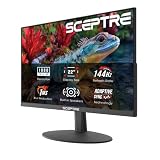
Choosing between OLED and IPS used to be a simple trade-off: OLED delivered breathtaking contrast at a punishing price, while IPS gave you a dependable, affordable panel that never made you worry about burn-in. In 2026, that gap has narrowed dramatically. QD-OLED and WOLED panels now ship at 27 inches and 1440p for money that would have bought a mid-tier IPS display two years ago, and manufacturers have layered on custom heatsinks, pixel-shifting algorithms and multi-year burn-in warranties to address the technology’s last real weakness.
That makes the decision less about risk and more about priorities. OLED wins on contrast, response time and motion clarity by margins you notice the moment you sit down. IPS still wins on sustained full-screen brightness, text rendering for productivity work, resolution-per-dollar at 4K, and outright peace of mind. Getting this right matters because your monitor is the one component you’ll stare at for five years or more — long after the GPU in your case has been replaced twice.
As an Amazon Associate we earn from qualifying purchases.




⚡ Save on Your Next PC — Amazon Prime
Prime members get fast free shipping on the systems above, plus early access to Prime Day & Black Friday PC deals. New members get a 30-day free trial.
Watch: OLED vs IPS Gaming Monitor: 2026 Comparison — Video Review
Quick Verdict
Choose OLED if you play atmospheric single-player games or competitive shooters in a light-controlled room and you want the fastest, cleanest motion available — the Samsung Odyssey OLED G6 and ASUS ROG Strix XG27ACDNG are the reference points at 1440p, while the Alienware AW3425DW is the pick for ultrawide immersion. Choose IPS if you game in a bright room, spend all day in code editors or spreadsheets, want 4K at a sensible price, or simply don’t want to think about panel maintenance at all.
Key Differences
- Contrast and black levels: OLED pixels switch off completely for true black and effectively infinite contrast. IPS relies on a backlight, so dark scenes show grey lift and visible glow — even good IPS panels land around 1,000:1 to 1,500:1 static contrast.
- Response time and motion: OLED panels quote 0.03ms grey-to-grey, roughly a hundred times faster than a typical 1ms IPS spec. In practice that means no smearing behind fast-moving objects and no overshoot artefacts from overdrive tuning.
- Brightness: IPS sustains high full-screen brightness indefinitely. OLED hits spectacular peaks in small highlights but dims full white windows via automatic brightness limiting, which is noticeable in a sunlit room.
- Text and subpixel clarity: IPS uses conventional RGB stripe subpixels and renders text cleanly. QD-OLED’s triangular layout and WOLED’s white subpixel can produce slight colour fringing on thin fonts, though 2026 panels have improved considerably.
- Longevity: IPS carries essentially zero burn-in risk. OLED remains susceptible to uneven wear from static HUDs and taskbars, mitigated by pixel refresh cycles, logo dimming and features like ASUS OLED Care+ — plus dedicated burn-in coverage on most three-year warranties.
- Price and resolution: IPS still offers far more pixels per pound. A 4K 160Hz IPS often costs less than a 1440p OLED, so shoppers prioritising resolution over contrast usually land on IPS.
OLED Gaming Monitors
The 27-inch 1440p OLED has become the default enthusiast display, and the current crop is remarkably consistent. The Samsung Odyssey OLED G6 (G61SH) and AOC Q27GAZD both use QD-OLED panels at 240Hz with G-SYNC compatibility, delivering saturated, high-volume colour thanks to quantum-dot conversion. The LG UltraGear 27GX704A-B takes the WOLED route at 240Hz with HDMI 2.1 and DisplayHDR TrueBlack 400, which suits console players wanting full-bandwidth 120Hz from a PS5 or Xbox Series X.
Above them sit the specialists. The ASUS ROG Strix XG27ACDNG pushes QD-OLED to 360Hz with a custom heatsink and OLED Care+ suite, making it the obvious choice for esports players who want frame-rate headroom alongside perfect blacks. The ROG XG27AQDMGR opts for a glossy 240Hz coating that maximises perceived contrast in dim rooms — glorious in the dark, less forgiving under a window. For sim racing and RPGs, the Alienware AW3425DW’s 34.2-inch 3440×1440 curved QD-OLED with an 1800R curve is the most immersive option here, provided your GPU can feed the extra pixels at 240Hz.
IPS Gaming Monitors
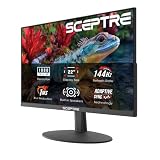
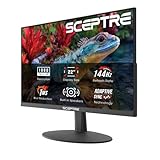
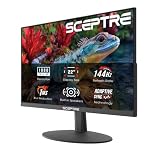
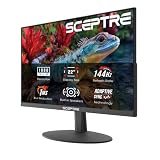
IPS hasn’t stood still. Modern Fast IPS and Nano IPS panels reach 1ms transitions and refresh rates up to 360Hz at 1440p, with wide colour gamuts and excellent viewing angles. Crucially, they hold 400 to 600 nits across the entire screen without dimming, which makes them the better choice for anyone gaming in a bright living room or next to a window.
The strongest argument for IPS in 2026 remains value at higher resolutions. If you want 4K, a 27-inch or 32-inch IPS panel costs substantially less than the OLED equivalent, and the extra pixel density does more for image quality in detailed games than contrast alone. IPS is also the safer pick for mixed-use setups — static toolbars, IDEs and trading dashboards pose no long-term risk, and text rendering is flawless without any subpixel workarounds.
Which Should You Buy?
- For competitive shooters: pick OLED — the ASUS ROG Strix XG27ACDNG at 360Hz offers the clearest motion and lowest perceived latency available at 1440p.
- For cinematic single-player games: pick OLED — the Samsung Odyssey OLED G6 or the glossy ROG XG27AQDMGR make HDR highlights and night scenes genuinely dramatic.
- For console gaming: pick the LG UltraGear 27GX704A-B, whose HDMI 2.1 ports handle 4K/120Hz input and VRR from current consoles without compromise.
- For a bright room or all-day office work: pick IPS — sustained brightness, perfect text and zero burn-in anxiety outweigh contrast when the lights are on.
- For maximum immersion: pick the Alienware AW3425DW ultrawide, or choose IPS if you’d rather spend the same budget on 4K resolution.
Frequently Asked Questions
Is OLED burn-in still a problem in 2026?
It’s a manageable risk rather than an inevitability. Pixel-shifting, logo dimming, automatic panel refresh cycles and improved heat management have pushed meaningful degradation well beyond typical ownership periods for mixed use. Most manufacturers now include burn-in cover in their three-year warranties, which tells you how confident they are.
Does OLED actually feel faster than a 240Hz IPS?
Yes, at matched refresh rates. The 0.03ms pixel transition eliminates the smearing and inverse ghosting that IPS overdrive can’t fully remove, so moving objects stay sharp rather than blurring. The difference is most obvious in fast panning shots and flick aiming.
Should I worry about text clarity for work?
Only if text is your main workload. Modern QD-OLED subpixel rendering is much improved and most users adapt within days, but if you write code or edit documents for eight hours a day, an RGB-stripe IPS panel remains the more comfortable choice.
Is 1440p OLED better than 4K IPS?
For gaming in a controlled-light room, most people prefer the 1440p OLED — contrast and motion clarity have a bigger visual impact than pixel density at normal desk distances. For mixed productivity and gaming, 4K IPS is the more versatile buy.