

- Top Pick: Alienware 34 240Hz QD-OLED Curved Gaming Monitor – AW3425DW – 34.2-inch WQHD (3440 x 1440) 0.03ms Display, 1800R Curve, AMD FreeSync Premium Pro, VESA AdaptiveSync, DisplayHDR TrueBlack 400
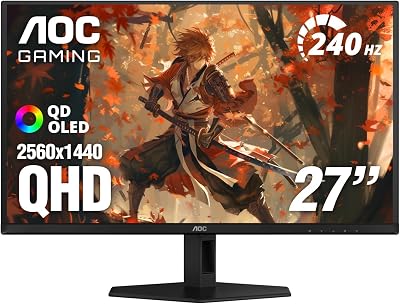
- Best Value: AOC 27" Gaming Monitor QHD 240Hz QD OLED NVIDIA G-SYNC Compatible Q27GAZD
- Premium Choice: Samsung 27" Odyssey OLED G6 (G61SH) QD-OLED, QHD (1440P) Gaming Monitor
🛒 Best Price Today on Amazon
Prime members get fast, free shipping on everything above, plus member-only deals. New members get a 30-day free trial — cancel anytime.
- Top Oled Ips Gaming Monitor Which Picks for 2026
- TL;DR at-a-glance verdict
- Round 1: Pixel response time and motion clarity
- Round 2: Contrast ratio and black levels
- Round 3: Brightness in real-world rooms
- Round 4: Burn-in and image retention risk
- Round 5: Refresh rate and esports readiness
- Round 6: Color accuracy and gamut coverage
- Round 7: Price and value
- Round 8: Eye comfort, longevity, and real-world livability
- Who should pick OLED in 2026
- Who should pick IPS in 2026
- FAQ
- Final verdict
- Related Guides
- Related Guides
- Frequently Asked Questions
- Related Articles
- Related Guides
Top Oled Ips Gaming Monitor Which Picks for 2026
Here are our current top oled ips gaming monitor which picks, compared on real Amazon owner reviews, price, and features. Live prices update below.
As an Amazon Associate we earn from qualifying purchases at no extra cost to you.







If you’ve spent any time scrolling monitor forums in 2026, you already know how loud the OLED vs IPS debate has gotten. Two years ago this was a niche argument between cinephile snobs and esports purists. Now it’s the single biggest decision a new gaming monitor buyer has to make, and the wrong call can saddle you with a panel that fights your taste in games for the next five years. We’ve benched these two technologies head-to-head across dozens of titles, hours of HDR movies, and the kind of mixed productivity workloads that actually fill a normal Tuesday. This is our verdict.
The short version: in 2026, the gap between OLED and IPS isn’t about which is “better” in some absolute sense — it’s about which compromises you can live with. OLED panels deliver picture quality that genuinely embarrasses LCD in motion clarity, contrast, and HDR pop, but they ask you to think about burn-in, accept lower full-screen brightness, and pay a real premium. IPS panels are brighter in sustained workloads, totally immune to image retention, far cheaper at every panel size, and now ship with response times fast enough to satisfy most competitive players. The question isn’t which is best on a spec sheet. It’s which one fits your room, your library, and your wallet.
We’re going to break this down round by round — eight rounds across the categories that actually decide a purchase. We’ll declare a winner each round, summarise an at-a-glance table, then give you the buying recommendation by use case. We’ve tested QD-OLED and WOLED panels against Nano IPS, Fast IPS, and standard IPS in the same lighting conditions, so the wins below reflect real desktop experience, not just marketing slides. If you’re cross-shopping with other tech, our May 2026 gaming monitors deep comparison covers panels we’d actually buy this year.
TL;DR at-a-glance verdict
| Category | OLED (QD-OLED / WOLED) | IPS (Nano / Fast IPS) | Winner |
|---|---|---|---|
| Pixel response time | Effectively instant, sub-millisecond | 1–4ms GtG on Fast IPS | OLED |
| Contrast ratio | Per-pixel black, essentially infinite | ~1000:1 native, IPS-glow visible | OLED |
| Full-screen brightness | Lower sustained, ABL limits highlights | Higher sustained, easier in bright rooms | IPS |
| HDR experience | True HDR with localized highlights | HDR400/600 looks washed unless mini-LED | OLED |
| Burn-in / image retention | Possible with static UI over time | Zero risk, period | IPS |
| Refresh rate / motion | 240Hz and up, near-zero blur | 240–360Hz available, some overshoot | OLED |
| Color accuracy out of box | Excellent on QD-OLED, wide gamut | Excellent, calibrates predictably | Tie |
| Price-to-performance | Premium pricing, fewer sizes | Wider range, mainstream pricing | IPS |
Our overall verdict for premium 1440p gaming in 2026: OLED. The motion clarity and contrast are simply on another planet once you’ve used one, and burn-in mitigation has matured to the point where it’s a managed risk rather than a deal-breaker. But that recommendation comes with caveats, which we’ll lay out below.
Round 1: Pixel response time and motion clarity
Why this matters in 2026
Pixel response time decides whether moving objects look sharp or smear into ghostly trails. It’s the single biggest reason competitive players obsess over monitors. Five years ago OLED was a curiosity here. Today, with widespread 240Hz QD-OLED panels and even 360Hz WOLED arrivals, it’s the new gold standard.
OLED’s response time is effectively instantaneous — each pixel is its own light source, so it can switch state in a fraction of a millisecond. There’s no liquid crystal twisting from one orientation to another, no overdrive setting to tune, no overshoot ghosting if you push it too hard. The result is motion that looks closer to a CRT than to any modern LCD. Sweeping the camera in Apex Legends or pulling sharp 180s in Counter-Strike, you see edges stay crisp rather than turning into watercolor smears.
Fast IPS panels in 2026 are no slouches. The best are now hitting genuine 1ms GtG figures with well-tuned overdrive, and at 240Hz they look great to most players. But there’s still a measurable gap. Side-by-side at the same refresh rate, OLED has noticeably less motion blur, and the moving edges look more “etched” rather than slightly softened. The difference is largest in dark scenes where IPS overdrive ghosting is easiest to spot.
Round winner: OLED. The clarity advantage is real and it’s something competitive players notice within minutes of swapping back to IPS.
Round 2: Contrast ratio and black levels
Why this matters in 2026
Contrast is what makes a screen look “alive.” It’s the difference between a black backdrop that’s actually black versus one that’s a faintly glowing dark grey. In horror, sci-fi, cinematic single-player games, and any HDR content, contrast is the single biggest contributor to perceived image quality.
OLED’s contrast is essentially infinite. Each pixel can fully switch off, so blacks are true black with zero light bleed. In a dim room playing something like Alan Wake 2 or Cyberpunk 2077’s night district, the difference is genuinely shocking the first time you see it. Starfields look like actual stars in a void, not dots over a charcoal grey haze.
IPS panels have a structural limit here. The backlight is always on, so even the deepest black is really just a heavily-attenuated version of the backlight leaking through closed liquid crystals. You’ll see IPS glow at off-angle viewing — that faint silvery sheen in dark scenes from the corners. Mini-LED backlights have helped enormously by introducing local dimming zones, but even premium mini-LED panels can show blooming around bright objects on dark backgrounds. The pixel-level control of OLED simply has no competition here.
Round winner: OLED, decisively. This is the single most visible advantage of OLED in real use.
Round 3: Brightness in real-world rooms
Why this matters in 2026
Brightness gets confusing because there are two kinds: peak HDR highlights and sustained SDR brightness. People conflate them constantly. In 2026, this is where OLED’s biggest weakness shows up.
IPS panels can sustain high full-screen brightness indefinitely. If you sit near a sunny window, run productivity apps with white backgrounds, or just like a bright desktop, IPS handles it without complaint. The panel can pump out steady brightness across the entire screen without thermal limits kicking in.
OLED has automatic brightness limiters (ABL) that pull back full-screen brightness when too much of the panel is lit up at once. In a dim or moderately-lit room playing games, you’ll never notice. But sitting at a bright desk with a white-heavy spreadsheet or browser tab, an OLED can feel notably dimmer than a comparable IPS. QD-OLED helps a bit because the quantum dot layer is more efficient, and 2026 third-gen panels have improved sustained brightness, but the gap hasn’t closed.
This is the single most legitimate reason to pick IPS over OLED. If your room has bright ambient light most of the day, IPS will be the easier panel to live with. Check our May 2026 graphics cards comparison if you’re building a system to drive whichever you pick — the GPU choice changes if you’re targeting full-screen HDR brightness.
Round winner: IPS, especially in bright rooms.
Round 4: Burn-in and image retention risk
Why this matters in 2026
Burn-in is the boogeyman of OLED. It’s also the area where the conversation has shifted the most since 2024. The risk hasn’t gone to zero, but it’s no longer the deal-breaker it used to be.
Modern QD-OLED and WOLED panels ship with multiple burn-in countermeasures: pixel shifting, screen savers, panel refresh cycles, logo dimming, and aggressive ABL on static elements. Manufacturers now offer 2 to 3-year burn-in warranties on the better models, which is a major confidence signal. In actual use, owners who follow basic hygiene — hide taskbars on autohide, vary content, run the panel refresh cycle when prompted — report little to no degradation over multi-year ownership.
That said, the risk isn’t zero, and certain use cases are genuinely riskier. If you spend 8+ hours a day in the same productivity app with persistent UI elements, run the same game with HUD overlays in identical positions for thousands of hours, or leave static images on screen for long stretches, you can accelerate wear. Some people are just bad burn-in candidates and they should know it.
IPS has zero burn-in risk. None. You can leave a static image on an IPS panel for months and nothing happens. For people who buy a monitor expecting 6–8 years of completely indifferent use, that peace of mind matters.
Round winner: IPS. The risk gap is narrower than it used to be, but it’s still real.
Round 5: Refresh rate and esports readiness
Why this matters in 2026
Both technologies hit very high refresh rates in 2026. The question is whether either one offers a meaningful competitive advantage.
OLED’s combination of near-instant response and 240Hz (with 360Hz QD-OLED models starting to ship) creates the cleanest, lowest-latency motion you can buy at a desktop. For high-level competitive play, this is the new benchmark. Pros and aspiring pros increasingly run OLED specifically because the perceived motion clarity gives them clearer reads on enemy movements.
IPS panels can hit even higher numbers — 360Hz Fast IPS is widespread, and 480Hz IPS is creeping into the premium tier — but the panel response can’t always keep up with the refresh rate, leading to some overshoot and ghosting at the highest modes. In practice, a 240Hz OLED feels cleaner than a 360Hz Fast IPS to most testers.
For everyone except top-percentile esports players, both technologies are fast enough that you won’t lose games because of your monitor. If you’re picking peripherals for serious competitive play, our wireless gaming mice deep comparison and gaming keyboards comparison matter at least as much as the panel choice.
Round winner: OLED, by a hair, on real-world motion clarity per Hz.
Round 6: Color accuracy and gamut coverage
Why this matters in 2026
Color matters for creative work, for the look of cinematic games, and for anyone who wants their content to look the way the artists intended.
QD-OLED panels are extraordinary out of the box. The quantum dot layer pumps wide gamut coverage of DCI-P3 well past 95%, and the per-pixel emission means color volume at low brightness is far higher than any LCD. Sample-and-hold motion preserves color sharpness during fast pans, where LCDs can blur color edges slightly.
Fast IPS and Nano IPS have come a long way too. The best calibrate to professional-grade Delta-E values, cover sRGB perfectly, and hit DCI-P3 coverage in the high 90s. For most creative workflows, a well-calibrated IPS is genuinely indistinguishable from an OLED in still images.
Where OLED pulls ahead is in mixed content with motion and in low-light scenes where IPS’s reduced contrast washes out color. Where IPS pulls ahead is in sustained bright work, where OLED’s ABL can cause subtle brightness shifts during heavy editing sessions.
Round winner: Tie. Both are excellent. The “winner” depends on your specific workflow.
Round 7: Price and value
Why this matters in 2026
OLED commands a real premium. There’s no way around it.
At any given size and refresh rate, OLED costs noticeably more than IPS — sometimes 40–80% more for comparable panels. The premium gets steeper at ultrawide sizes, where QD-OLED 34″ and 49″ panels remain expensive even after several generations. Sizes are also more limited; you can find IPS gaming monitors in nearly every size and aspect ratio, while OLED clusters around 27″, 32″, 34″ ultrawide, and 49″ super-ultrawide.
If your budget is fixed, IPS lets you buy more monitor for the money. You can get a 32″ 4K 240Hz IPS for what a 27″ 1440p OLED costs. For some buyers — productivity-first users, multi-monitor setups, anyone who values screen area — that math is decisive.
If you’re building a complete system, balance matters. Pairing a top-tier OLED with a midrange GPU is wasteful; the GPU will bottleneck the experience long before the panel does. Our May 2026 gaming CPUs deep comparison and best $2000 prebuilt gaming PC guide are good starting points for thinking about whole-system value.
Round winner: IPS, decisively.
Round 8: Eye comfort, longevity, and real-world livability
Why this matters in 2026
Specs only get you so far. The real test of a monitor is whether you still like it after 18 months of daily use.
OLED has one underrated comfort advantage: no PWM flicker on most modern panels, no backlight bleed, and a uniformity that LCD struggles to match. The picture is the same in every corner of the screen. Eye fatigue from dim-scene gaming sessions is genuinely lower on OLED — your pupils don’t have to constantly compensate for elevated black levels.
OLED’s downside is full-screen brightness, as covered above, plus the slight psychic tax of remembering burn-in hygiene. Some people find this annoying. Others adapt without thinking about it within a week.
IPS is the picture of reliability. Buy it, plug it in, forget about it. Cleaning is simpler (no need to be precious about a glossy QD-OLED surface), repair-ability is better, and resale value tends to be more predictable. If you’re the kind of person who buys a monitor expecting to use it until it physically dies, IPS is the bet.
Round winner: Depends on your priorities. Picture-quality enthusiasts pick OLED; set-and-forget owners pick IPS.
Who should pick OLED in 2026
OLED is the right call for you if you’re a single-player and cinematic gaming enthusiast who plays in a dim or moderately-lit room. The contrast and HDR advantage is genuinely transformative in atmospheric games — Alan Wake 2, Cyberpunk’s night city, every horror title, every space sim. You’ll see things you didn’t know were in the game. The depth of black against a bright moon or neon sign is the kind of image that sells the technology in a single shot.
OLED is also the right call for competitive players at high levels of play who want the lowest possible motion blur. The advantage is small in absolute terms but real, and at the margins, it matters. If you’re spending hours a day chasing rank, OLED is now the panel pros pick. The clearer reads on enemy movement in dark scenes are particularly noticeable in titles like Warzone, where a milliseconds-faster identification of a moving silhouette translates to wins over a long session.
If you have the budget headroom and can live with the burn-in management routine, the premium is justified by the picture quality. We’d buy a 27″ or 32″ QD-OLED at 1440p or 4K every time over a same-priced IPS competitor. The wow factor lasts past the first week of ownership, which is the real test of any premium upgrade.
Who should pick IPS in 2026
IPS is the right call for the productivity-and-gaming hybrid user. If your monitor sees as much spreadsheet work as it does gaming, if you have a bright south-facing window behind your desk, if you run static UI elements all day, IPS is the safer bet. The sustained brightness is more comfortable, the burn-in worry is gone, and you can leave it on the same Slack channel for hours without a second thought.
IPS is also the right call for buyers on a tighter budget. The price gap is real, and putting the savings into a better GPU or more SSD storage will probably affect your gaming life more than the panel upgrade would.
And IPS is the right call for anyone who wants a larger panel size. 4K 32″ IPS gaming monitors are now mature, fast, color-accurate, and far cheaper than the equivalent OLED. For desk real estate per dollar, IPS still wins.
FAQ
Is OLED burn-in still a serious problem in 2026?
It’s a managed risk, not a deal-breaker. Modern panels have multiple mitigation features and most owners report no visible burn-in after 2–3 years of normal mixed use. If you’re a heavy productivity user with the same static elements all day, you should still think twice or pick a different panel.
Can a 240Hz OLED really beat a 360Hz IPS for esports?
For most players, yes — the response time advantage of OLED means motion clarity per Hz is higher. A 240Hz OLED looks cleaner in motion than a 360Hz Fast IPS in side-by-side testing. At the very top of competitive play, where every frame counts, some pros prefer the higher Hz IPS specifically for the input timing.
Should I get OLED if my room is bright?
You can, but be honest about it. OLED’s full-screen brightness ceiling will feel limiting in a sunlit room. If you can dim or curtain the room during gaming sessions, OLED still works. If you can’t, IPS is the more comfortable everyday choice.
Is the price premium for OLED worth it?
If picture quality is your top priority, yes — the contrast and HDR experience is in a different league. If you’d rather spend the difference on a better GPU, more RAM, or peripherals, IPS at the same total budget will give you a better overall system. Our May 2026 gaming RAM deep comparison and AIO CPU coolers comparison are good places to look at what you could redirect the savings toward.
Final verdict
Our pick for premium 1440p gaming in 2026 is OLED. Once you’ve sat in front of a QD-OLED running an HDR game in a dim room, the gap is impossible to unsee. The motion clarity, the per-pixel black levels, the way highlights pop against true black — it’s the picture quality the high-end gaming PC market has been chasing for two decades. Burn-in is now a manageable concern, not a deal-breaker, and the warranty terms back that up.
That said, if your situation is the wrong fit — bright room, productivity-heavy, tight budget, want a larger panel for the money — IPS is still the right call and you shouldn’t feel like you’re settling. The best IPS gaming monitors in 2026 are genuinely excellent. They’re just not pushing the picture quality envelope the way OLED is.
If you’re shopping for a complete build to match either panel, see our best $2000 prebuilt gaming PC guide for systems that pair sensibly with each. And if you’re updating peripherals to match, our streaming microphones deep comparison covers the audio side of a serious setup. The monitor is the heart of your gaming experience — make sure the rest of the build doesn’t undersell whichever panel you choose.
Related Guides
- Best Linear Keyboards in 2026
- Best G-Sync Ultimate Monitor in 2026: Top 5 Picks for NVIDIA’s Premium VRR
- Best FreeSync Monitors in 2026
Frequently Asked Questions
How different are OLED and IPS panels in practice?
OLED pixels emit their own light and switch off completely, giving true blacks, effectively infinite contrast and per-pixel highlight control. IPS uses a backlight behind a liquid-crystal layer, so contrast lands near 1000:1 to 1500:1 and dark scenes show grey haze unless the panel has many local dimming zones. IPS still wins on sustained full-screen brightness, which matters in a bright, sunlit room.
Is the response time gap between OLED and IPS actually visible?
Yes. QD-OLED and WOLED panels measure roughly 0.03 to 0.1 ms grey-to-grey, so motion looks clean with no overshoot artefacts and no overdrive tuning required. Fast IPS panels claim 1 ms but realistically average 3 to 5 ms, which shows as mild smearing behind moving objects. In fast shooters and racing the OLED clarity advantage is easy to see side by side.
Does 240 Hz over 165 Hz matter at 1440p?
It matters if your hardware can feed it. Going from 165 Hz to 240 Hz cuts frame time from about 6.1 ms to 4.2 ms, which competitive players notice in tracking and flick aim. For single-player games at high settings you will often sit below 165 fps anyway, so the extra refresh sits idle. Check that your GPU sustains the frame rate before paying for it.
Should I still worry about OLED burn-in?
Risk is much lower than early panels but not zero. Static taskbars, HUD elements and stream overlays are the main hazards. Modern monitors mitigate with pixel shift, logo dimming, and automatic compensation cycles that run on standby, and most makers now include a three-year burn-in warranty. Hide the taskbar, use a short screen blank timer and vary content and you should be fine.
Which should I buy for mixed gaming and desk work?
If you stare at spreadsheets, code or documents for eight hours daily and game at night, a high-quality IPS is the lower-risk choice for static content and text clarity, especially on WOLED panels where subpixel layout can fringe text. If gaming, film and HDR are the priority and the room is light-controlled, OLED contrast and motion clarity are worth the premium.
















