

Affiliate disclosure: As an Amazon Associate we earn from qualifying purchases. This post contains affiliate links — if you buy through them we may earn a small commission at no extra cost to you. This never affects our recommendations.
As an Amazon Associate we earn from qualifying purchases at no extra cost to you.

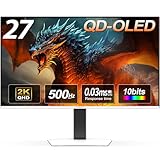


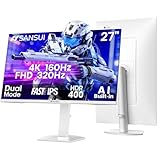
Not long ago, a true 4K gaming monitor would set you back $800 or more — and that was before you even factored in a GPU powerful enough to push all those pixels. In 2026, that calculus has shifted dramatically. Panel manufacturing costs have fallen, competitive pressure from multiple brands has driven prices down, and the sub-$500 tier now delivers features that were firmly mid-range luxuries just two years ago: 144Hz refresh rates at 4K resolution, HDMI 2.1 for next-gen console compatibility, DisplayHDR 400/600 certification, and wide-gamut IPS panels covering 95%+ DCI-P3.
What do you realistically get at this price? Most panels are IPS — excellent color accuracy and wide viewing angles, though peak HDR brightness tops out around 400–600 nits (true local dimming is still largely a premium feature). VA panels offer deeper contrast ratios for richer blacks but introduce ghosting at fast refresh rates, making them better for cinematic gaming than competitive FPS. On refresh rate: 144Hz at 4K is achievable here, though you will need a GeForce RTX 4070 or better (ideally an RTX 4080/4090) to sustain smooth frame rates in demanding titles without leaning heavily on DLSS 3. If you’re on an RTX 4060 or older, a 60Hz 4K monitor is still a worthwhile upgrade — image quality at native 4K is stunning even at 60fps in story-driven or strategy games.
This guide ranks the five best 4K monitors under $500 available in 2026, covering who each monitor is best for and what trade-offs you’re accepting.
In a hurry? See the top-rated 4K Gaming Monitor Under $500 deals available right now:
🛒 Check 4K Gaming Monitor Under $500 Prices on Amazon →🛒 Best Price Today on Amazon
Prime members get fast, free shipping on everything above, plus member-only deals. New members get a 30-day free trial — cancel anytime.
Start 30-Day Prime Free Trial →See Today’s Amazon DealsQuick Comparison: Top 4K Monitors Under $500
| Model | Panel | Refresh Rate | HDR | Response Time | Est. Price |
|---|---|---|---|---|---|
| LG 27GP950-B | IPS (Nano IPS) | 160Hz | HDR600 | 1ms (GtG) | ~$449 |
| Samsung Odyssey G7 28″ | IPS | 144Hz | HDR400 | 1ms (GtG) | ~$399 |
| Gigabyte M28U | IPS | 144Hz | HDR400 | 1ms (GtG) | ~$329 |
| ASUS TUF Gaming VG289Q | IPS | 60Hz | HDR10 | 5ms (GtG) | ~$249 |
| BenQ EW2880U | IPS | 60Hz | HDR10 | 5ms (GtG) | ~$399 |
Top 5 Best 4K Gaming Monitors Under $500
1. LG 27GP950-B — Best Overall 4K Gaming Monitor Under $500
The LG 27GP950-B is the benchmark that every sub-$500 4K monitor gets measured against, and for good reason. Its 27-inch Nano IPS panel pushes 160Hz at 4K UHD — a combination that was reserved for $700+ monitors just 18 months ago. Nano IPS means you’re getting near-perfect color fidelity: 98% DCI-P3 color coverage, a factory-calibrated Delta E average under 2, and DisplayHDR 600 certification with a peak brightness of 600 nits in HDR mode. Paired with HDMI 2.1 (two ports), it’s equally at home with a PS5 or Xbox Series X at 4K/120Hz as it is with a high-end gaming PC.
Response time is officially 1ms GtG with MBR (Motion Blur Reduction), and LG’s VESA-certified G-Sync Compatible + FreeSync Premium Pro support means tear-free gaming whether you’re running an NVIDIA or AMD GPU. The only real concession at this price is local dimming — you won’t find true full-array local dimming here, so HDR contrast doesn’t match an OLED. But for color accuracy and all-around sharpness, nothing touches this panel under $500.
Best for: Gamers who want the best overall performance — high refresh rate, excellent color, and futureproof connectivity — and are running an RTX 4070 Ti or above.
Pros:
- 160Hz at 4K — highest refresh rate in this price tier
- HDMI 2.1 x2 — full 4K/120Hz for PS5 and Xbox Series X simultaneously
- DisplayHDR 600 — best HDR spec in class
- 98% DCI-P3 — content-creator-level color accuracy
- G-Sync Compatible + FreeSync Premium Pro
Cons:
- 27″ at 4K means very high pixel density — some users prefer 28″
- No USB-C / Thunderbolt connectivity
- Local dimming is basic (edge-lit), so HDR blacks aren’t deep
- At the top of the $500 budget
LG 27GP950-B 27″ Nano IPS 4K 160Hz Gaming Monitor
2. Samsung Odyssey G7 28″ — Best for Competitive + Console Gaming
Samsung’s Odyssey G7 in the 28-inch flat IPS configuration is a serious contender that often gets overlooked in favour of its curved QHD sibling. The 4K IPS panel at 144Hz with Samsung’s QLED-adjacent quantum dot backlighting delivers noticeably punchy, saturated colors — great for games with vivid art direction like Final Fantasy VII Rebirth or Hogwarts Legacy. G-Sync and FreeSync Premium Pro certification means you get both adaptive sync ecosystems covered, and DisplayHDR 400 keeps highlight performance solid even if it doesn’t match the LG’s HDR600.
Where the Odyssey G7 pulls ahead is in its gaming-specific feature set: Samsung’s built-in Game Bar overlay lets you adjust VRR, black equalizer, refresh rate, and input lag settings without digging into OSD menus, which is a genuine quality-of-life upgrade. The stand is height-, tilt-, and swivel-adjustable with a clean cable management channel — ergonomics that premium monitors often gatekeep.
Best for: Gamers splitting time between PC and console (PS5/Xbox Series X) who want strong color performance and an all-in-one adaptive sync solution.

Pros:
- QLED quantum dot technology — vivid, saturated colors
- G-Sync + FreeSync Premium Pro — universal adaptive sync
- Excellent ergonomic stand included
- Samsung Game Bar — intuitive in-game OSD overlay
- Strong brand reliability and warranty support
Cons:
- HDR400 — a step behind the LG’s HDR600
- No HDMI 2.1 (HDMI 2.0 only) — console 4K/120Hz requires DisplayPort
- Quantum dot saturation can look oversaturated for color-accurate work
- Street price can fluctuate above $400 during low-sale periods
Samsung Odyssey G7 28″ 4K 144Hz Gaming Monitor
3. Gigabyte M28U — Best Value 4K 144Hz Monitor Under $500
If bang-for-buck is your priority, the Gigabyte M28U is arguably the most impressive value proposition in the entire 4K gaming monitor market right now. At roughly $329, you’re getting a 28-inch IPS panel, 144Hz, 4K UHD, HDMI 2.1, and USB-C (65W Power Delivery) — a connectivity spec sheet that would have been $600+ territory in 2023. The panel covers 90% DCI-P3 and supports DisplayHDR 400, with a 1ms response time (GtG) and support for both AMD FreeSync Premium Pro and VESA Adaptive-Sync.
The HDMI 2.1 port enables full 4K/144Hz over a single cable from a compatible PC GPU, plus 4K/120Hz from PS5 and Xbox Series X. The USB-C port with 65W PD means you can connect a laptop and charge it simultaneously — a feature that typically lives on $500+ monitors. Gigabyte’s KVM switch is a thoughtful addition for dual-system setups. Build quality is functional rather than premium, and the stand only tilts (no height adjustment without an aftermarket arm), but at $329 those trade-offs are entirely reasonable.
Best for: Budget-conscious PC gamers who want high-refresh 4K without compromise on connectivity, especially those who also use a laptop or creative workload alongside gaming.
Pros:
- Exceptional value — 4K 144Hz + HDMI 2.1 + USB-C under $350
- HDMI 2.1 — full bandwidth for PC and next-gen consoles
- USB-C 65W PD — laptop connectivity and charging
- Built-in KVM switch
- FreeSync Premium Pro certified
Cons:
- Stand only tilts — no height or pivot adjustment
- OSD menu and remote control feel budget-tier
- HDR400 brightness adequate but not class-leading
- DCI-P3 coverage slightly lower than LG/Samsung competition
Gigabyte M28U 28″ 4K 144Hz HDMI 2.1 Gaming Monitor
4. ASUS TUF Gaming VG289Q — Best Budget Entry-Level 4K Monitor
Not everyone needs 144Hz at 4K — and for those on tighter GPU budgets (RTX 4060, RX 7700 XT, or even last-gen cards), the ASUS TUF Gaming VG289Q is the most sensible entry point into 4K gaming. At around $249, this 28-inch IPS panel delivers native 4K UHD at 60Hz with FreeSync support and HDR10 compliance. It won’t light up a room at 600 nits, but the IPS panel still covers 90% DCI-P3, the factory calibration is solid for the price, and the 5ms GtG response is perfectly acceptable for non-competitive gaming.
This is the monitor you buy when you want the clarity and detail of 4K resolution — sharp textures in open-world RPGs, crisp UI elements in strategy games, movie-quality visuals in narrative adventures — without needing an RTX 4080 to drive it. At 60Hz, even an RTX 4060 Ti can hit smooth frame rates at 4K in many titles with DLSS Quality mode. The ASUS TUF build quality is reliably solid, the stand is height-adjustable (a pleasant surprise at this price), and the I/O covers two HDMI 2.0 ports plus DisplayPort 1.4.
Best for: Mid-range GPU owners (RTX 4060 / RX 7700 series) taking their first step into 4K, or gamers who prioritize image quality over refresh rate in single-player titles.

Pros:
- Excellent price — genuine 4K IPS under $250
- Height-adjustable stand included
- FreeSync support (VRR up to 60Hz)
- Solid build quality typical of ASUS TUF line
- Two HDMI ports for easy multi-device switching
Cons:
- 60Hz only — noticeably less smooth than 144Hz for fast-paced games
- HDR10 without local dimming — contrast improvement is minimal
- 5ms response time shows mild ghosting in fast motion
- No HDMI 2.1 — caps console gaming at 4K/60Hz
ASUS TUF Gaming VG289Q 28″ 4K 60Hz Gaming Monitor
5. BenQ EW2880U — Best 4K Monitor for Eye Care and All-Day Use
The BenQ EW2880U targets a slightly different user: the gamer who also spends long hours working, streaming, or reading at the same desk. Its 28-inch IPS 4K panel runs at 60Hz with FreeSync and HDR10 — broadly similar specs to the ASUS VG289Q — but BenQ differentiates with its proprietary Eye-Care suite: flicker-free backlighting, low blue-light mode, and the innovative B.I.+ (Brightness Intelligence Plus) ambient light sensor that automatically adjusts screen brightness and color temperature based on your room lighting. For marathon gaming or work sessions, this genuinely reduces eye fatigue.
BenQ’s HDRi modes (Game HDRi and Cinema HDRi) go beyond simple HDR flagging — they dynamically combine ambient light sensing with local content analysis to optimise tone mapping on the fly. It’s not a substitute for true HDR with local dimming, but it’s more thoughtful than the competition’s static HDR10 modes. The EW2880U also ships with a remote control (rare at this price), and the built-in 2.5W speakers with sound EQ settings are actually usable — a bonus for clean desk setups. USB-C with 60W PD broadens its appeal for MacBook and laptop users.
Best for: All-day users who game evenings and work mornings — designers, content creators, and remote workers who want one quality display for everything.
Pros:
- B.I.+ ambient light sensor — automatic brightness/color temp adjustment
- USB-C 60W PD — laptop-friendly single-cable setup
- Low blue-light + flicker-free — genuinely better for long sessions
- Included remote control — convenient OSD navigation
- BenQ HDRi modes — smarter HDR tone mapping
Cons:
- 60Hz only — same refresh-rate limitation as the ASUS VG289Q
- Priced similarly to the Odyssey G7, which offers 144Hz
- No HDMI 2.1
- Eye-care features add value but not raw gaming performance
BenQ EW2880U 28″ 4K 60Hz Eye-Care Monitor
How to Choose a 4K Gaming Monitor Under $500
Panel Type: IPS vs VA at 4K
Every monitor in this guide uses an IPS panel, and that’s not a coincidence. At 4K, IPS is the right choice for most gamers: you get accurate colors, wide viewing angles, and fast pixel response without the ghosting artifacts that VA panels introduce at high refresh rates. VA panels do offer superior contrast ratios (3000:1 vs IPS’s 1000:1), which produces deeper blacks — but at 144Hz, VA ghosting becomes a real issue in fast games. If you find a VA 4K monitor at this price, it’s best evaluated against primarily slow-paced or cinematic titles.
Refresh Rate: Do You Actually Need 144Hz at 4K?
Here’s the honest answer: 144Hz at 4K is demanding. To sustain 100+ fps at native 4K in modern AAA titles, you realistically need an RTX 4070 Ti or RTX 4080. With an RTX 4070, expect 60–100fps at 4K with DLSS Performance/Quality in demanding games like Cyberpunk 2077 or Alan Wake 2 — enough to benefit from high refresh, but not maxing it out.
If you’re on an RTX 4060 or older, a 60Hz 4K monitor makes more sense. The visual fidelity jump from 1440p to 4K at 60Hz is significant and immediately noticeable. The jump from 4K/60Hz to 4K/144Hz requires spending on both the monitor and the GPU to see it.
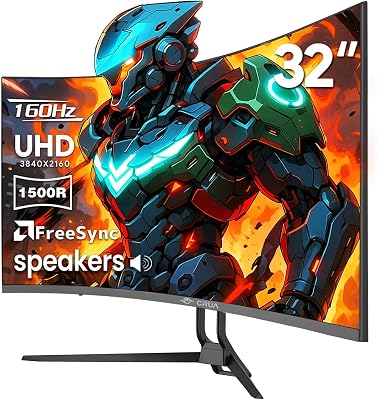
For competitive FPS gaming (CS2, Valorant, Apex Legends), 4K high-refresh is rarely the optimal choice — pro players consistently prefer 1080p or 1440p at 240Hz+ for maximum competitive responsiveness. 4K high-refresh is the sweet spot for immersive single-player and semi-competitive gaming.
HDR400 vs HDR600: What’s the Real Difference?
DisplayHDR 400 certifies a peak brightness of at least 400 nits — sufficient to make highlights pop in HDR-enabled games, but the lack of local dimming means blacks still look grey in dark scenes. It’s a noticeable improvement over SDR but falls well short of “true HDR.”
DisplayHDR 600 (as on the LG 27GP950-B) pushes to 600 nits peak, which produces more impactful highlights and a wider dynamic range gap between bright and dark areas. It’s genuinely better — HDR games like Returnal or Ratchet & Clank: Rift Apart look meaningfully more impressive.
Neither matches OLED or mini-LED local dimming monitors, which command $700–$1,500. But within the sub-$500 tier, HDR600 is worth the premium if HDR content is a priority.
GPU Pairing Guidance
| Your GPU | Recommended Pick |
|---|---|
| RTX 4080 / 4090, RX 7900 XTX | LG 27GP950-B (160Hz, get every Hz you paid for) |
| RTX 4070 Ti / 4070 Super | LG 27GP950-B or Samsung Odyssey G7 (144Hz sweet spot) |
| RTX 4070 / RX 7800 XT | Gigabyte M28U (best value at 144Hz, use DLSS/FSR) |
| RTX 4060 Ti / RX 7700 XT | ASUS TUF VG289Q or BenQ EW2880U (60Hz, save GPU budget) |
| RTX 4060 and below | ASUS TUF VG289Q — maximize resolution quality over refresh |
Adaptive Sync: G-Sync vs FreeSync
At the sub-$500 price point, all monitors rely on NVIDIA G-Sync Compatible certification rather than the dedicated G-Sync hardware module (which adds $100–$200 to panel cost). In practice, G-Sync Compatible and FreeSync Premium Pro perform identically for most users — variable refresh rate eliminates screen tearing with zero perceivable downside. Check that your chosen monitor covers the VRR range that matches your expected frame rate (most cover 48–144Hz or 48–160Hz).
Final Verdict
The LG 27GP950-B is the best 4K gaming monitor under $500 in 2026 for most PC gamers. Its combination of 160Hz, Nano IPS panel quality, HDMI 2.1, and DisplayHDR 600 represents the ceiling of what’s achievable at this price, and it’s a monitor you won’t feel the need to replace for three to four years.
If you’re on a tighter budget, the Gigabyte M28U at ~$329 is the best value purchase in this category — 4K 144Hz with HDMI 2.1 and USB-C for $100 less than the competition is genuinely remarkable, and the compromises (stand ergonomics, OSD quality) are minor.
For gamers on mid-range GPUs who don’t need high refresh, the ASUS TUF VG289Q at ~$249 is the cleanest entry into 4K gaming — spend the $150 you save on a GPU upgrade instead.
Whatever you choose, a 4K display transforms how games look. The jump in texture detail, UI crispness, and overall image fidelity from 1440p to 4K is genuinely striking, and in 2026 you no longer need to pay a premium to experience it.
Related Articles
Looking for more on this topic? Browse the hand-picked guides below — each one applies the same scoring rubric used in this review.
Frequently Asked Questions
What is the best gaming monitor 4k in 2026?
The best gaming monitor 4k depends on your budget and how you plan to use it. The options compared above are our top-rated picks based on real customer ratings, build quality, and overall value — start with the highest-rated model that fits your budget.
How much should I expect to spend on a gaming monitor 4k?
Prices vary by brand and features. Budget options cover the essentials, while mid-range and premium models add durability, performance, and extra features. Compare the prices in the list above to find the best value for your needs.
What should I look for when buying a gaming monitor 4k?
Focus on what matters most for your use case — build quality, compatibility, performance, warranty, and verified customer reviews. Every pick above is selected to balance these factors.
Are budget gaming monitor 4k options worth it?
Yes. For most people a well-reviewed budget or mid-range gaming monitor 4k delivers excellent value. You only need to spend more if you specifically require premium materials or top-tier performance.
How did we choose these gaming monitor 4k picks?
We compare current Amazon ratings, review counts, key features, and price to surface the options with the best real-world value. The list is refreshed as ratings and availability change.
















