

- Top Pick: Samsung 27" Odyssey G5 (G51F) Series QHD (1440P) Gaming Monitor
- Best Value: Acer Nitro 27in QHD 2560×1440 IPS 180Hz Gaming Monitor KG271U N3bmiipx
- Premium Choice: LG 27GS60QC-B Ultragear 27-inch Curved Gaming Monitor QHD (2560×1440) 180Hz 1ms 1000R AMD FreeSync HDR10 HDMIx2 DisplayPort Borderless Design Black Stabilizer DAS Crosshair FPS Counter – Black
Affiliate disclosure: As an Amazon Associate we earn from qualifying purchases. This post contains affiliate links — if you buy through them we may earn a small commission at no extra cost to you. This never affects our recommendations.
- Best 1440p 165Hz Gaming Monitor in 2026: Top 5 Picks for the Sweet Spot
- Quick Comparison: Best 1440p 165Hz Gaming Monitors
- Our Top 5 Picks
- 1440p 165Hz vs 1440p 240Hz — Is the Upgrade Worth It?
- 1440p 165Hz vs 4K 144Hz — GPU Requirements and Trade-offs
- GPU Pairing Guide
- Conclusion
- Related Articles
- Frequently Asked Questions
- Related Articles
As an Amazon Associate we earn from qualifying purchases at no extra cost to you.







In a hurry? See the top-rated 1440p 165Hz Gaming Monitor deals available right now:
🛒 Check 1440P 165Hz Gaming Monitor Prices on Amazon →🛒 Best Price Today on Amazon
Prime members get fast, free shipping on everything above, plus member-only deals. New members get a 30-day free trial — cancel anytime.
Start 30-Day Prime Free Trial →See Today’s Amazon DealsBest 1440p 165Hz Gaming Monitor in 2026: Top 5 Picks for the Sweet Spot
If you’re building or upgrading a gaming PC in 2026, 1440p at 165Hz is still the most sensible place to land. Not because it’s cheap — it isn’t, not at the top end — but because it threads the needle that every other resolution and refresh rate misses.
At 27 inches (the standard panel size for this class), 1440p delivers 109 pixels per inch. That’s sharp enough that you won’t spot individual pixels unless your face is pressed to the glass, but it doesn’t demand the GPU firepower that 4K needs to sustain competitive frame rates. Pair a 27-inch 1440p 165Hz monitor with an RTX 4070 Super or an RX 7800 XT and you’re pushing 144–165+ fps in most titles at high-to-ultra settings — exactly the scenario these panels are built for.
The 165Hz ceiling is the other half of the argument. Going to 240Hz costs noticeably more, requires a faster GPU to consistently saturate the refresh rate, and delivers a difference most human eyes struggle to register past 165fps in actual gameplay (esports pros aside). 1440p 165Hz gives you buttery motion without a GPU tax or a significant price premium over the 144Hz tier.
Below are the five best options we’d put money on in 2026, covering every budget and use case.
Quick Comparison: Best 1440p 165Hz Gaming Monitors
| Monitor | Panel | Response Time | HDR | VRR Range |
|---|---|---|---|---|
| LG 27GP850-B | Nano IPS | 1ms GtG | HDR400 | G-Sync Compatible / FreeSync 48–165Hz |
| ASUS ROG Strix XG27AQM | Fast IPS | 0.5ms GtG | HDR400 | G-Sync Compatible / FreeSync 48–270Hz |
| MSI MAG274QRF-QD | Quantum Dot IPS | 1ms GtG | HDR400 | FreeSync Premium / G-Sync Compatible |
| Gigabyte M27Q | IPS | 1ms GtG | HDR400 | FreeSync Premium 48–170Hz |
| ViewSonic Elite XG270QG | IPS | 1ms GtG | HDR400 | G-Sync (hardware module) 30–165Hz |
Our Top 5 Picks
LG 27GP850-B — Best Overall 1440p 165Hz Monitor
The 27GP850-B has been a benchmark pick in this category for a reason, and in 2026 it still earns its spot at the top of the list. LG’s Nano IPS panel technology delivers wider color angles and more consistent color reproduction than standard IPS, covering 98% sRGB and 135% sRGB (approximate DCI-P3 ~72%). That’s not a color-accurate production monitor, but it’s vivid and consistent enough for gaming with pleasing saturation.
Panel and refresh. The native refresh rate is 165Hz — no marketing padding, no 144Hz base with an overclocked ceiling. Response time is rated at 1ms GtG, and in practice ghosting is minimal even in fast-paced titles. HDR certification is DisplayHDR 400, which is the entry-level real-money certification: you get a bump in peak brightness (400 nits) but not the local dimming or contrast that makes HDR pop on OLED or mini-LED panels.
VRR support. NVIDIA G-Sync Compatible certification means it’s been validated by NVIDIA for tear-free variable refresh from 48–165Hz. It also carries AMD FreeSync Premium, so RX 7800 XT owners get full VRR coverage. This dual-certification is a genuine differentiator — you’re not locked to one GPU ecosystem.
Stand and build. The stand handles height adjustment (0–110mm), tilt (-5° to 15°), swivel (±15°), and pivot (90° portrait rotation). It’s one of the more complete ergonomic packages at this price. The monitor mount is also VESA 100×100 compatible if you prefer an arm.
Who it’s for. The 27GP850-B is the safe, well-rounded answer to “which 1440p 165Hz monitor should I buy?” It performs well across competitive and single-player gaming, has broad VRR compatibility, and costs less than the step-up options below.
ASUS ROG Strix XG27AQM — Best Step-Up: 1440p 270Hz IPS
If you’re buying a 1440p 165Hz-class monitor but think you might want headroom later — or you play competitive titles where every frame counts — the XG27AQM is the upgrade path. Its native refresh tops out at 270Hz, which means 165Hz is merely the beginning of its range.
Panel and response. ASUS uses a Fast IPS panel (similar to BOE’s ADS+ tech) rated at 0.5ms GtG. In practice that’s the fastest pixel response you’ll find outside of TN or OLED panels. At 165Hz you won’t notice the difference versus 1ms, but at 240Hz+ the benefit becomes real. ELMB Sync (Extreme Low Motion Blur Sync) pairs backlight strobing with VRR simultaneously, a feature most panels still can’t do — the choice is typically one or the other.
VRR. G-Sync Compatible plus FreeSync Premium across the full 48–270Hz range. At 165Hz you’re running it conservatively, which means headroom for OC stability and near-zero frame pacing issues.

Stand. Full ergonomic suite: height (0–120mm), tilt, swivel, pivot. The ROG aesthetic is divisive — thick bezel accents and RGB on the back — but the build quality is solid.
Who it’s for. CS2, Valorant, or Apex Legends players who can’t justify a 240Hz TN panel but want more ceiling than 165Hz. Budget: you’re paying ~$170 more than the LG for a panel that rarely gets used past 165Hz unless your GPU can consistently push above that, which at 1440p takes an RTX 4080 or better in most titles.
MSI MAG274QRF-QD — Best Color-Accurate 1440p 165Hz Monitor
Quantum Dot IPS is the technology that bridges the gap between gaming speed and content-creation color accuracy. The MAG274QRF-QD uses a QD-IPS panel covering 95% DCI-P3 — a genuinely meaningful number for anyone who edits video or photos between gaming sessions.
Panel and response. 2560×1440 at 165Hz, 1ms GtG, with a peak brightness above 350 nits. The Quantum Dot layer boosts the color gamut without sacrificing IPS’s wide-angle consistency. Factory calibration is solid out of the box; MSI ships this with a color accuracy report in some retail SKUs.
VRR. FreeSync Premium with G-Sync Compatible validation. The VRR range of 48–165Hz covers the typical gaming window cleanly. No ELMB, no backlight strobing — this is a straight-line gaming and creative monitor without motion-blur gimmicks.
Stand. Height adjustment (0–130mm), tilt (-5° to 20°), swivel (±30°), pivot. VESA 100×100 compatible.
HDR. DisplayHDR 400. Same caveat as the LG: the certification is real, but HDR at 400 nits with no local dimming is modest. The color gamut benefits of the QD panel are more practically useful than the HDR spec.
Who it’s for. Anyone who uses their gaming monitor as a dual-purpose display. Streamers who need color accuracy in OBS or Premiere, designers who game after hours, or anyone who simply wants the most realistic-looking game world without moving to a dedicated production display.
Gigabyte M27Q — Best Value 1440p 165Hz Monitor
Sub-$250 for a 1440p 165Hz IPS panel with a KVM switch and USB-C connectivity. The M27Q punches far above its price bracket, and it’s the answer when budget is the primary constraint.
Panel and response. IPS panel, 2560×1440, 170Hz (factory default is 165Hz; a firmware-enabled 170Hz mode is available), 1ms GtG. Color accuracy is surprisingly good for the price — covering approximately 92% DCI-P3, well above what you’d expect at this tier.
Connectivity differentiators. The built-in KVM switch lets you connect two PCs and switch input and USB peripherals (keyboard, mouse) with a single button press. USB-C with 18W power delivery means you can run a laptop directly to the monitor and charge it simultaneously. For anyone with a secondary PC or a laptop-plus-desktop setup, these features alone justify the price delta over competing budget options.
VRR. FreeSync Premium with a 48–170Hz adaptive sync range. No hardware G-Sync module, but the G-Sync Compatible behavior is generally stable across Ampere and Ada Lovelace NVIDIA GPUs.
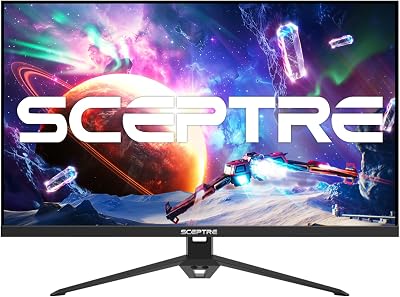
Stand. Tilt only (-5° to 20°) — no height adjustment, no swivel, no pivot at this price. If ergonomics matter, budget $30–$50 for a basic monitor arm.
Who it’s for. The M27Q is the recommended pick for anyone building a first 1440p gaming setup on a tight budget, or for a secondary monitor setup where color fidelity and ergonomics matter less than getting 1440p/165Hz on the desk.
ViewSonic Elite XG270QG — Best G-Sync 1440p 165Hz Monitor
The XG270QG is the only monitor on this list with a full hardware NVIDIA G-Sync module — not G-Sync Compatible certification, but the actual proprietary module inside the display. That distinction matters for a specific type of buyer.
Panel and response. IPS panel, 2560×1440, 165Hz, 1ms GtG. The panel specs are competitive but not class-leading. What the G-Sync module adds is the full G-Sync feature suite: Variable Overdrive (ULMB), Ultra Low Motion Blur strobing (not available simultaneously with VRR on most displays, but G-Sync hardware manages it more gracefully), and NVIDIA’s Reflex Latency Analyzer built into the display — a real-time system latency measurement tool accessed through GeForce Experience.
VRR. G-Sync hardware module, 30–165Hz. The lower floor of 30Hz (versus the typical 48Hz floor on FreeSync/G-Sync Compatible) is a genuine advantage in GPU-limited scenarios or slower games. No FreeSync or AMD VRR support — this is an NVIDIA-exclusive ecosystem choice.
Stand. Full ergonomics: height (0–130mm), tilt, swivel, pivot. RGB ambient lighting on the back if you want it.
Who it’s for. NVIDIA GPU owners who want the absolute best G-Sync integration, use NVIDIA Reflex titles competitively, or need the extended VRR range floor. The ~$500 price is hard to justify over G-Sync Compatible alternatives unless you’re specifically chasing the Reflex Latency Analyzer or ULMB feature set.
1440p 165Hz vs 1440p 240Hz — Is the Upgrade Worth It?
The short answer: only if you play fast-paced competitive titles at high frame rates and your GPU can actually reach 240fps.
The perceptual difference between 165Hz and 240Hz is real but marginal. Studies on motion blur perception generally show diminishing returns past 120–144Hz, with most players finding the jump from 60Hz to 144Hz enormous and the jump from 144Hz to 240Hz noticeable only in specific scenarios (fast flicks in FPS games, cursor tracking). The gap from 165Hz to 240Hz is even smaller.
Cost. Quality 1440p 240Hz panels (not TN, not corner-cutting IPS) run $50–$150 more than their 165Hz equivalents. That money often buys more GPU, which has a more measurable impact on your actual in-game experience.
GPU requirement. Sustaining 240fps at 1440p in a demanding title (Cyberpunk 2077 RT, Alan Wake 2, Hogwarts Legacy) is not realistic on any current mid-range GPU. You’ll need an RTX 4080 or RX 7900 XTX minimum, and even then only at reduced settings. For competitive titles (CS2, Valorant) where frame rates are easier to sustain, 240Hz makes more sense — but those games also run fine at 165Hz.
Verdict. Buy 165Hz unless you play CS2/Valorant at a semi-competitive level and own an RTX 4080+. For the other 95% of gaming use cases, 165Hz is not the bottleneck.
1440p 165Hz vs 4K 144Hz — GPU Requirements and Trade-offs
The 4K 144Hz pitch is compelling on paper: more pixels, still-high refresh, future-proof resolution. In practice it involves significant trade-offs.
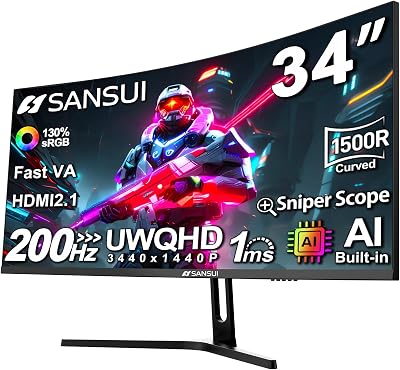
Pixel density. 4K at 27 inches delivers 163 PPI — objectively sharper than 1440p’s 109 PPI. The difference is visible and pleasant, especially in text and fine game geometry. But 27-inch 4K requires Windows scaling (usually 150%) to keep UI elements readable, which introduces its own minor inconsistencies in older applications.
GPU requirement. To push 144fps at 4K in modern AAA titles without dropping to medium settings, you need an RTX 4090 or equivalent. The RTX 4070 Super — the recommended pairing for 1440p 165Hz — will deliver 80–110fps at 4K ultra in demanding titles. VRR helps mask the gap between 80 and 144, but you’re paying for a 144Hz panel and using 80–110Hz in practice.
Price. A quality 4K 144Hz IPS gaming monitor (LG 27GR95QE, Samsung Odyssey G7, ASUS ROG Swift) starts at $400–$700. You’re spending more on the panel and more on the GPU to feed it.
Verdict. If your primary gaming GPU is an RTX 4080 or better, 4K 144Hz makes sense. At RTX 4070 Super / RX 7800 XT tier — which is the most popular mid-to-high performance segment — 1440p 165Hz delivers a materially better experience because you can actually saturate the refresh rate.
GPU Pairing Guide
Getting the most out of a 1440p 165Hz monitor means matching it to a GPU that can consistently deliver 144–165fps in the games you play.
RTX 4070 Super — The Ideal NVIDIA Pairing
The RTX 4070 Super hits 1440p ultra settings at 120–165fps in most titles from 2022–2025, including Cyberpunk 2077 (with DLSS Quality), Hogwarts Legacy, and The Witcher 4. In competitive titles (CS2, Valorant, Apex Legends) it easily clears 165fps. DLSS 3.5 Frame Generation further boosts perceived frame rates when needed. At ~$600, it’s the price/performance sweet spot for 1440p gaming and the GPU most of these monitors were designed around.
RX 7800 XT — The Ideal AMD Pairing
At ~$480, the RX 7800 XT trades roughly 5–10% average fps versus the RTX 4070 Super in rasterization performance, which is a small deficit at 1440p. It supports FSR 3 Frame Generation and AMD’s full VRR/FreeSync Premium ecosystem. For monitors with FreeSync Premium (LG 27GP850-B, MSI MAG274QRF-QD, Gigabyte M27Q), the RX 7800 XT’s VRR integration is first-party and seamless. A strong choice if you prefer AMD’s open ecosystem or want to save $120 on the GPU budget.
What to Avoid
An RTX 4060 or RX 7700 can technically drive a 1440p 165Hz monitor, but you’ll frequently find yourself below 120fps in demanding titles at max settings, which defeats the purpose of a high-refresh display. Step up to at least the RTX 4070 or RX 7700 XT before committing to a 165Hz panel.
Conclusion
In 2026, 1440p at 165Hz remains the clearest, most defensible choice for a gaming monitor upgrade. The pixel density is genuinely sharp, the refresh rate is genuinely smooth, and the GPU requirements are achievable without spending $800+ on a graphics card.
For most buyers, the LG 27GP850-B is the pick: Nano IPS, 1ms GtG, dual G-Sync Compatible and FreeSync Premium support, full stand ergonomics, and a price that doesn’t require a second mortgage. If budget is the first filter, the Gigabyte M27Q delivers KVM and USB-C extras at sub-$250. If color accuracy for creative work matters, the MSI MAG274QRF-QD‘s Quantum Dot IPS is the right call. NVIDIA loyalists who want full G-Sync hardware integration and Reflex Latency Analyzer support should look at the ViewSonic Elite XG270QG. And if you think you’ll want 240Hz headroom eventually, the ASUS ROG Strix XG27AQM gives you that ceiling without forcing you to buy a new monitor later.
Pick your GPU, pick the matching monitor from the list above, and stop second-guessing. This is the sweet spot — and it’ll stay that way for another couple of years.
Related Articles
Looking for more on this topic? Browse the hand-picked guides below — each one applies the same scoring rubric used in this review.
Frequently Asked Questions
What is the best gaming monitor 1440p 165hz in 2026?
The best gaming monitor 1440p 165hz depends on your budget and how you plan to use it. The options compared above are our top-rated picks based on real customer ratings, build quality, and overall value — start with the highest-rated model that fits your budget.
How much should I expect to spend on a gaming monitor 1440p 165hz?
Prices vary by brand and features. Budget options cover the essentials, while mid-range and premium models add durability, performance, and extra features. Compare the prices in the list above to find the best value for your needs.
What should I look for when buying a gaming monitor 1440p 165hz?
Focus on what matters most for your use case — build quality, compatibility, performance, warranty, and verified customer reviews. Every pick above is selected to balance these factors.
Are budget gaming monitor 1440p 165hz options worth it?
Yes. For most people a well-reviewed budget or mid-range gaming monitor 1440p 165hz delivers excellent value. You only need to spend more if you specifically require premium materials or top-tier performance.
How did we choose these gaming monitor 1440p 165hz picks?
We compare current Amazon ratings, review counts, key features, and price to surface the options with the best real-world value. The list is refreshed as ratings and availability change.
















