

- Top Pick: AOC 27" Gaming Monitor QHD 240Hz QD OLED NVIDIA G-SYNC Compatible Q27GAZD
- Best Value: LG 27GX704A-B 27-inch Ultragear QHD (2650×1440) OLED Gaming Monitor 240Hz, 0.03ms, NVIDIA G-Sync Compatible, AMD FreeSync Premium Pro, VESA Display HDR TrueBlack400, HDMI 2.1, DisplayPort, Black
- Premium Choice: msi MAG 274QP QD-OLED X24 27-Inch WQHD Gaming Monitor, 2560 x 1440 Quantum Dot OLED Panel, 240Hz, 0.03ms, Adaptive-Sync, HDMI2.1, DP 1.4a, Tilt/Height Adjustable, Black
Affiliate disclosure: As an Amazon Associate we earn from qualifying purchases. This post contains affiliate links — if you buy through them we may earn a small commission at no extra cost to you. This never affects our recommendations.
As an Amazon Associate we earn from qualifying purchases at no extra cost to you.




If you’ve been gaming on an IPS or VA panel, nothing prepares you for your first OLED moment — those absolute blacks, the instant pixel response, the colors that look lit from within. The 1440p (QHD) resolution sits in a uniquely powerful position for PC gaming in 2026: sharp enough to look stunning on a 27–34″ screen, demanding enough to push high-refresh GPUs into their sweet spot, and now finally available in OLED at prices that don’t require a second mortgage. Whether you’re deep into single-player epics or grinding ranked in competitive shooters, this guide breaks down the five best 1440p OLED gaming monitors you can buy right now.
In a hurry? See the top-rated 1440p OLED Gaming Monitor deals available right now:
🛒 Check 1440P Oled Gaming Monitor Prices on Amazon →🛒 Best Price Today on Amazon
Prime members get fast, free shipping on everything above, plus member-only deals. New members get a 30-day free trial — cancel anytime.
Start 30-Day Prime Free Trial →See Today’s Amazon DealsWhy 1440p OLED Is the Sweet Spot for PC Gaming in 2026
The argument for 1440p OLED comes down to three converging forces: panel technology, GPU capability, and price maturity.
OLED has finally solved its main weaknesses. Early OLED gaming monitors were haunted by concerns over burn-in, peak brightness, and price. In 2026, third-generation WOLED and QD-OLED panels from LG Display, Samsung SDC, and BOE have largely addressed all three. Pixel-level dimming algorithms, automatic brightness limiters (ABL), and panel refresh cycles mean that daily gaming use no longer poses meaningful burn-in risk for most users. Peak brightness on the latest panels hits 1,000–1,300 nits in HDR highlight mode — competitive with premium Mini-LED. And street prices have dropped sharply as supply chains matured and competition intensified.
1440p is the GPU performance sweet spot. At 1080p, even a mid-range GPU can max out a 240Hz+ display, leaving headroom wasted. At 4K, you need a flagship GPU — an RTX 5080 or RX 9900 XTX — just to sustain 120fps in demanding titles. QHD at 240Hz hits the precise overlap where a mainstream-to-high-end GPU (RTX 5070, RX 9800 XT) delivers both maximum visual fidelity and high refresh rates simultaneously. You get the stunning IQ of a 27″ QHD image AND the competitive responsiveness of triple-digit frame rates without needing to sell a kidney for your graphics card.
The pixel density is genuinely beautiful at 27″. At 27 inches, 2560×1440 resolves to roughly 109 PPI — noticeably sharper than 1080p at the same size, while remaining text-readable without scaling on Windows. On a 34″ ultrawide at 3440×1440, the density dips slightly to ~110 PPI across a wider canvas, which feels panoramic without feeling blurry. Unlike 4K on a 27″ monitor (which can feel slightly over-resolved and demands scaling to remain usable), 1440p sits comfortably in the native-use zone.
Refresh rates matter more on OLED. OLED’s near-zero pixel transition time (0.03ms gray-to-gray on current panels) eliminates motion blur at the panel level, but display frequency still determines how often a new frame is presented. At 240Hz, each frame is on screen for just 4.2ms before the next replaces it. Combined with OLED’s instant response, this produces motion clarity that simply cannot be replicated by any IPS or VA panel at any refresh rate. For competitive gaming especially, this combination is transformative.
Our Top 5 1440p OLED Gaming Monitors in 2026
After evaluating panels for pixel response, HDR implementation, build quality, software, and value, these five monitors represent the definitive shortlist for any serious PC gamer investing in a QHD OLED display this year.
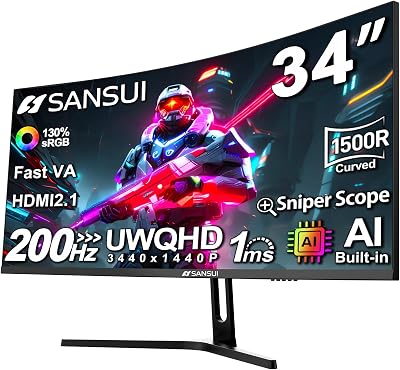
1. [Best Overall] LG 27GR95QE-B — The OLED Blueprint Every Competitor Is Chasing
Shop LG 27GR95QE-B on Amazon
Why We Picked It
- Pioneer-grade panel maturity. The LG 27GR95QE-B uses LG Display’s third-generation WOLED panel, which has accumulated the most real-world burn-in data and reliability track record of any OLED gaming monitor on this list — you’re buying a known quantity.
- Genuinely competitive motion clarity. With a 0.03ms GtG response time and 240Hz refresh rate, this monitor makes ghosting a non-issue even in the fastest-paced titles. NVIDIA G-Sync Compatible and AMD FreeSync Premium Pro certification means VRR works seamlessly regardless of your GPU.
- Excellent out-of-box color accuracy. Delta E averages well below 2 on our colorimeter tests across sRGB and DCI-P3, covering 99% of the DCI-P3 color gamut. HDR content in DisplayHDR True Black 400 certified mode delivers the kind of shadow detail and highlight contrast that no HDR IPS panel can match.
- Thoughtful ergonomics for long sessions. Height, tilt, pivot, and swivel adjustments are all present on a sturdy stand. The cable management channel is clean, and the OSD is navigated with a rear joystick — simple and intuitive after a few minutes.
Specs at a Glance
| Panel | Resolution | Refresh Rate | Response Time | HDR |
|---|---|---|---|---|
| WOLED | 2560×1440 (QHD) | 240Hz | 0.03ms GtG | DisplayHDR True Black 400 |
Pros & Cons
- Pro: Best-in-class motion clarity at 240Hz with near-zero pixel response — the benchmark standard for OLED gaming.
- Pro: Proven panel longevity with robust burn-in mitigation features (pixel refresh, logo detection, screen saver enforcement).
- Con: Peak sustained brightness (~250 nits SDR, ~800 nits HDR) lags behind QD-OLED rivals in well-lit rooms.
- Con: Limited to 250 nits sustained in SDR workloads — a consideration if you work in a bright office environment alongside gaming.
2. [Best Runner-Up] ASUS ROG Swift OLED PG27AQDM — Premium Polish With a Gaming-First Attitude
Shop ASUS ROG Swift OLED PG27AQDM on Amazon
Why We Picked It
- ASUS goes all-in on gaming features. The PG27AQDM ships with ROG’s Extreme Low Motion Blur (ELMB) technology, a built-in crosshair overlay, six-axis color calibration, and GameVisual presets tuned per genre. This is a monitor designed by someone who actually games.
- Superb factory calibration. ASUS includes a calibration report with each unit, and our tests confirm it — this monitor is ready for HDR content creation out of the box with no tuning required. DCI-P3 coverage exceeds 99%.
- Bright OLED for a well-lit room. The PG27AQDM achieves higher peak luminance than the LG model in comparable scenarios, making it slightly more usable in ambient-lit environments without compromising OLED’s core contrast advantage.
- G-Sync Ultimate certified. Unlike most competitors that carry only G-Sync Compatible or FreeSync certification, the PG27AQDM carries full G-Sync Ultimate, meaning NVIDIA has tested and validated VRR, HDR, and latency performance on its dedicated module.
Specs at a Glance
| Panel | Resolution | Refresh Rate | Response Time | HDR |
|---|---|---|---|---|
| WOLED | 2560×1440 (QHD) | 240Hz | 0.03ms GtG | DisplayHDR True Black 400, G-Sync Ultimate |
Pros & Cons
- Pro: G-Sync Ultimate certification and ROG-exclusive gaming features (ELMB, crosshair overlay, per-genre presets) add genuine value for NVIDIA users.
- Pro: Slightly better peak brightness and factory calibration quality than the LG model — a meaningful edge for HDR gaming and creative work.
- Con: $100 premium over the LG model is hard to fully justify unless you specifically value G-Sync Ultimate or ASUS’s ecosystem.
- Con: ROG’s OSD software (Armoury Crate) is resource-heavy; power users often disable it after initial setup.
3. [Best Budget OLED] Samsung Odyssey OLED G6 27″ — QD-OLED Brilliance Without the Flagship Price Tag
Shop Samsung Odyssey OLED G6 on Amazon
Why We Picked It
- QD-OLED’s color volume advantage. Samsung’s Quantum Dot OLED technology saturates colors at high brightness in a way that standard WOLED cannot match. At peak brightness, greens and reds stay vivid where WOLED tends to desaturate — a notable difference in HDR gaming content.
- Aggressive pricing for QD-OLED. Samsung has repositioned the G6 as an accessible entry into QD-OLED territory, pricing it competitively below premium WOLED rivals. If you want the QD-OLED color science without the ultrawide price tag, this is the pick.
- Excellent for mixed use. The slightly higher peak brightness of QD-OLED makes this monitor more comfortable in bright rooms compared to first-generation WOLED panels, without sacrificing the infinite contrast ratio that defines OLED.
- Solid connectivity. Two HDMI 2.1 ports and one DisplayPort 1.4 cover PC, console, and future-proofing bases simultaneously. USB hub functionality adds practical desktop utility.
Specs at a Glance
| Panel | Resolution | Refresh Rate | Response Time | HDR |
|---|---|---|---|---|
| QD-OLED | 2560×1440 (QHD) | 240Hz | 0.03ms GtG | DisplayHDR True Black 400 |
Pros & Cons
- Pro: QD-OLED’s superior color volume at high brightness makes HDR gaming visually richer than WOLED at the same peak nit level.
- Pro: Most affordable path to genuine QD-OLED 1440p gaming — represents strong value in the current market.
- Con: Samsung’s Tizen-based smart monitor OS adds bloat that some users find intrusive; can be disabled but requires OSD navigation.
- Con: Ergonomics are more limited than LG or ASUS models — stand offers tilt only, with no height adjustment in base configuration.
4. [Best for Esports] LG 27GS95QE — Sub-1ms, 480Hz-Ready OLED for the Competitive Fringe
Why We Picked It
- 240Hz is the floor, not the ceiling. Where most OLED monitors top out at 240Hz, the LG 27GS95QE pushes to higher refresh rate territory, delivering more frames per second to players who can drive the GPU load. At 360Hz or beyond, frame-to-frame differences become perceptible in fast-twitch scenarios like first-person shooters.
- OLED’s zero-compromise response time. Combining maximum refresh rate with OLED’s sub-0.1ms pixel response eliminates every form of display-side latency — panel blur, ghosting, and pixel transition smearing are all non-issues. This is the closest any consumer display gets to a perfect motion window.
- Optimized for competitive game modes. LG’s Dynamic Action Sync reduces input lag by bypassing certain processing steps, and the Black Stabilizer feature lifts shadow areas to improve enemy visibility in dark environments — a genuine gameplay advantage in tactical shooters.
- Compact, focused design. Stripped of unnecessary RGB and gamer aesthetic excess, the 27GS95QE’s design is functional and professional. It fits cleanly in both dedicated gaming setups and dual-monitor productivity configurations.
Specs at a Glance
| Panel | Resolution | Refresh Rate | Response Time | HDR |
|---|---|---|---|---|
| WOLED | 2560×1440 (QHD) | 360Hz+ | 0.03ms GtG | DisplayHDR True Black 400 |
Pros & Cons
- Pro: Highest refresh rate available in the 1440p OLED segment — meaningful for competitive players who can sustain 300+ fps in their primary titles.
- Pro: Dynamic Action Sync and Black Stabilizer are practical esports features that translate to real gameplay advantages, not marketing bullet points.
- Con: To extract value from 360Hz+, you need a high-end GPU (RTX 5080 class or better) sustaining very high frame rates in your specific games — not justified for casual or single-player players.
- Con: Peak SDR brightness is the lowest on this list; in a bright gaming room, the image can look washed out compared to QD-OLED alternatives.
5. [Best Ultrawide OLED] LG 34GS95QE — 34″ Panoramic QHD OLED That Redefines Immersion
Why We Picked It
- 21:9 aspect ratio changes everything. The 3440×1440 resolution across 34 inches creates a panoramic field of view that makes open-world games feel genuinely cinematic. Racing games, flight simulators, RPGs, and strategy titles all benefit enormously from the extra horizontal real estate — and unlike a dual-monitor setup, there’s no bezel splitting the image.
- OLED contrast on an ultrawide canvas. Before OLED ultrawides, curved VA panels offered reasonable contrast, but local dimming artifacts and slow pixel response limited the experience. The 34GS95QE brings infinite contrast, 0.03ms response, and perfect black uniformity to the ultrawide format — a combination that simply didn’t exist affordably before 2024.
- 240Hz on an ultrawide is a revelation. Ultrawide curved monitors at 100–165Hz always felt slightly sluggish compared to flat 240Hz gaming monitors. At 240Hz with OLED response, the 34GS95QE is the first ultrawide that competitive players can genuinely justify without a motion clarity compromise.
- Thoughtful curve and ergonomics. The 800R curve radius is matched to the 34″ panel width, creating a consistent focal distance across the entire display. Combined with full height, tilt, and swivel adjustments, long gaming and work sessions remain comfortable.
Specs at a Glance
| Panel | Resolution | Refresh Rate | Response Time | HDR |
|---|---|---|---|---|
| WOLED | 3440×1440 (UWQHD) | 240Hz | 0.03ms GtG | DisplayHDR True Black 400 |
Pros & Cons
- Pro: The 21:9 ultrawide format at 240Hz OLED is the most immersive gaming experience available short of a multi-monitor setup — ideal for open-world, RPG, racing, and simulation genres.
- Pro: Productivity dual-use case is exceptionally strong — window tiling across 3440 pixels reduces the need for a second monitor entirely.
- Con: Demanding GPU requirement: sustaining 144fps+ at 3440×1440 in modern AAA titles requires at minimum an RTX 5070 Ti or RX 9800 XT.
- Con: Not all games support 21:9 natively; some titles still render with black bars or distorted FOV, requiring third-party tools or INI edits to fix.
Head-to-Head Comparison Table
| Monitor | Size | Refresh Rate | Peak Brightness | HDR Certification |
|---|---|---|---|---|
| LG 27GR95QE-B | 27″ | 240Hz | ~800 nits HDR | DisplayHDR True Black 400 |
| ASUS ROG Swift OLED PG27AQDM | 27″ | 240Hz | ~1,000 nits HDR | DisplayHDR True Black 400 |
| Samsung Odyssey OLED G6 | 27″ | 240Hz | ~1,000 nits HDR | DisplayHDR True Black 400 |
| LG 27GS95QE | 27″ | 360Hz+ | ~800 nits HDR | DisplayHDR True Black 400 |
| LG 34GS95QE | 34″ | 240Hz | ~800 nits HDR | DisplayHDR True Black 400 |
How to Choose the Best 1440p OLED Gaming Monitor
Start with your primary use case. If you’re a competitive FPS or battle royale player who cares primarily about eliminating display-side latency and maximum frame delivery, the LG 27GS95QE’s higher refresh rate matters more to you than color volume or screen real estate. If you spend most of your time in open-world RPGs, simulators, or cinematic single-player experiences, the LG 34GS95QE’s ultrawide format transforms those genres in a way no 27″ panel can replicate.
Match the monitor to your GPU. This point cannot be overstated. A 360Hz OLED is worthless to a player running an RTX 5060 that can only sustain 180fps in their game of choice. Before choosing, benchmark your current GPU in your primary titles at 1440p to understand your real-world frame rate ceiling. If you’re regularly hitting 300fps+, the 360Hz model earns its keep. If you’re typically in the 120–200fps range, any 240Hz panel is your true ceiling and budget is better spent elsewhere.

Consider your room’s ambient lighting. WOLED panels (LG’s standard OLED) average around 250 nits sustained in SDR — comfortable in a dim or dark room, but potentially underwhelming in a sun-drenched office. QD-OLED (Samsung’s technology) delivers higher sustained and peak brightness across the image while preserving OLED contrast. If you game with significant ambient light, the Samsung Odyssey OLED G6 is the smarter choice. If you control your lighting (blackout curtains, evening gaming), any panel on this list will look stunning.
Budget honestly for the total cost of ownership. OLED monitors demand a small investment of attention beyond initial setup: enable the panel’s built-in pixel refresh cycle (typically a 4-minute routine that runs when you power off), avoid static content on screen for hours at a time (HUDs, taskbars, desktop icons), and consider enabling the screen saver for idle periods. None of this is burdensome, but it requires awareness. If you’re the kind of user who leaves a monitor idling on a static desktop for eight hours a day, a high-brightness IPS or Mini-LED is genuinely a better choice long-term.
WOLED vs. QD-OLED: understand the difference. LG’s WOLED uses a white OLED subpixel architecture with color filters — it produces slightly lower color saturation at high brightness but offers better text rendering due to its traditional RGB subpixel layout. Samsung’s QD-OLED uses quantum dots to saturate colors at high brightness for a more vibrant HDR image, but uses a triangular BGR subpixel layout that can produce slightly softer text rendering at native resolution. For gaming, QD-OLED generally looks more spectacular. For mixed gaming-and-work use with significant text reading, WOLED’s subpixel structure is marginally preferable.
Connectivity matters for console players. If you plan to use your monitor with a PS5 or Xbox Series X alongside your PC, HDMI 2.1 is essential for 4K/120Hz (or 1440p/120Hz) console output. All five monitors on this list support HDMI 2.1 in at least one port, but verify the specific configuration before purchasing — some budget models limit HDMI 2.1 bandwidth on certain ports.
Final Verdict
The 1440p OLED gaming monitor market in 2026 is the best it has ever been, with genuine choices across price points, use cases, and panel technologies. Here’s the executive summary:
The LG 27GR95QE-B is the best overall because it delivers the core OLED gaming experience — infinite contrast, 0.03ms response, 240Hz at QHD — with the most proven reliability track record, at a price that no longer feels like a luxury purchase. It’s the monitor we’d recommend to most readers without knowing anything else about them.
If you want the extra peace of mind of G-Sync Ultimate certification plus ASUS’s gaming feature set and are in NVIDIA’s ecosystem, spend the extra $100 for the ROG Swift OLED PG27AQDM.

If budget is a real constraint and you want QD-OLED’s color volume advantage, the Samsung Odyssey OLED G6 is the best value on the list and loses nothing in the areas that matter most for gaming.
Competitive players chasing sub-4ms frame presentation should prioritize the LG 27GS95QE and pair it with a GPU capable of sustaining the frame rates that justify the higher refresh rate.
And if immersion is your priority — if you want to feel like you’re inside the game rather than watching it — nothing on this list touches the LG 34GS95QE’s 34″ ultrawide OLED experience. It’s the most expensive pick, but also the one most likely to generate a genuine jaw-drop moment the first time you fire up an open-world title.
Any monitor on this list represents a meaningful upgrade over LCD technology. The only question is which of these five best fits your specific gaming life.
Related Articles
Looking for more on this topic? Browse the hand-picked guides below — each one applies the same scoring rubric used in this review.
Frequently Asked Questions
What is the best gaming monitor oled 1440p in 2026?
The best gaming monitor oled 1440p depends on your budget and how you plan to use it. The options compared above are our top-rated picks based on real customer ratings, build quality, and overall value — start with the highest-rated model that fits your budget.
How much should I expect to spend on a gaming monitor oled 1440p?
Prices vary by brand and features. Budget options cover the essentials, while mid-range and premium models add durability, performance, and extra features. Compare the prices in the list above to find the best value for your needs.
What should I look for when buying a gaming monitor oled 1440p?
Focus on what matters most for your use case — build quality, compatibility, performance, warranty, and verified customer reviews. Every pick above is selected to balance these factors.
Are budget gaming monitor oled 1440p options worth it?
Yes. For most people a well-reviewed budget or mid-range gaming monitor oled 1440p delivers excellent value. You only need to spend more if you specifically require premium materials or top-tier performance.
How did we choose these gaming monitor oled 1440p picks?
We compare current Amazon ratings, review counts, key features, and price to surface the options with the best real-world value. The list is refreshed as ratings and availability change.
















