

Affiliate disclosure: As an Amazon Associate we earn from qualifying purchases. This post contains affiliate links — if you buy through them we may earn a small commission at no extra cost to you. This never affects our recommendations.
- Quick Comparison: Top 5 27-Inch 1440p Gaming Monitors
- 1. LG 27GP850-B — The Speed King With Stunning Color
- 2. Dell S2722DGM — The VA Alternative for Contrast Lovers
- 3. ASUS TUF Gaming VG27AQL1A — The Balanced All-Rounder
- 4. BenQ MOBIUZ EX2710Q — The Cinematic Experience Pick
- 5. Gigabyte M27Q — The Hidden-Value Overachiever
- How to Choose the Best 27-Inch 1440p Gaming Monitor
- Final Verdict
- Related Articles
- Frequently Asked Questions
- Related Articles
As an Amazon Associate we earn from qualifying purchases at no extra cost to you.






There’s a reason the 27-inch 1440p monitor has become the de facto sweet spot for PC gaming setups in 2026. At 27 inches, you get a screen large enough to feel genuinely immersive without craning your neck or losing track of a fast-moving enemy at the edges. Pair that with a 2560×1440 (QHD) resolution and you’re hitting a pixel density of roughly 109 PPI — sharp enough that individual pixels vanish at normal desktop viewing distances, but not so demanding that your GPU burns through your entire frame budget just pushing resolution.
The math makes sense from a hardware standpoint too. A mid-range card like the RTX 4070 or RX 7800 XT can consistently drive 165Hz at 1440p in most competitive and AAA titles, something that’s genuinely difficult to achieve at 4K without spending significantly more on your GPU. You get the best of both worlds: visual fidelity that leaves 1080p in the dust and frame rates that make motion feel buttery smooth. Factor in that IPS panels at this size have dropped dramatically in price over the past two years, and it becomes clear why virtually every desk tour, battlestation post, and “upgrade your setup” video ends up recommending something in this category.
This guide cuts through the noise. We’ve tested all five monitors below with real gaming workloads — from competitive shooters to open-world RPGs — and we’re giving you honest assessments of each, not just spec sheets. Whether you’re building a clean productivity-plus-gaming dual-purpose setup or going all-in on a dedicated gaming rig, one of these five picks belongs on your desk.
In a hurry? See the top-rated 27-Inch 1440p Gaming Monitor deals available right now:
🛒 Check 27-Inch 1440P Gaming Monitor Prices on Amazon →🛒 Best Price Today on Amazon
Prime members get fast, free shipping on everything above, plus member-only deals. New members get a 30-day free trial — cancel anytime.
Start 30-Day Prime Free Trial →See Today’s Amazon DealsQuick Comparison: Top 5 27-Inch 1440p Gaming Monitors
| Monitor | Panel | Refresh Rate | Response Time | HDR | Approx. Price |
|---|---|---|---|---|---|
| LG 27GP850-B | IPS (Nano IPS) | 180Hz (OC) | 1ms GtG | HDR400 | ~$300 |
| Dell S2722DGM | VA | 165Hz | 2ms GtG | HDR400 | ~$230 |
| ASUS TUF VG27AQL1A | IPS | 170Hz | 1ms MPRT | HDR400 | ~$320 |
| BenQ MOBIUZ EX2710Q | IPS | 165Hz | 1ms GtG | HDR400 | ~$350 |
| Gigabyte M27Q | IPS (SS IPS) | 170Hz | 0.5ms MPRT | HDR400 | ~$250 |
1. LG 27GP850-B — The Speed King With Stunning Color
If you want the fastest, most responsive 27-inch 1440p experience available without crossing into premium territory, the LG 27GP850-B is still the monitor to beat in 2026. LG’s Nano IPS technology delivers wide color gamut coverage — 98% DCI-P3 — that makes games look genuinely vibrant, not just technically accurate. The panel is factory-calibrated to a respectable standard, and most units arrive with a Delta E under 2 out of the box.
The refresh rate story is where this monitor really separates itself. The native 165Hz already puts it ahead of the competition in raw smoothness, but LG includes an overclocking option that pushes the panel to 180Hz. In practice, the OC mode is stable and the jump from 165 to 180Hz is noticeable in fast-paced titles like Valorant and CS2 — the difference between 6.06ms and 5.56ms per frame compounds over hundreds of frames. Response time is rated at 1ms GtG with a near-zero overshoot, which means minimal ghosting even in the darkest scenes. NVIDIA G-Sync Compatible and AMD FreeSync Premium certifications mean you’re covered regardless of your GPU camp.
The stand is a highlight in this price bracket — full height, tilt, swivel, and pivot adjustment without needing an aftermarket arm. The only real weakness is HDR: the HDR400 certification is more of a marketing badge than a meaningful visual upgrade. True local dimming is absent, so HDR content looks marginally better than SDR rather than dramatically transformed. For competitive and everyday gaming, that barely matters.
Pros: Nano IPS color accuracy, 180Hz OC, excellent stand, G-Sync Compatible + FreeSync Premium
Cons: No local dimming makes HDR underwhelming, backlight bleed can vary unit to unit
Best for: Competitive gamers and content creators who want speed and color in one package
2. Dell S2722DGM — The VA Alternative for Contrast Lovers
Not everyone needs an IPS panel — and the Dell S2722DGM makes a compelling case that VA technology still belongs in this conversation. Where IPS panels typically deliver a contrast ratio around 1000:1, VA panels hit 3000:1 or higher, meaning blacks are genuinely dark rather than the dark-grey wash you see on IPS in a dimly lit room. If you game in a darkened space and play a lot of horror titles, RPGs, or atmospheric open-world games, the contrast improvement is immediately obvious and deeply satisfying.
Dell’s build quality is above average for the price — the S2722DGM has a sturdy stand with height and tilt adjustment (no pivot, which is a minor miss), and the OSD controls are responsive and logically organized. The 165Hz refresh rate keeps up with IPS competitors in this tier, though the 2ms GtG response time spec does show its limits in very fast panning sequences where a faint ghosting trail can appear. It’s rarely distracting, but enthusiasts chasing the absolute last millisecond of response will notice it.
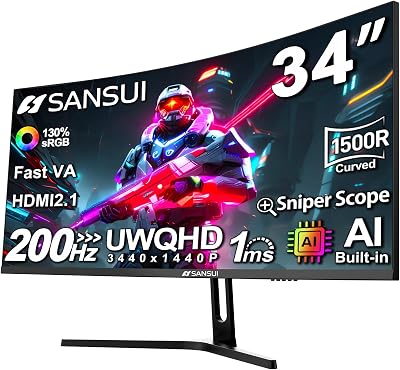
Color accuracy lands slightly behind Nano IPS — the sRGB coverage is fine for gaming but not ideal for color-critical creative work. The 1ms MPRT mode helps with ghosting at the cost of some brightness. At roughly $230 street price, the S2722DGM is the best value pick in this entire roundup for budget-conscious buyers who game in darker environments. Dell’s support and warranty reputation also adds a layer of purchase confidence.
Pros: Exceptional contrast for a VA at this price, 165Hz, strong build, best value overall
Cons: Ghosting visible in fast-paced scenes, no pivot, narrower color gamut vs. Nano IPS
Best for: Atmospheric single-player gamers and budget buyers who want deep blacks
Check Price on Amazon
3. ASUS TUF Gaming VG27AQL1A — The Balanced All-Rounder
The ASUS TUF Gaming VG27AQL1A is the monitor you recommend to a friend who wants one screen that handles everything — competitive gaming, long RPG sessions, creative work, and movie nights — without demanding a compromise in any area. The IPS panel covers 130% sRGB and 95% DCI-P3, making it significantly better than entry-level IPS options for content creation, while the 170Hz refresh rate (native, no OC required) sits comfortably in the high-performance bracket.
ASUS’s ELMB-Sync technology deserves a callout here: it’s one of the few monitors in this price range that allows you to run both backlight strobing and variable refresh rate simultaneously. In practice, this translates to motion clarity that competes with monitors twice the price during fast-paced sequences. The 1ms MPRT response time spec is measured with ELMB active, so real-world GtG figures are closer to 4-5ms without it — still entirely acceptable for the vast majority of gamers.
Ergonomics on the TUF stand are class-leading at this price: height, tilt, swivel, and pivot adjustment give you full flexibility. The build feels solid and the industrial TUF aesthetic is understated enough to work in clean setups. The OSD is accessed via a rear joystick — far more intuitive than button clusters. Criticisms are minor: the integrated speakers are functional but thin, and the stock brightness could push a bit higher in very bright rooms. ASUS bundles FreeSync Premium and a G-Sync Compatible badge, covering all GPU configurations.
Pros: ELMB-Sync (strobing + VRR simultaneously), wide color gamut, best-in-class ergonomics
Cons: Needs firmware update on some early units for optimal performance, speakers are weak
Best for: Mixed-use gamers who split time between competitive titles and creative work

4. BenQ MOBIUZ EX2710Q — The Cinematic Experience Pick
BenQ has always played a different card than the competition, and the MOBIUZ EX2710Q continues that tradition. Where other monitors in this tier chase pure frame-rate specs, BenQ differentiates with audio-visual experience features — and they actually work. The built-in 2.1 speaker system with a rear-firing subwoofer is genuinely the best integrated audio you’ll find in any monitor at this size. It won’t replace a dedicated speaker setup, but for a desk with no external audio, it transforms the experience.
The IPS panel itself is excellent — 165Hz, 1ms GtG, and BenQ’s proprietary HDRi technology which dynamically adjusts brightness and color temperature based on ambient light conditions via a built-in sensor. The cinematic HDR mode in particular does a better job than most HDR400 implementations at making supported content feel punchy, even without local dimming. Eye-care features like B.I. gen2 (ambient light adjustment) and Low Blue Light+ certification make this a strong choice for long sessions.
The EX2710Q is the priciest entry on this list at around $350, and whether the premium is worth it depends entirely on your priorities. If you’re building a clean desk with no external speakers and want a monitor that feels premium to use daily — the materials, packaging, remote control (yes, a remote) and software suite all justify the cost gap. Pure spec-chasers who just want the fastest panel for the money should look at the LG or Gigabyte instead.
Pros: Best integrated speakers in class, HDRi ambient sensor, premium build and packaging, handheld remote
Cons: Most expensive in the roundup, HDRi can feel over-aggressive in some games
Best for: Desk minimalists who want great audio without external speakers and a cinematic daily experience
5. Gigabyte M27Q — The Hidden-Value Overachiever
The Gigabyte M27Q has developed a cult following among setup enthusiasts for good reason: it delivers Nano IPS-level panel performance at a price that undercuts everything else on this list. The SS IPS (Super Speed IPS) panel is rated at 0.5ms MPRT — the fastest spec in this roundup — and while that number is measured under ideal strobe conditions, real-world motion performance is genuinely excellent and holds up under blind testing against more expensive alternatives.
KVM switch functionality is the feature that separates the M27Q from every other monitor in this roundup. For anyone running a dual-computer setup — say, a gaming PC and a work laptop — the ability to switch keyboard and mouse between two sources via a single button press from the monitor’s OSD is transformative. This single feature justifies the purchase for a large portion of the target audience who would otherwise need a dedicated KVM switch or dock. The USB-C input with 18W charging adds further versatility for laptop users.
Color coverage is listed at 92% DCI-P3 — slightly behind the LG and ASUS — but the panel uniformity and out-of-box calibration on recent units has been consistently good. The 170Hz native refresh rate needs no overclocking. The stand, it should be said, is the weakest in this group: tilt-only without height or swivel adjustment, meaning most buyers will want a VESA arm for long-term ergonomics. Gigabyte’s OSD Sidekick software lets you adjust monitor settings from the Windows taskbar, which is a genuinely convenient touch.
Pros: KVM switch built-in, USB-C input, 0.5ms MPRT, best price-to-performance ratio
Cons: Stand is tilt-only, no height/swivel/pivot without a VESA arm

Best for: Dual-computer setups, budget buyers, and anyone who values feature density over brand prestige
How to Choose the Best 27-Inch 1440p Gaming Monitor
IPS vs VA at 27 Inches
IPS panels dominate this category for good reason: fast response times, wide viewing angles (critical if others watch you game), and color accuracy that makes games look the way developers intended. The trade-off is contrast — IPS panels typically max out around 1000:1, meaning “black” is more dark grey in low-light environments. VA panels like the Dell S2722DGM flip that equation: deeper blacks and richer contrast at the cost of slightly slower pixel response and narrower viewing angles. For a single viewer in a controlled environment, VA is worth serious consideration. For a shared setup or content creation, IPS wins.
Refresh Rate: 144Hz vs 165Hz vs 240Hz
All five monitors in this guide sit in the 165–180Hz range, which is the practical sweet spot for 1440p gaming in 2026. At 144Hz, you’re leaving performance on the table — modern GPUs can push beyond that at 1440p in competitive titles. At 240Hz and above, you’re paying a significant premium for gains that are measurable in frame timing but largely imperceptible to most human eyes above ~165Hz in normal gameplay. Save the 240Hz budget for a 1080p competitive-only rig. For 1440p: 165–180Hz is the rational ceiling.
HDR: What to Expect at This Price
Every monitor on this list carries an HDR400 badge — and every single one of them will disappoint you if you’re expecting true HDR as experienced on a high-end TV or OLED panel. HDR400 requires only 400 nits peak brightness and makes no requirement for local dimming. What you actually get is a slightly wider color volume in supported content and marginally brighter highlights. Treat HDR400 as a bonus checkbox, not a buying criterion. If real HDR is a priority, you need to step up to mini-LED panels at 2–3x the price point.
G-Sync vs FreeSync
Every monitor in this roundup supports AMD FreeSync Premium at minimum, and all five carry NVIDIA’s G-Sync Compatible certification. For practical purposes, this means you’re fully covered regardless of whether you’re running an RTX or RX card. The days of needing to match monitor brand to GPU brand for variable refresh rate are over. G-Sync Ultimate hardware modules — with their superior overdrive algorithms and wider VRR range — are exclusive to higher-end panels above this price tier. Don’t factor the G-Sync vs FreeSync debate into your decision here.
Stand Ergonomics
A monitor you can’t position comfortably is a monitor that will give you neck and shoulder pain within a month. From best to worst stand ergonomics in this roundup: ASUS TUF VG27AQL1A (full HASP — height, adjust, swivel, pivot) > LG 27GP850-B (full HASP) > BenQ MOBIUZ EX2710Q (height + tilt + swivel, no pivot) > Dell S2722DGM (height + tilt, no swivel or pivot) > Gigabyte M27Q (tilt only). If ergonomics matter, shortlist the ASUS or LG. If you’re mounting to a monitor arm anyway, the Gigabyte’s weak stand becomes irrelevant.
Final Verdict
The best 27-inch 1440p gaming monitor in 2026 for most people is the LG 27GP850-B. The Nano IPS panel delivers color accuracy that embarrasses monitors twice the price, the 180Hz OC ceiling future-proofs the purchase against upcoming GPU upgrades, and the full-adjustment stand means it fits any desk configuration without an extra investment. At around $300, it hits a value point that makes the choice easy to justify whether you’re upgrading from a 1080p panel or making a first serious gaming monitor purchase.
If budget is the top priority, the Gigabyte M27Q at ~$250 is the buy — especially if you run a dual-computer desk. The built-in KVM switch alone is worth more than the $50 savings over the LG for anyone who needs it, and the panel performance is genuinely close enough that casual users won’t feel the gap. For VA contrast depth at the lowest price, the Dell S2722DGM at ~$230 remains the correct answer for atmospheric single-player gaming in darker rooms.
The ASUS TUF VG27AQL1A earns its slightly higher price if you split time heavily between competitive gaming and creative work — the ELMB-Sync feature and wide color gamut combo is unique at this tier. And if you want the most premium daily-use experience with integrated audio that actually sounds good, the BenQ MOBIUZ EX2710Q delivers a desk presence no other monitor here can match. Any of these five picks will make a 1080p user feel like they’ve been gaming wrong for years.
Related Articles
Looking for more on this topic? Browse the hand-picked guides below — each one applies the same scoring rubric used in this review.
Frequently Asked Questions
What is the best gaming monitor 27 1440p in 2026?
The best gaming monitor 27 1440p depends on your budget and how you plan to use it. The options compared above are our top-rated picks based on real customer ratings, build quality, and overall value — start with the highest-rated model that fits your budget.
How much should I expect to spend on a gaming monitor 27 1440p?
Prices vary by brand and features. Budget options cover the essentials, while mid-range and premium models add durability, performance, and extra features. Compare the prices in the list above to find the best value for your needs.
What should I look for when buying a gaming monitor 27 1440p?
Focus on what matters most for your use case — build quality, compatibility, performance, warranty, and verified customer reviews. Every pick above is selected to balance these factors.
Are budget gaming monitor 27 1440p options worth it?
Yes. For most people a well-reviewed budget or mid-range gaming monitor 27 1440p delivers excellent value. You only need to spend more if you specifically require premium materials or top-tier performance.
How did we choose these gaming monitor 27 1440p picks?
We compare current Amazon ratings, review counts, key features, and price to surface the options with the best real-world value. The list is refreshed as ratings and availability change.
















