

Affiliate disclosure: As an Amazon Associate we earn from qualifying purchases. This post contains affiliate links — if you buy through them we may earn a small commission at no extra cost to you. This never affects our recommendations.
As an Amazon Associate we earn from qualifying purchases at no extra cost to you.





If you’re building or upgrading a gaming PC in 2026, 1440p is still the resolution that makes the most sense for the widest range of players. It hits harder than 1080p in visual fidelity, runs fast enough to push competitive refresh rates on mid-range hardware, and doesn’t demand the GPU firepower that 4K requires. That sweet spot is exactly why QHD monitors have dominated the enthusiast market for three consecutive years — and why picking the right one matters more than ever. The panel market has matured, prices have dropped, and the performance ceiling has risen. Here are the five best 1440p gaming monitors you can buy right now, compared and ranked by real-world gaming performance.
In a hurry? See the top-rated 1440p Gaming Monitor deals available right now:
🛒 Check 1440P Gaming Monitor Prices on Amazon →🛒 Best Price Today on Amazon
Prime members get fast, free shipping on everything above, plus member-only deals. New members get a 30-day free trial — cancel anytime.
Start 30-Day Prime Free Trial →See Today’s Amazon DealsThe 5 Best 1440p Gaming Monitors in 2026
LG 27GP850-B — Best Overall 1440p Monitor
Specs at a glance: 27-inch Nano IPS, 2560×1440, 180Hz, 1ms GtG, FreeSync Premium Pro / G-Sync Compatible, HDR400
The LG 27GP850-B has been a top-shelf recommendation for years, and the 2026 market still hasn’t knocked it off the podium. The Nano IPS panel is the core reason: it combines near-IPS color accuracy with response times that genuinely challenge TN panels. At 180Hz with a 1ms gray-to-gray response, ghosting is virtually nonexistent even in fast-moving competitive shooters like Valorant or Apex Legends. LG’s factory calibration also means you won’t spend an hour in the settings menu before the colors look right — out of the box coverage is 98% DCI-P3, which is exceptional at this price tier.
In daily use, the GP850 excels as a dual-purpose display. Work in the morning, game at night — the wide color gamut and sharp pixel density (109 PPI) make text rendering genuinely comfortable, something that VA and TN panels consistently struggle with. The HDR400 certification is more marketing than a feature worth leaning on, but at SDR the monitor looks excellent. The stand offers full ergonomic adjustment: height, tilt, pivot, and swivel, which is increasingly rare at the sub-$400 price point.
The trade-off is contrast. IPS panels, even Nano IPS variants, can’t compete with VA in deep blacks. If you primarily game in a dark room and play story-driven single-player titles, the GP850’s blacks will look noticeably washed out compared to the Samsung Odyssey G7. That said, for competitive multiplayer and bright-environment gaming, the trade-off is worth every dollar.
Pros: Outstanding color accuracy, true 1ms response, G-Sync compatible, excellent build quality, great ergonomics
Cons: Mediocre contrast ratio (~1000:1), HDR barely qualifies, can show slight IPS glow in dark scenes
Check Price on Amazon
Samsung Odyssey G7 27″ — Best for Immersive Single-Player Gaming
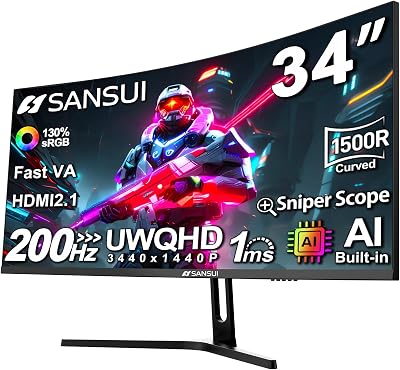
Specs at a glance: 27-inch VA, 2560×1440, 240Hz, 1ms MPRT, 1000R curve, FreeSync Premium Pro / G-Sync Compatible, HDR600
The Samsung Odyssey G7 is the monitor for players who want cinema-level contrast in a gaming panel. The VA panel delivers a native 2500:1 contrast ratio — more than double what most IPS panels achieve — and when combined with the VESA HDR600 certification and local dimming, blacks genuinely look black. Dark games like Elden Ring, Alan Wake 2, or any horror title are a completely different visual experience on the G7 compared to an IPS display.
The 1000R curvature is aggressive — more aggressive than most competing curved monitors — and it’s divisive. Sit at the right distance (roughly arm’s length from a 27-inch panel) and the curve wraps the image naturally. Sit too close or too far and geometry distortion becomes noticeable, particularly on straight vertical lines. For gaming it’s largely a non-issue. For productivity work with documents or spreadsheets, it can be mildly irritating. The 240Hz refresh rate at 1440p is where the G7 separates itself from the pack: for players running an RTX 4080 or RX 7900 XT, there’s genuine headroom to push frame rates well past 165Hz in titles that allow it.
VA response time has historically been the category’s Achilles’ heel, and the G7 isn’t fully exempt. Samsung’s 1ms MPRT (Moving Picture Response Time) is measured under specific overdrive conditions. In practice, at the lower half of the refresh range, some trailing is visible during rapid camera sweeps in darker scenes — a known VA characteristic. At higher frame rates with Adaptive Sync active, it becomes a non-issue. Run your GPU hard enough to stay above 160fps and the G7 is a stunning display.
Pros: Exceptional contrast and HDR quality, 240Hz at 1440p, curved design enhances immersion, strong build with solid ergonomics
Cons: VA response can trail in dark scenes at lower frame rates, aggressive curve divides opinion, 1000R not ideal for productivity
Check Price on Amazon
ASUS ROG Swift PG279QM — Best for Competitive Esports at 1440p
Specs at a glance: 27-inch Fast IPS, 2560×1440, 240Hz, 1ms GtG, G-Sync (full module), HDR400, ULMB 2
The ASUS ROG Swift PG279QM plays a different game from every other monitor on this list. It’s the only display here with a full G-Sync hardware module rather than G-Sync Compatible certification, which means tighter frame time consistency, lower input lag within the VRR range, and access to ULMB 2 (Ultra Low Motion Blur 2) — ASUS’s strobed backlight technology that produces some of the sharpest motion clarity of any gaming monitor available.
The Fast IPS panel runs at 240Hz with a genuine 1ms gray-to-gray response, and the difference versus a standard IPS at the same refresh rate is measurable in testing. In practice, the clarity in frantic multiplayer scenarios — cluster fights in MOBAs, spray control in CS2, tracking fast targets in battle royales — is the best available at 1440p. Color quality is excellent, though not quite at the Nano IPS level of the LG GP850 in terms of wide gamut coverage. The ROG aesthetic is unapologetic: this is a premium gaming product with RGB accents, a bold stand, and a price tag to match.
The full G-Sync module does add cost, and whether that’s worth it depends entirely on your GPU. If you’re on AMD, you’ll be paying for features you can’t fully use — stick with a FreeSync/G-Sync Compatible option. If you’re running an NVIDIA card and prioritize competitive gaming above everything else, the PG279QM is the best 1440p panel you can buy at 240Hz. The ULMB 2 support alone justifies the premium for esports players who want the absolute lowest perceived motion blur.
Pros: Full G-Sync module, best-in-class motion clarity with ULMB 2, 240Hz Fast IPS, excellent build quality, true 1ms GtG
Cons: Premium price, RGB/gamer aesthetic not for everyone, full G-Sync is wasted on AMD GPU users, HDR400 is nominal
Check Price on Amazon
MSI MAG274QRF-QD — Best for Color-Critical Creators Who Also Game
Specs at a glance: 27-inch Quantum Dot IPS, 2560×1440, 165Hz, 1ms GtG, FreeSync Premium, USB-C 65W, HDR400
The MSI MAG274QRF-QD is the most versatile display on this list. The Quantum Dot IPS panel pushes DCI-P3 coverage to 95%+ with factory calibration included in the box, making it genuinely suitable for photo editing, video work, and color-critical design tasks — while still being a capable gaming monitor. If your workflow sits at the intersection of creative work and gaming, no other panel here competes on both fronts simultaneously.
The 165Hz refresh rate is behind the 240Hz options, but for the vast majority of gaming scenarios — including most competitive titles — 165Hz with adaptive sync is more than sufficient, and the GPU overhead savings allow you to prioritize visual settings over raw frame counts. The inclusion of USB-C with 65W Power Delivery is a genuinely useful feature: laptop users can connect, charge, and display over a single cable, which makes the MAG274QRF-QD one of the most practical options if you hot-desk between a desktop and a laptop gaming setup.
Build quality is solid but not exceptional. The stand is functional with height and tilt adjustment, though it lacks pivot (portrait rotation), which is a minor omission. The 165Hz cap will frustrate players coming from high-refresh setups, and it’s worth noting that 165Hz at 1440p requires decent GPU headroom in modern AAA titles. At its price point, the MSI offers a color quality and connectivity package that no comparably priced competitor matches.
Pros: Quantum Dot IPS delivers excellent wide-gamut color, USB-C 65W charging, factory calibrated, great value for creative/gaming hybrid users
Cons: 165Hz cap versus 240Hz competitors, no pivot on stand, HDR400 is entry-level at best

Check Price on Amazon
Gigabyte M27Q X — Best Value 1440p Monitor at 240Hz
Specs at a glance: 27-inch IPS, 2560×1440, 240Hz, 1ms GtG, FreeSync Premium / G-Sync Compatible, KVM switch, HDR400
The Gigabyte M27Q X is the monitor that consistently makes enthusiasts do a double-take at the price-to-spec sheet. At 240Hz with a standard IPS panel and 1ms GtG response, it delivers the core gaming specification of the ASUS ROG Swift at a significantly lower price. The built-in KVM (Keyboard, Video, Mouse) switch is a feature most gaming monitors at any price bracket don’t bother with — it lets you toggle two connected computers through a single keyboard and mouse setup via the monitor’s own OSD, which is a legitimate productivity win for dual-PC setups or streamers running a capture PC alongside a gaming rig.
Color performance is competent rather than exceptional — the standard IPS panel offers solid sRGB coverage but doesn’t reach the wide gamut heights of the Nano IPS or Quantum Dot options above. For pure gaming, this is inconsequential. For color work, it’s a real limitation. The M27Q X also uses an OSD joystick that takes some getting used to, and the stand aesthetics are more utilitarian than premium. These are minor complaints given the price.
If you’re building a mid-range to high-end gaming PC with an RTX 4070 Super or RX 7800 XT and you want a 1440p/240Hz display without spending flagship money, the Gigabyte M27Q X is the straight answer. It delivers the frame rate ceiling that justifies a capable GPU, and the KVM switch adds genuine utility that makes it more than a pure gaming display.
Pros: 240Hz at 1440p for less than most competitors, KVM switch is a standout feature, solid IPS color for gaming, G-Sync Compatible
Cons: Standard IPS — not wide gamut, utilitarian stand, OSD navigation requires adjustment period, no pivot
Comparison Table
| Monitor | Panel | Refresh Rate | Response Time | Est. Price |
|---|---|---|---|---|
| LG 27GP850-B | Nano IPS | 180Hz | 1ms GtG | ~$350 |
| Samsung Odyssey G7 27″ | VA | 240Hz | 1ms MPRT | ~$450 |
| ASUS ROG Swift PG279QM | Fast IPS | 240Hz | 1ms GtG | ~$650 |
| MSI MAG274QRF-QD | Quantum Dot IPS | 165Hz | 1ms GtG | ~$320 |
| Gigabyte M27Q X | IPS | 240Hz | 1ms GtG | ~$280 |
How to Choose the Best 1440p Gaming Monitor
1440p vs. 4K vs. 1080p — the honest breakdown
The 1080p argument is simple: don’t. At 27 inches, 1080p produces a pixel density of 81 PPI, which means individual pixels are visible at normal viewing distances. You’re not getting sharper gaming — you’re getting a blurry image that can run at a high frame rate. Spend the extra money.
4K is compelling but demanding. To push 4K at competitive refresh rates (144Hz or higher) in modern AAA titles, you need a flagship GPU — RTX 4090, RX 7900 XTX — and even then, some titles will require DLSS or FSR to reach consistent high frame rates. 4K monitors at 144Hz+ cost significantly more, and the visual difference between 4K and 1440p at 27 inches is measurable but not transformative unless you’re sitting very close.
1440p at 27 inches is 109 PPI — sharp enough that individual pixels are not visible at arm’s length, and GPU-friendly enough that a mid-range card can drive high refresh rates. It is the correct resolution for most gaming setups in 2026, full stop.
Panel type priorities
Choose IPS (including Nano IPS, Fast IPS, Quantum Dot IPS) if: you game in a bright room, you care about color accuracy, or you play a mix of competitive multiplayer and single-player titles. Wide viewing angles and accurate color reproduction at any brightness are where IPS excels.

Choose VA if: you game in a dark or controlled-light environment, you play immersive single-player games where contrast depth matters, and you’re willing to keep your frame rates high enough to minimize response time artifacts.
Refresh rate: what you actually need
For casual to mid-level competitive gaming, 165Hz is sufficient and leaves GPU headroom for higher settings. For dedicated competitive multiplayer — CS2, Valorant, Apex ranked, or any title where reaction time is the primary variable — 240Hz is where the diminishing-returns curve starts to flatten, and it’s worth having if your GPU can feed it. 180Hz (the LG GP850) sits in a practical middle ground that many players won’t notice versus 240Hz in actual gameplay.
Adaptive sync: G-Sync vs. FreeSync
If you’re on an NVIDIA GPU and budget allows, a full G-Sync module (like the PG279QM) provides the tightest implementation. For everyone else, G-Sync Compatible certification on FreeSync monitors delivers 95% of the benefit at no additional cost. All five monitors on this list support some form of Adaptive Sync — eliminate screen tearing regardless of which you choose.
Ergonomics and connectivity
A monitor you can’t position comfortably will cause fatigue regardless of panel quality. Look for full height, tilt, swivel, and pivot adjustment. On connectivity, HDMI 2.1 matters if you’re also using a current-gen console; USB-C matters if you’re connecting a laptop. Both are worth checking against your specific setup.
Final Verdict
The LG 27GP850-B is the best 1440p gaming monitor for most players in 2026 — it gets the fundamentals right at a price that doesn’t require justification. The color quality, response time, and ergonomics make it a strong choice whether you’re grinding ranked matches or working through a long RPG campaign.
Competitive esports players with an NVIDIA GPU who won’t accept any compromise on motion clarity should step up to the ASUS ROG Swift PG279QM — the full G-Sync module and ULMB 2 technology represent the current ceiling for 1440p competitive performance.
Dark room, single-player immersion seekers need to look at the Samsung Odyssey G7 — no other panel on this list comes close on contrast, and at 240Hz it’s also a serious competitive option once your GPU can feed it.
On a tighter budget, the Gigabyte M27Q X delivers 240Hz at 1440p for less than most 165Hz competitors, making it the smartest value pick if raw price-per-frame is the priority. And if your setup bridges gaming and creative work, the MSI MAG274QRF-QD‘s Quantum Dot IPS panel with USB-C charging makes it the most practical all-rounder on the list.
Whatever you choose, upgrading to any of these five monitors from a 1080p or 60Hz panel will be one of the most immediately noticeable hardware upgrades you can make. The resolution sweet spot argument is real — and in 2026, the hardware to fill it has never been better or more affordable.
Frequently Asked Questions
Is 1440p the best resolution for gaming?
For most gamers, yes. 1440p offers a clear step up in sharpness over 1080p while staying far less demanding than 4K, hitting the sweet spot of image quality and frame rate.
What GPU do I need for 1440p gaming?
A mid-range modern GPU handles 1440p high-refresh gaming well in most titles. For 1440p at 144Hz or more in demanding games, aim for an upper-mid-range card.
1440p or 4K for gaming?
1440p is the value sweet spot, allowing higher frame rates on mid-range hardware. 4K looks sharper but needs a powerful, expensive GPU. Most gamers are best served by 1440p.
What refresh rate should a 1440p monitor have?
144Hz is the practical standard for 1440p gaming, with 165Hz and 240Hz options for competitive players. 144Hz balances smooth motion with achievable frame rates.
Related Articles
Looking for more on this topic? Browse the hand-picked guides below — each one applies the same scoring rubric used in this review.
















