

- Top Pick: HP OMEN 23.8" FHD 165Hz Gaming Monitor, FHD Display (1920 x 1080), IPS panel, 99% sRGB, 90% DCI-P3, 16:9, AMD FreeSync Premium Technology, 24 (2023),Black
- Best Value: Samsung 27" Odyssey G5 (G51F) Series QHD (1440P) Gaming Monitor
- Premium Choice: New! Sceptre 24-inch Prime Gaming Monitor DisplayPort x2 165Hz HDMI x2 165Hz Build-in Speakers, Machine Black 2027 (E248B-FW165T Series)
Affiliate disclosure: As an Amazon Associate we earn from qualifying purchases. This post contains affiliate links — if you buy through them we may earn a small commission at no extra cost to you. This never affects our recommendations.
As an Amazon Associate we earn from qualifying purchases at no extra cost to you.




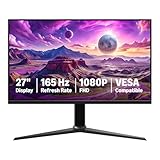
In a hurry? See the top-rated 165Hz Gaming Monitor deals available right now:
🛒 Check 165Hz Gaming Monitor Prices on Amazon →🛒 Best Price Today on Amazon
Prime members get fast, free shipping on everything above, plus member-only deals. New members get a 30-day free trial — cancel anytime.
Start 30-Day Prime Free Trial →See Today’s Amazon DealsWhy 165Hz Is the Sweet Spot in 2026
Not too slow, not overkill. In a monitor market that now extends to 500Hz panels, 165Hz has quietly become the most sensible refresh rate for the widest range of PC gamers — and in 2026, it’s more relevant than ever.
Here’s the honest framing: 144Hz monitors launched a revolution in fluid gameplay. 240Hz pushed competitive players to the edge of human perception. 360Hz and 500Hz exist almost entirely for professional esports athletes where milliseconds decide careers. But 165Hz? It sits in a uniquely efficient position. You get a meaningful perceptual upgrade over 144Hz — the motion clarity difference is real and noticeable, especially in fast-paced shooters — without demanding a flagship GPU to sustain frame rates at that ceiling.
GPU efficiency is the underrated argument here. Pushing 165fps at 1440p requires significantly less raw horsepower than chasing 240fps at the same resolution. A mid-range GPU like an RTX 4070 or RX 7800 XT can consistently hit 165fps in most titles at 1440p high settings. Getting to 240fps at 1440p often requires GPU compromises — dropping settings, choosing less demanding titles, or spending considerably more on hardware.
Who should buy a 165Hz monitor:
- PC gamers pairing mid-range GPUs (RTX 4060 Ti, RTX 4070, RX 7700 XT, RX 7800 XT)
- Players who split time between competitive multiplayer and single-player titles
- Upgraders coming from 60Hz or 75Hz who want the biggest perceptual jump per dollar
- 1440p adopters who want smooth visuals without chasing unattainable frame counts
Who might look elsewhere:
- Dedicated competitive FPS players who run low-detail settings to maximize frame rates (240Hz+ territory)
- Casual gamers content at 60Hz (the cost-benefit math doesn’t favor 165Hz for light use)
With that framing in place, here are the five best 165Hz gaming monitors available right now.
Comparison Table
| Monitor | Resolution | Panel | Response Time |
|---|---|---|---|
| LG 27GP850-B | 2560×1440 | Nano IPS | 1ms (GtG) |
| ASUS VG27AQL1A | 2560×1440 | IPS | 1ms (GtG) |
| Samsung Odyssey G5 27″ | 2560×1440 | VA | 1ms (MPRT) |
| MSI G274QPF-QD | 2560×1440 | QD-IPS | 1ms (GtG) |
| AOC 24G2 | 1920×1080 | IPS | 1ms (GtG) |
The Top 5 Best 165Hz Gaming Monitors
LG 27GP850-B — Best Overall 1440p 165Hz Monitor
The LG 27GP850-B has held a consistent position near the top of every honest 165Hz ranking for good reason: it delivers an exceptional combination of speed, color quality, and ergonomics without asking you to make compromises that matter.
Panel: Nano IPS — LG’s enhancement of standard IPS that widens the color gamut to cover 98% of DCI-P3. The result is noticeably richer reds and greens than a standard IPS panel, which translates to more vivid game environments without veering into oversaturation.
Actual response time: The 1ms GtG spec holds up under real-world testing. At 165Hz with the overdrive set to “Fast” (not “Faster,” which introduces overshoot artifacts), transitions are clean with no visible ghosting in fast movement. The “Faster” mode is available for those who want maximum aggressiveness, but most users will prefer the balanced default.
Color accuracy: Out of box, the GP850-B isn’t calibrated for professional work, but it covers the gaming color space well. Delta E averages around 2–3 out of box — acceptable. For content creators doubling the display, a quick calibration session brings it into excellent territory.
Adaptive sync: G-Sync Compatible certified, and FreeSync Premium is active. The variable refresh range runs 48–165Hz, which means adaptive sync remains active when your frame rate dips in demanding scenes — important for avoiding screen tearing during the moments that matter most.
Ergonomics: Height adjustment (up to 110mm), tilt, swivel, and pivot. The stand is genuinely useful rather than decorative. USB hub on the back with two USB 3.0 downstream ports adds day-to-day convenience.
Bottom line: If you’re buying one 165Hz 1440p monitor and don’t want to second-guess the decision, this is it.
ASUS VG27AQL1A — Best Value 1440p Near-165Hz
ASUS VG27AQL1A
The ASUS VG27AQL1A is technically a 170Hz monitor — a small overclock above the 165Hz baseline — which means it fits comfortably in this category while offering a slight ceiling advantage. In most gaming scenarios, the difference between 165Hz and 170Hz is imperceptible, but having the headroom doesn’t hurt.

Panel: Standard IPS, 2560×1440 at 27 inches. The 1440p at 27-inch combination hits the density sweet spot: 109 PPI delivers sharp text and game environments without requiring display scaling.
Actual response time: ASUS rates this at 1ms GtG, and real-world performance is competitive with the LG above. Overdrive behavior is similar — the “Racing” mode is fast without significant overshoot; “Ultra-Fast” is available for those who want to push further.
Color accuracy: 130% sRGB coverage with ASUS’s wide-color panel. Covers 90% of DCI-P3 — slightly below the Nano IPS competition, but the difference is subtle in typical gaming use. Colors are vibrant and well-saturated, and brightness peaks around 400 nits — adequate for most environments.
Adaptive sync: FreeSync Premium with G-Sync Compatibility. VRR range is 48–170Hz. HDR 400 certification is present, though as with most monitors in this tier, it’s a checkbox feature rather than a transformative display experience.
Ergonomics: Full adjustability — height, tilt, swivel, pivot. Build quality is solid. The ELMB-Sync feature (which combines backlight strobing with adaptive sync) is available for users who want the absolute minimum motion blur, though most gamers won’t need it.
Why choose this over the LG: Typically priced $10–$30 lower with nearly identical performance. If both are available at the same price, the LG’s Nano IPS color advantage is worth it; if this is notably cheaper, take the savings.
Samsung Odyssey G5 27-inch — Best VA Panel Contrast at 165Hz
The Odyssey G5 makes a different trade-off than the IPS monitors above — it sacrifices some response-time aggressiveness in exchange for significantly better contrast. If your gaming involves any dark environments, horror titles, space games, or cinematic single-player experiences, that trade is worth understanding.
Panel: VA (Vertical Alignment). Contrast ratio is rated at 2500:1, and measured performance confirms it — VA panels produce genuinely dark blacks that IPS panels physically cannot match. Put a VA and IPS panel side by side in a dark room displaying a space game, and the IPS looks washed out by comparison.
Actual response time: Here’s the honest part. Samsung’s 1ms spec is MPRT (Moving Picture Response Time), not GtG — a different measurement method. Real-world GtG response on this panel is closer to 4–5ms, which means it’s slower than the IPS options. For most gaming scenarios, this remains invisible, but in very fast competitive play (high-speed FPS), some users will notice more smearing on dark-to-dark transitions compared to IPS alternatives.
Color accuracy: sRGB coverage is good; DCI-P3 coverage is somewhat below the Nano IPS competition. The slight curve (1000R) adds an immersive feel for single-player content. HDR400 certification is present.
Adaptive sync: FreeSync Premium. G-Sync compatibility works but is not officially certified. VRR range operates between 48–165Hz.
Ergonomics: This is the G5’s weakness. The stand offers only tilt adjustment. No height adjustment, no pivot, no swivel. If ergonomics matter to your setup, factor in monitor arm costs. The curved form factor does limit flat-mounting options.
Bottom line: Best 165Hz choice for single-player gamers, movie watchers, and anyone who values contrast over raw pixel-switching speed. Not the first choice for hardcore competitive multiplayer.
MSI G274QPF-QD — Best Color Accuracy at This Tier
MSI G274QPF-QD
The MSI G274QPF-QD brings Quantum Dot technology to the 165Hz 1440p category — QD-IPS is an enhancement layer over standard IPS that dramatically expands color volume, making it relevant for gamers who also do photo editing, video work, or simply want the best-looking image at this price tier.
Panel: QD-IPS (Quantum Dot IPS). The panel covers over 95% of DCI-P3 and approaches 100% sRGB — measurements that outpace standard IPS competition at this price. Colors are vivid but accurate; saturation doesn’t tip into oversaturation the way some “gaming” display profiles do.
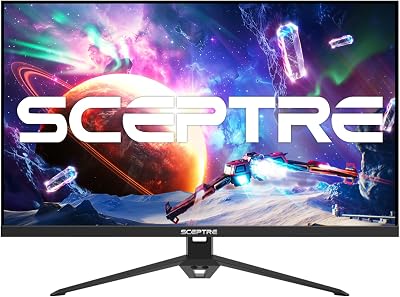
Actual response time: 1ms GtG, and the QD-IPS technology doesn’t compromise response behavior. Overdrive performance is comparable to the LG Nano IPS — fast without significant overshoot at the recommended setting.
Color accuracy: Delta E averages around 1.5–2 out of box in testing — that’s approaching factory-calibrated monitor territory. For a monitor that also functions as a gaming display, this is notable. If you’re a streamer, content creator, or just someone who edits photos on the same monitor they game on, the QD-IPS panel substantially increases the G274QPF-QD’s utility.
Adaptive sync: Both FreeSync Premium and G-Sync Compatible. VRR range 48–170Hz (this panel also slightly overclocks beyond 165Hz). HDMI 2.1 port included — relevant for console gamers who want to use the same monitor for PS5/Xbox Series X alongside PC.
Ergonomics: Height, tilt, swivel adjustment. Build quality is competitive. USB-C port with 15W power delivery is a useful addition for laptop users.
Why pay the premium: If you want the best color performance in the 165Hz 1440p category — and especially if you mix creative work with gaming — the QD-IPS panel justifies the additional cost over standard IPS alternatives.
AOC 24G2 — Best 1080p 165Hz Budget Pick
AOC 24G2
The AOC 24G2 is the right answer to a specific question: what’s the best 165Hz experience available for under $200? The answer has been consistent for several years, and the G2 remains the benchmark for budget 165Hz because it doesn’t cut corners where it counts.
Panel: IPS at 1920×1080 on a 24-inch screen. Pixel density is 91 PPI — identical to a 27-inch 1440p panel, so sharpness is consistent. The 24-inch form factor suits desks where viewing distance is closer, or where a smaller footprint is preferred.
Actual response time: The IPS panel delivers 1ms GtG that holds up in testing. Overdrive behavior is well-tuned — competitive with panels costing twice as much in terms of raw motion clarity. This is the AOC 24G2’s strongest argument: it doesn’t feel like a budget monitor in motion.
Color accuracy: 99% sRGB coverage, no DCI-P3 wide-gamut coverage. For gaming at 1080p, this is entirely appropriate. Colors are accurate within the standard gamut; brightness reaches 250 nits — lower than the 1440p competition above, so it won’t compete in bright room environments, but for typical gaming setups it’s adequate.
Adaptive sync: FreeSync with G-Sync compatibility. VRR range 48–165Hz. The lower GPU overhead of 1080p means VRR is less likely to be needed for high-end systems — if you’re pairing this with an RTX 4070 or above, you’ll be comfortably above 165fps in most titles with settings at High or above.
Ergonomics: Height and tilt adjustment. No pivot. For a budget monitor, the adjustment range is better than expected. Build quality is functional rather than premium.
Bottom line: If budget is the primary constraint, this is the 165Hz monitor to buy. The motion performance rivals monitors at 2x the price, and the 1080p resolution means virtually any current GPU can keep it fed.
165Hz vs 144Hz vs 240Hz — The Honest Comparison
The refresh rate debate generates more confusion than it should. Here’s the practical reality:
144Hz vs 165Hz: The difference is real but subtle. 165Hz represents a 14.5% increase in frame delivery rate over 144Hz. In controlled testing, most gamers can perceive the difference when switching between them, particularly in fast mouse movements and quick scene transitions. The motion appears slightly smoother, with less judder during high-speed panning. In daily gaming, you won’t frequently think about it — but you’ll notice if you downgrade back.
165Hz vs 240Hz: This gap is more meaningful. 240Hz delivers noticeably smoother motion, and in competitive FPS titles where reaction times are critical, the reduced motion blur has practical impact. However, sustaining 240fps at 1440p demands a flagship GPU. The cost-benefit calculation only makes sense if competitive performance is your primary use case.
165Hz vs 360Hz+: The perceptible difference between 240Hz and 360Hz is significantly smaller than the jump from 144Hz to 240Hz, and requires professional-level hardware investment. For the overwhelming majority of PC gamers, 360Hz offers diminishing returns that don’t justify the premium — either in monitor cost or GPU requirements.
The practical conclusion: 165Hz is the inflection point where smoothness gains per dollar are highest and GPU requirements remain achievable. It’s the refresh rate that makes the most sense for the most gamers.
What GPU Do You Need for 165Hz?
Refresh rate without frame rate is just a spec number. Here are honest GPU pairings:
1080p at 165Hz:
- RTX 4060 / RX 7600: Hits 165fps comfortably in most titles at High settings
- RTX 4070 / RX 7700 XT: Exceeds 165fps in virtually all titles, including demanding AAA games
- Older GPUs (GTX 1660 Ti, RX 5600 XT): Capable in esports titles and older games; will struggle in recent AAA releases
1440p at 165Hz:
- RTX 4070 / RX 7800 XT: The ideal pairing — hits 165fps in most titles at High/Ultra settings
- RTX 4070 Ti / RX 7900 GRE: Comfortable headroom in demanding games; recommended for ray tracing use
- RTX 4060 Ti: Sufficient in many titles but will require settings adjustments in demanding AAA games
- RTX 4080/4090 / RX 7900 XTX: Overkill for 165Hz — better matched to 240Hz+ displays
The important caveat: Adaptive sync (FreeSync/G-Sync Compatible) matters precisely because frame rates fluctuate. A 1440p setup averaging 130fps in a demanding title still benefits from a 165Hz adaptive sync monitor — the display matches the frame rate dynamically, eliminating tearing without the input lag of V-Sync.
Panel Type Comparison at 165Hz — IPS vs VA vs TN
At the 165Hz tier in 2026, TN panels have effectively been phased out by the mainstream market. IPS and VA dominate, with QD-IPS emerging as a premium alternative. Here’s how they compare for gaming:
IPS (and Nano IPS / QD-IPS):
- Response time: 1ms GtG achievable — best in class
- Contrast: Typically 1000:1 — “washed out blacks” in dark environments
- Color: Wide color gamut coverage; accurate out of box
- Viewing angles: Excellent — consistent color from off-axis
- Best for: Competitive gaming, mixed-use (work + gaming), bright environments
VA:
- Response time: 4–5ms GtG real-world — adequate for most games, not ideal for fast competitive play
- Contrast: 2500:1+ — dramatically better blacks and shadow detail
- Color: Good sRGB coverage; typically below IPS in DCI-P3 range
- Viewing angles: Decent but some color shift at extreme angles
- Best for: Single-player gaming, dark room setups, media consumption alongside gaming
TN (for reference):
- Response time: Sub-1ms GtG — fastest available
- Contrast: Poor; colors look flat
- Color: Limited coverage; typically poor out of box
- Viewing angles: Poor — color shifts are noticeable
- Best for: Pure competitive esports; largely obsolete at 165Hz tier
The verdict for 2026: IPS is the safe default for 165Hz gaming. VA earns a spot if immersive single-player experiences are your primary use case and you can accept the response time trade-off. TN is difficult to recommend when IPS panels now match or approach its response time advantage.
Conclusion
The best 165Hz gaming monitor in 2026 depends on your GPU, your game library, and your primary use case — but the tier itself is well-justified.
For most gamers, the LG 27GP850-B delivers the best overall combination of speed, color quality, and ergonomics. The ASUS VG27AQL1A is the value alternative when it’s priced lower with near-identical performance. The Samsung Odyssey G5 earns its place for gamers who prioritize contrast and immersive single-player experiences. The MSI G274QPF-QD is the choice when color accuracy matters as much as frame rate. And the AOC 24G2 remains the definitive budget 165Hz recommendation — punching well above its price point in the areas that matter most for gaming.
Whatever your budget, 165Hz in 2026 represents genuinely good value. The GPUs that pair with it are mature, widely available, and fairly priced. The monitors have had years to optimize their overdrive implementations and factory calibration. And the perceptual difference from 60Hz or even 144Hz is large enough to be noticed every session, not just in benchmarks.
That’s the sweet spot.
Frequently Asked Questions
Is 165Hz better than 144Hz?
Only slightly. 165Hz is a minor refresh bump and the difference is barely perceptible. Many 1440p monitors ship at 165Hz, so it is a nice small bonus rather than a major upgrade.
Is 165Hz good for gaming?
Yes. 165Hz delivers smooth, responsive motion well suited to both fast and casual gaming. It is a common refresh rate on quality 1440p monitors and an excellent all-round choice.
What GPU do I need for a 165Hz monitor?
A mid-range modern GPU drives 165fps comfortably in esports titles and many AAA games with tuned settings. Demanding titles may run lower but still benefit from the high refresh.
165Hz or 240Hz, which should I buy?
165Hz suits most gamers and is common on great 1440p panels. 240Hz benefits competitive players who play fast esports titles and have hardware to push those frame rates.
Related Articles
Looking for more on this topic? Browse the hand-picked guides below — each one applies the same scoring rubric used in this review.
















