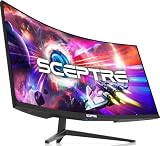
- Top Pick: R2D3 Display Rack for SNES NTSC (Also compatible with SNES PAL & Super Famicom) – High Capacity Cartridge Holder (Holds 24 Games) – Retro Video Game 3D printed Organizer for Super Nintendo Collectors
- Best Value: R2D3 Display Stand Compatible with SNES NTSC Cartridges – Retro Gaming 3D Printed Organizer & Showcase (Holds 10 Games)
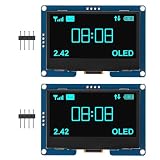
- Premium Choice: AITRIP 2PCS 2.4" 2.42 inch 128×64 OLED LCD Display Module SSD1309 12864 4 Pin IIC I2C Serial Interface for Arduino UNO R3 C51-Blue Light
Affiliate disclosure: As an Amazon Associate we earn from qualifying purchases. This post contains affiliate links — if you buy through them we may earn a small commission at no extra cost to you. This never affects our recommendations.
- Why CRTs Still Matter for Retro Gaming in 2026
- Fundamental Differences: Physics and Design
- Image Quality & Authenticity: CRTs Win
- Input Lag & Responsiveness: CRTs Win
- Refresh Rate & Motion: Variable (CRT) vs Fixed (OLED)
- Practical Considerations: OLED Wins
- Recommended Combinations in 2026
- Specs & Comparison Table
- FAQ: Critical Questions
- Final Verdict: Choose Your Philosophy
- Related Articles
- Frequently Asked Questions
- Related Articles
In a hurry? See the top-rated CRT vs OLED for Retro Gaming deals available right now:
As an Amazon Associate we earn from qualifying purchases.




🛒 Best Price Today on Amazon
Prime members get fast, free shipping on everything above, plus member-only deals. New members get a 30-day free trial — cancel anytime.
Start 30-Day Prime Free Trial →See Today’s Amazon DealsWhy CRTs Still Matter for Retro Gaming in 2026
In 2026, the choice between CRT and OLED for retro gaming has become sharper. OLED displays have achieved extraordinary image quality, refresh rates exceeding 240Hz, and near-instantaneous pixel response times. Yet CRT monitors—technology from the 1990s—still offer fundamental advantages that digital displays cannot replicate. This guide compares the two technologies directly, examining image quality, input lag, scan-line behavior, and practical considerations for collectors and enthusiasts.
The comparison is not academic. Your choice determines your retro gaming experience: authentic phosphor glow and zero input lag (CRT), or convenience and modern integration (OLED). Understanding the trade-offs helps you make an informed decision.
Fundamental Differences: Physics and Design
CRTs and OLEDs are fundamentally different technologies with distinct advantages:
CRT Technology: An electron beam scans across a phosphor-coated screen at specific refresh intervals (50Hz, 60Hz, or custom frequencies). The phosphor glows when struck by the beam, creating a visible image. Phosphor persistence (decay time) varies by type—shorter for fast response, longer for smooth motion blur.
OLED Technology: Each pixel is an independent light-emitting diode. The display controller addresses pixels in a fixed grid at fixed refresh intervals (60Hz, 120Hz, 240Hz). Response time is near-instantaneous (0.1–1ms), but refresh rate is quantized to specific values—no variable refresh between intervals.
This physics difference creates the core debate: CRTs offer temporal fidelity and natural motion behavior; OLEDs offer pixel-level control and extreme brightness.
Image Quality & Authenticity: CRTs Win
For retro gaming, “authenticity” means displaying games as they were originally rendered. A 1990s console game was authored for CRT display: the pixel art, color palettes, and animations all assume CRT physics.
Scan Lines: CRTs naturally produce scan lines—the horizontal lines created by the electron beam’s refresh pattern. These scan lines were part of the original artistic intent. OLEDs at 1080p have 1080 pixel rows; no scan lines exist unless software-generated. OLED scan-line overlays can approximate the look but lack the optical depth of real phosphor behavior.
Phosphor Glow & Bloom: CRT phosphors emit light that spreads slightly beyond the pixel boundary, creating subtle glow. This antialiasing effect is inherent to the display. OLEDs cannot replicate phosphor bloom; pixels are discrete with sharp edges. Games appear sharper on OLED (sometimes to a fault—visible pixelation on intentionally antialiased art).
Color Accuracy: Modern OLEDs achieve 99% DCI-P3 color gamut. CRTs, depending on model, achieve 60–95% of professional color standards. For color fidelity, OLED wins. For retro gaming, the difference is imperceptible—original consoles output limited color gamuts that both technologies handle adequately.
Verdict: CRTs are more authentic to the original experience. OLEDs are technically superior but lose the artistic character of phosphor-based displays.
Input Lag & Responsiveness: CRTs Win
Input lag—the delay between controller input and on-screen response—is critical for timing-based games (fighting games, shmups, platformers).
CRT Latency: Zero inherent lag. The electron beam responds instantly to the incoming signal. Games display at the exact moment the console produces the frame. Measuring input lag requires external test equipment; CRTs are effectively instantaneous.
OLED Latency: Modern gaming OLEDs achieve ~1–3ms pixel response time, but display pipeline latency adds 0–50ms depending on the TV/monitor. Budget flagship gaming displays (2026 pricing: $1,500–$3,000) achieve 10–20ms total input lag. Budget OLEDs can exceed 100ms with image processing enabled.
For retro gaming, a CRT’s zero lag advantage is perceptible in fast games. A Mega Man stage on a Dell P1130 CRT feels responsive; the same game on a 30ms input lag OLED feels slightly sluggish. The difference is subtle but measurable for players with good timing sensitivity.
Verdict: CRTs have a decisive advantage. Serious competitive retro gamers prefer CRTs for this reason.
Refresh Rate & Motion: Variable (CRT) vs Fixed (OLED)
A critical but overlooked difference: refresh rate variability.
CRT Refresh: The electron beam refreshes at whatever frequency the input signal requests. A game running at 59.94Hz displays on 59.94Hz; a 50Hz system displays on 50Hz. No frame interpolation or variable refresh buffering—the timing matches exactly.
OLED Refresh: Fixed to 60Hz, 120Hz, 240Hz, or other discrete intervals. A 59.94Hz input on a 60Hz OLED undergoes frame skipping or interpolation. This causes imperceptible but measurable timing drift and frame tearing in edge cases.
For arcade boards running at non-standard refresh rates (some boards run 58Hz, 61Hz), a CRT displays perfectly; an OLED may exhibit frame tearing or microstutter.
Verdict: CRTs handle arbitrary refresh rates transparently. OLEDs are optimized for common intervals, causing edge-case issues.
Practical Considerations: OLED Wins
Despite CRTs’ technical superiority for retro gaming, practical factors favor OLED in 2026:
Availability: Quality CRTs are becoming scarce. A PVM-20M4U costs $2,500–$5,500 and is difficult to source. A gaming OLED costs $800–$2,000 and is readily available from major retailers. OLED wins on accessibility.
Maintenance: CRTs require professional recap service ($400–$1,500) every 5–7 years. OLEDs require no maintenance. Over 20 years, a CRT costs more in service than an OLED does to replace.
Space & Aesthetics: CRTs are heavy (60–165 lbs) and occupy significant footprint. OLEDs mount on walls or stands, taking minimal space. Modern desks and living rooms favor OLED form factors.
Modern Integration: OLEDs accept HDMI, USB-C, and DisplayPort. CRTs require adapters for modern graphics cards. For mixed retro/modern gaming, OLED is more convenient.
Burn-in Risk: OLEDs risk burn-in with static images. CRTs have no burn-in risk. This slightly favors CRTs for always-on arcade cabinets.
Verdict: OLEDs win on practicality, convenience, and long-term cost. CRTs win on authenticity and purity.
Recommended Combinations in 2026
Budget Setup ($200–$500): Upscaler + OLED
Pair an OSSC Pro or RetroTink 4K with a budget gaming monitor or TV. The upscaler provides scan-line emulation; the OLED display is convenient and affordable. Result: 80% of authentic CRT experience at 20% of the cost.

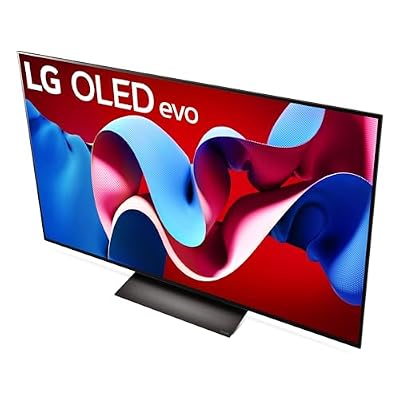
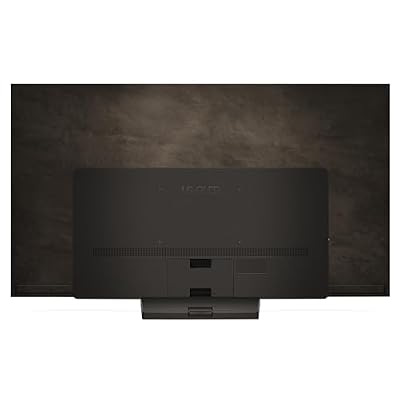
LG 77-Inch Class OLED evo C4 Series Smart TV 4K Processor Flat Screen with Magic Remote AI-Powered with Alexa Built-in (OLED77C4PUA, 2024)












As an Amazon Associate we earn from qualifying purchases. Product prices and availability are accurate as of the date/time indicated.
Mid-Tier Setup ($300–$800): PC CRT + Modern Console
Source a Eizo FlexScan T968 or Dell P1130 for retro consoles, and use an OLED for modern gaming. Best of both worlds: authentic retro gaming on CRT, modern convenience with OLED.
Premium Setup ($2,500+): Broadcast CRT Only
If budget allows, source a Sony PVM-20M4U or JVC DT-V1900 for ultimate retro gaming purity. Accept the maintenance costs and space requirements. This is for collectors and arcade operators who prioritize authenticity above all else.
Specs & Comparison Table
| Factor | CRT (e.g., Dell P1130) | OLED Gaming Monitor (2026) | Winner for Retro Gaming |
|---|---|---|---|
| Input Lag | 0ms (instantaneous) | 10–50ms (depending on model) | CRT |
| Scan Lines | Natural phosphor behavior | Software-rendered overlay | CRT |
| Refresh Rate Flexibility | Variable (50–75Hz) | Fixed (60Hz, 120Hz, 240Hz) | CRT |
| Color Accuracy | 60–80% (consumer-grade) | 95%+ (professional-grade) | OLED |
| Availability (2026) | Limited; $200–$800 | Abundant; $800–$2,000 | OLED |
| Maintenance | Recap service required ($400–$1,500) | None | OLED |
| Space Requirements | Large footprint (24″+ deep) | Compact (wall-mountable) | OLED |
| Authenticity | 100% (original experience) | 80% (emulated scan lines) | CRT |
| Modern Integration | Requires adapters (VGA/DVI) | HDMI, USB-C, DisplayPort native | OLED |
| Total Cost (with upscaler if needed) | $300–$5,500 | $200–$800 (with OSSC Pro) | OLED |
FAQ: Critical Questions
Is OLED “good enough” for retro gaming?
Yes, with caveats. Pair an OLED with an upscaler (OSSC Pro or RetroTink 4K) for scan-line emulation. The result looks and feels 80–85% like a real CRT. For casual gaming, it’s excellent. For competitive play or pixel-perfect purism, a CRT is superior.
Why does CRT input lag matter for old games?
Old games were designed and tested on CRTs with zero lag. Developers tuned jump timing, enemy patterns, and hit detection based on CRT behavior. On a 30ms lag OLED, tight platformers feel slightly off. The difference is subtle but measurable with high sensitivity to input timing.
Can I use both? CRT for retro, OLED for modern?
Absolutely. This is the “best of both worlds” approach. Use a CRT for retro consoles and arcade, an OLED for modern gaming and streaming. Budget $800–$1,500 total (CRT $300–$800 + OLED $500–$1,500).
Will CRTs become more valuable as they age?
Likely yes. As stock depletes and enthusiasts maintain their equipment, working CRTs will appreciate. A $300 Dell P1130 today could be worth $600–$1,000 in 5 years. However, factoring in recap service ($400–$800), the appreciation may not cover maintenance.
Is OLED burn-in a real concern?
Minimal for gaming monitors, higher for TVs used for other purposes. Modern OLEDs (2024+) have improved burn-in resistance significantly. For retro gaming (variable content, not static), burn-in is unlikely on any OLED made in the last 2 years.
Final Verdict: Choose Your Philosophy
Choose CRT if: You prioritize authenticity above convenience. You’re willing to budget for maintenance and space. You play timing-sensitive games competitively. You want zero input lag and natural phosphor behavior.
Choose OLED if: You want convenience and low maintenance. Space is limited. You want to use one display for both retro and modern gaming. Budget is under $1,500. You don’t want to hunt for rare hardware.
The Smart Compromise (2026): Pair a budget CRT ($300–$500) with an OSSC Pro ($140–$160 MSRP) for CRT-quality retro gaming, and use a modern OLED for modern content. Total investment: $600–$800. Result: authentic retro gaming without the full burden of CRT maintenance and space requirements.
In 2026, the CRT vs OLED debate is less about which is “better” and more about which fits your lifestyle and values. Both are excellent technologies for retro gaming—just optimized for different philosophies.
Related reading: Sony PVM-20M4U Buyer’s Guide: Holy Grail of Retro CRTs, OSSC Pro Review: Scan-Line Magic for Modern Displays, Dell P1130 Buyer’s Guide: Affordable 21-Inch Trinitron Monitor
Related Articles
Looking for more on this topic? Browse the hand-picked guides below — each one applies the same scoring rubric used in this review.
Related reading: retro gaming console reviews.
Frequently Asked Questions
Is a CRT still better than OLED for retro games?
For authenticity, yes in several respects. A CRT displays low resolutions natively with no scaling, has effectively instant pixel response, and its phosphor mask softens dithering patterns that artists relied on. OLED wins on brightness, size, convenience, and reliability, and with a good upscaler it comes remarkably close.
Does OLED have lower input lag than CRT?
A CRT draws directly as the signal arrives, so its display lag is essentially zero. A modern OLED in game mode adds a small but real processing delay, and any external scaler adds more. The gap is small enough that only the most timing-sensitive games make it perceptible.
Do I need a scanline generator or shader on OLED?
If you want the CRT look, yes. Raw integer-scaled pixels on a modern panel look harsher than the original hardware ever did because the gaps and glow are missing. A good CRT shader or a hardware scanline generator restores the mask, bloom, and slight blur that the artwork assumed.
Is OLED burn-in a risk with retro games?
It is a genuine consideration, since older games often have fixed status bars and borders displayed for hours. Modern panels apply pixel shifting and logo dimming that make normal use safe. Reduce brightness for long sessions and avoid leaving a paused screen on indefinitely.
Are CRTs still worth buying in 2026?
Only if you value authenticity enough to accept the practical costs. Good tubes are heavy, increasingly scarce, harder to service, and prices for desirable models have risen sharply. For most people an OLED with a quality upscaler and shaders is the more sensible path.