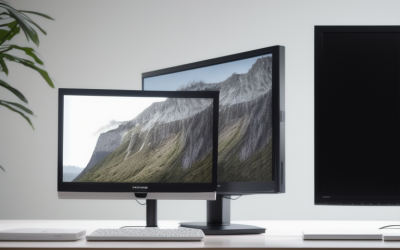
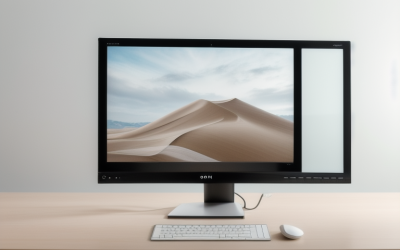
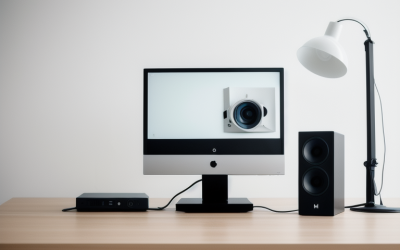
- Top Pick: Acer 21.5in FHD 1920×1080 100Hz Office Monitor KB220Q H2bi | 1ms, AdaptiveSync (FreeSync Compatible), sRGB 99%, HDMI, VGA, VESA Mountable, Bluelight Filter, Flickerless Technology
- Best Value: Sceptre New 22-Inch Gaming Monitor, FHD 1080p, Up to 144Hz, HDMI, DisplayPort, Built-in Speakers, Machine Black (E225W-FW144 Series, 2026)
- Premium Choice: Packard Bell airFrame 21" FHD Monitor, 1920×1080, Ultrawide, VESA Mount Compatible, Tilt Adjustment, HDMI/VGA, Slim Bezel, for Home, Office, and Light Gaming
A 21-inch monitor is a deliberate choice. Most buyers who search for this size are not chasing a big canvas; they are squeezing a second screen beside a laptop, fitting a display onto a shallow student desk, or building a compact office setup where a 27-inch panel would crowd out the keyboard. At this size the real question is not “how big” but “which 1080p panel suits my desk, my ports, and my eyes.”
The group below is built around the 21.5-inch class, plus the 22-inch listings that sit in the same footprint. Every model shares a full HD 1920×1080 resolution, so the differences come down to refresh rate, panel type, connectors, and mounting options. Read on whether you are outfitting a dorm, a home office, or a light gaming corner in 2026, and use the spec details from each listing to match the screen to your setup.
Quick Picks
As an Amazon Associate we earn from qualifying purchases at no extra cost to you.


| Product | Best for | Key spec from the title |
|---|---|---|
| Acer KB220Q H2bi | Everyday office work | 21.5in FHD, 100Hz, sRGB 99% |
| Sceptre E225W-FW144 | Light gaming | 22-inch, up to 144Hz, DisplayPort |
| Packard Bell airFrame 21 | Simple home screen | 21-inch FHD, slim bezel, VESA |
| MSI PRO MP225 E12VL | Fast office display | 22-inch FHD, 120Hz, 1ms |
| KOORUI E2212H | Dorm and study desks | 120Hz VA, 4000:1 contrast |
| Packard Bell airFrame 21 bundle | Two-screen desk kit | 2 Pack with wireless keyboard and mouse |
| Lenovo L22-4e | Color-conscious office use | 21.5″ IPS, 100Hz, 99% sRGB |
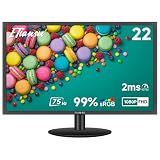
| ETiansu 22 Inch IPS | Entry-level IPS gaming | IPS, 75Hz, FreeSync, 2ms |
How to Choose
Size and resolution
Listings that say 21.5 inches and those that say 22 inches usually describe the same class of screen, so do not rule one out because of rounding. What matters is resolution. At this diagonal, 1920×1080 is the sensible target: text stays crisp without scaling, and any modern graphics chip can drive it. A higher resolution on a screen this small would only shrink text. If the monitor sits an arm’s length away, a 21.5-inch panel fills your view comfortably. Ignore marketing terms such as “ultrawide” on a 16:9 listing unless the spec sheet gives an actual aspect ratio; confirm the dimensions against your desk depth and any existing screen you plan to sit it beside.
Refresh rate and response
Plain office panels refresh at 60Hz, and the models here start higher. A 75Hz screen is a mild step up, 100Hz and 120Hz feel noticeably smoother when you drag windows or scroll, and a 144Hz limit suits shooters and racing games. Pair the number with a connector that can carry it. HDMI 1.4 can cap high refresh rates at lower settings, while DisplayPort generally handles the full range. Check the response figure too, but remember that the 1ms and 2ms numbers on these listings are marketing-style figures, so weigh refresh rate and panel type more heavily. Adaptive-Sync and FreeSync support reduce tearing when a graphics card produces uneven frame rates, which matters mainly for games, not for spreadsheets.
Panel type and eye comfort
IPS panels give wider viewing angles and steadier color, which helps when two people look at the screen or when you edit photos. VA panels offer deeper blacks and higher contrast, which suits movies and dim rooms but can smear in fast motion. Features such as low blue light modes and flicker-free backlights appear on several listings; treat them as comfort extras for long sessions, not as medical claims. A 99% sRGB figure means the panel covers the standard web color range well. Where budget models cut corners is usually the stand and the audio: expect tilt only and, if speakers are included, thin sound that suits alerts more than music.
Ports, stand, and mounting
List the cables you own before shopping. VGA is still common on older office PCs, but it is analog and tops out at lower quality. HDMI is the usual choice for laptops and consoles; DisplayPort matters for higher refresh rates on a desktop graphics card. Most stands here only tilt, so if you need height adjustment, plan on a VESA arm. Confirm VESA support is listed before you buy, and skip built-in speakers if you already own headphones or a desk speaker.
The 8 Best Options
Acer KB220Q H2bi
This 21.5-inch Full HD screen runs at 100Hz and lists sRGB 99%, AdaptiveSync, HDMI and VGA inputs, and VESA mounting. It suits a home office that wants smooth scrolling without going into gaming territory.
- Strength: bluelight filter and flickerless technology are both named in the title.
- Strength: HDMI plus VGA covers new and older computers.
- Trade-off: no DisplayPort is listed, so very high refresh rates are out of reach.
Skip it if you want a competitive gaming panel, or if you need a second digital input for a console and a PC at the same time.
Sceptre E225W-FW144
Sceptre pushes the refresh ceiling to 144Hz on a 22-inch FHD screen, with HDMI, DisplayPort, and built-in speakers. That mix makes it the most game-oriented model in this roundup.
- Strength: up to 144Hz with DisplayPort available to feed it.
- Strength: built-in speakers mean a working setup straight out of the box.
- Trade-off: the title does not name the panel type, so check it before ordering if viewing angles matter.
Skip it if you already own good speakers and only need a quiet document screen, since the extra gaming focus would go unused.
Packard Bell airFrame 21
The airFrame is a 21-inch FHD monitor with a slim bezel, tilt adjustment, HDMI and VGA inputs, and VESA compatibility. Its title points to home, office, and light gaming duty.
- Strength: slim bezel keeps the footprint small beside another screen.
- Strength: the exact 21-inch size matches this keyword precisely.
- Trade-off: the title lists no refresh rate, so assume basic office-grade motion.
Skip it if smooth high-refresh motion is on your checklist, or if you want the specifics of the panel type spelled out up front.
MSI PRO MP225 E12VL
MSI offers a 22-inch FHD screen at 120Hz with Adaptive-Sync, a 1ms figure, HDMI, a second video port, tilt, and VESA mounting. It balances office manners with a snappier feel.
- Strength: 120Hz makes everyday motion feel clearly smoother.
- Strength: two digital-style video connections give flexible wiring.
- Trade-off: tilt is the only stand movement mentioned.
Skip it if you need height or swivel adjustment without buying a mount, because the listing stops at tilt.
KOORUI E2212H
KOORUI leans on a 120Hz VA panel with a 4000:1 contrast ratio, low blue light, and an ultra-slim body described as compact for dorms, study, and office work. Adaptive Sync is listed as well.
- Strength: high contrast on a VA panel suits films and darker rooms.
- Strength: the compact design suits cramped desks.
- Trade-off: HDMI 1.4 and VGA are the only inputs named, so no DisplayPort.
Skip it if you prefer the wide viewing angles of IPS, or if you want DisplayPort for a desktop graphics card.
Packard Bell airFrame 21 bundle
This listing is a 2 Pack of the 21-inch airFrame, together with a wireless keyboard and mouse. It targets anyone furnishing a workstation from scratch.
- Strength: two matching screens simplify a side-by-side layout.
- Strength: the included wireless keyboard and mouse remove extra shopping.
- Trade-off: you are committing to two monitors, which only makes sense if you want a dual setup.
Skip it if you need just one screen or already own input devices, since half the package would sit idle.
Lenovo L22-4e
Lenovo lists a 21.5-inch FHD IPS display with 100Hz refresh, a 4 ms MPRT figure, and 99% sRGB in a Raven Black finish. The tilt stand keeps things simple.
- Strength: IPS panel with wide color coverage for office and photo viewing.
- Strength: 100Hz refresh is a quiet upgrade over standard 60Hz.
- Trade-off: the title mentions only a tilt stand and no connector list, so confirm the ports.
Skip it if you want a gaming-focused refresh ceiling, or if a built-in speaker matters to you.
ETiansu 22 Inch IPS
ETiansu pairs a 22-inch IPS panel with 75Hz, AMD FreeSync, a 2ms figure, HDMI, VGA, VESA mounting, and sRGB 99%. An eye care mode is also named.
- Strength: IPS and FreeSync together in an entry-level package.
- Strength: VESA support lets you move it onto an arm later.
- Trade-off: 75Hz is the lowest refresh rate in this group.
Skip it if you want 100Hz or higher, as 75Hz is where this model tops out.
Which One Fits Your Situation
You game a little but mostly work
Pick the Sceptre E225W-FW144. The 144Hz ceiling and DisplayPort input give you room to grow, and the built-in speakers mean one less purchase for a casual setup.
You need accurate-looking color for documents and photos
Go with the Lenovo L22-4e. Its IPS panel, 99% sRGB figure, and 100Hz refresh cover browsing, spreadsheets, and light photo work on a screen that fits beside a laptop. Remember to confirm the connectors on the spec sheet before you commit, because the listing title is brief on ports.
You are setting up a dorm or tiny study corner
The KOORUI E2212H is described as compact for dorms and study. Its 120Hz VA panel also gives deep contrast for evening video watching. If you also keep a laptop on the same desk, the small footprint leaves room for notes and a mouse pad.
You want a dual-monitor desk in one purchase
Choose the Packard Bell airFrame 21 bundle. Two matching 21-inch screens and a wireless keyboard and mouse set up a full workstation without separate shopping.
Common Mistakes
- Assuming a 21-inch screen needs a resolution above 1080p; the extra pixels shrink text without helping at this size.
- Ignoring the cable: buying a 120Hz or 144Hz monitor and running it over VGA wastes the feature.
- Treating response-time numbers like 1ms or 2ms as the main performance signal instead of refresh rate and panel type.
- Forgetting that most of these stands only tilt, then finding the screen sits too low.
- Overlooking VESA compatibility, which blocks a later switch to a monitor arm.
Frequently Asked Questions
Is a 21-inch monitor too small for gaming?
Not for casual or competitive play at a normal desk distance. A small panel keeps your whole view of the action in focus, and a 1080p resolution is easy for most graphics cards to drive at high frame rates.
Do I need DisplayPort?
Only if you plan to run the highest refresh rates from a desktop graphics card. For office use and 60 to 100Hz, HDMI is fine. The Sceptre and MSI listings name a second digital-style port, while the others lean on HDMI and VGA.
IPS or VA for a small monitor?
IPS gives steadier color from off-center angles, making it a good default. VA delivers stronger contrast, which suits movies. If you share the screen or edit images, lean IPS; if you watch in a dim room, VA is appealing.
Can I wall-mount or arm-mount these screens?
Models that list VESA compatibility, such as the Acer, Packard Bell, MSI, KOORUI, and ETiansu, can be fitted to a bracket. Confirm the mounting pattern with the seller if you plan to buy a specific arm.