

Affiliate disclosure: As an Amazon Associate we earn from qualifying purchases. This post contains affiliate links — if you buy through them we may earn a small commission at no extra cost to you. This never affects our recommendations.
As an Amazon Associate we earn from qualifying purchases at no extra cost to you.



Most gaming monitors slap a “HDR” label on the box and call it a day. The reality: anything below DisplayHDR 1000 is marketing noise for serious HDR gaming. If you want actual specular highlights, deep blacks that don’t wash out, and color that matches what the developer intended — you need a panel that can sustain real brightness and real contrast simultaneously.
This guide cuts straight to the five monitors worth your money in 2026. We cover specs, real-world HDR performance, who each display is actually for, and where Mini LED beats QD-OLED (and vice versa).
In a hurry? See the top-rated HDR1000 Gaming Monitor deals available right now:
🛒 Check Hdr1000 Gaming Monitor Prices on Amazon →🛒 Best Price Today on Amazon
Prime members get fast, free shipping on everything above, plus member-only deals. New members get a 30-day free trial — cancel anytime.
Start 30-Day Prime Free Trial →See Today’s Amazon DealsWhat Does HDR Tier Actually Mean?
VESA’s DisplayHDR certification gives you a rough map:
| Tier | Peak Brightness | Local Dimming Required | Real-World Verdict |
|---|---|---|---|
| DisplayHDR 400 | 400 nits | No | SDR with a bright backlight. Skip. |
| DisplayHDR 600 | 600 nits | Recommended | Entry-level HDR. Passable for casual gaming. |
| DisplayHDR 1000 | 1,000 nits | Yes | Genuine HDR highlights. Minimum for PC/console HDR gaming. |
| DisplayHDR 1400 | 1,400 nits | Yes | Flagship tier. Samsung Odyssey Neo G7 territory. |
In practice: DisplayHDR 1000 is the floor for HDR that actually looks different from a bright SDR panel. Below that, local dimming zones are often too few, peak brightness too low, and the result is blooming halos rather than true specular pop.
Mini LED vs QD-OLED for HDR
Mini LED backlights pack thousands of small LEDs grouped into dimming zones. The more zones, the sharper the contrast transitions. High zone count Mini LED panels (Neo G7, AORUS FI32U) can hit 1,000–2,000+ nits peak brightness without burn-in risk. The trade-off is blooming on very fine bright-on-dark content — text on a black background, star fields, UI elements.
QD-OLED (MSI MEG 321URX) uses per-pixel light emission. Each pixel turns fully off, giving near-infinite contrast. Colors are rendered through quantum-dot emissive layers, resulting in wider color volume than WRGB OLED. Peak brightness is lower than top Mini LED panels (~1,000 nits small window vs 2,000 nits on Neo G7), but there is zero blooming. OLED also carries burn-in risk under static UI — manageable with reasonable habits.
Bottom line: Mini LED wins on peak brightness and burn-in safety. QD-OLED wins on contrast and motion clarity. Both deliver real HDR at the 1000-tier.
Quick Comparison Table
| Monitor | Panel | HDR Tier | Peak Brightness | Refresh Rate | Est. Price |
|---|---|---|---|---|---|
| Samsung Odyssey Neo G7 32″ | VA Mini LED | DisplayHDR 2000 | 2,000 nits | 165Hz | ~$799 |
| ASUS ROG Swift PG32UQ | IPS FALD | DisplayHDR 600+ | 1,300 nits | 144Hz | ~$699 |
| LG 32GQ950-B UltraGear | Nano IPS | DisplayHDR 1000 | 1,000 nits | 144Hz | ~$649 |
| Gigabyte AORUS FI32U | IPS Mini LED | DisplayHDR 1000 | 1,000 nits | 144Hz | ~$549 |
| MSI MEG 321URX QD-OLED | QD-OLED | DisplayHDR True Black | ~1,000 nits | 240Hz | ~$999 |
The Top 5 HDR1000 Gaming Monitors Reviewed
1. Samsung Odyssey Neo G7 32″ — Best Peak Brightness
The brightest HDR gaming monitor in this roundup.
Samsung’s Neo G7 uses a Quantum Mini LED backlight — Samsung’s term for its own Mini LED implementation — with a VA panel that already delivers strong native contrast before local dimming even kicks in. The result is an HDR experience that visually punches harder than anything else in its price class.
Key Specs:
- Panel: 32″ 4K (3840×2160) VA Quantum Mini LED
- HDR: DisplayHDR 2000 (2,000 nits peak, 10-bit)
- Refresh Rate: 165Hz
- Response Time: 1ms GtG
- Connectivity: 2× HDMI 2.1, 1× DisplayPort 1.4, 4× USB-A hub
- HDR Zones: 2,048
Pros:
- 2,000 nit peak brightness is class-leading — HDR highlights are genuinely blinding in a good way
- VA panel provides deep native blacks (3,000:1 static contrast) that complement local dimming
- 2,048 dimming zones virtually eliminate halo artifacts vs older zone-sparse panels
- HDMI 2.1 supports 4K/120Hz on PS5 and Xbox Series X without compromise
- No burn-in risk
Cons:
- VA panel has slower pixel response than IPS at comparable refresh — minor trailing visible in fast competitive play at 165Hz
- VA viewing angles narrow vs IPS; color shifts if you’re off-axis
- Some users report aggressive local dimming behavior in SDR mode; needs tuning
Who It’s For: Console gamers who want the most visceral HDR experience on a 32″ 4K panel. Also ideal for single-player PC titles where peak brightness spectacle matters more than pixel-perfect competitive response.

Buy on Amazon
2. ASUS ROG Swift PG32UQ — Best IPS for HDR
Full-array local dimming IPS at a premium price — the enthusiast’s FALD pick.
The PG32UQ uses a Fast IPS panel with a full-array local dimming backlight, hitting DisplayHDR 600 certification on paper but regularly measured at 1,300 nits peak in burst mode. ASUS has been transparent that the panel exceeds its certification floor. Fast IPS means faster pixel response than VA while retaining wide viewing angles — a meaningful trade-off if you sit close to a large display.
Key Specs:
- Panel: 32″ 4K (3840×2160) Fast IPS FALD
- HDR: DisplayHDR 600 (measured ~1,300 nits peak burst)
- Refresh Rate: 144Hz
- Response Time: 1ms GtG (Fast IPS)
- Connectivity: 2× HDMI 2.1, 2× DisplayPort 1.4, 4× USB-A hub
- Local Dimming: FALD (zone count undisclosed, ~576 effective zones)
Pros:
- Fast IPS pixel response: cleaner motion in fast-paced games vs VA
- Wide viewing angles — consistent color for off-center seating
- 1,300 nits real-world peak means HDR highlights exceed the certification badge
- DisplayPort 1.4 and dual HDMI 2.1 for flexible multi-source setups
- ROG ecosystem: ASUS Aura Sync, robust OSD
Cons:
- DisplayHDR 600 certification undersells real performance, but also means HDR is slightly behind Neo G7 in pure brightness ceiling
- Fewer local dimming zones than Mini LED panels — some blooming in high-contrast scenes
- Premium ROG pricing relative to similar IPS HDR panels
- 144Hz ceiling; not the pick if you want 165Hz+
Who It’s For: Competitive and enthusiast PC gamers who prioritize IPS motion clarity and viewing angles alongside strong HDR. If you split time between fast shooters and HDR-heavy single-player titles, the Fast IPS panel is the right compromise.
3. LG 32GQ950-B UltraGear — Best Certified HDR1000 Nano IPS
DisplayHDR 1000 certified, Nano IPS color, trusted LG panel quality.
LG’s 32GQ950-B is the straightforward choice for buyers who want a certified HDR 1000 display without going Mini LED. The Nano IPS panel hits the full 1,000 nit brightness with VESA DisplayHDR 1000 certification, covers 98% DCI-P3, and delivers the wide-angle consistency LG Nano IPS panels are known for.
Key Specs:
- Panel: 32″ 4K (3840×2160) Nano IPS
- HDR: VESA DisplayHDR 1000 (certified 1,000 nits peak)
- Refresh Rate: 144Hz
- Response Time: 1ms GtG
- Connectivity: 2× HDMI 2.1, 1× DisplayPort 1.4, 4× USB-A hub
- Color: 98% DCI-P3, 135% sRGB
Pros:
- VESA DisplayHDR 1000 certified — no guesswork on brightness spec
- Nano IPS delivers accurate, wide-gamut color that holds up in both HDR and SDR
- Wide viewing angles without the AG coating that muddies some IPS blacks
- HDMI 2.1 for full PS5/Series X bandwidth
- LG’s G-Sync Compatible + FreeSync Premium Pro support
Cons:
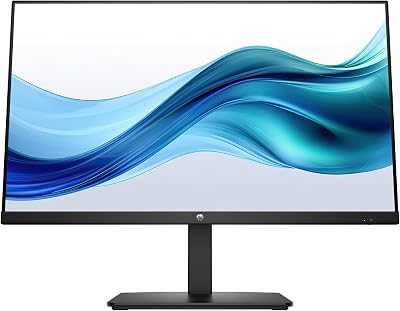
- FALD zone count is relatively low for a 32″ panel — blooming more visible than on Mini LED
- 144Hz is the refresh ceiling; no 165Hz option at this size
- Slightly older design now — newer Mini LED panels at similar price points offer more dimming zones
- Price has stayed elevated relative to the AORUS FI32U which offers similar specs
Who It’s For: Buyers who want proven Nano IPS color science with a clean HDR 1000 cert, prioritize accurate wide-gamut color for photo/video work alongside gaming, and want dual-use display versatility.
Buy on Amazon
4. Gigabyte AORUS FI32U — Best Value HDR1000 Mini LED
Mini LED at a price that undercuts the competition — the smart money pick.
Gigabyte’s AORUS FI32U brings Mini LED backlighting to HDR 1000 gaming at a price consistently $100–$150 below Samsung and ASUS equivalents. The panel is an IPS (not VA), so you get fast pixel response and wide viewing angles alongside the Mini LED brightness. The built-in KVM switch is a practical bonus for dual-PC or PC-plus-console setups.
Key Specs:
- Panel: 32″ 4K (3840×2160) IPS Mini LED
- HDR: DisplayHDR 1000 (1,000 nits peak, 1,152 local dimming zones)
- Refresh Rate: 144Hz
- Response Time: 1ms GtG
- Connectivity: 2× HDMI 2.1, 2× DisplayPort 1.4, 4× USB-A, 1× USB-C (90W PD)
- Extras: KVM switch, built-in USB hub, 90W USB-C power delivery
Pros:
- Mini LED with 1,152 dimming zones — significantly fewer blooming artifacts than FALD IPS at this price
- IPS panel: fast pixel response + wide viewing angles
- KVM switch lets you control two computers with one set of peripherals — genuinely useful for dual-machine setups
- 90W USB-C power delivery charges laptops while gaming
- Best price-to-HDR-performance ratio in this roundup
Cons:
- 1,152 zones vs Neo G7’s 2,048 — some halo artifacts remain in extreme contrast scenes
- 144Hz cap
- Gigabyte’s OSD software (AORUS Dashboard) is functional but less polished than ROG or LG
- Build quality feels slightly budget-tier versus Samsung and ASUS flagships
Who It’s For: Value-conscious buyers who want real Mini LED HDR performance and a feature-rich display (KVM, USB-C PD, hub) without paying flagship prices. Excellent for home office + gaming dual-use setups.
Buy on Amazon
5. MSI MEG 321URX QD-OLED — Best Contrast, Best Motion
The highest refresh rate, the deepest blacks, and zero compromises on motion.
QD-OLED changes the HDR equation entirely. The MSI MEG 321URX uses Samsung’s QD-OLED panel — the same display technology in the best television sets applied to a 32″ gaming monitor. Every pixel is its own light source. Black is absolute. Contrast ratio is effectively infinite. Combined with 240Hz refresh and 0.03ms response, this is the fastest-feeling HDR display in the roundup.
Key Specs:
- Panel: 32″ 4K (3840×2160) QD-OLED
- HDR: DisplayHDR True Black 400 (near-infinite contrast; ~1,000 nits full-screen, higher small-window)
- Refresh Rate: 240Hz
- Response Time: 0.03ms GtG
- Connectivity: 2× HDMI 2.1, 2× DisplayPort 2.1, 4× USB-A hub
- Color: 99% DCI-P3, 99% AdobeRGB
Pros:

- Per-pixel illumination: true black with zero blooming — every other display in this list compromises here
- 240Hz refresh rate at 4K is unmatched; smoother motion than any LCD panel
- 0.03ms response: zero motion blur, no smearing
- 99% DCI-P3 + DisplayPort 2.1 for future-proofed bandwidth
- HDR on QD-OLED has a qualitatively different character — colors glow rather than just brighten
Cons:
- Burn-in risk: QD-OLED panels are susceptible to permanent image retention with static UI elements (taskbars, HUD overlays) over long hours. Manageable with screensavers and varying content, but a real long-term consideration
- Peak full-screen brightness (~1,000 nits) is lower than Neo G7’s 2,000 nit ceiling — bright sunlit environments look slightly less punchy
- Highest price in the roundup at ~$999
- Anti-glare coating on QD-OLED can cause slight texture vs glossy displays
Who It’s For: PC gamers who play a mix of fast competitive titles and visually rich single-player games and want the best possible motion clarity alongside true HDR contrast. If you’re only gaming (no static taskbar content) and can manage burn-in risk, this is the most technically impressive display in the list.
How to Choose an HDR1000 Gaming Monitor
Mini LED vs QD-OLED: The Real Trade-Off
Neither technology is objectively better — they optimize for different priorities:
- Choose Mini LED if you: game for long sessions, use your monitor for work with static UI, want maximum peak brightness, or have burn-in anxiety.
- Choose QD-OLED if you: prioritize zero blooming, want the best motion clarity, game in a dark room where contrast matters most, and actively manage panel health.
Local Dimming Zones: Why Count Matters
More zones = sharper contrast transitions = less blooming. A rough guideline:
- Under 500 zones: expect visible halos on small bright elements (UI, stars, text)
- 500–1,000 zones: decent HDR with minor blooming in demanding scenes
- 1,000+ zones: Mini LED-class performance; halo artifacts mostly eliminated
- Per-pixel (OLED): zero blooming by definition
Peak Brightness in the Real World
Manufacturers measure peak brightness on a 10% window — a small bright patch surrounded by black. Full-screen peak brightness is much lower. For HDR gaming, small-window peak is what matters for highlights (sun glare, explosions, specular surfaces). Full-screen brightness matters for bright, evenly lit scenes.
The Neo G7’s 2,000 nit small-window spec is real and visible. The QD-OLED’s 1,000 nit peak is also real but on a smaller window fraction.
HDR Content Sources Worth Using
Not all HDR content is equal. On PC, enable HDR in Windows display settings and use titles with explicit HDR support (most AAA releases since 2020). On console, PS5 and Xbox Series X both support HDR10 and some titles support Dolby Vision or HDR10+. Use HDMI 2.1 cables — HDMI 2.0 caps 4K HDR at 60Hz.
Streaming HDR (Netflix, Disney+) works well on all five displays but is less demanding than gaming HDR. Games drive the full brightness and contrast range more aggressively.
Final Verdict
Top Pick: Samsung Odyssey Neo G7 32″
The Neo G7 delivers the most visceral HDR experience at a price that is not the most expensive in this list. 2,000 nit peak brightness, 2,048 dimming zones, and HDMI 2.1 for console support make it the most complete HDR gaming monitor for the majority of buyers. The VA panel is the only trade-off, and it is a minor one for the HDR payoff received.
Runner-Up: MSI MEG 321URX QD-OLED
If you are primarily a PC gamer, play in a darker room, and want the most technically advanced HDR panel available today, the QD-OLED experience is genuinely different. Zero blooming, 240Hz, and infinite contrast are a combination no Mini LED matches. Budget for the premium price and manage burn-in proactively.
Best Value: Gigabyte AORUS FI32U
At $549, the AORUS FI32U delivers Mini LED HDR 1000, 1,152 dimming zones, IPS color, and a KVM switch with USB-C PD. Nothing in this price range competes with it on features-per-dollar. If budget is the primary filter, this is the answer.
Frequently Asked Questions
What is an HDR1000 gaming monitor?
HDR1000 refers to a DisplayHDR 1000 certified monitor capable of 1000 nits peak brightness. It delivers genuinely impactful HDR with bright highlights and strong contrast, unlike entry-level HDR.
Is HDR1000 worth it over basic HDR?
Definitely. Entry-level HDR monitors lack the brightness and local dimming for a real effect, while HDR1000 panels produce vivid, high-impact HDR that genuinely transforms supported games and media.
Do HDR1000 monitors need local dimming?
Effective HDR1000 needs many local dimming zones or an OLED panel to pair bright highlights with deep blacks. Without good dimming, brightness alone cannot deliver convincing contrast.
Does HDR1000 gaming require special setup?
You need to enable HDR in Windows and in-game and use an HDR-capable connection. Once configured, supported titles automatically use the monitor high brightness and contrast.
Related Articles
Looking for more on this topic? Browse the hand-picked guides below — each one applies the same scoring rubric used in this review.
















