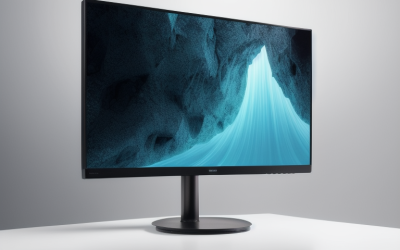
- Top Pick: Philips 24 Inch Computer Monitor FHD 100Hz VA VESA Flicker-Free, 241V8LB | 1920×1080 LED Monitor, 4ms GtG, Adaptive Sync, HDMI 1.4, Tilt Adjust, Low Blue Light, 4yr Advance Replacement Warranty
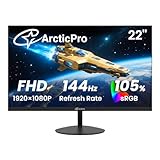
- Best Value: ArcticPro 22 Inch Gaming Monitor 144Hz, FHD Computer Monitor, 105% sRGB | 1080p, 4000:1 Contrast, 3-Sided Frameless, Ultra Slim, VESA Mount, Eye Care, HDMI 1.4, VGA
- Premium Choice: Anyuse 15.6" FHD IPS USB-C HDMI Portable Monitor | 1080P 60Hz FHD, IPS, Ultra-Slim ,USB-C/HDMI, Second External Monitor, for PC/Mac/Phone/PS/Xbox/Switch
A monitor under 100 dollars forces a clear-eyed choice, because at this cap you rarely get everything. Some buyers want a bigger screen, some want a faster refresh rate for games, some want an IPS panel for color, and a few simply need a second display for a laptop. The smartest way to shop is to decide which one trait matters most and accept compromises on the others.
This guide is for people building a first desk setup, adding a second screen, or equipping a student room in 2026. Ten monitors are covered, from a 15.6-inch portable panel to curved 27-inch screens. Sizes, refresh rates, panel types, and ports come from the product titles, and nothing else is assumed. Because listings shift often, line each model up against your own cap before you decide.
Quick Picks
As an Amazon Associate we earn from qualifying purchases at no extra cost to you.




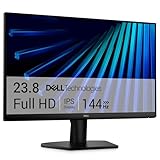

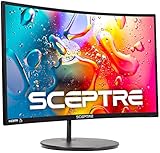
| Product | Best for | Key spec from the title |
|---|---|---|
| Philips 241V8LB | All-round office use | 24-inch FHD, 100Hz VA |
| ArcticPro 22 Inch 144Hz | Fast refresh in a small size | 144Hz, 105% sRGB |
| Anyuse 15.6 Portable Monitor | Second screen for laptops | USB-C and HDMI, IPS |
| msi PRO MP225 E12VL | Balanced 22-inch desk screen | 120Hz, 1ms, Adaptive-Sync |
| Sceptre C275W 27 Curved | Immersive curved gaming | 1500R curve, 100Hz, speakers |
| ETiansu 22 Inch IPS | Color on a small budget tier | IPS, 75Hz, sRGB 99% |
| Sceptre E275W 27 | Flat large screen with ports | 100Hz, DisplayPort, HDMI x2 |
| Dell SE2426H 24 | Smooth IPS gaming | 144Hz, 1ms, IPS, FreeSync |
| YOTETION 19 Inch | Compact secondary display | 1440 x 900, 75Hz |
| Sceptre C248W 24 Curved | Curved 24-inch with speakers | 1080p, 98% sRGB, HDMI x2 |
How to Choose
Size and Resolution Go Together
A 1080p resolution looks sharp up to about 24 inches. At 27 inches the same pixel count spreads thinner, so text looks softer and you sit farther back. A 22 to 24-inch screen at 1920 x 1080 is the sweet spot for desks. The 19-inch model here uses 1440 x 900, which is fine for documents but not for modern games or video.
Refresh Rate and Response Time
A 60Hz screen is fine for office work. For games, 100Hz to 144Hz makes motion visibly smoother, provided your PC can produce those frames. Console owners should note that many consoles top out at 60 or 120 frames, so check what your hardware outputs. Response times listed as 1ms or 2ms are marketing figures from specific test modes, so treat them as rough guides.
Panel Type: IPS, VA, or TN
IPS panels give better color and wider viewing angles, VA panels give deeper contrast, and TN panels are fast but thin on color. Under this cap, IPS appears on a few models, and VA on the Philips. Pick VA for movies in a dark room, and IPS for sharing the screen or photo editing.
Ports, Mounts, and Where Budget Models Cut Corners
Count the inputs you need, including whether a console and a PC will share the screen: HDMI, DisplayPort, or VGA for older machines. Several screens here still carry VGA, which suits older computers but is not worth it on a new PC. VESA mounts let you attach a monitor arm. Budget screens often have tilt-only stands, no height adjustment, weak built-in speakers, and no USB hub, so plan for those limits.
The 10 Best Options
Philips 241V8LB
Philips lists a 24-inch Full HD VA panel at 100Hz, with a 4ms GtG response, Adaptive Sync, HDMI 1.4, tilt adjustment, flicker-free and low blue light modes, and a four-year advance replacement warranty. The long warranty stands out at this level. It suits office users, parents, and students wanting a reliable main display that will stay in service for years, especially in a home where one monitor serves many people.
- Strength: 100Hz at 24 inches is smoother than a standard 60Hz screen.
- Strength: the four-year advance replacement warranty adds reassurance.
- Trade-off: HDMI 1.4 limits some higher refresh options.
Skip it if you prefer an IPS panel for color work.
ArcticPro 22 Inch 144Hz
ArcticPro lists a 22-inch FHD monitor at 144Hz with 105% sRGB, 4000:1 contrast, a three-sided frameless design, VESA mount support, and HDMI 1.4 plus VGA. The 144Hz figure is unusual for a compact budget screen. It fits gamers who want fast motion on a small desk, such as a dorm room or a shared bedroom where a 27-inch screen would not fit.
- Strength: 144Hz refresh rate in a small body.
- Strength: frameless sides make multi-monitor rows tidier.
- Trade-off: the title lists HDMI 1.4 rather than DisplayPort.
Skip it if you want a larger 24 to 27-inch display.
Anyuse 15.6 Portable Monitor
This portable screen lists a 15.6-inch FHD IPS panel at 60Hz with USB-C and HDMI inputs. The title says it works with PC, Mac, phones, PlayStation, Xbox, and Switch. It is a different kind of monitor, meant for laptop users who want a second screen on the go, and its console and phone compatibility make it handy for travel or a small apartment.
- Strength: USB-C and HDMI inputs work with many devices.
- Strength: ultra-slim, IPS panel is easy to carry.
- Trade-off: 15.6 inches is too small for a primary desk display.
Skip it if you need a main monitor for daily desktop work.
msi PRO MP225 E12VL
MSI lists a 22-inch 1920 x 1080 monitor at 120Hz with Adaptive-Sync, HDMI, a video port, VESA mounting, tilt, and a 1ms response. It is a plain, business-style display with gaming-friendly refresh rate. It suits a student or office worker who occasionally plays games, and who values a clean, uncluttered look over styling and lighting effects.
- Strength: 120Hz with Adaptive-Sync keeps motion smooth.
- Strength: VESA mounting allows a monitor arm.
- Trade-off: the title does not state the panel type.
Skip it if you want curved or IPS styling, or if you need to know the panel type before you buy.
Sceptre C275W 27 Curved
Sceptre lists a curved 27-inch gaming monitor with a 1500R curve, 100Hz refresh, HDMI x2, DisplayPort, 1ms response, 100% sRGB, and built-in speakers. The curve pulls the edges toward you, which many people like for games and movies. It is a large-screen choice for entertainment desks, where the built-in speakers spare you a separate set while you get started.
- Strength: 27 inches with a 1500R curve fills your field of view.
- Strength: DisplayPort plus two HDMI inputs and speakers.
- Trade-off: 1080p spread across 27 inches looks softer than on smaller screens.
Skip it if you sit close or edit text for long hours.
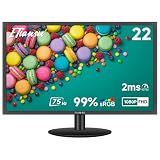
ETiansu 22 Inch IPS
ETiansu lists a 22-inch FHD IPS monitor at 75Hz with AMD FreeSync, a 2ms response, HDMI and VGA ports, VESA support, and 99% sRGB. It includes an eye care claim. This is a straightforward IPS option for home offices and study spaces, and the sRGB figure matters for people who edit photos or build slides.
- Strength: IPS panel and 99% sRGB suit general color use.
- Strength: FreeSync helps smooth casual gaming.
- Trade-off: 75Hz is the lowest gaming-oriented refresh rate in this group.
Skip it if you want high-refresh games, since the 75Hz ceiling will feel plain next to the 100Hz to 144Hz models.
Sceptre E275W 27
This flat 27-inch Sceptre lists 100Hz, 1ms, DisplayPort, HDMI x2, 100% sRGB, AMD FreeSync, built-in speakers, and a frameless eye care design. It suits buyers who want a big flat screen with multiple inputs for a PC and a console, or for a work laptop and a personal desktop sharing one display.
- Strength: three video inputs including DisplayPort.
- Strength: flat panel avoids the curve some dislike.
- Trade-off: the title does not name the panel type.
Skip it if you want sharper text than 1080p offers at 27 inches, or if you sit very close to the screen.
Dell SE2426H 24
Dell lists a 23.8-inch FHD 144Hz IPS monitor with a 1ms response, AMD FreeSync, a TUV certification mark, two HDMI ports, and tilt. IPS color and 144Hz in a 24-inch body make it the best specification mix here for gaming. It fits students and gamers who want both, and the brand name makes support easier to find for families buying on behalf of a student.
- Strength: IPS and 144Hz together.
- Strength: two HDMI ports for a PC and a console.
- Trade-off: tilt is the only stand adjustment listed.
Skip it if you need DisplayPort or a height-adjustable stand.
YOTETION 19 Inch
YOTETION lists a 19-inch monitor at 75Hz, and the title gives the resolution as 1440 x 900 HD+ even though it also says Full HD. It has an anti-glare finish and VGA and HDMI connections. It suits a secondary screen for emails, a shop counter, or a child's study desk, where a small footprint matters more than sharpness.
- Strength: small, thin footprint fits tight spaces.
- Strength: both VGA and HDMI cover older and newer machines.
- Trade-off: 1440 x 900 is below Full HD.
Skip it if you want to watch videos or play games in sharp detail.
Sceptre C248W 24 Curved
This 24-inch curved Sceptre lists 1080p, an R1500 curve, 98% sRGB, HDMI x2, VGA, built-in speakers, and VESA wall mounting. It combines a curve with a size that suits a standard desk. It fits buyers who want a modest gaming look without a huge screen, and VESA wall mounting also lets it live on a wall bracket to free up desk space.
- Strength: 24-inch size with a curve is easy to place.
- Strength: built-in speakers and VESA support.
- Trade-off: the title does not list a refresh rate.
Skip it if refresh rate is your top priority.
Which One Fits Your Situation
You Want One Main Monitor for Everything
Pick the Philips 241V8LB for 100Hz, a 24-inch size, and a long warranty, or the Dell SE2426H if you want IPS and 144Hz.
You Mostly Play Games
The ArcticPro 22 Inch 144Hz and the Dell SE2426H list the highest refresh rates, while the msi MP225 offers 120Hz.
You Need a Second Screen for a Laptop
The Anyuse 15.6 Portable Monitor travels easily and connects over USB-C or HDMI.
You Want a Big Screen for Movies
The Sceptre C275W 27 Curved and E275W 27 give a large display with built-in speakers and several inputs.
Common Mistakes
- Buying a 27-inch 1080p screen and then being disappointed by soft text.
- Chasing the lowest response time number instead of checking panel type and refresh rate.
- Forgetting that HDMI 1.4 can limit what your PC can output at higher refresh rates.
- Ignoring VESA support when you plan to use a monitor arm.
- Counting on built-in speakers for quality audio.
Related guides
- Aio Liquid Coolers For High Performance Gaming
- How To Lower Input Delay In Competitive Shooters
- Wireless Gaming Headsets Under 100 For Pc
Frequently Asked Questions
Is 144Hz worth it for a small budget monitor?
For games, yes, if your PC can reach those frame rates. For office work and video, the difference is small.
Should I choose IPS or VA?
Choose IPS for color accuracy and wide viewing angles. Choose VA for deeper blacks and stronger contrast in dim rooms.
Is a curved monitor better?
A curve can feel immersive on larger screens, but at 24 inches the effect is subtle. It is a preference, not an upgrade in picture quality.
Can a portable monitor replace a desktop monitor?
It works as a second screen, but 15.6 inches is small for a main display. Use it for travel and mobile setups.