

- Top Pick: Dell 27 240Hz Gaming Monitor – SE2726HG – 27-inch FHD (1920×1080) 240Hz Display, in-Plane Switching (IPS) Technology, AMD FreeSync Premium, TÜV 3-Star, 2X HDMI, DisplayPort 1.4, Tilt
- Best Value: Acer 27in FHD 1920×1080 IPS 120Hz Gaming Monitor | Office KB272 G0bi
- Premium Choice: Samsung 32” Odyssey G5 (G50F) Series QHD Gaming Monitor
Affiliate disclosure: As an Amazon Associate we earn from qualifying purchases. This post contains affiliate links — if you buy through them we may earn a small commission at no extra cost to you. This never affects our recommendations.
As an Amazon Associate we earn from qualifying purchases at no extra cost to you.







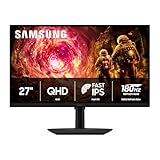
In a hurry? See the top-rated IPS Gaming Monitor deals available right now:
🛒 Check Ips Gaming Monitor Prices on Amazon →🛒 Best Price Today on Amazon
Prime members get fast, free shipping on everything above, plus member-only deals. New members get a 30-day free trial — cancel anytime.
Start 30-Day Prime Free Trial →See Today’s Amazon DealsQuick Picks
| Monitor | Size | Resolution | Refresh Rate | Panel | Best For | Price Range |
|---|---|---|---|---|---|---|
| LG 27GP850-B | 27″ | 1440p | 165Hz | Nano IPS | Best Overall | $$$ |
| ASUS ROG Swift PG279QM | 27″ | 1440p | 240Hz | Fast IPS | Best High-Refresh | $$$$ |
| Dell G2724D | 27″ | 1440p | 165Hz | IPS | Best Value | $$ |
| LG 32GQ850-B | 32″ | 1440p | 260Hz | Nano IPS | Best Large Screen | $$$$ |
| MSI Optix MAG274QRF-QD | 27″ | 1440p | 165Hz | Quantum Dot IPS | Best Budget Vivid Color | $$ |
IPS vs VA vs OLED: Panel Technology Explained for Gamers
Before spending money, understand what you’re actually buying.
IPS (In-Plane Switching) panels offer the widest viewing angles (178°/178°), consistent colors across the entire screen, and the lowest input lag. Colors don’t wash out when you tilt your head. The trade-off: IPS panels historically had weaker contrast ratios — around 1000:1 — making blacks look gray in dark rooms. Modern IPS has closed that gap significantly with local dimming zones, but it’s still not VA or OLED territory.
VA (Vertical Alignment) panels punch far above their weight on contrast — typically 3000:1 to 6000:1 — producing deep, inky blacks that IPS can’t touch. Great for single-player atmospheric games. The problems: slower pixel response times create “smearing” on fast-moving objects, and color accuracy shifts noticeably at off-angles. Competitive gamers avoid VA for this reason.
OLED is the performance king — per-pixel lighting means true blacks, infinite contrast, and sub-1ms response times across every pixel. The catches are price (significantly higher than IPS), burn-in risk with static HUD elements over time, and brightness that still trails high-end IPS for daytime use. OLED makes sense if you have the budget and mostly play cinematic single-player games.
The verdict for most gamers: IPS is the sweet spot. Better color accuracy than VA, far cheaper and safer than OLED, fast enough response times for competitive play, and rock-solid viewing angles for co-op couch setups.
Nano IPS vs Fast IPS vs Standard IPS: What’s the Difference?
Not all IPS panels are equal. LG, ASUS, and others have developed IPS variants with distinct performance profiles.
Standard IPS is the baseline — 4ms GTG response time, ~95–99% sRGB coverage, 1000:1 contrast. Solid for most gamers, nothing exceptional.
Nano IPS (LG’s technology) adds a layer of nanometer-sized particles to the backlight that absorbs excess light wavelengths. Result: wider color gamut (typically 98% DCI-P3 vs ~80% on standard IPS), better color accuracy, and slightly improved contrast. Response times stay fast — LG rates Nano IPS at 1ms GTG. If color accuracy matters to you, Nano IPS is the upgrade worth paying for.
Fast IPS (used in ASUS ROG panels) optimizes pixel switching speed over color volume. It pushes response times to 1ms GTG and enables higher refresh rates — up to 360Hz on some models. Color coverage is good (typically 95%+ sRGB) but not as wide as Nano IPS. Fast IPS is built for competitive players who need the highest refresh rates without going OLED.
Quantum Dot IPS (used by MSI and Samsung) adds a quantum dot film between the backlight and the LCD layer. This widens the color gamut dramatically — often exceeding 95% DCI-P3 — at a price point closer to standard IPS. Think of it as a budget-accessible path to near-Nano IPS color quality.
Top 5 IPS Gaming Monitors in 2026
1. LG 27GP850-B — Best Overall IPS Gaming Monitor
Specs:
- 27″ Nano IPS | 2560×1440 | 165Hz (OC to 180Hz) | 1ms GTG
- 400 nits peak brightness | 98% DCI-P3 | VESA DisplayHDR 400
- 2× HDMI 2.0, 1× DisplayPort 1.4 | G-Sync Compatible, FreeSync Premium
The LG 27GP850-B hits the intersection of color accuracy, speed, and price better than anything else in this category. Nano IPS delivers 98% DCI-P3 coverage that makes games with rich environments — open-world RPGs, racing sims, anything with heavy foliage — look genuinely stunning. The 165Hz refresh rate covers competitive play for anyone below the ultra-enthusiast tier, and the 1ms GTG response time means zero visible ghosting in fast-paced shooters.
The stand is adjustable (height, tilt, pivot, swivel) — a detail budget monitors skip. Build quality is premium for the price. The only knocks: HDR performance is mediocre despite the VESA 400 badge (no local dimming), and the contrast ratio sits at a standard 1000:1.
Who it’s for: The all-around gamer — competitive enough for ranked play, color-accurate enough for content creation on the side.

Pros: Wide color gamut, fast response, great stand, G-Sync Compatible
Cons: HDR implementation is underwhelming, no USB-C
2. ASUS ROG Swift PG279QM — Best High-Refresh IPS Gaming Monitor
ASUS ROG Swift PG279QM
Specs:
- 27″ Fast IPS | 2560×1440 | 240Hz | 1ms GTG
- 400 nits sustained / 600 nits peak | 95% DCI-P3 | VESA DisplayHDR 400
- 1× HDMI 2.0, 1× DisplayPort 1.4, 1× USB-C (90W PD) | G-Sync Compatible + G-Sync module
240Hz at 1440p on a Fast IPS panel is the competitive gamer’s dream outside of OLED. The PG279QM delivers buttery smooth motion clarity in CS2, Valorant, and Apex — you’ll see enemies earlier in fast pans than you would on a 165Hz display. The Fast IPS panel technology achieves its 1ms GTG without the overshoot artifacts that plagued early IPS panels with aggressive overdrive settings.
The USB-C port with 90W power delivery adds versatility — you can drive the monitor from a laptop and charge it simultaneously. ASUS’s ROG build quality is excellent: the stand is solid and adjustment range is wide.
At this price tier, the HDR is still just “okay” — don’t buy it for HDR content. Buy it because 240Hz IPS at 1440p is the highest-performing non-OLED option for competitive gaming without going to a 1080p TN panel.
Who it’s for: Competitive multiplayer gamers on high-end rigs — if your GPU regularly hits 180+ fps at 1440p, this monitor gives you full return on that investment.
Pros: 240Hz competitive edge, fast response, USB-C PD, excellent build
Cons: Premium price, HDMI 2.0 limits console use to 120Hz max, HDR not meaningful
3. Dell G2724D — Best Value IPS Gaming Monitor
Dell G2724D
Specs:
- 27″ IPS | 2560×1440 | 165Hz | 1ms GTG
- 350 nits brightness | 99% sRGB | VESA DisplayHDR 400
- 2× HDMI 2.0, 1× DisplayPort 1.4 | FreeSync Premium, G-Sync Compatible
The Dell G2724D is the answer to the question: “What’s the best IPS gaming monitor if I don’t want to overpay?” It delivers 99% sRGB coverage, 165Hz, and 1ms GTG response time at a price that undercuts the LG 27GP850-B by a meaningful margin. Dell’s factory calibration is consistently reliable across units — you won’t need to spend hours dialing in color profiles.
Where it falls short is the color gamut beyond sRGB. The G2724D covers around 80–82% DCI-P3, which is noticeably less vivid than Nano IPS or Quantum Dot options when playing HDR-enabled titles. For sRGB-standard content and competitive gaming, that gap is invisible. For immersive single-player gaming with wide-gamut HDR content, you’ll notice it.
The stand is height-adjustable and pivots for portrait mode — rare at this price. Dell’s warranty and support are class-leading.

Who it’s for: Budget-conscious gamers, first-time 1440p buyers, or anyone who primarily plays competitive titles and doesn’t need DCI-P3 color coverage.
Pros: Excellent value, reliable factory calibration, good stand, Dell warranty
Cons: Narrower DCI-P3 coverage, no USB-C, HDR is basic
4. LG 32GQ850-B — Best Large IPS Gaming Monitor
LG 32GQ850-B
Specs:
- 32″ Nano IPS | 2560×1440 | 260Hz (OC) | 1ms GTG
- 450 nits peak | 98% DCI-P3 | VESA DisplayHDR 600
- 2× HDMI 2.1, 1× DisplayPort 1.4 | G-Sync Compatible, FreeSync Premium Pro
Going large doesn’t mean sacrificing performance — the LG 32GQ850-B proves that. The 32″ Nano IPS panel hits 260Hz with a 1ms GTG response time, putting it firmly in competitive territory despite the increased screen real estate. At 32″, 1440p lands at 92 PPI — lower pixel density than 27″ models, but most users sitting at normal desk distances won’t notice pixel structure.
HDMI 2.1 ports are a meaningful upgrade over the rest of the list, enabling 4K 120Hz from PS5/Xbox Series X if you want console compatibility without buying a second monitor. VESA DisplayHDR 600 with local dimming makes HDR content look noticeably better than DisplayHDR 400 monitors — still not OLED, but legitimately good.
The trade-off is size — 32″ requires more desk space, and if you sit closer than 60–70cm, the screen can feel overwhelming. GPU requirements also increase: driving 32″ at 1440p 260Hz demands a high-end graphics card.
Who it’s for: Gamers who want more screen presence for immersive titles, sim racers, or those who do content creation alongside gaming and want the extra workspace.
Pros: 32″ Nano IPS, 260Hz, HDMI 2.1, better HDR, wide gamut
Cons: Requires desk space, higher GPU demand, premium price
5. MSI Optix MAG274QRF-QD — Best Budget Vivid Color IPS Pick
Specs:
- 27″ Quantum Dot IPS | 2560×1440 | 165Hz | 1ms GTG
- 400 nits peak | 95% DCI-P3 | VESA DisplayHDR 400
- 2× HDMI 2.0, 1× DisplayPort 1.4 | FreeSync Premium, G-Sync Compatible
The MSI Optix MAG274QRF-QD is the most underrated option on this list. Quantum Dot IPS delivers 95% DCI-P3 color coverage — nearly matching LG’s Nano IPS technology — at a price point that competes with standard IPS monitors. If you want vivid, saturated colors in games and can’t stretch to the LG 27GP850-B, this is where to look.
165Hz and 1ms GTG cover competitive gaming needs without issue. MSI’s Optix monitor calibration is adequate out of the box — not as precise as Dell’s factory calibration, but close enough that casual users won’t feel compelled to recalibrate.

The main compromise is build quality. The stand wobbles more than LG or ASUS options, and the OSD navigation buttons (physical, not joystick) are clunkier than competitors. The chassis plastic feels less premium. These are livable trade-offs for the color performance per dollar.
Who it’s for: Gamers who prioritize color vibrancy and wide gamut coverage on a tighter budget — particularly those playing visually rich RPGs, open-world games, or doing light photo editing.
Pros: 95% DCI-P3 on a budget, 165Hz, G-Sync Compatible
Cons: Stand quality, physical OSD buttons, no USB-C
Comparison Table
| Feature | LG 27GP850-B | ASUS PG279QM | Dell G2724D | LG 32GQ850-B | MSI MAG274QRF-QD |
|---|---|---|---|---|---|
| Size | 27″ | 27″ | 27″ | 32″ | 27″ |
| Resolution | 1440p | 1440p | 1440p | 1440p | 1440p |
| Refresh Rate | 165Hz (OC 180Hz) | 240Hz | 165Hz | 260Hz | 165Hz |
| Response Time | 1ms GTG | 1ms GTG | 1ms GTG | 1ms GTG | 1ms GTG |
| Panel Type | Nano IPS | Fast IPS | Standard IPS | Nano IPS | Quantum Dot IPS |
| DCI-P3 Coverage | 98% | 95% | ~81% | 98% | 95% |
| sRGB Coverage | 99% | 99% | 99% | 99% | 99% |
| Peak Brightness | 400 nits | 600 nits | 350 nits | 450 nits | 400 nits |
| HDR Certification | DisplayHDR 400 | DisplayHDR 400 | DisplayHDR 400 | DisplayHDR 600 | DisplayHDR 400 |
| HDMI Version | 2.0 | 2.0 | 2.0 | 2.1 | 2.0 |
| USB-C | No | Yes (90W PD) | No | No | No |
| G-Sync Compatible | Yes | Yes + Module | Yes | Yes | Yes |
| Stand Adjustability | Full | Full | Full | Full | Limited |
| Price Tier | $$$ | $$$$ | $$ | $$$$ | $$ |
What to Look For When Buying an IPS Gaming Monitor
Response Time: GTG vs MPRT
Manufacturers use two response time metrics, and conflating them leads to bad purchases. GTG (Gray-to-Gray) measures the time for a pixel to shift between two gray values — this is the relevant spec for gaming blur and ghosting. MPRT (Moving Picture Response Time) is a marketing figure that includes backlight strobing and doesn’t reflect real-world performance the same way.
Look for 1ms GTG on any competitive gaming monitor. 4ms GTG is acceptable for casual/single-player gaming. Be skeptical of monitors that advertise 0.5ms MPRT without specifying GTG.
sRGB vs DCI-P3 Coverage
sRGB is the standard for web content, game UI, and Windows general use — 99% sRGB coverage is what you need for accurate, non-oversaturated images in standard content. DCI-P3 is the cinema/HDR color space — higher DCI-P3 coverage means richer, more vibrant colors in HDR-enabled games and video. Aim for 95%+ DCI-P3 if vivid color is important to you.
Note: wide-gamut monitors (high DCI-P3) should have an sRGB mode for standard content — otherwise colors look oversaturated in non-HDR applications.
Brightness and Glare Handling
400 nits is the practical minimum for daytime use without window glare becoming an issue. If your desk gets direct sunlight, look for 450+ nits or add a monitor hood. Most IPS panels have a matte anti-glare coating that handles reflections better than glossy OLED surfaces, but brightness still matters.
VESA DisplayHDR certifications: DisplayHDR 400 is the entry level and means little beyond “this monitor has an HDR mode.” DisplayHDR 600 with local dimming produces genuinely improved HDR. Ignore DisplayHDR 400 as a quality signal — focus on the local dimming spec.
Refresh Rate: Matching GPU to Monitor
A 240Hz monitor only helps if your GPU can regularly hit 200+ fps at 1440p. At 165Hz, you need 130+ fps for a meaningful advantage over 144Hz. Prioritize matching your GPU capability to refresh rate:
- RTX 4060 / RX 7600 class → 165Hz is the right target
- RTX 4070 Ti / RX 7900 XT class → 165–240Hz makes sense
- RTX 4090 / RX 7900 XTX → 240Hz+, or consider OLED
Verdict
The LG 27GP850-B is the best IPS gaming monitor for most people in 2026. It nails the combination of Nano IPS color quality (98% DCI-P3), 165Hz competitive performance, and 1ms GTG response time at a price that doesn’t require apologizing to your bank account. The 180Hz overclock headroom is a bonus, and the adjustable stand is a sign that LG built this monitor with longevity in mind.
If you’re a dedicated competitive player pushing frame rates above 165fps regularly, step up to the ASUS ROG Swift PG279QM for the 240Hz edge. If budget is the primary constraint, the Dell G2724D delivers the core IPS gaming experience without the premium. Going large? The LG 32GQ850-B is the best 32″ IPS gaming monitor available. And if vivid color on a tighter budget is the priority, the MSI MAG274QRF-QD outperforms its price point consistently.
IPS remains the panel type that works for everyone — color-accurate enough for creators, fast enough for competitors, and affordable enough to not require a second mortgage. Any of the five monitors on this list will be a meaningful upgrade over a standard 1080p 60Hz display.
Frequently Asked Questions
Why choose an IPS gaming monitor?
IPS panels deliver the best color accuracy and wide viewing angles, and modern Fast IPS models offer 1ms response times. They suit gamers who want vivid color alongside speed.
IPS or VA for gaming?
IPS wins on color and viewing angles and modern panels are fast, while VA offers deeper contrast and blacks. IPS is the all-round pick; VA suits darker, contrast-focused content.
Are IPS monitors fast enough for competitive gaming?
Yes. Fast IPS panels reach 1ms response times and refresh rates of 240Hz or higher, making them fully capable for competitive play with excellent clarity.
What is IPS glow and does it matter?
IPS glow is a faint brightening at screen corners visible in dark scenes. It is normal and usually minor, rarely affecting gaming, and is most noticeable in a dark room.
Related Articles
Looking for more on this topic? Browse the hand-picked guides below — each one applies the same scoring rubric used in this review.














