

Affiliate disclosure: As an Amazon Associate we earn from qualifying purchases. This post contains affiliate links — if you buy through them we may earn a small commission at no extra cost to you. This never affects our recommendations.
As an Amazon Associate we earn from qualifying purchases at no extra cost to you.


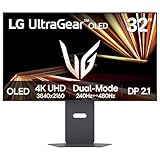


The 32-inch 4K gaming monitor has become the sweet spot for serious gamers who want cinematic immersion without the compromises of ultrawide or the price shock of 40-plus-inch panels. At this size, 4K resolution delivers a pixel density sharp enough to eliminate screen-door effect entirely, while leaving enough desk real estate for a comfortable single-monitor setup. Whether you are pushing frames on an RTX 5090 or connecting a PlayStation 5 for console gaming, the displays in this guide represent the best the market has to offer in 2026. We have evaluated panel technology, HDR performance, refresh rates, connectivity, and real-world gaming feel to cut through the marketing noise and give you a clear picture of what each monitor actually delivers.
In a hurry? See the top-rated 32-Inch 4K Gaming Monitor deals available right now:
🛒 Check 32-Inch 4K Gaming Monitor Prices on Amazon →🛒 Best Price Today on Amazon
Prime members get fast, free shipping on everything above, plus member-only deals. New members get a 30-day free trial — cancel anytime.
Start 30-Day Prime Free Trial →See Today’s Amazon DealsQuick Comparison Table
| Monitor | Panel | Refresh Rate | Response Time | HDR | Sync Tech |
|---|---|---|---|---|---|
| LG 32GQ950-B | Nano IPS | 160Hz | 1ms GtG | HDR1000 | G-Sync Compatible |
| Samsung Odyssey Neo G7 32 | VA Mini LED | 165Hz | 1ms MPRT | HDR2000 | FreeSync Premium Pro |
| ASUS ROG Swift PG32UQX | IPS Mini LED | 144Hz | 1ms GtG | HDR1400 | G-Sync Ultimate |
| Gigabyte M32U | IPS | 144Hz | 1ms | DisplayHDR 400 | FreeSync Premium |
| Dell Alienware AW3225QF | QD-OLED | 240Hz | 0.03ms | HDR True Black 400 | FreeSync Premium Pro |
Our Top Picks
1. LG 32GQ950-B — Best Overall 32-Inch 4K Gaming Monitor
LG 32GQ950-B
Price: ~$799 | Panel: Nano IPS | Resolution: 3840×2160 | Refresh Rate: 160Hz | Response Time: 1ms GtG
The LG 32GQ950-B earns the top spot by delivering a near-perfect balance of speed, color accuracy, and HDR capability without demanding flagship pricing. Its Nano IPS panel covers 98% of the DCI-P3 color gamut, making it equally at home for creative work and gaming. The 160Hz refresh rate at native 4K is achievable with today’s high-end GPUs, and the 1ms GtG response time means motion clarity stays competitive with faster-refresh 1440p monitors. HDMI 2.1 support covers both PC and next-gen console connections at full bandwidth.
The HDR1000 certification is backed by a genuine 1,000 nit peak brightness with local dimming, producing specular highlights that actually pop rather than just being checked off on a spec sheet. G-Sync Compatible certification means AMD and NVIDIA GPU owners both get tear-free variable refresh without needing to pay the G-Sync Ultimate premium.
Pros
- Outstanding color accuracy out of the box — minimal calibration needed
- True 1ms GtG reduces ghosting on fast-moving scenes
- HDMI 2.1 enables 4K 144Hz on PS5 and Xbox Series X
- G-Sync Compatible works reliably across a wide VRR range
- HDR1000 delivers visibly superior highlights over entry HDR panels
Cons
- IPS glow is noticeable in very dark room conditions
- $799 is a significant investment for mid-range GPU owners
- No built-in KVM or USB hub
- Bloomy local dimming in some HDR titles near bright-on-dark edges
2. Samsung Odyssey Neo G7 32 — Best HDR Performance Under $700
Price: ~$699 | Panel: VA Mini LED | Resolution: 3840×2160 | Refresh Rate: 165Hz | Response Time: 1ms MPRT
Samsung’s Quantum Matrix technology packs thousands of Mini LED backlight zones behind a VA panel to produce HDR2000-certified brightness — the highest peak luminance in this roundup at a non-flagship price. In practice, this means sunlit skies in open-world games and HDR cutscenes reach a level of punch that IPS monitors at this price cannot match. The VA panel also delivers superior native contrast ratios (typically 4000:1 or better) compared to IPS, meaning blacks in dark dungeon scenes look genuinely dark rather than washed out gray.

The 165Hz refresh rate is a minor but welcome bump over 144Hz, and 1ms MPRT keeps motion looking clean in fast-action titles. FreeSync Premium Pro certification covers both AMD and NVIDIA hardware in compatibility mode.
Pros
- HDR2000 peak brightness is class-leading at this price
- VA contrast ratio produces deep, inky blacks that IPS cannot match
- Mini LED local dimming is among the best-implemented at this tier
- 165Hz is competitive with anything short of OLED
Cons
- VA response time shows smearing on very fast motion at 60Hz in some games
- Color volume, while strong, trails Nano IPS for content creation use
- Mild bloom on bright objects against dark backgrounds
- Firmware updates have historically been slow from Samsung
3. ASUS ROG Swift PG32UQX — Best Flagship 32-Inch 4K Monitor
Price: ~$1,999 | Panel: IPS Mini LED | Resolution: 3840×2160 | Refresh Rate: 144Hz | Response Time: 1ms GtG
The PG32UQX is the uncompromising choice for gamers who want the absolute best IPS Mini LED performance available. G-Sync Ultimate certification means ASUS and NVIDIA have jointly validated this panel’s variable refresh implementation — HDR is active simultaneously with G-Sync, a combination many cheaper monitors cannot manage correctly. HDR1400 performance is backed by 1,152 local dimming zones, producing precision control over brightness that makes the difference visible in dense foliage, particle effects, and high-contrast cutscenes.
At $1,999, this monitor competes with mid-range GPU upgrades as a purchase decision. The value proposition rests on its pro-grade calibration data (every unit ships with a factory calibration report), near-perfect out-of-box DCI-P3 coverage, and the kind of motion clarity that stays consistent regardless of in-game rendering demands.
Pros
- G-Sync Ultimate: simultaneous HDR and variable refresh done correctly
- Factory calibration report included — pro-grade color accuracy on day one
- 1,152 local dimming zones deliver fine-grained HDR control
- Build quality and stand adjustability are flagship-tier
- Consistent motion clarity under variable GPU load
Cons
- $1,999 price places it beyond most gaming budgets
- 144Hz ceiling trails OLED competitors at this price range
- Large, heavy stand requires a deep desk
- IPS bloom is still present in extreme dark scenes
- No HDMI 2.1 — DisplayPort only for full bandwidth on PC
4. Gigabyte M32U — Best Budget 32-Inch 4K Gaming Monitor
Gigabyte M32U
Price: ~$449 | Panel: IPS | Resolution: 3840×2160 | Refresh Rate: 144Hz | Response Time: 1ms
The Gigabyte M32U punches well above its $449 price by including features that cost extra on more expensive monitors. The built-in KVM switch lets you control two PCs with a single keyboard and mouse — a genuine productivity win for work-from-home setups that double as gaming rigs. The integrated USB hub (USB-A ports on the side) removes one more cable from your desk. HDMI 2.1 is present, meaning PS5 and Xbox Series X users get the full 4K 144Hz experience.

For gaming, the IPS panel delivers solid color accuracy and wide viewing angles. FreeSync Premium certification keeps things smooth down to 48Hz, and Nvidia GPU owners can use G-Sync compatibility mode. DisplayHDR 400 certification is the one area where budget shows — the panel lacks local dimming and peaks around 400 nits, so HDR is best treated as a bonus rather than a primary selling point.
Pros
- KVM switch is rare at this price and genuinely useful for dual-PC setups
- HDMI 2.1 enables 4K 144Hz on current-gen consoles
- IPS panel delivers accurate, vibrant colors for the price
- USB hub adds practical desk-cable management
- $449 makes 32-inch 4K accessible to mid-range GPU owners
Cons
- DisplayHDR 400 certification means HDR is cosmetic rather than transformative
- No local dimming — dark scenes lack the depth of Mini LED or OLED panels
- Stand wobbles slightly at touch; aftermarket VESA mount recommended
- OSD menu navigation is clunky compared to flagship monitors
- FreeSync range (48–144Hz) may show stutter below 48fps
5. Dell Alienware AW3225QF — Best OLED 32-Inch 4K Gaming Monitor
Price: ~$999 | Panel: QD-OLED | Resolution: 3840×2160 | Refresh Rate: 240Hz | Response Time: 0.03ms
The AW3225QF changes the conversation around 32-inch 4K gaming. QD-OLED technology delivers per-pixel lighting control — every pixel turns off individually in dark scenes, producing infinite contrast ratios that no Mini LED implementation can replicate. The 0.03ms response time eliminates ghosting as a concern entirely. At 240Hz, this is the fastest 4K monitor in this roundup by a significant margin, making it the only display here that keeps pace with competitive gaming frame rates at native 4K.
Quantum dot color enhancement pushes the QD-OLED panel beyond traditional OLED color volume limitations, covering over 99% of DCI-P3 and a meaningful chunk of the wider Rec.2020 gamut. HDMI 2.1 ensures console compatibility. FreeSync Premium Pro covers the full VRR range and works in G-Sync compatibility mode for Nvidia users.
The primary considerations are burn-in risk over multi-year use (static HUD elements and desktop icons are the main concern) and the $999 price, which is a $200 premium over the LG for fundamentally different technology rather than incremental improvement.
Pros
- Infinite contrast from per-pixel OLED lighting — blacks are genuinely black
- 0.03ms response time makes ghosting a non-issue even at 240Hz
- 240Hz is the fastest 4K gaming monitor in this roundup
- QD-OLED color volume beats standard OLED for HDR highlights
- HDMI 2.1 covers current-gen consoles at full bandwidth
Cons
- Burn-in risk requires mindful usage habits over years of ownership
- Peak brightness trails Mini LED panels in bright HDR scenes
- $999 is a significant step up from mid-range options
- Glossy panel coating increases reflections in bright rooms
- Anti-glare coating is less effective than matte IPS alternatives
How to Choose the Best 32-Inch 4K Gaming Monitor
Why 32 Inches for 4K Gaming
The relationship between screen size and pixel density determines whether 4K resolution actually looks sharper than 1440p at your viewing distance. At 27 inches, 4K and 1440p look nearly identical beyond 2.5 feet — the human eye cannot resolve individual pixels at that density. At 32 inches, 4K still delivers approximately 137 pixels per inch, which is meaningfully sharper than 27-inch 1440p (109 PPI) at the same viewing distance. The larger canvas also means games like Elden Ring, Cyberpunk 2077, and Microsoft Flight Simulator display more of their environment without requiring head movement to scan the screen. For desktop productivity layered on top of gaming, 32 inches at 4K gives you the screen real estate of two 1080p monitors in a single panel.
Panel Technology at 32-Inch (IPS vs VA vs OLED)
Each panel technology makes a different trade-off at the 32-inch 4K tier. IPS panels deliver the most balanced performance: wide viewing angles, good color accuracy, and predictable motion clarity. They are the safest choice for mixed gaming-and-work setups. VA panels offer superior native contrast — typically 3,000:1 to 5,000:1 versus IPS’s 1,000:1 — which makes a visible difference in dark game environments, but some VA panels show smearing on fast lateral motion. Mini LED backlighting (applied to both IPS and VA panels) adds thousands of dimming zones that dramatically improve HDR performance by preventing light bleed from bright areas into dark zones. OLED and QD-OLED panels eliminate the backlight entirely, delivering infinite contrast and sub-millisecond response times at the cost of burn-in risk and lower peak brightness in sustained bright scenes.
HDMI 2.1 and Next-Gen Console Support
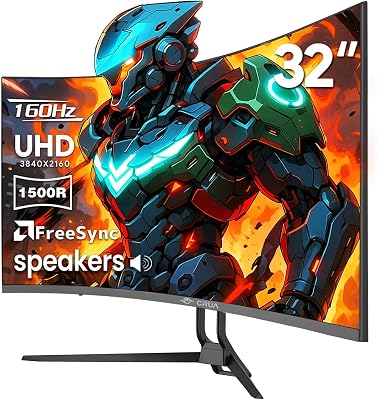
If you intend to connect a PlayStation 5 or Xbox Series X to your 32-inch 4K monitor, HDMI 2.1 is a non-negotiable requirement. HDMI 2.0 caps at 4K 60Hz — adequate for casual console gaming but leaving significant performance on the table when both consoles support 4K 120Hz in supported titles. HDMI 2.1 delivers the 48Gbps bandwidth necessary for 4K 120Hz with HDR enabled simultaneously. Every monitor in this roundup except the ASUS PG32UQX includes HDMI 2.1; that monitor is designed exclusively for PC gaming via DisplayPort. For PC-only setups, HDMI 2.1 is still convenient for clean cable management but DisplayPort 1.4 covers 4K 144Hz adequately for most use cases.
HDR Performance: Marketing vs Reality
HDR certification tiers range from DisplayHDR 400 (cosmetic improvement) to DisplayHDR 1000 and above (genuine HDR). The number refers to peak nit brightness, but peak brightness alone does not tell the whole story. A monitor claiming HDR1000 without local dimming will blast its entire backlight at maximum brightness across the panel — dark areas lose their darkness entirely. Local dimming divides the backlight into zones that can be independently controlled, so bright stars in a night sky can be luminous while the surrounding black sky stays genuinely dark. Mini LED panels in this roundup (LG, Samsung, ASUS) achieve this with hundreds to thousands of zones. OLED panels skip the backlight entirely. For meaningful HDR gaming experiences, target monitors with at least HDR600 certification and local dimming, or step up to OLED.
GPU Requirements for 4K Gaming
Driving a 32-inch 4K monitor at its advertised refresh rate demands significant GPU horsepower. At 4K 60fps in demanding titles like Alan Wake 2 or Cyberpunk 2077 with ray tracing enabled, an RTX 4080 or RX 7900 XTX is the entry point. To push 4K 120fps in the same titles, the RTX 5080 and RTX 5090 class hardware becomes necessary. For the Alienware AW3225QF’s 240Hz ceiling, native 4K 240fps in AAA titles is currently beyond any shipping GPU without DLSS 4 or FSR 4 upscaling assistance — but those upscaling technologies have matured to the point where the visual difference from native is minimal at 4K. Console gamers are limited to 4K 120fps by hardware, which makes monitors with HDMI 2.1 at 144Hz the practical ceiling rather than 165Hz or 240Hz panels.
Final Verdict
For most gamers, the LG 32GQ950-B earns the recommendation as the best 32-inch 4K gaming monitor in 2026. Its balance of color accuracy, HDR performance, refresh rate, and HDMI 2.1 connectivity covers every use case without demanding a specialized budget or GPU.
If HDR performance is your primary criterion, the Samsung Odyssey Neo G7 32 delivers HDR2000 brightness at $100 less — the best HDR value in the roundup. Budget-conscious buyers who still want 32-inch 4K with solid specs and practical features like KVM will find the Gigabyte M32U at $449 hard to argue against.
Enthusiasts chasing the best possible gaming experience should look at the Dell Alienware AW3225QF — the QD-OLED panel and 240Hz refresh rate represent a generational leap in gaming feel that Mini LED panels cannot replicate. And for those who want a factory-calibrated flagship IPS Mini LED panel with no compromises on G-Sync implementation, the ASUS ROG Swift PG32UQX remains the reference standard despite its $1,999 price.
Related Articles
Looking for more on this topic? Browse the hand-picked guides below — each one applies the same scoring rubric used in this review.
Frequently Asked Questions
What is the best gaming monitor 32 4k in 2026?
The best gaming monitor 32 4k depends on your budget and how you plan to use it. The options compared above are our top-rated picks based on real customer ratings, build quality, and overall value — start with the highest-rated model that fits your budget.
How much should I expect to spend on a gaming monitor 32 4k?
Prices vary by brand and features. Budget options cover the essentials, while mid-range and premium models add durability, performance, and extra features. Compare the prices in the list above to find the best value for your needs.
What should I look for when buying a gaming monitor 32 4k?
Focus on what matters most for your use case — build quality, compatibility, performance, warranty, and verified customer reviews. Every pick above is selected to balance these factors.
Are budget gaming monitor 32 4k options worth it?
Yes. For most people a well-reviewed budget or mid-range gaming monitor 32 4k delivers excellent value. You only need to spend more if you specifically require premium materials or top-tier performance.
How did we choose these gaming monitor 32 4k picks?
We compare current Amazon ratings, review counts, key features, and price to surface the options with the best real-world value. The list is refreshed as ratings and availability change.
















