

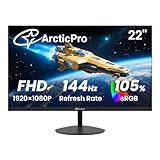
- Top Pick: Sceptre New 22-Inch Gaming Monitor, FHD 1080p, Up to 144Hz, HDMI, DisplayPort, Built-in Speakers, Machine Black (E225W-FW144 Series, 2026)
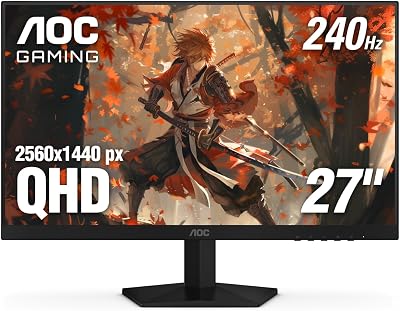
- Best Value: Dell 27 240Hz Gaming Monitor – SE2726HG – 27-inch FHD (1920×1080) 240Hz Display, in-Plane Switching (IPS) Technology, AMD FreeSync Premium, TÜV 3-Star, 2X HDMI, DisplayPort 1.4, Tilt
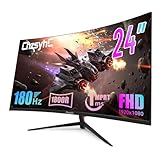
- Premium Choice: Sceptre Curved 24-inch Gaming Monitor 1080p R1500 98% sRGB HDMI x2 VGA Build-in Speakers, VESA Wall Mount Machine Black (C248W-1920RN Series)
Affiliate disclosure: As an Amazon Associate we earn from qualifying purchases. This post contains affiliate links — if you buy through them we may earn a small commission at no extra cost to you. This never affects our recommendations.
You don’t need to spend $400 to get a great gaming monitor in 2026. The budget monitor market has improved dramatically — today’s sub-$200 displays offer 1080p or even 1440p at 144Hz with IPS panels and fast response times that would have cost $400 just three years ago.
In a hurry? See the top-rated Budget Gaming Monitors deals available right now:
🛒 Check Budget Gaming Monitors Prices on Amazon →🛒 Best Price Today on Amazon
Prime members get fast, free shipping on everything above, plus member-only deals. New members get a 30-day free trial — cancel anytime.
Start 30-Day Prime Free Trial →See Today’s Amazon DealsBest Budget Gaming Monitors Under $200
These monitors deliver the best performance-per-dollar in 2026.
As an Amazon Associate we earn from qualifying purchases at no extra cost to you.






What to Expect in a Budget Gaming Monitor
What You Get
- 1080p or 1440p resolution — most budget monitors are 1080p, but 1440p options exist near $200
- 144Hz–165Hz refresh rate — smooth gameplay, substantial upgrade from 60Hz
- IPS or VA panel — good color reproduction, fast response
- FreeSync / G-Sync Compatible — most budget monitors include adaptive sync
What You Give Up
- Factory calibration — colors may need adjustment out of the box
- HDR — budget monitors have DisplayHDR 400 at best, which is barely HDR
- Build quality — plastic stands, less adjustability
- Premium features — no USB-C, KVM, or built-in USB hub
Budget Gaming Monitor Buying Guide
Under $100 — Entry Level
At under $100, expect 1080p 75Hz IPS or 144Hz TN panels. TN panels have poor viewing angles and color. IPS at 75Hz is better for general use. If gaming is your priority, save up to $150.
$100–$150 — The Real Budget Sweet Spot
This range delivers 1080p 144Hz IPS monitors from AOC, ASUS, and LG. The AOC 27G2 and ASUS VG249Q are legendary value here — fast, decent color, adaptive sync. These are the monitors to buy on a strict budget.

$150–$200 — Value King Territory
Near $200 you can find 1440p 144Hz IPS monitors, 1080p 240Hz panels, and even some 27″ 165Hz displays. This is the best budget-to-performance ratio in gaming monitors. Spend here if you can stretch the budget.
Is a Budget Monitor Worth It?
Absolutely — upgrading from a 60Hz monitor to a 144Hz budget display is one of the most impactful gaming upgrades you can make. The difference in smoothness is immediately apparent. You can always upgrade to a premium monitor later, but start with 144Hz regardless of budget.
Frequently Asked Questions
Is 1080p 144Hz better than 1440p 60Hz for gaming?
For gaming, yes — 1080p 144Hz is better. The smoothness from 144Hz is more impactful than the resolution bump to 1440p, especially in fast-paced games. If you mostly watch movies or create content, 1440p makes more sense.
Are budget monitors reliable?
Brands like AOC, ASUS, LG, and Samsung have solid quality control even on budget models. The panels are often the same as more expensive monitors with fewer extras. Avoid no-name brands under $80 — panel quality varies wildly.
Do budget monitors have good response times?
Yes — modern budget IPS panels achieve 1–4ms GtG, which is imperceptible in gaming. Ghosting is minimal. The gap between budget and premium response times has nearly closed.
Can a budget monitor handle HDR?
Not meaningfully. Budget monitors with “HDR” labels are DisplayHDR 400 — the minimum spec. True HDR requires local dimming (Mini-LED) or OLED, which costs $500+. Ignore HDR claims on budget monitors.
Related Articles
Looking for more on this topic? Browse the hand-picked guides below — each one applies the same scoring rubric used in this review.













