Creative buyers face a different decision from everyone else shopping at 27 inches. The question is whether the colours on screen will still be the colours in the delivered file, the printed proof, or the graded video. Resolution gets the headlines, but gamut coverage, factory calibration, and accuracy figures printed in the title decide whether a monitor can be trusted with paid visual work.
This guide is for photographers, video editors, and designers who need a screen that treats colour as a specification rather than a mood. Each model below was chosen from the name and specifications on its Amazon product page, and the picks are ranked by what their titles actually claim: DCI-P3, Adobe RGB, and sRGB coverage, Delta E accuracy figures, calibration verification, and the USB-C power a laptop-based studio needs.
Quick Picks
As an Amazon Associate we earn from qualifying purchases
| Product | Best for | Key spec from title |
|---|---|---|
| ASUS ProArt PA279CRV | Print and video colour in one panel | 4K IPS, 99 percent DCI-P3 and Adobe RGB, Delta E under 2 |
| BenQ PD2706U | Mac-based photo and design desks | 4K, 95 percent P3, 99 percent sRGB, factory-calibrated, KVM |
| LG UltraFine 27-Inch 4K USB-C | A bright HDR panel with strong laptop charging | 4K IPS, 95 percent DCI-P3, DisplayHDR 400, USB-C 90W |
| Samsung ViewFinity S8 (S80UD) | 4K detail with a built-in KVM switch | 4K UHD, HDR10, USB-C, height adjustable, built-in KVM |
How to Choose
Read gamut figures in the title like a contract
Colour coverage claims are the most useful numbers in a creative monitor title, and they are also the easiest to misread. A claim of 99 percent DCI-P3 suits video work, 99 percent Adobe RGB speaks to print photography, and 100 percent sRGB remains the baseline for web design. When a title prints no gamut figure at all, as with one pick here, treat colour performance as unverified and plan to check the full specification or calibrate against a known reference. Never assume a 4K panel is a wide-gamut panel; the two claims are independent.
Weigh calibration and accuracy claims carefully
Factory calibration with a stated Delta E figure tells you how closely the panel matched its target before it left the factory, and a verification badge from a calibration authority adds a second pair of eyes. Delta E under 2, claimed by the ASUS in this roundup, is the strongest accuracy statement here, while Delta E of 3 or under still suits most professional work. Remember that panels drift over time, so a hardware calibrator remains part of a serious studio kit. A monitor that arrives accurate simply starts closer and needs correction less often.
Choose 4K at 27 inches for detail, and scale honestly
At 27 inches, 4K resolution packs pixels tightly enough that photo detail, fine retouching, and video timelines all gain real precision. Interface text shrinks at native settings, so plan on display scaling and check that your main applications handle scaling cleanly. QHD is the gentler alternative for mixed office and creative work, but for delivered imagery the extra pixels here are the point of the purchase. Your graphics hardware also matters: integrated graphics can drive 4K for stills work, while long 4K video timelines deserve a stronger machine behind the screen.
Check USB-C power and where pro features get trimmed
A laptop studio runs on one cable when the monitor cooperates. USB-C with 90W or 96W power delivery, both claimed in titles here, charges a large laptop while carrying the picture, and a built-in KVM switch lets one keyboard serve two machines. Cheaper creative screens trim exactly these points: weaker charging that only suits small laptops, no KVM, tilt-only stands, and gamut claims that quietly shrink to plain sRGB. Ergonomic adjustment belongs on the same checklist, because a colour-perfect panel at the wrong height still makes for a miserable editing day.
The 4 Best Options
ASUS ProArt PA279CRV

ASUS writes the strongest colour contract in this roundup, and it prints the evidence in the title. The 27-inch 4K IPS panel claims 99 percent DCI-P3 and 99 percent Adobe RGB coverage, factory calibration to Delta E under 2, and Calman Verified status, which together cover video grading and print photography in one screen. USB-C with 96W power delivery runs a laptop studio on one cable, DisplayPort daisy-chain support allows a second screen, HDR support helps when checking HDR video, and the ergonomic stand handles a full day of careful work.
Specs
- Screen size: 27 inches
- Resolution: 4K UHD 3840 x 2160
- Panel: IPS
- Colour: 99 percent DCI-P3, 99 percent Adobe RGB
- Accuracy: Delta E under 2, Calman Verified
- HDR: HDR display as listed in the title
- Ports: USB-C with 96W power delivery, DisplayPort
- Extra display support: daisy-chain
- Stand: ergonomic
Best for: Photographers and video editors who need Adobe RGB for print and DCI-P3 for video from the same panel.
Watch out for: The title lists no refresh rate above the class norm and no speakers, so motion work and audio need separate planning.
BenQ PD2706U

BenQ builds its case around a Mac-ready design workflow. The title claims a 27-inch 4K UHD panel with 99 percent sRGB and 95 percent P3 coverage, Delta E of 3 or under, DisplayHDR 400, and factory calibration under the AQCOLOR banner, which is a complete colour story for photo and design delivery. A 90W USB-C connection suits Apple laptops, a KVM switch and USB hub serve a two-machine desk, a HotKey Puck puts display settings under your fingers, and the ergonomic stand with DisplayPort input rounds out a deliberate professional package.
Specs
- Screen size: 27 inches
- Resolution: 4K UHD 3840 x 2160
- Panel: IPS
- Colour: 99 percent sRGB, 95 percent P3
- Accuracy: Delta E of 3 or under, factory-calibrated
- HDR: DisplayHDR 400
- Ports: USB-C 90W, DisplayPort, USB hub
- Switching: KVM switch
- Controls: HotKey Puck
- Stand: ergonomic
Best for: Mac-based photographers and designers who want P3 colour, strong USB-C charging, and a KVM for a second machine.
Watch out for: Adobe RGB coverage is not claimed in the title, so print photographers with strict Adobe RGB needs should compare the ASUS pick first.
LG UltraFine 27-Inch 4K USB-C Monitor

LG keeps its title focused on brightness and clean desk integration. The 27-inch 4K IPS panel claims VESA DisplayHDR 400 and 95 percent DCI-P3 coverage, a pairing that suits video editors who screen HDR material and photographers working in the P3 space. USB Type-C with 90W power delivery charges a large laptop through the same cable that carries the picture, and the stand adjusts for height, tilt, and pivot, which matters during long grading sessions. The white finish and stabilizer naming in the listing point at bright studio rooms rather than dark edit suites.
Specs
- Screen size: 27 inches
- Resolution: 4K UHD 3840 x 2160
- Panel: IPS
- Colour: 95 percent DCI-P3
- HDR: VESA DisplayHDR 400
- Brightness: 400 nits as listed on the product page
- Ports: USB Type-C with 90W power delivery
- Stand: height, tilt, pivot adjustable
- Colour: white
Best for: Video editors and P3 photographers who want HDR support and 90W laptop charging in a bright, tidy setup.
Watch out for: The title states no factory calibration figure or Delta E claim, so verify the accuracy specification on the product page before colour-critical work.
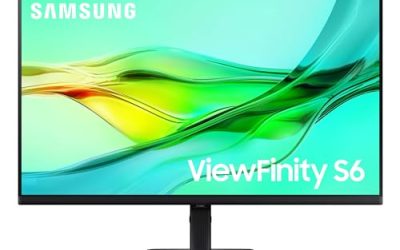
Samsung ViewFinity S8 (S80UD)

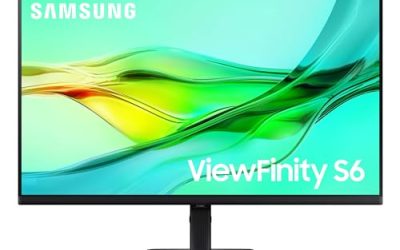
Samsung approaches creative work from the workflow side. The 27-inch 4K UHD panel with HDR10 gives detailed room for timelines and retouching, USB-C connects a laptop with one cable, and a built-in KVM switch lets one set of controls serve two computers, which suits a studio desk shared between a laptop and a workstation. The height adjustable ergonomic stand and Advanced Eye Care features target long sessions. Read the title once more before buying, though: unlike its rivals here, it prints no colour gamut percentage, so its colour claims rest on the full product page rather than the headline.
Specs
- Screen size: 27 inches
- Resolution: 4K UHD
- HDR: HDR10
- Connection: USB-C
- Switching: built-in KVM switch
- Comfort: Advanced Eye Care
- Stand: height adjustable ergonomic stand
- Model: LS27D802UANXGO, 2024
Best for: Creative users with two computers who value 4K detail, one-cable laptop connection, and KVM switching over headline gamut claims.
Watch out for: The title gives no DCI-P3 or sRGB percentage and no calibration figure, so colour-critical buyers must verify those specifications on the product page.
Which One Fits Your Situation
Your work is printed as often as it is posted
Start with the ASUS ProArt PA279CRV. It is the only pick whose title claims Adobe RGB coverage alongside DCI-P3, and its Delta E under 2 with Calman Verified calibration speaks directly to print proofing. The 96W USB-C connection also keeps a laptop-based studio honest, with one cable for picture and power during long correction sessions.
You edit on a Mac laptop with a second machine nearby
The BenQ PD2706U fits this desk precisely. Its P3 coverage matches the Apple ecosystem, 90W USB-C charges the laptop, and the KVM switch plus USB hub let a desktop share the screen and peripherals. The HotKey Puck sounds minor until you switch colour modes several times a day, when it stops being minor at all.
You grade video and check HDR material
Choose the LG UltraFine for its DisplayHDR 400 claim and 95 percent DCI-P3 coverage, a combination aimed at work with HDR material. Height, tilt, and pivot adjustment keep long sessions comfortable, and 90W USB-C charging means the grading laptop stays powered through a full render-and-check cycle without a second brick on the desk.
Two computers share your creative desk
The Samsung ViewFinity S8 earns this place through its built-in KVM switch and USB-C connection, which simplify a laptop-plus-workstation routine. Its 4K HDR10 panel covers detailed editing comfortably. Just complete the colour homework first, because the title leaves gamut and calibration figures to the product page, and your delivered work depends on them.
Common Mistakes
- Assuming every 4K monitor covers a wide colour gamut, when the title may claim none.
- Reading a DCI-P3 figure as Adobe RGB coverage for print work, when they are different spaces.
- Ignoring the Delta E claim, or paying for accuracy and never checking the calibration report in the box.
- Buying USB-C charging that is too weak for a large laptop, then wondering why the battery drains while editing.
- Skipping a hardware calibrator forever because the panel arrived factory-calibrated.
Frequently Asked Questions
Which colour space matters most for my work?
Match the space to the destination. Web and interface design live in sRGB, video delivery targets DCI-P3, and print photography leans on Adobe RGB. The ASUS in this roundup claims strong figures in all three, the BenQ leads with sRGB and P3, and the LG leads with P3. Buying coverage you never deliver in is wasted, while missing coverage your clients expect is a genuine problem.
Is a Delta E figure in the title worth trusting?
It is worth weighing, because it is a specific, checkable claim about factory calibration rather than a vague promise of great colour. Delta E under 2 on the ASUS is the strongest claim here, and BenQ states Delta E of 3 or under with factory calibration. Panels drift with age and hours, so treat the figure as an excellent starting point and still plan periodic calibration for paid work.
Do I need 4K for photo editing at 27 inches?
For detailed retouching and print preparation, the extra pixels help you judge sharpness and fine detail without constant zooming, and all four picks here are 4K for that reason. Video editors gain timeline room as well. The cost is smaller interface text, handled by display scaling, and a stronger demand on your graphics hardware. For purely casual editing, QHD remains usable, but this roundup assumes delivered work.
Why does USB-C wattage matter on a creative desk?
Because the monitor is often the laptop’s power supply. A 90W or 96W USB-C connection, claimed by the BenQ, LG, and ASUS titles here, keeps a large laptop charged under editing loads through the same cable that carries the picture. Weaker charging can leave a big machine slowly draining mid-session. Check the wattage in the title against your laptop’s adapter rating before treating one-cable working as guaranteed.