As an Amazon Associate we earn from qualifying purchases
A 24-inch screen is the size competitive players keep coming back to, and the reason is practical rather than nostalgic. At a normal desk distance, the whole picture sits inside your field of view, so you can track corners, minimaps and health bars without turning your head. Pair that size with a 1920 x 1080 resolution and the image stays sharp, because the pixels are packed more tightly than they are on a larger 1080p screen. Just as importantly, 1080p is easy for a mid-range graphics card to drive at high frame rates, which is exactly what a fast monitor needs to be worth buying.
The good news is that this class has become genuinely fast at a modest budget. Where a tight budget once meant a basic 60Hz office panel, the under one hundred and fifty dollar tier now regularly includes 180Hz refresh rates, IPS panels, and variable refresh rate support. The five monitors below are all 24-inch class, all Full HD, and all were checked against listings placing them below the stated budget threshold at the time of checking. Prices in this tier move often, so treat the budget as a ceiling: if a pick is listed above it on the day you shop, wait or choose another model from the list.
This guide explains the criteria that matter first, then walks through five picks with different strengths. If you are still deciding between screen sizes, our guide to the best 24 inch gaming monitor covers the wider category beyond this budget.
How to Choose a 24-Inch Gaming Monitor on This Budget
Refresh rate is the headline, but your frame rate decides
A 180Hz monitor can only show 180 frames per second if your PC actually produces them. In esports titles such as Valorant, Counter-Strike 2 and Rocket League, a mid-range gaming PC can reach those frame rates at 1080p, and the jump from 60Hz is immediately obvious in camera pans and tracking. In heavier games you may sit closer to 80 or 100 frames per second, and that is fine too, because variable refresh rate keeps the picture smooth below the ceiling.
Panel type: IPS is the safe default here
Most strong picks in this class use IPS or Fast IPS panels. IPS brings wide viewing angles and consistent colour, which matters if you share the screen or use the monitor for work and media as well as games. VA panels offer deeper contrast and darker blacks, but can show slower dark transitions in fast motion. At 24 inches and 1080p, a good IPS panel is the balanced choice for mixed use.
Variable refresh rate prevents tearing
FreeSync, Adaptive-Sync and G-SYNC Compatible support all do the same core job: the monitor matches its refresh rate to the frame rate your graphics card delivers. That removes tearing and reduces stutter when frame rates fluctuate, which they always do in real games. Every pick below includes some form of variable refresh rate support. On PC, connect over DisplayPort where possible, and enable the feature in both the monitor menu and your graphics driver.
Ports decide what you can connect at full speed
Look for at least one DisplayPort and one HDMI port. DisplayPort is the reliable route to the full 180Hz at 1080p on PC. HDMI 2.0 also carries high refresh rates at this resolution and is what a console will use, although consoles typically cap output at 120Hz in supported games. Two HDMI ports are useful if a PC and a console share one desk.
Response time figures need context
Manufacturers publish response time figures such as 1ms or up to 0.5ms, measured under their own conditions and often with overdrive applied. They are useful for comparing models within a brand’s range, but not a guarantee of identical motion clarity between brands. The figures quoted below are the ones each manufacturer publishes. In practice, refresh rate and variable refresh support matter more than a fraction of a millisecond on a spec sheet.
Stands, mounts and the extras that save money later
Budget monitors often save money on the stand, offering tilt only. If you sit at the monitor for long sessions, a height-adjustable stand is worth prioritising, and one pick below includes one. Built-in speakers, where fitted, are best treated as a convenience for system sounds and casual video rather than a replacement for headphones.
The Five Picks
AOC 24G4 24-Inch Gaming Monitor

The AOC 24G4 is the straightforward all-rounder of this list: a 24-inch IPS panel at 1920 x 1080, running at 180Hz with a manufacturer-rated 1ms response time. That combination is the current template for budget esports monitors, and AOC’s G-series has been refining it for several generations. Adaptive-Sync support keeps the refresh rate matched to your graphics card, so frame rate dips in a busy team fight do not turn into tearing or judder.
Connectivity is simple: one HDMI 2.0 port and one DisplayPort, plus an audio earphone output. That covers a gaming PC over DisplayPort at the full refresh rate and a console over HDMI. The listing also describes the monitor as console gaming ready.
Choose the 24G4 if you want the balanced option and do not need height adjustment or a second HDMI port. Its appeal is focus: the budget goes into the panel and the refresh rate rather than stand mechanics or extras.
Specs
- Screen size: 24 inches (23.8-inch class viewable)
- Panel type: IPS
- Resolution: 1920 x 1080 (Full HD)
- Refresh rate: 180Hz
- Ports: 1 x HDMI 2.0, 1 x DisplayPort, audio earphone out
- VRR support: Adaptive-Sync
Acer Nitro VG240Y M3biip

Acer’s Nitro VG240Y M3biip matches the AOC on core numbers and adds a more generous port selection. The 23.8-inch IPS panel runs at 180Hz with a manufacturer-published response time of up to 0.5ms, and AMD FreeSync Premium adds low framerate compensation, keeping variable refresh smooth when frame rates fall below the ceiling. Acer also lists HDR10 support and 99 percent sRGB coverage.
The port layout is the practical highlight: one DisplayPort 1.2 and two HDMI 2.0 ports, so a PC and a console can stay plugged in at the same time, with a spare HDMI input for a laptop. That saves daily cable swapping, and many rivals in this tier skip it.
Choose the VG240Y M3biip if you want 180Hz IPS performance with several devices connected. The FreeSync Premium tier also makes it forgiving of the uneven frame rates mid-range hardware produces in newer games.
Specs
- Screen size: 23.8 inches
- Panel type: IPS
- Resolution: 1920 x 1080 (Full HD)
- Refresh rate: 180Hz
- Ports: 1 x DisplayPort 1.2, 2 x HDMI 2.0
- VRR support: AMD FreeSync Premium
ASUS TUF Gaming VG249QL3A

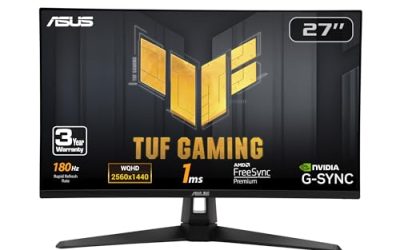
The ASUS TUF Gaming VG249QL3A is the pick for buyers who want the fuller stand and the backing of a long warranty. Its 23.8-inch Fast IPS panel runs at 180Hz with a manufacturer-rated 1ms response time, and ASUS adds its ELMB technology, a backlight strobing mode intended to sharpen moving images. FreeSync Premium support is included, and the monitor is also listed as G-SYNC Compatible, so variable refresh rate is covered on both AMD and NVIDIA graphics cards.
The stand is the differentiator. Where most budget monitors tilt only, the VG249QL3A offers height adjustment, making it far easier to set the screen at eye level without buying an arm on day one. Built-in speakers are fitted, and ASUS lists a three-year warranty, worth weighing in a tier where support periods are often shorter.
Choose the VG249QL3A if ergonomics matter to you. It trades a little of the AOC’s minimalist value focus for comfort and coverage, which can be the smarter spend within the same budget ceiling.
Specs
- Screen size: 23.8 inches (24-inch class)
- Panel type: Fast IPS
- Resolution: 1920 x 1080 (Full HD)
- Refresh rate: 180Hz
- Ports: DisplayPort and HDMI, built-in speakers
- VRR support: FreeSync Premium and G-SYNC Compatible
SANSUI ES-G24F4 24-Inch Gaming Monitor

The SANSUI ES-G24F4 is the value-led option, built around the same headline numbers as the bigger brands: 180Hz refresh rate and a manufacturer-rated 1ms response time, with the listing citing 110 percent sRGB coverage. FreeSync support is included, and the monitor carries preset picture modes for different game types, including racing and shooter modes.
Connectivity is a strength here. The listing gives a DisplayPort 1.4 connection and HDMI 2.0 ports, with an HDMI cable included, so a PC can run at the full refresh rate over DisplayPort while a console uses HDMI without buying extra cables.
Choose the ES-G24F4 if keeping the spend as low as possible matters most. The trade-offs are typical of the tier: a simpler stand and a smaller brand footprint than AOC, Acer or ASUS, balanced against core specifications that match them.
Specs
- Screen size: 24 inches
- Panel type: IPS
- Resolution: 1920 x 1080 (Full HD)
- Refresh rate: 180Hz
- Ports: 1 x DisplayPort 1.4, 2 x HDMI 2.0 (HDMI cable included)
- VRR support: FreeSync / Adaptive-Sync
Acer Nitro KG241Y M3biip

The second Acer on this list, the Nitro KG241Y M3biip, covers the same ground as its VG-series sibling with a slightly different emphasis. The 23.8-inch IPS panel runs at 180Hz with a manufacturer-published response time of up to 0.5ms, AMD FreeSync Premium handles variable refresh rate with low framerate compensation, and Acer lists HDR10 support with 99 percent sRGB coverage. On paper it is everything a 1080p esports setup needs.
Ports match the VG240Y: one DisplayPort 1.2 and two HDMI 2.0 inputs, so a PC, a console and a third device can share the screen. Having two Acer models here is deliberate: stock and pricing between the two lines drift independently, so on any given week one is likely to sit comfortably below the budget ceiling while the other does not. Checking both listings before buying is a legitimate strategy in this tier.
Choose the KG241Y M3biip if it is the Acer variant below the threshold when you shop. The underlying experience, a fast IPS panel with FreeSync Premium and flexible inputs, is the same proposition that makes its sibling easy to recommend.
Specs
- Screen size: 23.8 inches
- Panel type: IPS
- Resolution: 1920 x 1080 (Full HD)
- Refresh rate: 180Hz
- Ports: 1 x DisplayPort 1.2, 2 x HDMI 2.0
- VRR support: AMD FreeSync Premium
Frequently Asked Questions
Is 1080p sharp enough on a 24-inch monitor?
Yes, and this size is where 1080p looks its best. A 24-inch screen packs the same pixels into a smaller area than a 27-inch screen does, so text and game detail appear tighter. The image is crisp, the whole screen is visible at once, and the resolution is easy for mid-range graphics cards to drive at high frame rates.
Can a console use the full refresh rate of these monitors?
Consoles typically output up to 120Hz in supported games, so they will not use the full 180Hz ceiling of these panels, but they still benefit. A 120Hz signal on a 180Hz monitor looks far smoother than 60Hz, input lag is lower, and variable refresh rate support helps in games with unlocked or uneven frame rates. Connect a console over HDMI and select the performance mode in each game where one is offered.
Should I connect my PC with DisplayPort or HDMI?
Use DisplayPort for a gaming PC where you can. It is the connection most consistently rated for the full 180Hz at 1080p with variable refresh rate on these monitors, and it avoids the port-version variations that can limit some HDMI setups. HDMI 2.0 is a perfectly good second choice at this resolution and is the right option for consoles and laptops without a DisplayPort output.
What should I do if a pick is listed above the budget when I shop?
Wait, or pick another model from this list. Prices in this tier change frequently, and the five monitors above overlap enough in specification that substituting one for another rarely means giving up anything important. The features worth protecting are the 180Hz refresh rate, an IPS panel, variable refresh rate support and a DisplayPort input; stand design and speaker inclusion are the easiest things to compromise on.
Conclusion
All five monitors here deliver a 24-inch class Full HD IPS screen at 180Hz with variable refresh rate support, the combination that transforms how fast games feel compared with an older 60Hz display. The differences are in the details: the AOC 24G4 is the focused all-rounder, the two Acer Nitro models add a second HDMI port and FreeSync Premium, the ASUS TUF Gaming VG249QL3A brings height adjustment and a longer warranty, and the SANSUI ES-G24F4 keeps the specification while trimming the spend.
Match the pick to your desk rather than to a ranking. Count the devices you need to connect, decide whether a height-adjustable stand matters, and confirm the listing still sits below the budget ceiling on the day you buy.