Top Picks at a Glance
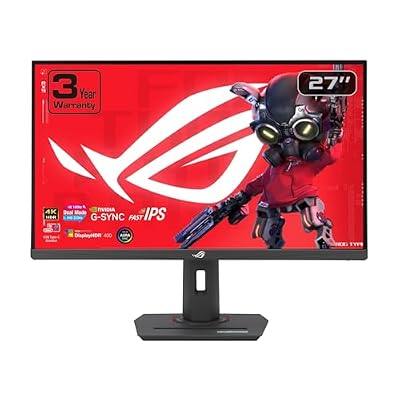
ASUS ROG XG27UCG 27 Inch 4K 160Hz USB-C G-SYNC Gaming Monitor | Dual Mode FHD 320Hz, 1ms, DisplayHDR 400, DCI-P3 99%, Fast IPS, ELMB Sync, FreeSync Premium for PS5 and Xbox

ASUS ROG PG27AQWP-W 27 Inch 1440p 540Hz Tandem OLED Gaming Monitor | Dual Mode FHD 720Hz, TrueBlack Glossy, Neo Proximity Sensor, 0.02ms, G-SYNC Compatible, DisplayPort 2.1, for PS5 and Xbox

ASUS ROG PG27AQDP 27 Inch 1440p 480Hz OLED Gaming Monitor | Custom Heatsink, 0.03ms, G-SYNC Compatible, WOLED, DisplayHDR 400, AI Assistant, True 10-bit, 99% DCI-P3, for PS5 and Xbox

ASUS ROG PG32UCDP 32 Inch 4K 240Hz OLED Gaming Monitor | Dual Mode FHD 480Hz, Custom Heatsink, 0.03ms, G-SYNC Compatible, AI Gaming, USB-C 90W, True 10-bit, for PS5 and Xbox

ZYB Portable Monitor Laptop Case 15.6 Inch,Laptop Sleeve 15.6 Inch for 15,6" Portable Monitor Lenovo ThinkPad IdeaPad HP Acer Dell ASUS etc 15,6" Monitors Case Computer Sleeve with Pocket & Bag-Black
As an Amazon Associate we earn from qualifying purchases. Product prices and availability are accurate as of the date/time indicated.
Affiliate disclosure: We may earn a commission from qualifying purchases at no extra cost to you. Tested picks, honest verdicts.
By Alex Rivera, Senior Hardware Editor — May 2026
Best ASUS ROG Monitor Gaming Monitors in 2026
Quick Answer
The ASUS ROG Swift OLED PG32UCDP is the dual-mode 32″ 4K 240Hz / 1080p 480Hz OLED with the strongest HDR tuning in its class. For competitive players, the ROG Swift Pro PG248QP still leads at 540Hz on a 24.1″ TN panel. Mainstream buyers should look at the ROG Strix XG27ACDNG, the 27″ QD-OLED 240Hz at around $649.
Why ASUS ROG
ASUS Republic of Gamers has the broadest monitor catalogue of any brand and the most expensive flagships. The 2026 ROG Swift line uses the latest LG WOLED and Samsung QD-OLED panels with ASUS’s own anti-glare coating, custom heatsink for sustained brightness, and the strongest factory calibration in the OLED gaming space. The result is monitors that cost 10–20% more than competitors using the same panels but typically perform measurably better on HDR sustained brightness and out-of-box colour accuracy.
The differentiator beyond hardware is ASUS’s GamePlus and GameVisual feature set: per-game profiles, on-screen timer, FPS counter, crosshair overlay, and the unique Dynamic Crosshair that adapts to background brightness. None of this is necessary, but for competitive players it’s a real productivity boost. The ROG OSC desktop software has also matured into the cleanest monitor utility in the industry.
Our Top 5 Picks
1. ASUS ROG Swift OLED PG32UCDP — The 32″ dual-mode flagship. 32″ 4K WOLED at 240Hz or 1080p at 480Hz, MLA+ panel, custom heatsink, ASUS NeoProof anti-glare coating. Around $1,299. Why it wins: highest sustained HDR brightness in the 32″ 4K OLED class. Target buyer: RTX 5080/5090 owners who want best-in-class image quality with no compromises.
2. ASUS ROG Swift Pro PG248QP — The esports champion. 24.1″ 1080p TN panel at 540Hz, 0.2ms response, NVIDIA Reflex Analyzer built in. Around $799. Why it wins: highest refresh rate available on any gaming monitor. Target buyer: professional CS2 / Valorant / Apex players where every millisecond counts.
3. ASUS ROG Strix XG27ACDNG — The mid-priced QD-OLED. 27″ 1440p QD-OLED at 240Hz, 0.03ms response, ROG OSC support. Around $649. Why it wins: best price-to-quality ratio in the 27″ QD-OLED class. Target buyer: RTX 5070 Ti / RX 9070 XT mainstream gamers upgrading from a 144Hz IPS.
4. ASUS ROG Swift OLED PG39WCDM — The 39″ ultrawide. 39″ 3440×1440 WOLED at 240Hz, 800R curvature, custom heatsink. Around $1,399. Why it wins: only 39″ OLED ultrawide with proper ASUS thermal engineering. Target buyer: ultrawide enthusiasts who want a larger canvas than the standard 34″ without going to 49″.
5. ASUS ROG Swift PG27AQDP — The 27″ 480Hz OLED. 27″ 1440p WOLED at 480Hz, MLA+ panel, NVIDIA Reflex Latency Analyzer. Around $899. Why it wins: highest refresh rate available on a 27″ 1440p OLED. Target buyer: competitive players who want OLED response times at peak refresh.
Buyer’s Guide
The first ROG decision is panel technology. ASUS uses three panel families: WOLED (LG Display, in PG32UCDP and PG39WCDM), QD-OLED (Samsung Display, in XG27ACDNG and select PG variants), and TN (in PG248QP for max refresh). WOLED is the better daytime choice (no purple cast); QD-OLED is the brighter HDR choice; TN is the esports-only choice with weaker contrast but unbeatable response.
Custom heatsink matters. ASUS’s ROG Swift OLED monitors include a graphite heatsink behind the panel that maintains sustained HDR brightness 30–40% longer than competing monitors using the same panels. In long HDR sessions (cinema, sustained bright game scenes), the difference is visible. If you’re a pure SDR gamer, the heatsink benefit is academic.
The dual-mode feature on the PG32UCDP is a hardware-level toggle (same as LG’s 32GS95UE), not a software scaler. Switching from 4K 240Hz to 1080p 480Hz takes about 2 seconds and the panel runs natively at each mode. It’s genuinely useful if you split your time between AAA cinematic gaming and competitive shooters.
Reflex Latency Analyzer (on PG248QP and PG27AQDP) requires an NVIDIA card and a compatible mouse to function. It measures total click-to-pixel latency, which is genuinely useful for diagnosing peripheral issues. AMD users get no benefit from this feature.
Common Brand-Specific Pitfalls
ASUS’s ROG monitor model numbers are alphabet soup. “PG” is Premium Gaming (highest tier), “XG” is Strix Gaming (mid-tier), and “VG” is mainstream. Within each tier, the suffix matters: “QD” denotes QD-OLED, “AQD” denotes WOLED, “UCD” denotes 4K OLED. Read every letter or you’ll buy the wrong panel technology.
The PG32UCDM (without the P suffix) is the 2024 model without MLA+ brightness. The PG32UCDP (with P) is the 2025+ model with MLA+. Some retailers price them similarly and ship the older variant. Confirm the P suffix.
ASUS’s 3-year OLED burn-in warranty is the longest in the industry — better than LG (2 years) and matching Corsair. But it requires registering the monitor on the ASUS Member site within 30 days of purchase. Skip the registration and you’re back to a 2-year general warranty.
Lastly: the PG248QP’s 540Hz TN panel has noticeably weaker viewing angles than IPS or OLED. Off-axis colour shift is visible from even slight head movement. It’s optimised for tournament-style direct-on viewing only.
FAQ
Is the PG32UCDP really worth $300 more than the LG 32GS95UE using the same panel? If you value HDR sustained brightness, factory calibration, and 3-year burn-in warranty, yes. If you only care about specs on paper, the LG is the better value.
Does the 540Hz on the PG248QP make a real difference over 360Hz? Marginally for professional players, imperceptibly for amateurs. The latency reduction from 360Hz to 540Hz is roughly 1ms — meaningful at the highest level of competition, irrelevant for casual gaming.
Can the ROG OSC desktop software change settings without leaving the game? Yes — it overlays an OSD on top of the game running in fullscreen and lets you change brightness, gamma, GameVisual mode, and crosshair without alt-tabbing.
Does the PG39WCDM at 39″ feel too big at desk distance? Depends on your desk depth. At 60cm viewing distance the 39″ diagonal fills more peripheral vision than ideal; at 80cm it’s comfortable. Measure your seating distance before ordering.
Final Take
ASUS ROG monitors charge a premium but deliver measurable benefits — better thermals, longer warranty, more polished software. The PG32UCDP is the no-compromise 32″ 4K OLED, the PG248QP is the esports specialist, and the XG27ACDNG offers the cleanest entry into the QD-OLED 27″ tier. Just decode the model letters carefully and register your monitor within 30 days to lock in the 3-year burn-in coverage.