A shared monitor fails in ways a personal one never does. The real decision is not picture quality alone; it is how fast the screen adapts when the person changes. One user arrives with a USB-C laptop, the next with an older desktop, someone tall follows someone short, and the monitor has to reset its height, its input, and its cables in seconds rather than becoming a daily negotiation.
This roundup is for hot-desk offices, family work tables, and small teams sharing one good screen between several computers. The models below were selected from the name and specifications on their Amazon product pages, with priority given to USB-C docking, daisy chain support, built-in network ports, speakers for quick calls, and stands that adjust quickly without tools or menu diving.
Quick Picks
As an Amazon Associate we earn from qualifying purchases
| Product | Best for | Key spec from title |
|---|---|---|
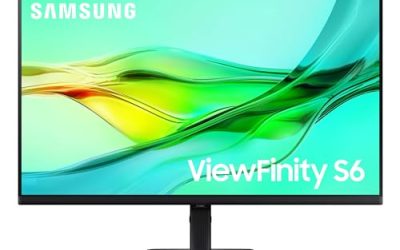
| Samsung ViewFinity S6 (S60UD) | One-cable docking with wired network | 27-inch QHD, 100Hz, USB-C, built-in LAN port, daisy chain |
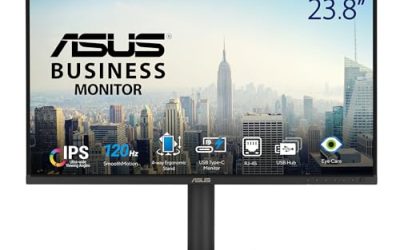
| ASUS BE27ACGN | A docking desk shared by several laptops | QHD 120Hz, USB-C RJ45 docking, DisplayPort daisy-chain |
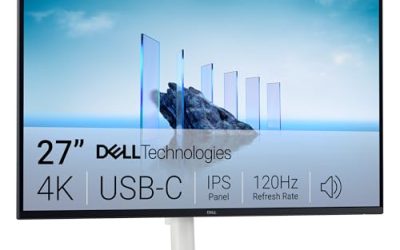
| Dell 27 Plus QHD USB-C (S2725DC) | Fast swaps with sound included | QHD 144Hz, USB-C, 2 x 3W speakers, full stand adjustment |
| Dell P2725H | A simple shared screen for mixed desktops | 27-inch FHD IPS, 100Hz, height-adjustable, anti-glare |
How to Choose
Put height adjustment at the top of the list
On a personal desk, a fixed stand is a minor annoyance. On a shared desk, it is a daily problem, because every new user inherits the previous person’s screen position. Look for height adjustment named in the title, ideally with tilt, swivel, and pivot alongside it, so the screen can swing toward a second chair or turn vertical for a document. Adjustment should be smooth enough to do with one hand. If a listing only promises tilt, the shared desk will end up with a permanent stack of books under the base within a month.
Let USB-C docking do the handover work
The fastest shared desks work like hotel rooms for laptops: sit down, plug one cable, and everything connects. A USB-C input with power delivery charges the laptop while it sends the picture, and a built-in hub passes the shared keyboard and mouse through the monitor. A wired network port inside the monitor is even better for offices, because each laptop inherits a stable connection without a loose adapter wandering off. Check what the title actually promises, since a USB-C port that carries video but little charging power will leave large laptops slowly draining during long sessions.
Count inputs for the machines you really share
Shared spaces collect hardware: a work laptop, a family desktop, maybe a small console or a spare machine for guests. Two or three video inputs stop the cable swapping that wears ports out and loses adapters. Daisy chain support matters when the shared desk might grow a second screen later, because the first monitor can feed the next one. An RJ45 network port, offered by two picks in this roundup, also settles arguments about Wi-Fi reliability during calls. List the machines first, then match the port count to that list rather than to a brochure.
Spot the corners cut on shared-desk features
Manufacturers save money exactly where shared use hurts most. Budget models drop the USB-C input entirely, ship tilt-only stands, omit speakers, and include a single HDMI port for a desk that hosts three computers. None of that shows in a headline resolution figure, which is why the title needs a slow read. A missing network port or hub is not a defect on a personal screen, but on a shared one it means a separate dock purchase. Count the cost of the dock you would need before deciding that a cheaper monitor is actually cheaper for the room.
The 4 Best Options
Samsung ViewFinity S6 (S60UD)

Samsung builds this model around the handover moment. Its USB-C connection pairs with a built-in LAN port, so a laptop that arrives with patchy Wi-Fi leaves with a wired connection, and daisy chain support lets the desk add a second screen later without another dock. The 27-inch QHD panel runs at 100Hz with HDR10 for documents and video, and the height adjustable stand covers the posture changes between users. The Easy Setup stand design in the title also suits desks that get rearranged often, because the screen comes apart and goes back together without a toolbox.
Specs
- Screen size: 27 inches
- Resolution: QHD
- Refresh rate: 100Hz
- HDR: HDR10
- Connection: USB-C
- Network: built-in LAN port
- Extra display support: daisy chain
- Stand: height adjustable, Easy Setup design
- Model: LS27D606UANXGO, 2024
Best for: Hot desks where every laptop needs one-cable docking plus a dependable wired network connection.
Watch out for: The title does not mention built-in speakers, so shared call audio needs a headset or a separate speaker plan.
ASUS BE27ACGN

ASUS aims this docking monitor squarely at desks that several laptops take turns using. The title leads with USB-C and an RJ45 network connection, then adds DisplayPort daisy-chain support and Power Sync, which is meant to wake or sleep connected devices together. The QHD IPS panel runs at 120Hz, faster than most office screens, and the frameless design keeps a shared table looking tidy. Built-in speakers cover quick calls, the stand adjusts for height, and Eye Care features suit a screen that different eyes stare at from morning to evening.
Specs
- Screen size: 27 inches
- Resolution: QHD 2560 x 1440
- Refresh rate: 120Hz
- Panel: IPS, frameless
- Docking: USB-C with RJ45 network port
- Extra display support: DisplayPort daisy-chain
- Features: Power Sync, Eye Care
- Audio: speakers
- Stand: height adjustable
Best for: Small offices where two or three laptop users rotate through one desk and need network plus docking built in.
Watch out for: Confirm the USB-C charging wattage on the product page if your shared laptops include large models with demanding power needs.
Dell 27 Plus QHD USB-C (S2725DC)

Dell balances docking and everyday comfort better than most in this group. The QHD panel refreshes at 144Hz with a 1ms response figure in the title, which keeps scrolling and shared presentations fluid, while integrated speakers rated at 2 x 3W handle meeting audio without extra hardware. USB-C, HDMI, and DisplayPort 1.4 inputs cover the usual mix of laptops and desktops, and the stand adjusts for height, tilt, pivot, and swivel, so each user can pull the screen into position in one motion. The ash white finish also suits bright shared rooms and studio tables.
Specs
- Screen size: 27 inches
- Resolution: QHD 2560 x 1440
- Refresh rate: 144Hz
- Response: 1ms as listed in the title
- Audio: 2 x 3W speakers
- Ports: USB-C, HDMI, DisplayPort 1.4
- Sync: AMD FreeSync
- Stand: height, tilt, pivot, swivel
- Colour: ash white
Best for: Family work tables and team desks that need USB-C docking, call audio, and one-hand adjustment between users.
Watch out for: The title lists no network port, so offices that need wired Ethernet at the desk should look at the Samsung or ASUS picks instead.
Dell P2725H

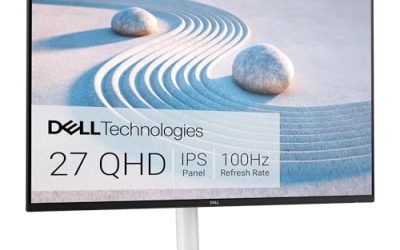
Not every shared screen needs docking, and this Dell covers the simpler pattern honestly. A desktop or two stays plugged in through HDMI and DisplayPort, and different users simply sit down and adjust the height. The 27-inch Full HD IPS panel runs at 100Hz with ComfortView Plus for reduced blue light output and an anti-glare surface that copes with the mixed lighting of shared rooms. This listing bundles a USB-C cable and a cleaning kit with the monitor, which is a small but real convenience for a screen that many hands touch during a week.
Specs
- Screen size: 27 inches
- Resolution: FHD 1920 x 1080
- Refresh rate: 100Hz
- Panel: IPS, anti-glare
- Eye comfort: ComfortView Plus
- Ports: HDMI, DisplayPort
- Stand: height-adjustable
- Included in this listing: USB-C cable and cleaning kit
Best for: Shared desks built around a desktop PC, where fast height adjustment and glare control matter more than docking.
Watch out for: The bundled USB-C cable is an accessory, not a USB-C input on the monitor, and 1080p at 27 inches looks softer than the QHD picks for text-heavy work.
Which One Fits Your Situation
A hot desk used by a different laptop every day
Take the Samsung ViewFinity S6. One USB-C cable docks the laptop, the built-in LAN port replaces unreliable Wi-Fi, and the height adjustable stand resets posture between users in seconds. Daisy chain support also means the desk can grow a second screen later without replacing the monitor that anchors it.
A small team sharing one presentation screen
The ASUS BE27ACGN fits team tables best. Its RJ45 docking and daisy-chain support suit laptops that rotate through meetings, the speakers cover call audio for the room, and the 120Hz QHD panel keeps shared spreadsheets and slides smooth when several people are reading from different seats around the table.
A family table that becomes an office by day
Choose the Dell S2725DC. Parents get USB-C docking and meeting speakers, the stand swings and pivots for whoever sits down next, and the 144Hz QHD panel doubles for homework video and casual play after hours. The white finish also helps it belong in a living space rather than an office corner.
A shared desktop in a library corner or studio
The Dell P2725H is the calm answer. One desktop stays connected, the anti-glare IPS panel behaves under lamps and windows, and height adjustment keeps different users comfortable across the day. It skips docking extras the desk will never use, and the bundled cleaning kit suits a screen touched by many hands.
Common Mistakes
- Buying a tilt-only stand for a desk used by people of different heights.
- Assuming a bundled USB-C cable means the monitor has a USB-C video input.
- Forgetting network access, then relying on weak Wi-Fi for shared video calls.
- Counting one HDMI port for a desk that hosts a laptop, a desktop, and a spare machine.
- Skipping built-in speakers, then cluttering the shared surface with loose audio gear.
Frequently Asked Questions
What matters most in a monitor for a shared desk?
Adjustment speed and connection simplicity matter more than picture differences. A height-adjustable stand lets each user fix posture in seconds, and a USB-C docking input lets each laptop connect with one cable. Screens like the Samsung and ASUS in this roundup add network ports, which remove another daily friction. Resolution still counts for text, but a shared desk punishes awkward hardware more than it rewards a sharper panel.
Can one USB-C monitor serve both Windows and Mac laptops?
Generally yes, because USB-C video input works across both platforms when the laptop supports video output over that port. The monitor does not care which system sends the picture. What varies is charging strength and hub behaviour, so check the power delivery figure on the product page against your largest laptop. Daisy chaining and some dock features can behave differently by platform, so confirm that before a team purchase.
Is 1080p or QHD better for a shared workspace?
QHD is the safer shared choice at 27 inches. Different users sit at different distances, and the extra pixels keep text readable for the person who sits furthest back. A 1080p screen like the Dell P2725H still works for a single desktop with general tasks, but spreadsheets shared on screen look noticeably softer. When several people read the same display, the QHD picks here earn their place quickly.
Do shared monitors need built-in speakers?
They help more than expected. Shared desks collect loose accessories, and anything loose eventually disappears, so speakers inside the screen guarantee that call audio always works. The Dell S2725DC and ASUS BE27ACGN in this roundup include them, while the Samsung does not, according to its title. If your shared space holds frequent calls, treat speakers as a core feature rather than a bonus when comparing titles.