The PlayStation 5 Pro asks more from a display than the standard console does. Its upgraded graphics hardware holds a native 4K image more consistently, Pro Enhanced titles add sharper high-resolution modes, and PlayStation Spectral Super Resolution cleans up upscaled frames. None of that matters unless the monitor can accept the signal the console sends. That is why the best gaming monitor for PS5 Pro is defined first by one connection: a full-bandwidth HDMI 2.1 port carrying 4K at 120Hz with variable refresh rate and auto low latency mode at the same time.
As an Amazon Associate we earn from qualifying purchases.
Every monitor in this guide clears that bar. Each pairs two HDMI 2.1 inputs with a 4K panel, HDMI Forum VRR and ALLM, so the Pro can run its 120Hz output modes without tearing or added lag. What differs after that is panel technology, screen size and desk features. Two IPS models bookend three OLED flagships, and all five double as high-refresh PC displays.
What the PS5 Pro Needs From a Monitor
The standard PS5 already outputs 4K at 120Hz, so the checklist starts in the same place. The Pro difference is how often games use that output. Pro Enhanced patches raise internal resolution, add higher-quality performance modes and lean on PSSR upscaling, so a monitor that softens the image or caps the signal at 60Hz wastes the hardware. Four requirements separate a proper PS5 Pro monitor from an ordinary 4K screen.
Full-bandwidth HDMI 2.1. The port must run at the full 48Gbps rate, sometimes labelled FRL on spec sheets. That bandwidth allows 4K at 120Hz together with HDR and VRR. A cut-down port can force chroma subsampling or drop the refresh rate, so port specification matters more than the box label.
HDMI Forum VRR. The PS5 Pro uses HDMI Forum variable refresh rate rather than a PC-only sync standard. Its VRR window runs from 48Hz to 120Hz, and the monitor has to sync inside that range to smooth out frame-rate dips in Pro Enhanced fidelity modes. FreeSync and G-Sync badges help a gaming PC, but HDMI VRR decides console smoothness.
ALLM and low input lag. Auto low latency mode lets the console switch the display into its game picture preset on connection, bypassing processing that adds delay. Every pick here supports ALLM over HDMI 2.1 and publishes a fast manufacturer response figure.
HDR that the console can map. The PS5 Pro outputs HDR10, and the console’s HDR calibration sets the peak brightness the system tone-maps to. Local dimming on the IPS picks and per-pixel light control on the OLED picks give that calibration more to work with than an edge-lit panel. Use the HDMI cable supplied with the console, or another certified Ultra High Speed cable.
If the base console still shares your desk, our guide to the best gaming monitor for PS5 covers that machine on its own. This page stays focused on the Pro, where steadier 4K output makes panel quality and full-bandwidth ports the priority.
The Five Picks at a Glance
| Monitor | Size | Panel | Resolution | Refresh rate | Ports | VRR |
|---|---|---|---|---|---|---|
| Sony INZONE M9 | 27 inch | IPS | 3840 x 2160 | 144Hz | 2x HDMI 2.1, DP 1.4, USB-C | HDMI VRR, G-Sync Compatible |
| ASUS ROG Swift PG32UCDM | 31.5 inch | QD-OLED | 3840 x 2160 | 240Hz | 2x HDMI 2.1, DP 1.4, USB-C 90W | Adaptive-Sync, FreeSync Premium Pro |
| MSI MPG 321URX QD-OLED | 31.5 inch | QD-OLED | 3840 x 2160 | 240Hz | 2x HDMI 2.1, DP 1.4a, USB-C 90W | HDMI VRR, Adaptive-Sync |
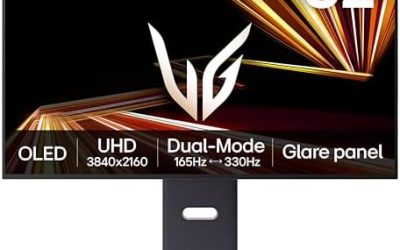
| LG UltraGear 32GS95UE | 31.5 inch | WOLED | 3840 x 2160 | 240Hz, 480Hz Dual Mode | 2x HDMI 2.1, DP 1.4 | HDMI VRR, FreeSync Premium Pro |
| LG UltraGear 32GR93U | 31.5 inch | IPS | 3840 x 2160 | 144Hz | 2x HDMI 2.1, DP 1.4 | HDMI VRR, FreeSync Premium |
Sony INZONE M9

Sony builds the INZONE line around its own consoles, and the M9 is the most direct PS5 Pro pairing in this guide. The 27-inch IPS panel runs at 4K and 144Hz, and over HDMI 2.1 it accepts the console’s 4K 120Hz output with VRR and ALLM. Two PS5-specific features set it apart: Auto HDR Tone Mapping lets the console read the display’s capabilities during setup and map HDR accordingly, and Auto Genre Picture Mode switches presets for games and films.
Picture quality comes from a Full Array Local Dimming backlight rather than edge lighting, so dark scenes hold more depth than a basic IPS panel manages, and DisplayHDR 600 certification gives HDR highlights genuine headroom. The 27-inch size suits a desk shared with a PC, and DisplayPort and USB-C inputs let one screen serve both machines.
Specs
- Screen size: 27 inches, flat IPS panel
- Resolution: 3840 x 2160 (4K UHD)
- Refresh rate: 144Hz, with 4K at 120Hz over HDMI 2.1
- Response time: 1ms GtG (manufacturer figure)
- HDR: DisplayHDR 600, Full Array Local Dimming, 600 cd/m2 peak (manufacturer figure)
- Ports: 2x HDMI 2.1, 1x DisplayPort 1.4, 1x USB-C (DP Alt Mode), USB hub
- Console features: HDMI VRR, ALLM, Auto HDR Tone Mapping, Auto Genre Picture Mode, G-Sync Compatible
ASUS ROG Swift PG32UCDM

The PG32UCDM is the flagship route: a 31.5-inch QD-OLED panel pairing the PS5 Pro’s 4K output with the near-instant pixel response OLED is known for. Its two HDMI 2.1 ports run at full FRL bandwidth, so the console gets 4K at 120Hz with VRR and ALLM, while a PC can push the panel to 240Hz. ASUS rates HDR peak brightness at 1,000 cd/m2 and adds Dolby Vision alongside DisplayHDR 400 True Black certification, suiting the Pro’s HDR10 output with room left for film playback.
Heat management matters on a screen that also shows static desktop elements. ASUS fits a custom heatsink and graphene film to draw heat from the panel without a fan, aimed at sustaining brightness and reducing burn-in risk. USB-C with 90W power delivery, a USB hub and KVM switching complete the desk-friendly package.
Specs
- Screen size: 31.5 inches, flat QD-OLED panel
- Resolution: 3840 x 2160 (4K UHD)
- Refresh rate: 240Hz, with 4K at 120Hz over HDMI 2.1
- Response time: 0.03ms GtG (manufacturer figure)
- HDR: DisplayHDR 400 True Black, Dolby Vision, HDR10, 1,000 cd/m2 HDR peak (manufacturer figure)
- Colour: 99% DCI-P3, true 10-bit
- Ports: 2x HDMI 2.1 (FRL), 1x DisplayPort 1.4 with DSC, 1x USB-C (90W PD), USB hub, SPDIF out
- Console features: HDMI VRR, ALLM, Adaptive-Sync, FreeSync Premium Pro, G-Sync Compatible
MSI MPG 321URX QD-OLED

MSI leans hardest into console support with this 31.5-inch QD-OLED. Its HDMI 2.1 ports carry the full 48Gbps bandwidth, and MSI’s Console Mode is built around exactly the PS5 Pro checklist: 120Hz support at 4K, VRR, ALLM for automatic low-latency switching, and HDMI CEC so a controller can wake the screen. For the Pro owner who plugs in and plays rather than tuning menus, that dedicated mode is the appeal.
Away from the console, the panel runs at 240Hz with a manufacturer-rated 0.03ms GtG response time, DisplayHDR True Black 400 certification and 99% DCI-P3 coverage. OLED Care 2.0 handles panel maintenance such as pixel refresh and static-image detection, and MSI warranty terms address burn-in, worth confirming for your region. USB-C with 90W power delivery and a KVM switch make it a practical single screen for console, PC and laptop.
Specs
- Screen size: 31.5 inches, flat QD-OLED panel
- Resolution: 3840 x 2160 (4K UHD)
- Refresh rate: 240Hz, with 4K at 120Hz over HDMI 2.1
- Response time: 0.03ms GtG (manufacturer figure)
- HDR: DisplayHDR True Black 400, ClearMR 13000
- Colour: 99% DCI-P3, Delta E ≤ 2
- Ports: 2x HDMI 2.1 at 48Gbps, 1x DisplayPort 1.4a, 1x USB-C (90W PD), USB hub
- Console features: MSI Console Mode, HDMI VRR, ALLM, HDMI CEC, KVM, OLED Care 2.0
LG UltraGear 32GS95UE

LG’s 32GS95UE uses a WOLED panel rather than QD-OLED, and brings one feature no other pick matches: Dual Mode. A hotkey switches the 31.5-inch screen between 4K at 240Hz and 1080p at 480Hz, the latter aimed at competitive PC play. The PS5 Pro uses the 4K mode, where two full-bandwidth HDMI 2.1 ports deliver 4K at 120Hz with HDMI VRR and ALLM, and LG publishes a typical brightness of 275 cd/m2 with DisplayHDR True Black 400 certification.
The anti-glare coating makes this the easier OLED for a bright room, where glossy QD-OLED panels can mirror windows and lamps. LG also builds Pixel Sound speakers into the panel, so audio comes from behind the screen with no soundbar needed.
Specs
- Screen size: 31.5 inches, flat WOLED panel
- Resolution: 3840 x 2160 (4K UHD), Dual Mode 1920 x 1080
- Refresh rate: 240Hz at 4K, 480Hz in 1080p Dual Mode, 4K at 120Hz over HDMI 2.1
- Response time: 0.03ms GtG (manufacturer figure)
- HDR: DisplayHDR True Black 400, 275 cd/m2 typical brightness (manufacturer figure)
- Colour: 98.5% DCI-P3 (manufacturer figure)
- Ports: 2x HDMI 2.1, 1x DisplayPort 1.4, USB hub, headphone out
- Console features: HDMI VRR, ALLM, Pixel Sound speakers, FreeSync Premium Pro, G-Sync Compatible
LG UltraGear 32GR93U

The 32GR93U is the IPS alternative for buyers who want 32 inches of 4K without moving to OLED. Its 31.5-inch panel runs at 144Hz, and LG confirms up to 120Hz at 4K from consoles over HDMI 2.1, with HDMI VRR keeping Pro modes smooth and ALLM handling the low-latency switch. A manufacturer-rated 1ms GtG response time keeps motion clear, and an adjustable stand suits longer sessions.
HDR performance is more modest than the OLED models, with DisplayHDR 400 certification and 400 cd/m2 typical brightness, so it trades deep blacks for consistent IPS colour and no burn-in considerations in mixed desktop use. The 4-pole headphone output carries DTS Headphone:X spatial audio, a neat fit for late-night sessions. Choose it when the monitor splits time between the PS5 Pro and everyday PC work, and static screens make OLED upkeep a concern.
Specs
- Screen size: 31.5 inches, flat IPS panel
- Resolution: 3840 x 2160 (4K UHD)
- Refresh rate: 144Hz, with 4K at 120Hz over HDMI 2.1
- Response time: 1ms GtG (manufacturer figure)
- HDR: DisplayHDR 400, HDR10, 400 cd/m2 typical brightness (manufacturer figure)
- Colour: DCI-P3 95% typical (manufacturer figure)
- Ports: 2x HDMI 2.1, 1x DisplayPort 1.4, USB hub, 4-pole headphone out (DTS Headphone:X)
- Console features: HDMI VRR, ALLM, FreeSync Premium, G-Sync Compatible
How to Choose Between These Five
Start with size and viewing distance. At a desk, 27 inches keeps the whole frame in view for competitive play, while 31.5 inches fills more of your vision for story-driven Pro Enhanced titles. Panel choice follows from the room and the routine. OLED delivers per-pixel blacks, the strongest HDR contrast and the fastest rated response times, at the cost of brightness headroom in sunlit rooms. IPS answers with higher typical brightness on the 32GR93U and no burn-in management.
Connectivity is the final filter. Every model here gives the PS5 Pro a full-bandwidth HDMI 2.1 input with VRR and ALLM, so the deciding extras are the second machine on your desk: USB-C with power delivery on the ASUS and MSI models suits a laptop, the Sony’s console-specific picture modes suit a PlayStation-first setup, and the LG 32GS95UE’s Dual Mode suits a PC that also plays competitive titles at 1080p.
Frequently Asked Questions
Does the PS5 Pro need HDMI 2.1 to run games at 4K and 120Hz?
Yes. A 4K signal at 120Hz with HDR and VRR needs the bandwidth of a full 48Gbps HDMI 2.1 port. On an HDMI 2.0 screen the console falls back to 4K at 60Hz, or 1080p in 120Hz modes.
What does Pro Enhanced mean for the monitor?
Pro Enhanced labels games patched to use the Pro’s extra power, through higher internal resolutions, added graphics modes or PSSR upscaling. The monitor needs no special Pro mode. It needs to accept the console’s best output: 4K at up to 120Hz with VRR and HDR, exactly the checklist used for this guide.
Is a 1440p monitor a good match for the PS5 Pro?
The console supports 1440p output, and a 1440p high-refresh monitor is a reasonable desk option. The Pro’s upgrades, though, are built around 4K rendering and upscaling headroom, so a 4K panel shows more of what the hardware is doing. For a screen bought mainly for this console, 4K is the better fit.
Will these monitors also work with a gaming PC?
Yes. All five are high-refresh PC monitors too, with DisplayPort inputs, adaptive sync and refresh rates of 144Hz to 240Hz at 4K. The ASUS, MSI and LG OLED models add USB-C or KVM features for switching between PC, laptop and console.
Conclusion
The PS5 Pro rewards a monitor that treats its HDMI signal properly: full-bandwidth HDMI 2.1, 4K at 120Hz, HDMI VRR and ALLM are non-negotiable, and every pick above delivers them. The Sony INZONE M9 is the natural console-first choice at 27 inches, the ASUS PG32UCDM and MSI MPG 321URX lead on QD-OLED picture quality at 32 inches, the LG 32GS95UE adds Dual Mode flexibility and a room-friendly coating, and the LG 32GR93U covers buyers who prefer IPS for a mixed work-and-play desk.