Multitasking on one screen is a negotiation between space and legibility. The real decision at 27 inches is how many windows you can keep open without shrinking any of them into uselessness, and that is settled by resolution first, then by bezels, ports, and switching hardware. A busy screen that forces constant alt-tabbing is not a multitasking tool; it is a queue with a backlight.
This guide is for analysts living in spreadsheets, writers juggling research and drafts, and laptop users who run chat, documents, and a browser side by side all day. The models below were selected from the name and specifications on their Amazon product pages, favouring QHD and 4K resolution, borderless frames, USB-C connections, daisy chain and KVM support, and stands that stay comfortable through long multi-window sessions.
Quick Picks
As an Amazon Associate we earn from qualifying purchases
| Product | Best for | Key spec from title |
|---|---|---|
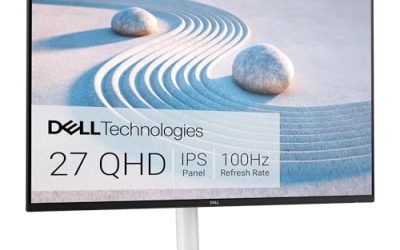
| Dell 27 Plus 4K USB-C (S2725QC) | The most windows on one panel | 27-inch 4K, 120Hz, USB-C, integrated speakers, sRGB 99 percent |
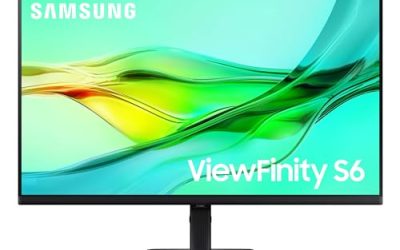
| Samsung ViewFinity S6 (S60UD) | Growing into a two-screen chain | 27-inch QHD, 100Hz, USB-C, built-in LAN, daisy chain support |
| Dell 27 Plus QHD USB-C (S2725DC) | Fast window work with docking | QHD 144Hz, USB-C, speakers, height tilt pivot swivel |
| LG 27US500-W | Borderless 4K with window-organising software | 4K UHD, HDR10, IPS, borderless design, Switch app |
How to Choose
Let resolution decide how many windows truly fit
Window count is a pixel budget. At 1080p, two documents side by side already feel tight, and a third window becomes a sliver. QHD at 2560 x 1440 is the genuine multitasking threshold at 27 inches, giving each half of the screen the room of a small monitor. A 4K panel doubles down again, fitting three or four useful zones once scaling is set sensibly. Match the panel to your habits: chat plus documents thrives on QHD, while spreadsheets, timelines, and research walls reward the 4K picks in this roundup every single day.
Use refresh rate and panel behaviour to reduce fatigue
Multitasking means constant motion: dragging windows, scrolling long pages, and flicking between applications. A refresh rate above the basic 60Hz, offered by three picks here at 100Hz, 120Hz, and 144Hz, makes that motion calmer and easier to follow. Panel type matters in the same way, because IPS keeps colours and contrast steady when windows sit at the edges of your view. Eye comfort features and anti-glare surfaces also earn their keep over a long day, since a multitasking screen is the one you stare at longest without a break.
Plan ports for the second screen you will eventually add
Few multitaskers stay on one display forever, so the port list is a future-proofing exercise. USB-C carries a laptop’s picture and charging in one cable today, while daisy chain support lets a second monitor hang from the first tomorrow, as the Samsung here promises. A built-in KVM switch serves the other common pattern, two computers sharing one desk, by swapping keyboard and screen together. Count HDMI and DisplayPort inputs for the machines you own now, then favour the monitor that leaves a clean path to the setup you describe when asked about next year.
See where multitasking features are quietly trimmed
The cuts on cheaper models target exactly the tools this work style needs. Expect 1080p resolution dressed up as a big screen, a single HDMI input, no USB-C, no KVM, and a tilt-only stand that cannot rise to eye level for an eight-hour window session. Thin bezels also disappear at the bottom of a range, which matters the day a second panel sits beside the first. Read the title for resolution, ports, and stand claims in that order, and treat silence on any of them as an answer rather than an oversight.
The 4 Best Options
Dell 27 Plus 4K USB-C (S2725QC)

Dell gives this panel the highest window budget in the roundup. A 27-inch 4K screen at 120Hz fits a document, a spreadsheet, a browser, and a chat column with room to read all of them, while AMD FreeSync Premium and a 99 percent sRGB claim keep motion and colour respectable. Integrated speakers remove one more box from the desk, ComfortView Plus targets long sessions, and USB-C connection simplifies a laptop-first setup. For a single-screen worker who refuses to alt-tab, this is the most complete answer in the group.
Specs
- Screen size: 27 inches
- Resolution: 4K 3840 x 2160
- Refresh rate: 120Hz
- Colour: sRGB 99 percent
- Contrast ratio: 1500:1
- Sync: AMD FreeSync Premium
- Audio: integrated speakers
- Comfort: ComfortView Plus
- Connection: USB-C
Best for: Heavy multitaskers who want four readable window zones on one 27-inch panel with one-cable laptop connection.
Watch out for: 4K at 27 inches needs display scaling for comfortable text, and the title does not name a KVM switch for two-computer desks.
Samsung ViewFinity S6 (S60UD)

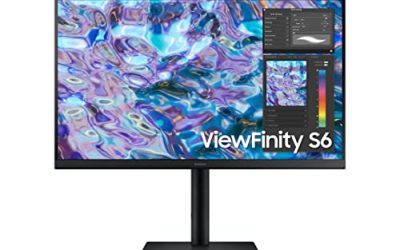
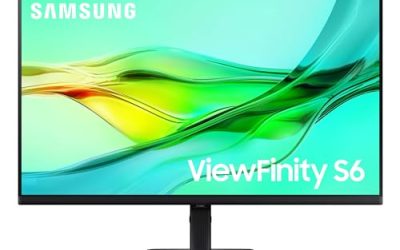
Samsung plans for the day one screen stops being enough. Daisy chain support lets a second monitor run from this one, a built-in LAN port gives a docked laptop wired networking, and the USB-C connection keeps the first cable simple. The 27-inch QHD panel at 100Hz with HDR10 is the balanced multitasking specification: two generous windows today, a clean expansion path tomorrow. A height adjustable stand and the Easy Setup design suit desks that evolve, because the screen can be moved, raised, and re-cabled without a workshop session each time your layout changes.
Specs
- Screen size: 27 inches
- Resolution: QHD
- Refresh rate: 100Hz
- HDR: HDR10
- Connection: USB-C
- Network: built-in LAN port
- Extra display support: daisy chain
- Stand: height adjustable, Easy Setup design
- Model: LS27D606UANXGO, 2024
Best for: Multitaskers who expect to add a second screen later and want daisy chain plus wired networking ready now.
Watch out for: QHD fits fewer simultaneous windows than the 4K picks, and the title mentions no built-in speakers for call audio.
Dell 27 Plus QHD USB-C (S2725DC)

This Dell trades a little pixel count for speed and convenience. The QHD panel refreshes at 144Hz with a 1ms response figure in the title, so dragging windows and scrolling long documents feel immediate during a crowded day. USB-C, HDMI, and DisplayPort 1.4 inputs cover a laptop plus a desktop, integrated 2 x 3W speakers handle calls and media, and the stand adjusts for height, tilt, pivot, and swivel, including a vertical turn for a long document or chat column. The ash white finish keeps a busy desk looking calmer than the workload on it.
Specs
- Screen size: 27 inches
- Resolution: QHD 2560 x 1440
- Refresh rate: 144Hz
- Response: 1ms as listed in the title
- Audio: 2 x 3W speakers
- Ports: USB-C, HDMI, DisplayPort 1.4
- Sync: AMD FreeSync
- Stand: height, tilt, pivot, swivel
- Colour: ash white
Best for: Laptop multitaskers who split between two main windows, take calls on built-in speakers, and value fast, smooth motion.
Watch out for: Two windows is its natural limit compared with the 4K picks, and the title lists no daisy chain support for a second monitor.
LG 27US500-W

LG leans on software to organise the crowd. The Switch app named in the title splits the 4K screen into sections and helps move between devices and tasks, which is the daily reality of multitasking rather than a theoretical one. The borderless IPS design keeps attention on the windows and would sit neatly beside a matching second panel later. HDR10, Reader Mode, and Flicker Safe features cover media and long reading, while HDMI and DisplayPort inputs handle most computers. The white finish suits bright rooms where a black frame would dominate the desk.
Specs
- Screen size: 27 inches
- Resolution: 4K UHD 3840 x 2160
- Panel: IPS, borderless design
- HDR: HDR10
- Comfort: Reader Mode, Flicker Safe
- Software: LG Switch app
- Ports: HDMI, DisplayPort
- Colour: white
Best for: Window organisers who want 4K space, thin bezels for a future second screen, and software that arranges layouts quickly.
Watch out for: The title lists no USB-C input and no height adjustment, so laptop docking and ergonomics need checking on the product page before ordering.
Which One Fits Your Situation
You keep four apps open all day
Choose the Dell S2725QC. Its 4K panel is the only specification here that gives four windows genuine reading room, the 120Hz refresh keeps constant switching calm, and USB-C plus integrated speakers simplify the desk underneath. Set display scaling once, arrange your zones, and the screen stops being the bottleneck in your working day.
You plan to add a second monitor this year
The Samsung ViewFinity S6 is the forward-looking pick. Daisy chain support and a built-in LAN port mean the second screen and the network both arrive without a new dock, and its QHD panel pairs naturally with a matching QHD partner. Buy the expansion path now instead of replacing the anchor monitor later.
Your day is calls, documents, and chat in rotation
Take the Dell S2725DC. QHD fits a document beside a meeting window, the speakers cover call audio, the pivot option turns a chat column or long page vertical, and 144Hz motion keeps the constant switching from feeling sluggish. It is the most balanced two-window machine in this roundup for a laptop-based worker.
You want a tidy two-panel look on a budget of effort
Start with the LG 27US500-W. The borderless design is ready for a twin, the Switch app arranges the 4K space without manual dragging, and the white finish keeps a pair looking deliberate. Add the second panel when you are ready, and the desk grows without a visual mismatch or a new organisation system.
Common Mistakes
- Buying 1080p at 27 inches for split-window work, then reading cramped text in every window.
- Ignoring display scaling, and blaming a 4K panel for small text that one setting would fix.
- Choosing a monitor with no daisy chain or spare input, then adding a second screen through a tangle of adapters.
- Forgetting that a KVM and a hub solve different problems when two computers share the desk.
- Leaving a tilt-only stand under a screen you stare at for eight hours of window switching.
Frequently Asked Questions
Is QHD enough for multitasking, or should I insist on 4K?
QHD is enough for two windows plus a narrow third column, which covers most working days, and it asks less of your graphics hardware. A 4K panel earns its place when three or four windows must stay readable at once, as with the Dell S2725QC and LG picks here. Count your windows honestly, then buy the pixel budget that fits them rather than the largest number on the box.
Can one 27-inch monitor replace a dual-screen setup?
For many workers, yes, especially at 4K with scaling and a window manager or the LG Switch app arranging zones. You lose the separation of two panels and the ability to angle one screen toward a colleague, but you gain a bezel-free centre and a simpler desk. The Samsung pick hedges the bet, because daisy chain support lets you return to two screens later without replacing the monitor.
What does a KVM switch actually do for multitasking?
A KVM lets two computers share one monitor, keyboard, and mouse, swapping the set with one action. It serves people whose multitasking spans machines, such as a work laptop and a desktop, rather than windows on one machine. The Samsung S80UD in the creative roundup claims one in its title; in this group, the Samsung S60UD focuses on daisy chain and networking, so check which pattern matches your desk.
Does a higher refresh rate help if I never play games?
It helps the feel of multitasking more than its capability. Dragging windows, scrolling documents, and switching applications look smoother at 100Hz to 144Hz, which the Dell and Samsung picks here offer, and people find that easier on the eyes across a long day. It does not add window space, so it should rank below resolution and ports, but as a tiebreaker between panels it is a pleasant one.