

Affiliate disclosure: As an Amazon Associate we earn from qualifying purchases. This post contains affiliate links — if you buy through them we may earn a small commission at no extra cost to you. This never affects our recommendations.
The ASUS TUF VG289Q represents ASUS’s commitment to professional-grade gaming displays by combining 28-inch 4K resolution with IPS panel technology and comprehensive gaming features. While the 60Hz refresh rate limits competitive gaming potential, the VG289Q excels for immersive single-player experiences where visual fidelity dominates the experience. The 3840×2160 resolution on a 28-inch canvas creates breathtaking detail and clarity unavailable on lower-resolution displays, making every gaming moment visually stunning.
With 4K resolution and exceptional color accuracy, the VG289Q serves dual purposes: serious gaming and professional creative work. The IPS panel delivers 95% DCI-P3 color gamut coverage with professional calibration, enabling confident color grading and photo work. For creative professionals who game seriously, this monitor eliminates the choice between gaming and professional capability—it excels at both without compromise.
As an Amazon Associate we earn from qualifying purchases at no extra cost to you.



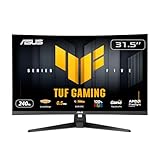


In a hurry? See the top-rated 4k gaming monitor deals available right now:
🛒 Check 4K Gaming Monitor Prices on Amazon →🛒 Best Price Today on Amazon
Prime members get fast, free shipping on everything above, plus member-only deals. New members get a 30-day free trial — cancel anytime.
Start 30-Day Prime Free Trial →See Today’s Amazon Deals4K Resolution and Visual Excellence
The 3840×2160 resolution at 28 inches delivers approximately 157 PPI, creating exceptional pixel density where individual pixels remain invisible at normal viewing distances. The visual sharpness surpasses 1440p displays dramatically. Distant landscape details, intricate textures, and fine UI elements appear crisp and well-defined. For immersive story-driven games like Baldur’s Gate 3, Starfield, and Black Myth: Wukong, the 4K clarity transforms visual storytelling into a more engaging experience.
The 4K resolution requires substantial GPU power; maintaining 60Hz at 4K demands RTX 4080 or equivalent performance. Older GPUs may only achieve 30-45 FPS at maximum settings. The trade-off is clear: ultra-high visual fidelity at the cost of lower frame rates. For 4K gaming monitor buyers prioritizing visual quality over frame rate, the VG289Q is exceptional.
IPS Panel Technology and Color Science
The IPS panel provides superior color accuracy and wider viewing angles compared to TN alternatives. The 95% DCI-P3 coverage ensures colors remain accurate throughout the color spectrum. The factory calibration means colors are accurate out of the box without requiring professional calibration equipment. For creators working in video color grading or photo editing, this professional-grade accuracy is invaluable.
The IPS technology ensures that color remains consistent whether viewing the monitor straight-on or at angles. This is particularly valuable in shared workspaces or when family members are watching gaming sessions. The wide viewing angles don’t diminish the monitor’s gaming capability; IPS response times (around 1ms) remain responsive for casual gaming.
Professional Capabilities and Dual-Use Value
The ASUS TUF VG289Q excels as a hybrid gaming and professional display. Video editors appreciate the 4K canvas for timeline work and precise color grading. Photographers benefit from the high pixel density for detailed image review. Graphic designers use the large color-accurate surface for design work. The DisplayPort 1.4 connection handles 4K at 60Hz with bandwidth to spare.
The USB-C with 60W power delivery supports modern laptop workflows. The USB hub integration provides convenient peripheral connectivity. These professional features combined with gaming optimization make the VG289Q valuable for creative professionals who refuse to choose between work and gaming capabilities.
Gaming Experience at 4K
At 60 FPS, the VG289Q delivers smooth, stable gaming experiences in most titles. Story-driven single-player games where camera movement is player-controlled feel responsive at 60Hz. The 4K resolution makes every frame visually stunning, with detail revealing itself in textures, lighting, and environmental elements.
Competitive gaming at 4K 60Hz has challenges. Esports titles rarely run at native 4K without performance penalties. Fast-paced multiplayer games benefit from higher frame rates; 60Hz disadvantages competitive players facing 144Hz+ opponents. For competitive gaming monitor selection, the VG289Q isn’t ideal. However, for immersive, story-driven gaming, the visual quality advantage is transformative.
Specifications Comparison Table
| Feature | ASUS TUF VG289Q | LG 32GS95UE | Dell S2722DGM |
|---|---|---|---|
| Screen Size | 28 inches | 32 inches | 27 inches |
| Resolution | 3840×2160 (4K) | 3840×2160 (4K) | 2560×1440 (1440p) |
| Refresh Rate | 60Hz | 240Hz | 165Hz |
| Panel Type | IPS | OLED QD | IPS |
| Response Time | 1ms | 0.3ms | 1ms |
| Color Gamut | 95% DCI-P3 | 98% DCI-P3 | 98.5% DCI-P3 |
| Professional Use | Excellent | Good | Very Good |
| Price Range | $400-$500 | $1,500-$1,800 | $350-$450 |
Advantages and Disadvantages
Strengths
The VG289Q’s 4K resolution delivers exceptional visual clarity and immersion in story-driven games. The professional-grade color accuracy enables confident creative work. The 28-inch size provides substantial screen real estate while remaining manageable on standard desks. The dual-use capability for gaming and professional work justifies the investment. The build quality and ASUS warranty inspire confidence in long-term reliability. For creators who game, the combined value is compelling.
Limitations
The 60Hz refresh rate is insufficient for competitive gaming; esports players need 144Hz+. GPU requirements for 4K gaming are substantial; RTX 4080 is minimum for high-quality 4K gaming. The IPS panel has slower response time (1ms) compared to OLED alternatives. The fixed 60Hz doesn’t adapt to varying frame rates like 144Hz+ displays. No HDR support (unlike premium OLED options) limits visual impact in HDR-optimized games. The 28-inch size is larger than optimal for some desks.
Who Should Buy the ASUS TUF VG289Q?
Creative professionals who game should strongly consider the VG289Q. Video editors appreciate the 4K workspace and color accuracy for grading work. Photographers benefit from high pixel density for detailed image review. Designers use the large color-accurate surface comfortably. Immersive gaming enthusiasts prioritizing visual quality over frame rates find the 4K clarity transformative. Builders with RTX 4080 or better GPU hardware can drive 4K gaming effectively.
The VG289Q is NOT recommended for competitive esports players or anyone where high refresh rates are essential. For those priorities, 1440p higher-refresh alternatives are more suitable.

HP OMEN 27 Inch FHD (1920 x 1080) Gaming Monitor, 180Hz Refresh Rate, 1ms Response Time, Ultra-Smooth Gameplay, AMD FreeSync, IPS Eye Comfort Display, Low Blue Light, OMEN 27 G2


As an Amazon Associate we earn from qualifying purchases. Product prices and availability are accurate as of the date/time indicated.
Frequently Asked Questions
Can I game competitively on the VG289Q?
Not optimally. The 60Hz refresh rate puts you at disadvantage against 144Hz+ players. Fast-paced competitive games benefit from higher refresh rates. The VG289Q excels for casual gaming and immersive single-player experiences where visual quality dominates.
What GPU do I need for 4K 60Hz gaming?
RTX 4080 can achieve 60 FPS at high settings in most games. RTX 4090 or RTX 5090 enables maximum settings. Older GPUs like RTX 3080 manage medium-to-high settings at 30-45 FPS. The GPU requirement varies by game; check specific title benchmarks for your intended library.
Is 60Hz acceptable for single-player gaming?
Absolutely. For story-driven games where camera movement is player-controlled, 60Hz feels smooth and responsive. The visual quality at 4K more than compensates for the lower frame rate. Many console gamers are accustomed to 30-60Hz; for 4K gaming PC experiences, 60Hz is perfectly adequate.
How does the VG289Q compare to gaming-focused 4K displays?
The VG289Q prioritizes color accuracy and professional capability alongside gaming. Gaming-focused 4K monitors emphasize higher refresh rates (144Hz+) but sacrifice color accuracy and professional features. The VG289Q is better for hybrid gaming/creative work; dedicated gaming monitors are better for gaming-only priorities.
Is the 28-inch size ideal for 4K?
28 inches at 4K provides excellent pixel density without excessive viewing distance requirements. Some prefer 27-inch 1440p for more responsive gaming, or 32-inch 4K for maximum immersion. The 28-inch size represents a practical compromise between pixel density and screen real estate.

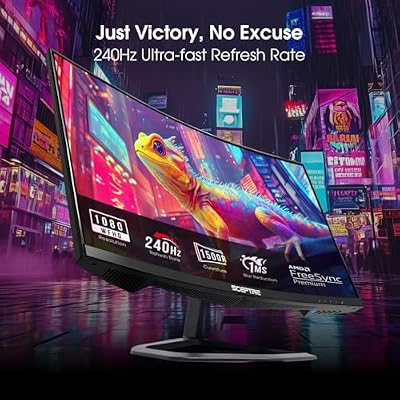
Sceptre Curved 24.5-inch Prime Gaming Monitor up to 240Hz 1080p R1500 1ms DisplayPort x2 HDMI x2 Blue Light Shift Build-in Speakers, Machine Black 2025 (C255B-FWT240 Series)



As an Amazon Associate we earn from qualifying purchases. Product prices and availability are accurate as of the date/time indicated.
Conclusion
The ASUS TUF VG289Q 28-inch 4K 60Hz monitor excels as a hybrid gaming and professional display. For creative professionals who game seriously, the combination of 4K clarity, professional color accuracy, and gaming optimization is unmatched. The visual experience at 4K is genuinely transformative for immersive single-player games, making every frame visually stunning. While the 60Hz refresh rate limits competitive gaming, for story-driven gaming and creative work, the VG289Q delivers exceptional value and capability.
If your gaming library prioritizes immersion and visual quality, and you value professional-grade color accuracy, the VG289Q is the definitive choice. This monitor bridges gaming and professional work seamlessly, making it essential for anyone refusing to compromise between gaming passion and creative career.
More Gaming Gear Guides
- Best 1440P Monitors For Gaming
- Best 4K Gaming Monitors
- Best Ultrawide Monitors Gaming
- Best Oled Gaming Monitors
Related Articles
Looking for more on this topic? Browse the hand-picked guides below — each one applies the same scoring rubric used in this review.
















