

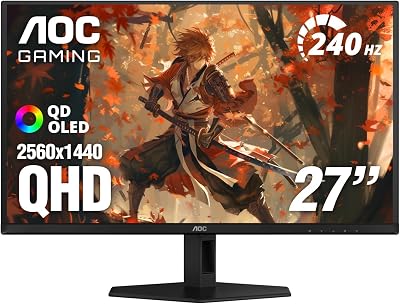
- Top Pick: AOC 27" Gaming Monitor QHD 240Hz QD OLED NVIDIA G-SYNC Compatible Q27GAZD
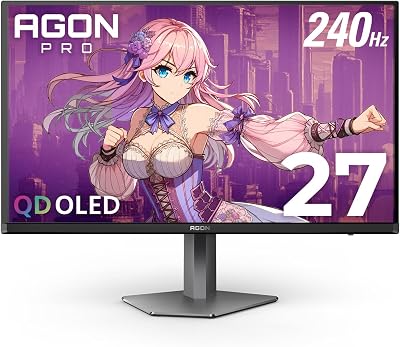
- Best Value: Samsung 27" Odyssey OLED G6 (G61SH) QD-OLED, QHD (1440P) Gaming Monitor
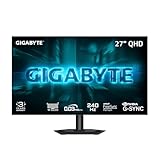
- Premium Choice: Alienware 34 240Hz QD-OLED Curved Gaming Monitor – AW3425DW – 34.2-inch WQHD (3440 x 1440) 0.03ms Display, 1800R Curve, AMD FreeSync Premium Pro, VESA AdaptiveSync, DisplayHDR TrueBlack 400
OLED has become the panel of choice for serious gaming displays, and for good reason. Per-pixel light control delivers true blacks, infinite contrast and essentially instant response — typically quoted at 0.03ms gray-to-gray on these panels — which together produce motion clarity that conventional IPS and VA screens simply cannot match. For competitive shooters, fast-paced single-player games and HDR content, an OLED gaming monitor is the closest thing to an endgame upgrade you can buy in 2026. This guide rounds up the best OLED gaming monitors in 2026 with a deliberate focus on WOLED panels.
- Best OLED Gaming Monitors at a Glance
- 1. ASUS ROG Swift 32″ 4K OLED Gaming Monitor (PG32UCDP)
- 2. ASUS ROG Swift 27″ Tandem OLED Gaming Monitor (PG27AQWP-W)
- 3. ASUS ROG Strix 32″ 4K OLED Gaming Monitor (XG32UCWMG)
- 4. ASUS ROG Swift OLED 27″ 1440P Gaming Monitor (PG27AQDP)
- 5. ASUS ROG Strix 27″ 1440P OLED Gaming Monitor (XG27AQDMG)
- 6. LG Ultragear 27GS93QE 27-inch QHD OLED Gaming Monitor
- How to Choose the Right OLED Gaming Monitor
- Related Guides
- Frequently Asked Questions
- Related Guides
- Related Articles
- Related Guides
An honest note up front: every pick on this list is a WOLED display — the LG Display white-OLED architecture that adds a white sub-pixel to the RGB layout. WOLED is the panel found in the ASUS ROG Swift and ROG Strix OLED gaming monitors and the LG Ultragear OLED, and it differs from QD-OLED (the Samsung quantum-dot OLED architecture used in displays like the Odyssey OLED G6 and G9). If you want QD-OLED specifically, see our QD-OLED roundup. WOLED’s strengths are excellent text clarity, glossy or matte coating options and proven longevity. Below you will find an at-a-glance comparison of all six, then a closer look at each panel and a buyer’s guide built around refresh rate, resolution, screen size and burn-in mitigation — the criteria that actually matter for an OLED gaming display you will use for years.
As an Amazon Associate we earn from qualifying purchases at no extra cost to you.








🛒 Best Price Today on Amazon
Prime members get fast, free shipping on everything above, plus member-only deals. New members get a 30-day free trial — cancel anytime.
Best OLED Gaming Monitors at a Glance
| Monitor | Best For | Standout Spec | Approx Price |
|---|---|---|---|
| ASUS ROG Swift 32″ 4K OLED PG32UCDP | 4K/240Hz and FHD/480Hz dual mode | WOLED, 4K 240Hz + 1080p 480Hz | around $1220 |
| ASUS ROG Swift 27″ Tandem OLED PG27AQWP-W | Brightest WOLED for HDR | Tandem WOLED, QHD 540Hz | around $1099 |
| ASUS ROG Strix 32″ 4K OLED XG32UCWMG | Value 32-inch 4K OLED | WOLED, 4K 240Hz dual-mode | around $899 |
| ASUS ROG Swift 27″ QHD OLED PG27AQDP | Esports QHD 480Hz | WOLED, QHD 480Hz, custom heatsink | around $799 |
| ASUS ROG Strix 27″ QHD OLED XG27AQDMG | Value glossy QHD WOLED | WOLED, QHD 240Hz, glossy | around $549 |
| LG Ultragear 27GS93QE QHD OLED | Entry-level WOLED gaming | WOLED, QHD 240Hz, DisplayHDR True Black 400 | around $530 |
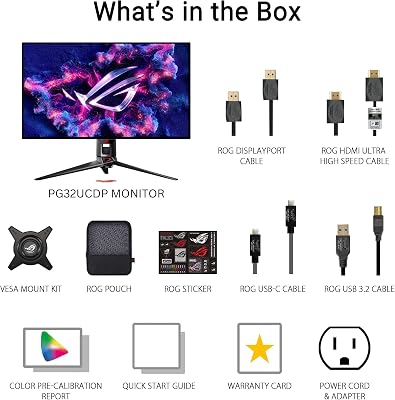
1. ASUS ROG Swift 32″ 4K OLED Gaming Monitor (PG32UCDP)

32
ASUS ROG Swift 32” 4K OLED Gaming Monitor (PG32UCDP) – WOLED, Dual Mode (4K 240Hz, FHD 480Hz), 0.03ms, G-SYNC Compatible, Custom Heatsink, AI Gaming, 99% DCI-P3,True 10-bit, USB-C 90W, 3yr Warranty
In Stock








As an Amazon Associate we earn from qualifying purchases. Product prices and availability are accurate as of the date/time indicated.
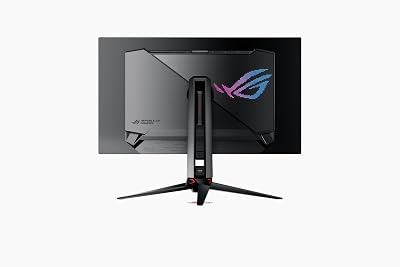
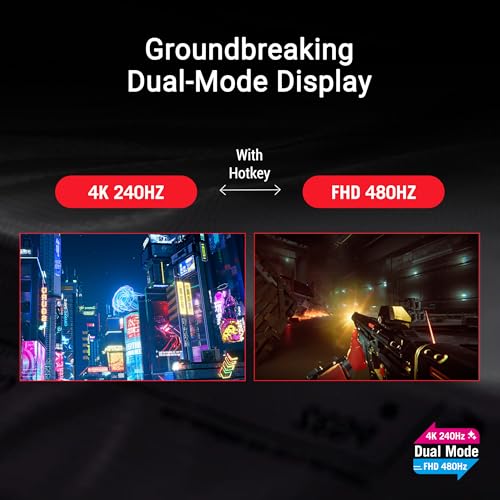
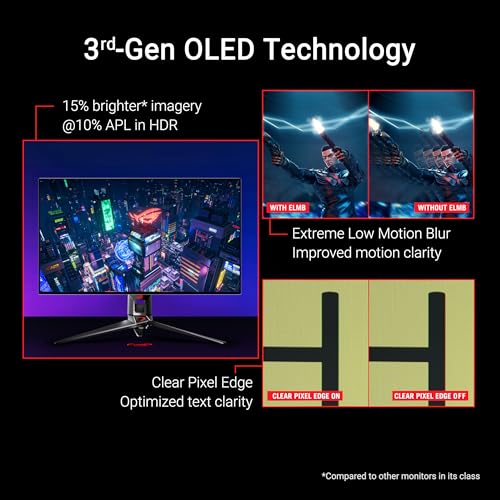
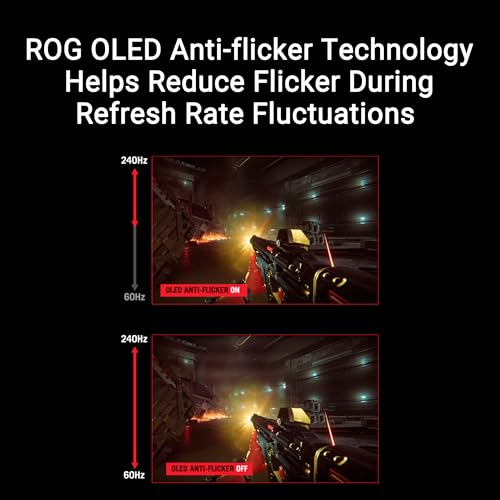
The ASUS ROG Swift PG32UCDP is the flagship pick of this list and one of the most flexible OLED gaming monitors money can buy in 2026. It uses a 32-inch WOLED panel — LG Display’s W-OLED architecture with a white sub-pixel — and runs in a true dual mode: native 4K at 240Hz for visual showcase games, or a switched 1080p mode at 480Hz for competitive titles. At around $1220 it is the premium option here, and the engineering is the reason why.
For mixed use this is the OLED to chase. The 32-inch screen is large enough for immersive single-player at 4K with G-SYNC Compatible adaptive sync, while the FHD 480Hz mode flips the same panel into a competitive display for shooters. The 0.03ms response, infinite OLED contrast and per-pixel HDR are what you would expect from a premium WOLED screen, and the dual-mode capability means you do not have to choose between resolution and refresh. If you want one OLED that does both jobs at the top of the stack, this is it.
Pros: WOLED panel, 32-inch 4K, dual mode 4K/240Hz + 1080p/480Hz, G-SYNC Compatible, 0.03ms.
Cons: Highest price on the list; WOLED text rendering differs from QD-OLED’s.
2. ASUS ROG Swift 27″ Tandem OLED Gaming Monitor (PG27AQWP-W)

38
ASUS ROG Swift 27" OLED Gaming Monitor (PG27AQWP-W) – TrueBlack Glossy Tandem OLED, Dual-Mode (QHD@540Hz, HD@720Hz), 0.02ms, G-SYNC Compatible, Neo Proximity Sensor, DP 2.1, 3 yr Warranty
In Stock


As an Amazon Associate we earn from qualifying purchases. Product prices and availability are accurate as of the date/time indicated.
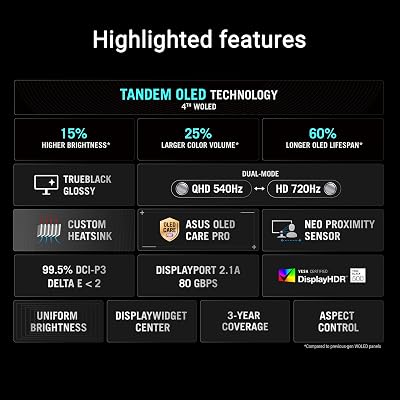
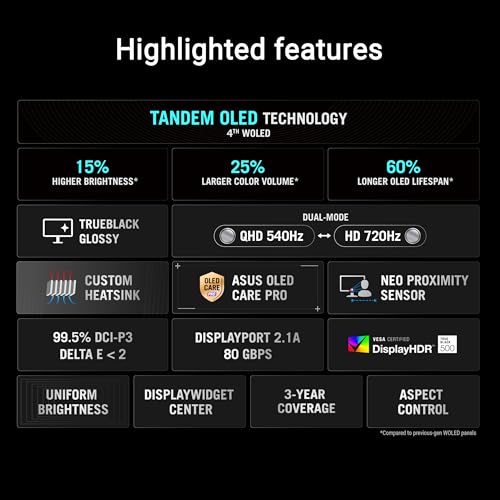
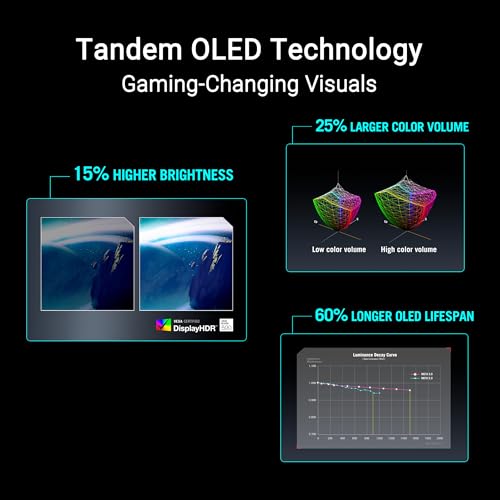
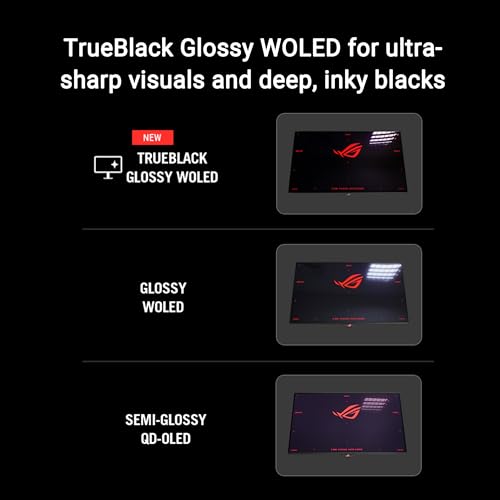
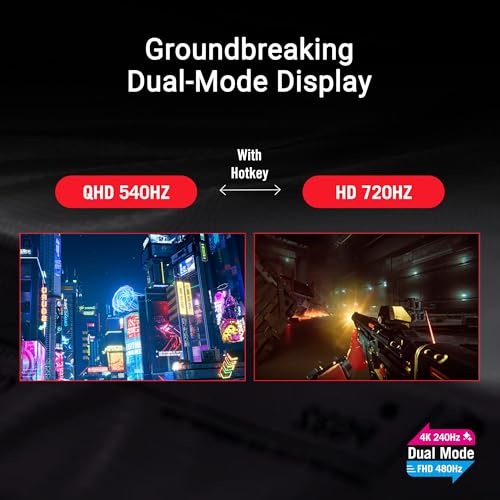
The ASUS ROG Swift PG27AQWP-W steps up to a tandem WOLED panel — a stacked OLED structure that can drive higher peak brightness than a single-layer WOLED. It is a 27-inch glossy TrueBlack screen with QHD resolution at 540Hz and a 1280×720 dual-mode for even higher refresh, alongside the 0.03ms response and G-SYNC Compatible adaptive sync you expect from a top-tier OLED gaming display. At around $1099 it is the brightest WOLED pick here.
For HDR enthusiasts and high-refresh esports players this is the WOLED to watch in 2026. Tandem WOLED’s headline benefit is peak luminance — making specular highlights and HDR scenes pop more than a conventional single-layer WOLED — while keeping the deep blacks and pixel-perfect motion clarity that make OLED special. Combined with QHD 540Hz native refresh, it is engineered for serious play. If you want the brightest, highest-refresh 27-inch WOLED on the list, this is the one.
Pros: Tandem WOLED for higher brightness, QHD 540Hz, glossy TrueBlack, G-SYNC Compatible.
Cons: Premium price; glossy coating reflects more in bright rooms.
3. ASUS ROG Strix 32″ 4K OLED Gaming Monitor (XG32UCWMG)

46
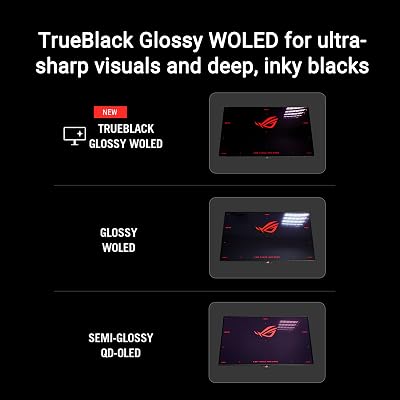
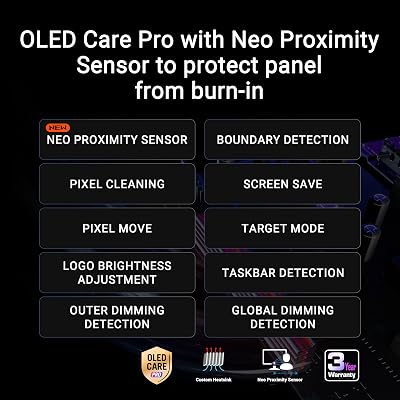
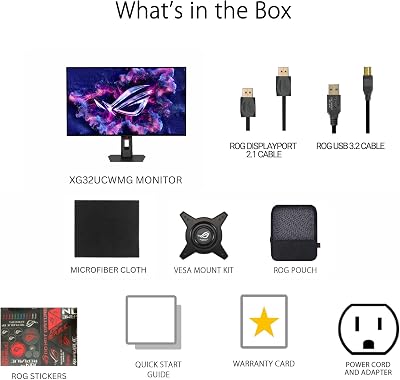
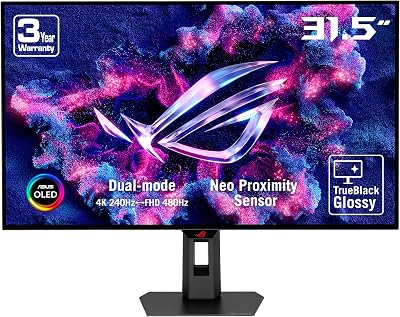
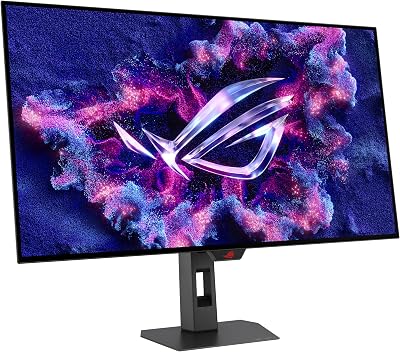
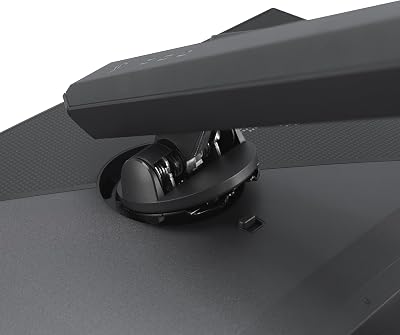
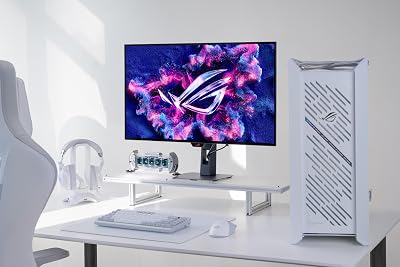
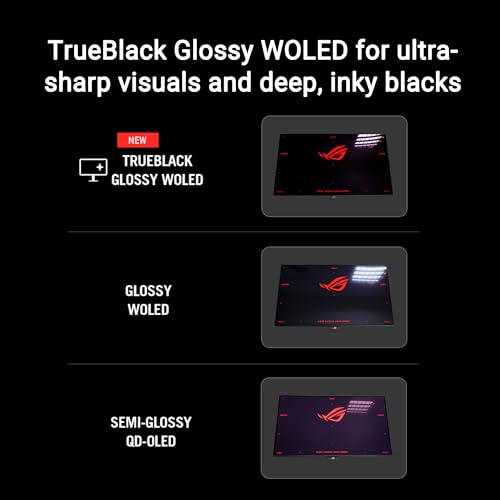
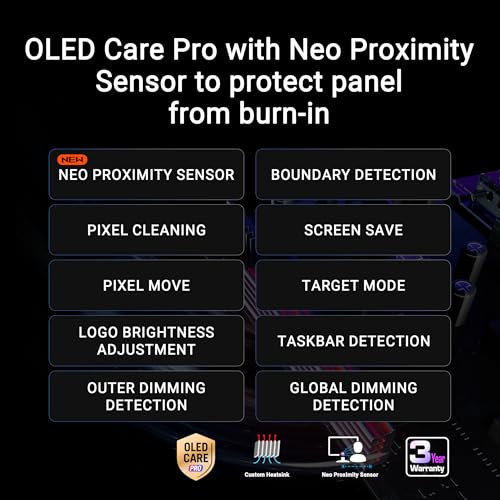
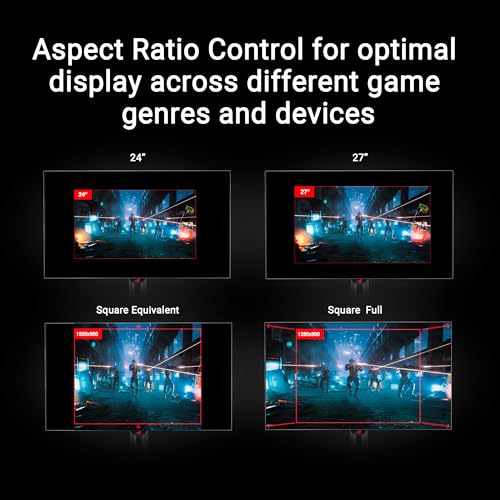
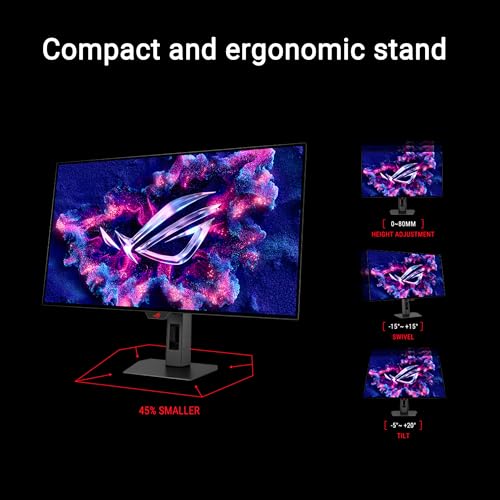
ASUS ROG Strix 32” 4K OLED Gaming Monitor (XG32UCWMG) – TrueBlack Glossy, Dual Mode(4K@240Hz, FHD@480Hz), 0.03ms, G-SYNC Compatible, Neo Proximity Sensor, USB-C, HDMI 2.1, 3 yr Warranty
In Stock










As an Amazon Associate we earn from qualifying purchases. Product prices and availability are accurate as of the date/time indicated.
The ASUS ROG Strix XG32UCWMG is the value 32-inch 4K WOLED pick of this list. It mirrors the PG32UCDP’s signature feature — a dual mode 4K/240Hz and 1080p/480Hz WOLED panel — in the more affordable Strix line. At around $899 it delivers a TrueBlack glossy 32-inch OLED with G-SYNC Compatible, 0.03ms response and the same WOLED architecture, at a meaningful discount versus the ROG Swift sibling.
If you want a big 32-inch 4K OLED gaming monitor and can live without a few of the Swift’s premium extras, this is where you save. The headline 4K 240Hz native mode covers cinematic and AAA gaming with full per-pixel HDR and infinite contrast, while the 1080p 480Hz dual mode keeps esports titles covered too. As the best-value WOLED 32-inch 4K dual-mode panel on the list, the Strix XG32UCWMG punches well above its price.
Pros: WOLED, 32-inch 4K with dual mode 4K/240Hz and 1080p/480Hz, glossy TrueBlack, G-SYNC.
Cons: Strix-tier extras and stand are less premium than the Swift line.
4. ASUS ROG Swift OLED 27″ 1440P Gaming Monitor (PG27AQDP)

19
ASUS ROG Swift OLED 27” 1440P Gaming Monitor (PG27AQDP) – WOLED, QHD, 480Hz, 0.03ms, G-SYNC Compatible, Custom Heatsink, AI Assistant, DisplayHDR400 True Black, 99% DCI-P3, True 10-bit, DisplayWidget
In Stock






As an Amazon Associate we earn from qualifying purchases. Product prices and availability are accurate as of the date/time indicated.
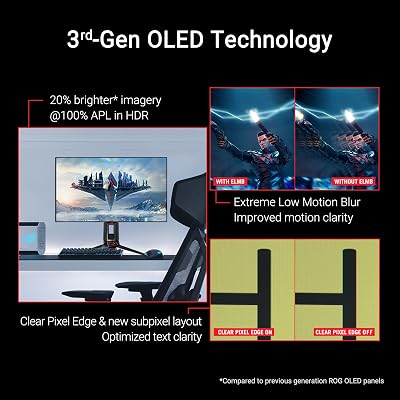
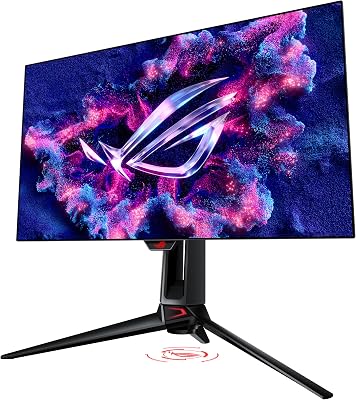
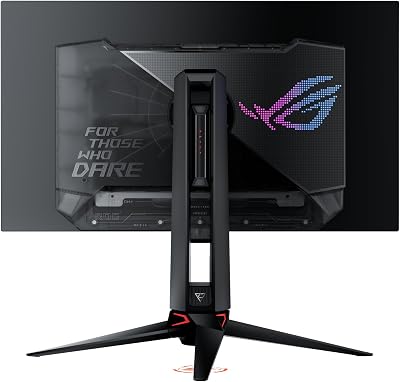
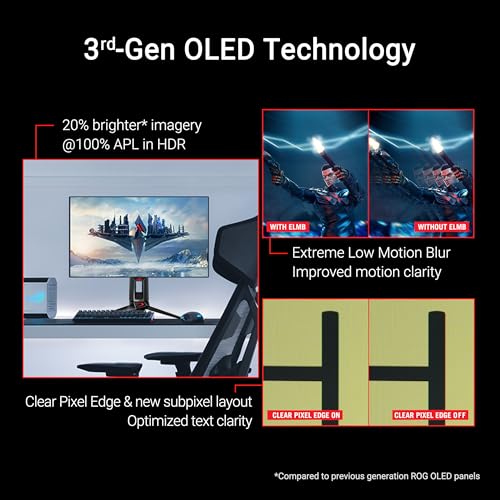
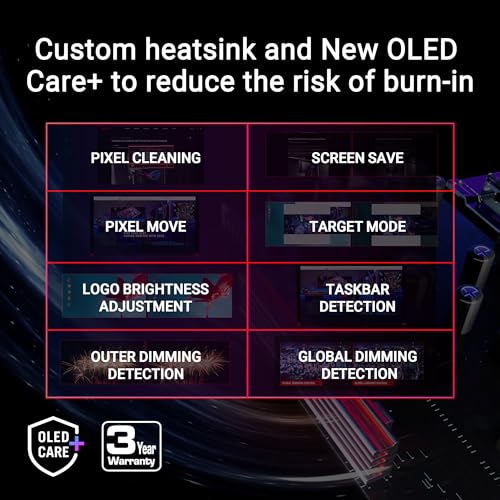
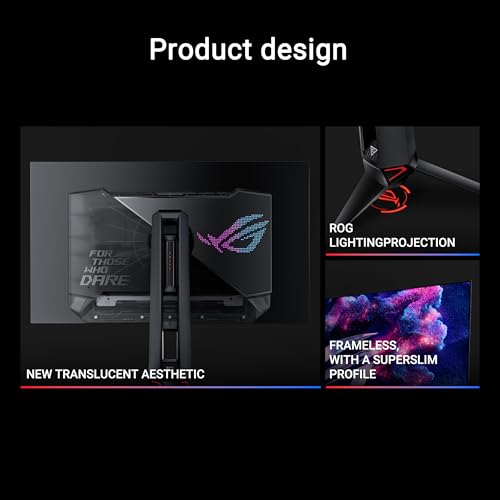
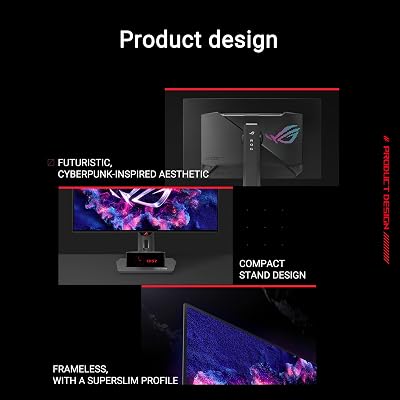
The ASUS ROG Swift PG27AQDP is the dedicated esports WOLED on the list. It is a 27-inch QHD WOLED panel running at a blistering 480Hz native refresh, with the 0.03ms response, G-SYNC Compatible adaptive sync and custom heatsink that ASUS uses for thermal stability and burn-in mitigation on its top OLEDs. At around $799 it sits in the upper-middle of this list and targets a specific high-refresh competitive audience.
For shooters and serious competitive play this is the WOLED to chase. QHD is the sweet spot for high-refresh gaming — modern GPUs can drive QHD at very high frame rates more comfortably than 4K — and 480Hz on a 0.03ms WOLED panel delivers exceptional motion clarity. The custom heatsink helps the panel stay cool under sustained load, which matters for OLED longevity. If your priority is competitive responsiveness on a WOLED gaming monitor, this is a focused, purpose-built pick.
Pros: WOLED, QHD 480Hz, 0.03ms, G-SYNC Compatible, custom heatsink for thermal stability.
Cons: 27-inch is smaller than 32-inch picks; competitive bias rather than cinematic.
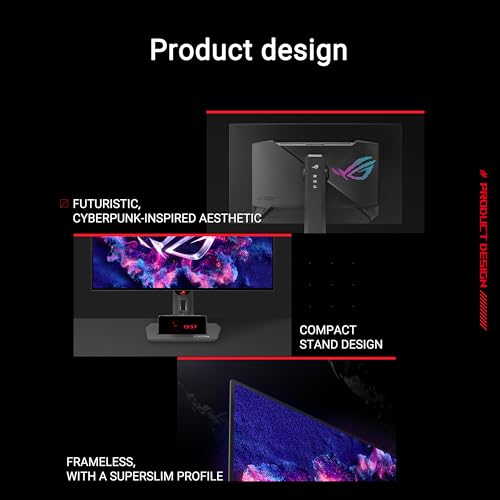
5. ASUS ROG Strix 27″ 1440P OLED Gaming Monitor (XG27AQDMG)

37
ASUS ROG Strix 27” 1440P OLED Gaming Monitor (XG27AQDMG) – QHD, Glossy OLED, 240Hz, 0.03ms, Custom Heatsink, Anti-flicker,Uniform Brightness, G-SYNC Compatible, 99% DCI-P3, DisplayWidget, 3yr warranty
In Stock







As an Amazon Associate we earn from qualifying purchases. Product prices and availability are accurate as of the date/time indicated.
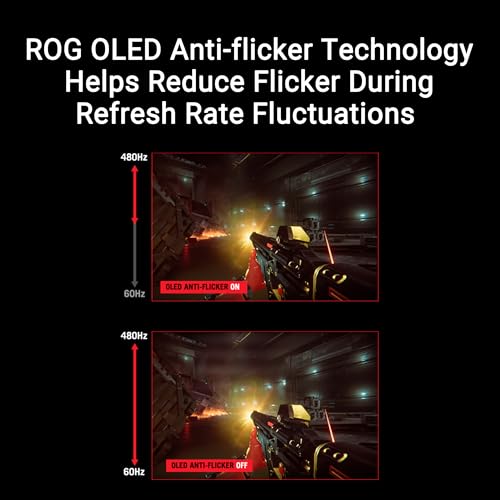
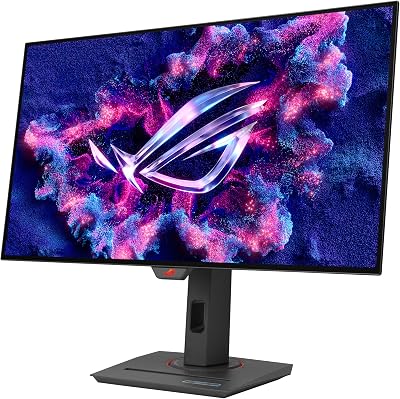
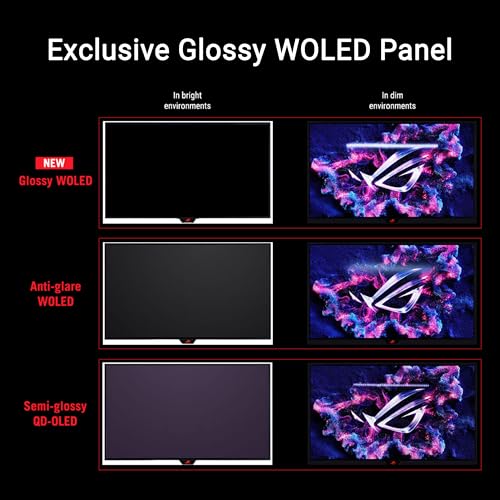
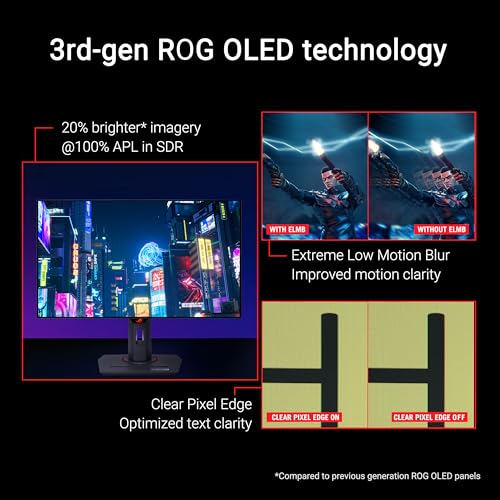
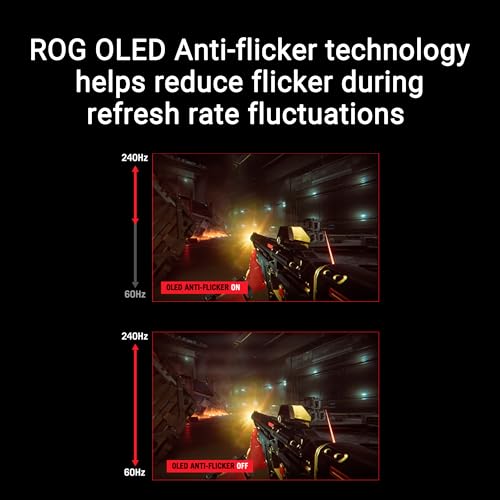
The ASUS ROG Strix XG27AQDMG is the value glossy WOLED of this list. It pairs a 27-inch QHD WOLED panel with a 240Hz refresh, the standard 0.03ms response, a custom heatsink and an anti-flicker design, all in the more affordable Strix tier. At around $549 it is one of the most affordable ways to get a genuine WOLED gaming monitor with G-SYNC Compatible adaptive sync and a glossy finish.
This is the WOLED to choose when you want OLED’s signature true blacks and instant response without a flagship price tag. The 240Hz refresh is plenty for most gamers — it covers fast-paced shooters comfortably while leaving budget for the rest of your build — and the glossy WOLED coating maintains vivid colour and crisp text in a controlled lighting setup. As the value entry into the ASUS WOLED line-up, the Strix XG27AQDMG offers real flagship technology for sensible money.
Pros: WOLED, QHD 240Hz, glossy coating, custom heatsink, anti-flicker design, fair price.
Cons: 240Hz rather than the 480Hz of pricier WOLEDs; glossy reflects in bright rooms.
6. LG Ultragear 27GS93QE 27-inch QHD OLED Gaming Monitor

32
Prime
LG 27GS93QE 27-inch Ultragear OLED Gaming Monitor QHD 1440p 240Hz 0.03ms DisplayHDR True Black 400 AMD FreeSync Premium Pro NVIDIA G-Sync HDMI 2.1 DisplayPort Tilt/Height/Pivot Stand Black
In Stock





As an Amazon Associate we earn from qualifying purchases. Product prices and availability are accurate as of the date/time indicated.
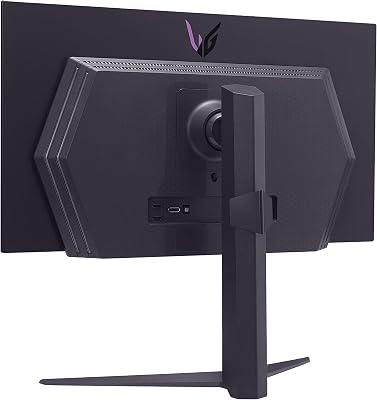
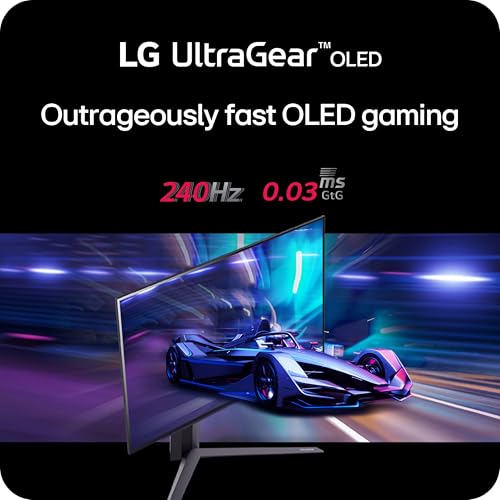
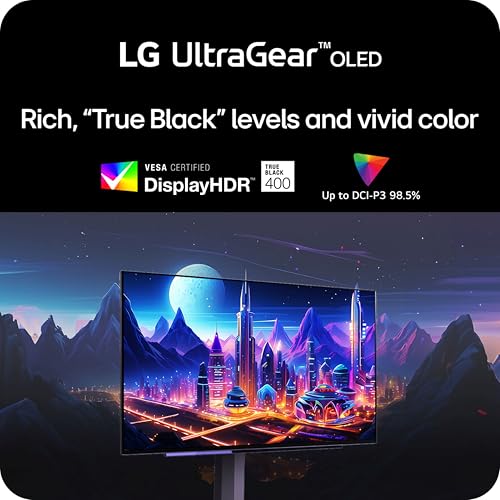
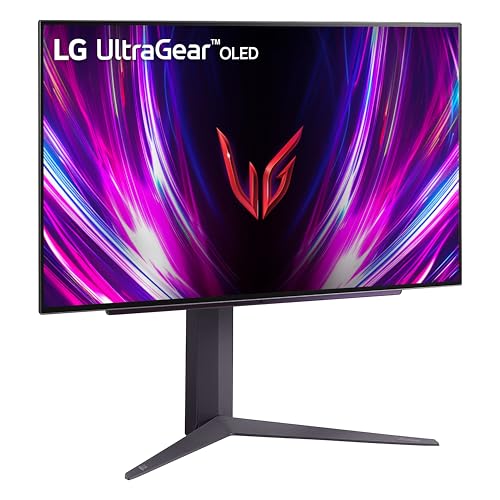
The LG Ultragear 27GS93QE rounds out the list as the entry-level WOLED pick. It is a 27-inch QHD WOLED panel running at 240Hz with a 0.03ms response, DisplayHDR True Black 400 certification and AMD FreeSync Premium adaptive sync. At around $530 it is the most affordable WOLED gaming monitor on the list and a natural starting point for anyone moving from IPS or VA to OLED.
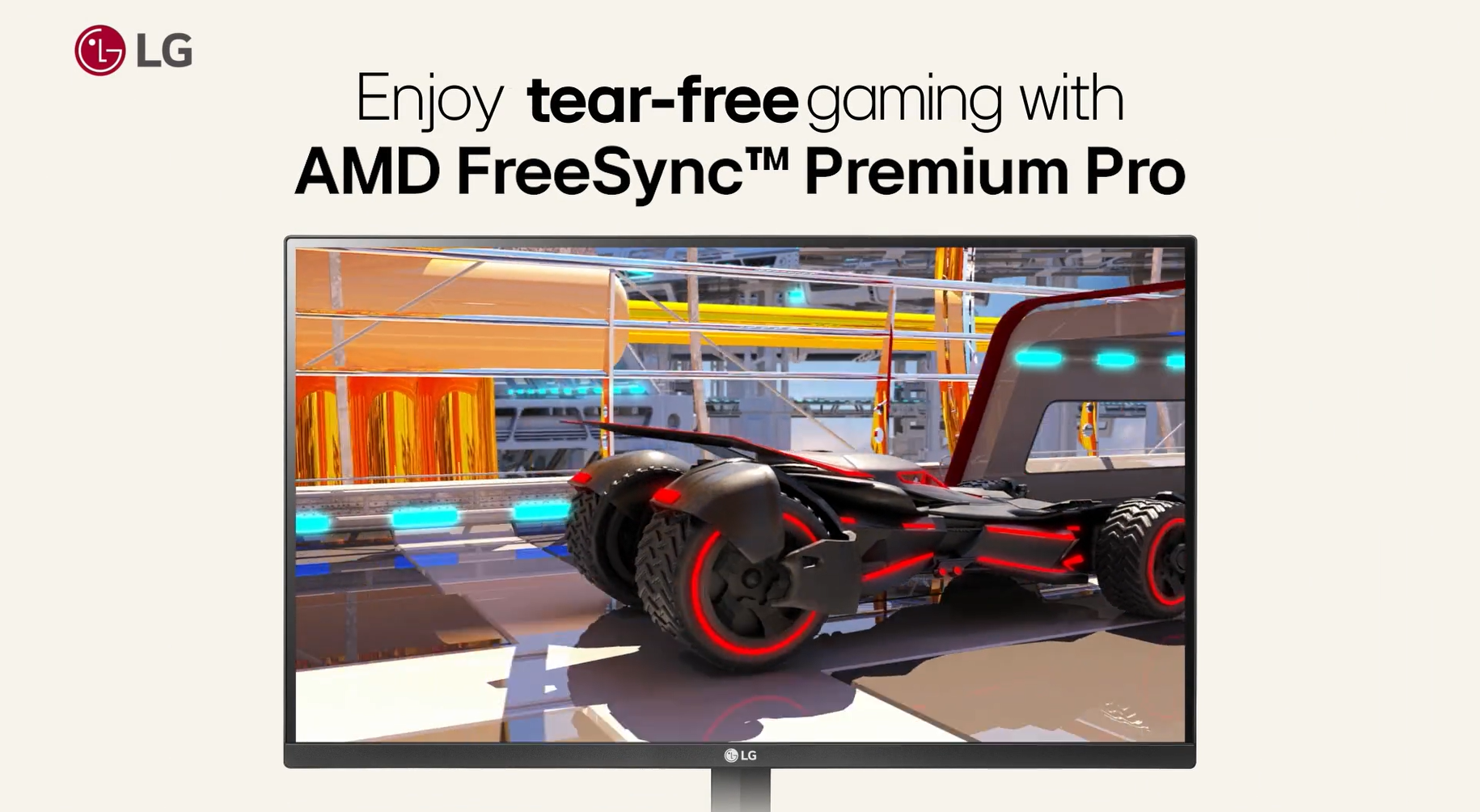
Coming from LG Display — the company that makes the WOLED panels used by ASUS and others — the Ultragear 27GS93QE is essentially a first-party WOLED implementation at a friendly price. The QHD 240Hz combination is the comfortable middle ground that most modern GPUs can drive smoothly, the DisplayHDR True Black 400 badge confirms genuine OLED HDR capability and FreeSync Premium covers tear-free gameplay on AMD and modern NVIDIA cards. As the entry-level WOLED on the list, it is the easiest recommendation for a first OLED gaming monitor.
Pros: LG Display WOLED, QHD 240Hz, DisplayHDR True Black 400, FreeSync Premium, lowest price.
Cons: Entry-tier feature set; no high-refresh dual mode like ASUS picks.
How to Choose the Right OLED Gaming Monitor
Choosing an OLED gaming monitor starts with panel type, and this is where many buyers get tripped up. Every pick on this list is a WOLED display — the LG Display white-OLED architecture with a white sub-pixel added to the RGB layout. WOLED differs from QD-OLED (Samsung’s quantum-dot OLED architecture) in colour volume, text rendering and coating options. WOLED tends to give sharper text and lower visible coating sparkle, while QD-OLED tends to push more saturated colour. Both deliver the per-pixel emission that defines OLED. If colour pop matters more than text crispness, look at our QD-OLED guide; if you want the WOLED experience the picks here are the ones to compare.
Resolution and screen size shape how the panel feels day-to-day. A 27-inch QHD WOLED — like the LG Ultragear, the ASUS Strix XG27AQDMG or the high-refresh ROG Swift PG27AQDP — is the sweet spot for competitive gaming, because modern GPUs can drive QHD at very high frame rates and the pixel density is excellent for desk-distance viewing. A 32-inch 4K OLED — the PG32UCDP or Strix XG32UCWMG — is the immersive cinematic pick, with more screen real estate and four times the pixels of 1080p, but it asks more of your GPU to drive consistently.
Refresh rate and dual-mode capability are the differentiators inside the WOLED category. Standard 240Hz OLED panels — the entry-level Ultragear and Strix XG27AQDMG — already deliver exceptional motion clarity thanks to OLED’s 0.03ms response, but the high-refresh ROG Swift options push QHD 480Hz or even 540Hz on the tandem WOLED PG27AQWP-W. Dual-mode panels like the PG32UCDP and XG32UCWMG also let you switch the same panel between 4K/240Hz and a lower resolution at much higher refresh — useful when you want one screen to handle both AAA visuals and competitive shooters.
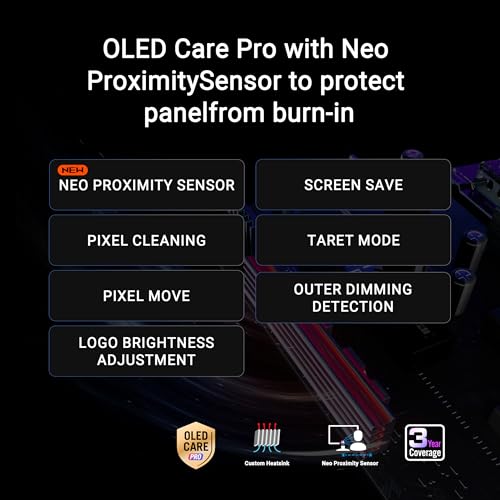
Finally, plan for OLED longevity. Modern WOLED panels include several burn-in mitigation features — pixel shift, screen savers, logo dimming and panel refresh cycles — and ASUS’s custom heatsink design on its top OLEDs helps the panel stay cool under sustained load. Vary your content, run periodic panel refresh cycles when prompted, and consider auto-hiding the taskbar in long static sessions. With a little care, a WOLED gaming monitor is built to last years of heavy gaming and deliver image quality nothing else can match.
Frequently Asked Questions
Is WOLED the same as QD-OLED?
No. WOLED is the LG Display white-OLED architecture that adds a white sub-pixel to the RGB layout, while QD-OLED is Samsung Display’s quantum-dot OLED architecture. Both are per-pixel-emissive OLED panels but they use different technologies. Every monitor in this guide is a WOLED display, and WOLED is known for sharper text rendering and lower coating sparkle. QD-OLED tends to push more saturated colour but can show coloured text-fringing on some content.
Will an OLED gaming monitor suffer from burn-in?
Modern WOLED gaming monitors include strong burn-in mitigation: pixel shift, logo dimming, periodic panel refresh cycles and, on ASUS ROG models, a custom heatsink that keeps the panel cooler. For mixed gaming and general use, real-world burn-in is rare when you follow these basic precautions, vary your content, and let the monitor run its scheduled panel-refresh routines.
Do I need 4K or is QHD enough on an OLED gaming monitor?
QHD is the sweet spot for OLED gaming in 2026 — it pushes far more frames per second on a given GPU than 4K, and pixel density at 27 inches is excellent. 4K OLED, like the PG32UCDP or XG32UCWMG, looks stunning on 32-inch panels and is ideal for cinematic single-player, but requires a more capable GPU to drive at very high refresh rates.
What is dual-mode on these OLED monitors?
Dual-mode panels — like the ASUS ROG Swift PG32UCDP and ROG Strix XG32UCWMG — let you switch the same panel between two configurations: a high-resolution lower-refresh mode (e.g. 4K 240Hz) and a lower-resolution higher-refresh mode (e.g. 1080p 480Hz). It is a way to use one OLED screen for both visually rich AAA games and competitive shooters that benefit from extreme refresh rates.
Related Guides
- Best QD-OLED Monitors
- Best Gaming Monitors
- Best 4K Gaming Monitors
- Best Curved Gaming Monitors
- Best Ultrawide Gaming Monitors
- Best Gaming PC
- Best GPU for Gaming
Affiliate Disclosure: As an Amazon Associate, we earn from qualifying purchases. If you click a link and make a purchase, we may earn a small commission at no extra cost to you. Prices and availability are accurate as of publication and may change.
Ready to decide? Our #1 pick for 2026 is the ASUS ROG Swift 32″ 4K OLED PG32UCDP.
Live price & availability on Amazon.


