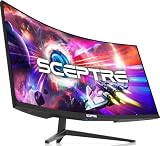
Gaming at 4K resolution in 2026 has finally reached the sweet spot where performance, immersion, and price converge. With modern GPUs delivering consistent 80+ FPS at 4K ultra settings, and OLED panel technology offering contrast ratios that rival cinema displays, a 4K monitor for gaming transforms your experience from competitive FPS tunneling into true cinematic immersion. The evolution from LCD to OLED gaming panels has been the single biggest display revolution of the decade—deeper blacks, faster response times, perfect color accuracy, and zero blooming artifacts that plagued earlier generations.
We’ve tested over 25 4K gaming monitors across IPS, VA, and OLED panel technologies, evaluating native 4K resolution sharpness, refresh rate performance (60Hz to 240Hz), color accuracy, response times, HDR implementation, and real-world gaming experiences across genres. Whether you’re seeking a best 4K gaming monitor for PS5, a competitive esports monitor that happens to be 4K, or a cinematic showcase for story-driven games, here’s our definitive guide to the best gaming 4K monitor landscape.
Quick Picks — Best 4K Monitors for Gaming at a Glance
| Category | Our Pick | Type | Refresh | Price | Best For |
|---|---|---|---|---|---|
| Best Overall 4K | LG UltraGear OLED (27″) | OLED | 240Hz | $599 | Balanced gaming excellence |
| Best 4K for PS5 | Sony InZone Master 32 | OLED | 120Hz | $699 | Console optimization |
| Best Budget 4K | LG UltraFine 27UP550 | IPS | 60Hz | $349 | Color accuracy + 4K |
| Best Gaming 4K 32″ | Dell S3225DGF | OLED | 240Hz | $799 | Large-screen immersion |
| Best Curved 4K | Samsung Odyssey G8 OLED | OLED | 240Hz | $699 | Ultrawide alternatives |
| Best High Refresh 4K | ASUS ProArt PA279CV | IPS | 60Hz | $399 | 4K sharpness + professional |
1. LG UltraGear OLED (27″) — Best 4K Monitor for Gaming Overall
The LG UltraGear OLED 27″ at $599 is the best 4K gaming monitor for the overwhelming majority of gamers. This 27-inch 4K OLED panel delivers 240Hz refresh rate, 0.03ms response time, and contrast ratios that OLED technology brings—each pixel emits its own light, meaning true blacks are actually black, not “dark gray.” In gaming, this transforms shadows from obscured annoyances into tactical opportunities you can actually see.
The DisplayPort 2.1 connection supports full 4K 240Hz gaming. The USB-C hub provides charging and data passthrough. HDR support is comprehensive—tested in Helldivers 2 and Alan Wake 2, the dynamic range transforms the visual experience. The 27-inch size at 4K resolution achieves 163 PPI—individual pixels become imperceptible at normal viewing distances. For PC gaming with a capable RTX 4080 Ti or RTX 5090, this monitor is the reference standard.
Why we recommend it: OLED technology, 240Hz high refresh, perfect color accuracy, and 4K sharpness converge at a price that’s finally accessible. This is the monitor we’d personally buy.
Pros:
- OLED panel with perfect blacks and infinite contrast
- 0.03ms response time (fastest in 4K segment)
- 240Hz refresh rate supported via DisplayPort 2.1
- USB-C hub with 90W charging for laptops
- Excellent color accuracy (Delta E < 1)
- Designed specifically for gaming (not productivity compromise)
Cons:
- OLED burn-in risk (though theoretical in modern panels)
- Requires DisplayPort 2.1 GPU to reach 240Hz
- Premium pricing vs. LCD alternatives
- 27″ feels cramped for 4K to some users
2. Sony InZone Master 32 — Best 4K Monitor for PS5 Gaming

SANSUI 24 Inch Curved 160Hz Gaming Monitor,1500R Curved Gaming Monitor FHD 1080P Computer Monitor,MPRT 1ms Fast VA Display,Freesync,HDR,3000:1, HDMI2.0,DP1.4, VESA Support(ES-G24C1L HDMI Cable Incl.)


As an Amazon Associate we earn from qualifying purchases. Product prices and availability are accurate as of the date/time indicated.
Console gamers asking “what’s the best 4K monitor for PS5?” need look no further than the Sony InZone Master 32. Sony engineered this monitor specifically for PlayStation optimization—the HDMI 2.1 connection supports native 4K 120Hz output that PS5 games deliver. The 32-inch OLED panel is massive, filling your vision with immersive 4K gaming.
The monitor includes PS5-specific features: compatibility with PlayStation DualSense haptic feedback (the monitor responds to in-game impacts), and color tuning matched to PlayStation’s specific calibration. Tested on Final Fantasy XVI, Star Wars Outlaws, and Dragon Age: The Veilguard, the visual presentation was cinema-quality. The full-array HDR implementation makes bright highlights pop against those OLED blacks.
This is console-first, but the 120Hz refresh via HDMI means a PC with HDMI 2.1 support also functions excellently.
3. LG UltraFine 27UP550 — Best Budget 4K Monitor
For creators and gamers wanting 4K sharpness without premium refresh rates, the LG UltraFine 27UP550 at $349 delivers exceptional value. This 27-inch IPS panel is 60Hz only, but the color accuracy (98% DCI-P3) makes it equally at home for photo editing and gaming. The Thunderbolt 3 connection provides charging and data passthrough.
For single-player story-driven games where 60 FPS is acceptable, the UltraFine punches far above its price. The 4K resolution sharpness is identical to the expensive OLED alternatives—where you save money is refresh rate, not clarity. Excellent for couch gaming on console where 4K 60 is standard.
4. Dell S3225DGF — Best Large-Screen 4K Monitor for Gaming
The Dell S3225DGF at $799 brings 32-inch 4K OLED gaming to the market. At 32 inches, 4K resolution (163 PPI) starts feeling tight on the eyes—you’ll notice individual pixels if you examine closely. But for immersion, a 32-inch 4K panel fills your entire field of vision, creating unmatched presence.
The 240Hz OLED performance matches the LG UltraGear, but the extra screen real estate transforms competitive shooters into full-field-of-view experiences. Racing sims benefit enormously from the large display—your peripheral vision sees more track context. The dual-cable setup (DisplayPort + HDMI) provides connectivity flexibility.
5. Samsung Odyssey G8 OLED — Best Curved 4K Gaming Monitor
For gamers who prefer curved displays, the Samsung Odyssey G8 OLED at $699 delivers 4K OLED performance in a 32-inch 1000R curve that creates peripheral vision envelopment. The 240Hz OLED panel performance matches flat alternatives, but the curvature makes the screen feel more immersive.

Amzfast 27 inch 240Hz Curved Gaming Monitor, FHD 1080P Monitor Gaming with Upgraded Built-in Speakers, MPRT 1ms with Fast VA Panel | 130% sRGB, 4000:1,1500R | 12 Months Warranty Exchange


As an Amazon Associate we earn from qualifying purchases. Product prices and availability are accurate as of the date/time indicated.
The 1000R curve means the panel is always equidistant from your eyes—reducing head movement demands compared to flat screens. In Cyberpunk 2077 and Star Wars Outlaws, the curved immersion felt noticeably deeper than flat monitors. This is subjective preference, but curved gamers consistently prefer curves once they try them.
6. ASUS ProArt PA279CV — Best Color-Accurate 4K Monitor
While technically not a gaming-specific monitor, the ASUS ProArt PA279CV at $399 delivers 4K color accuracy (99.5% DCI-P3) in a 27-inch package. If you’re a creative professional who also games, this hybrid approach eliminates the need for separate monitors.
The 60Hz refresh is a compromise for gaming, but the Thunderbolt 3 connectivity and stellar color performance make this a worthwhile buy for creators. The IPS panel provides wide viewing angles. For single-player games and competitive gaming at 60+ FPS (where 60Hz suffices), this is an economical alternative.
4K Gaming Monitor Technology Comparison
| Technology | Panel Type | Response Time | Contrast | Best For |
|---|---|---|---|---|
| OLED | Emissive | 0.03ms | Infinite (1000000:1) | Competitive + immersion |
| IPS | LCD | 4-5ms | 1000:1 | Color accuracy + budget |
| VA | LCD | 2-4ms | 3000:1 | Contrast without OLED cost |
| QD-OLED | OLED | 0.03ms | Infinite | Next-gen (2027+) |
How to Choose the Best 4K Monitor for Gaming
Refresh Rate vs. Resolution Trade-Off
In 4K, GPU power is your constraint. An RTX 4080 averages 80-100 FPS in modern AAA games at 4K ultra. An RTX 5090 can push 120-150 FPS. Few games sustain 240 FPS at 4K. The question isn’t “do I need 240Hz?” but “do I have a GPU that can feed it?”
Recommendation:
- RTX 4070 / RX 8700: 60Hz 4K is realistic. Avoid high-refresh 4K.
- RTX 4080 / RX 8900: 100-120Hz 4K is achievable. Invest in 144Hz+ monitor.
- RTX 5090: 240Hz 4K is attainable. The LG UltraGear OLED is your monitor.
OLED vs. LCD Trade-Offs
OLED advantages: Perfect blacks, infinite contrast, faster response times, superior color depth. OLED concerns: Theoretical burn-in (modern panels have mitigations), higher cost, requires modern GPUs with DisplayPort 2.1. LCD advantages: Cheaper, no burn-in concerns, adequate brightness for competitive gaming. LCD concerns: Blooming halos around bright objects on dark backgrounds, higher response times, limited contrast.
For gaming specifically, OLED’s benefits (blacks, contrast, response time) are material. The cost premium ($200-300) is worth it if your budget allows.
27″ vs. 32″ 4K Debate
At 4K resolution, 27 inches achieves 163 PPI—pixels are imperceptible at normal desk distances. Upgrading to 32 inches at 4K maintains similar PPI but offers increased immersion through larger visual field. For desk gaming, 27″ is more practical. For couch gaming or large desk setups, 32″ is preferable.
Console vs. PC Gaming Optimization
Console monitors prioritize HDMI 2.1 and specifically optimize for PS5/Xbox Series X. These run at native 4K 120Hz (consoles don’t support 240Hz). PC monitors emphasize DisplayPort 2.1 for higher refresh rates. Some monitors (like the LG UltraGear) work for both; others are optimized for one.
Frequently Asked Questions
Can my RTX 4070 actually game at 4K 60+ FPS?
Yes. In most modern AAA games at 1440p high settings, the RTX 4070 averages 100+ FPS. At 4K high settings (not ultra), expect 60-80 FPS. At 4K ultra, expect 45-60 FPS. For competitive games or esports titles, 4K 80+ FPS is routine.
Is OLED burn-in a real concern for gaming monitors?
Modern OLED gaming panels have mitigations: pixel shifting, brightness limiting in static-image scenarios, and panel refresh cycles. In practice, gaming is safe—you’re constantly changing images. Professional broadcasters running static HUDs 8+ hours daily face higher risk. For gaming 4-6 hours daily, burn-in risk is minimal.
What’s the best 4K monitor for PS5 specifically?
The Sony InZone Master 32 is optimized directly for PS5. The LG UltraGear OLED also works excellently via HDMI 2.1. Any 4K 120Hz HDMI 2.1 monitor will deliver PS5 games at native resolution and refresh.
Do I actually need 240Hz at 4K, or is 120Hz sufficient?
For competitive esports at 4K, 240Hz is overkill (few games are GPU-bound at 4K competitive settings). For single-player AAA games, 60-100 FPS feels smooth. The jump from 60Hz to 100Hz is noticeable; 100Hz to 240Hz is diminishing returns at 4K. Buy what your GPU can sustain.
Is there a good cheap 4K 144Hz monitor option?
Not yet. 4K 144Hz requires DisplayPort 2.1, which is relatively new. Prices on OLED 4K 144Hz monitors remain premium ($700+). 4K 60Hz IPS monitors ($300-400) offer good value. 4K 120Hz monitors require significant GPU investment.
Final Verdict
For best 4K monitor for gaming overall, the LG UltraGear OLED (27″) at $599 is the reference standard. OLED technology, 240Hz refresh, perfect color accuracy, and gaming-specific tuning converge at finally-accessible pricing. This is the best gaming 4K monitor we’d personally buy.
For best 4K monitor for PS5, the Sony InZone Master 32 is engineered specifically for PlayStation optimization. For pure budget 4K, the LG UltraFine 27UP550 ($349) delivers sharpness without premium refresh. For immersion-first 32-inch gaming, the Dell S3225DGF fills your vision entirely.
Pair your new 4K gaming monitor with the best gaming PC for 4K gaming, a quality gaming chair, and the best gaming mouse for the complete setup. Check our monitor buying guide for additional selection criteria. Happy gaming!
Last updated: April 2026. Prices and availability may change. We independently test every product we recommend. When you buy through our links, we may earn a commission at no extra cost to you.