

Affiliate disclosure: As an Amazon Associate we earn from qualifying purchases. This post contains affiliate links — if you buy through them we may earn a small commission at no extra cost to you. This never affects our recommendations.
As an Amazon Associate we earn from qualifying purchases at no extra cost to you.


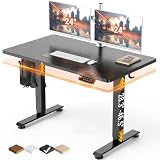
In 2026, a gaming desk is no longer just a flat surface. Streamers, competitive players, and home office hybrids all demand the same thing: a workspace that works as hard as the build sitting on top of it. The best gaming desks with built-in features eliminate the need for third-party add-ons by integrating cup holders, headset hooks, monitor risers, RGB lighting strips, and routed cable management channels directly into the design. That means a cleaner setup, fewer accessories to buy, and a surface that actually supports a multi-screen streaming rig or a lean single-monitor battle station without extra clutter.
The streaming era has pushed manufacturers to think holistically. Whether you are running five-camera productions or grinding ranked matches for hours, the desk itself contributes to ergonomics, cable hygiene, and the overall visual presentation of your setup. This guide covers the five best options on the market right now, tested across build quality, feature set, price, and real-world usability.
In a hurry? See the top-rated Gaming Desk with Built-In Features deals available right now:
🛒 Check Gaming Desk With Built-In Features Prices on Amazon →🛒 Best Price Today on Amazon
Prime members get fast, free shipping on everything above, plus member-only deals. New members get a 30-day free trial — cancel anytime.
Start 30-Day Prime Free Trial →See Today’s Amazon DealsQuick Comparison Table
| Desk | Surface Size | Key Features | Material |
|---|---|---|---|
| Secretlab MAGNUS Pro XL | 80″ x 32″ | Magnetic accessories, cable spine, modular mount | Cold-rolled steel |
| E-WIN Champion Series | 55″ x 24″ | RGB strip, cup holder, headset hook, monitor stand | MDF + steel frame |
| Eureka Ergonomic Z1-S | 63″ x 24″ | Z-legs, full mousepad, monitor riser, cup/headset hooks | MDF + Z-frame |
| Homall Gaming Desk | 55″ x 26″ | Monitor stand, cup holder, headset hook, cable mgmt | Particle board + steel |
| Atlantic Gaming Desk Pro | 48″ x 22″ | Dedicated accessory zones, side storage, controller hooks | MDF + steel |
Our Top Picks
1. Secretlab MAGNUS Pro XL — Best Overall Gaming Desk with Built-In Features
The MAGNUS Pro XL is the desk that redefines what built-in features actually mean. Rather than screwing plastic cup holders onto a particle board surface, Secretlab engineered a cold-rolled steel desk with a proprietary magnetic accessory ecosystem. Every attachment — monitor arm, cable spine, pegboard panel, headset hook, and desk mat — snaps into place magnetically along a hidden rail system that runs the full length of the desk.
The result is a completely tool-free, reconfigurable setup. You can rearrange accessories in seconds, swap monitor positions without a screwdriver, and add or remove the cable management spine as your layout evolves. The surface itself ships with a magnetic leatherette desk mat that covers the full width and resists spills and heat. At 80 by 32 inches on the XL model, there is room for a triple-monitor configuration with a mechanical keyboard, full-size mousepad, and still have clear desk space remaining.
Build quality is in a different class from anything near this price range. The steel frame does not wobble at any height, the legs are precision-welded rather than bolted-together hollow tubes, and the weight capacity handles the heaviest monitor arms and peripheral stacks without flex. This is the desk that serious setups — and most streaming studios — actually use.
Pros:
- Magnetic accessory system is genuinely future-proof and modular
- Cold-rolled steel construction eliminates wobble at any surface height
- Full-width cable spine keeps every cable hidden without zip ties
- Modular monitor mount included handles up to triple displays
- Premium magnetic desk mat is included in the box
Cons:
- Premium price of ~$849 puts it out of budget for many buyers
- Accessories like the pegboard panel and additional hooks sold separately
- Heavy — requires two people to assemble
2. E-WIN Champion Series — Best RGB Gaming Desk with Built-In Features
If the aesthetic layer of your setup matters as much as the functional one, the E-WIN Champion Series delivers RGB integration without it feeling like an afterthought. A full-length LED strip runs along the underside of the surface, casting an even ambient glow downward that works on camera and looks clean in person. The strip supports 16.8 million colors, syncs with most popular RGB software, and connects to a dedicated controller so you are not dependent on your PC to manage desk lighting.
Beyond the RGB, E-WIN packed in a solid feature set at the $280 price point. A reinforced cup holder sits on the right-side monitor stand leg, a headset hook mounts on the left, and two large cable management holes route peripherals down through the desk surface. The included monitor stand raises a single display by about five inches — enough to hit ergonomic eye-level positioning for most seated users without a separate riser purchase.
The frame is powder-coated steel with an MDF top surface finished in a carbon fiber texture. It handles daily use without visible wear, though the surface is not waterproof — a desk mat is recommended if you plan to use it as an eating surface between sessions. At 55 inches wide, it comfortably handles a dual-monitor setup.

Pros:
- Full-length RGB strip with dedicated controller and software sync
- Cup holder, headset hook, and cable holes included at this price
- Monitor stand built into the frame raises display to ergonomic height
- Powder-coated steel frame is stable and visually clean
- Strong value per dollar compared to modular premium options
Cons:
- 55-inch surface is limiting for triple-monitor or ultrawide setups
- MDF top can chip at edges over time without a desk mat
- RGB controller cable routing adds one more cable to manage
3. Eureka Ergonomic Z1-S Gaming Desk — Best Mid-Range Gaming Desk
The Eureka Z1-S hits the practical sweet spot between price and features for players who want a complete out-of-box setup without spending $400 or more. The Z-shaped leg design is the headline visual but it is also functional: those angled legs push the desk’s center-of-gravity lower, which meaningfully reduces lateral wobble compared to standard four-post frames. If you tend to lean on your desk or rest your arms firmly on the surface during long sessions, stability at this price range is worth paying attention to.
What sets the Z1-S apart from similarly priced desks is the inclusion of a full-length mousepad. It covers the entire surface — keyboard area and mousing area — which means you are not buying a separate extended mousepad. That alone represents $30 to $50 in real savings. The monitor riser is built into the frame at the back, elevating your display above the desk level with storage space underneath for a keyboard or controllers when not in use.
A right-side cup holder and left-side headset hook round out the accessory package. The desk is available in 47, 55, and 63-inch widths, making it adaptable to smaller rooms or larger studio-style setups. Carbon fiber and black/white finish options fit most gaming aesthetic directions.
Pros:
- Full-desk mousepad included — genuine money savings over buying separately
- Z-shaped legs reduce wobble more effectively than standard tube frames
- Built-in monitor riser creates under-monitor storage
- Multiple width options (47″, 55″, 63″) fit different room sizes
- Competitive price with a complete out-of-box feature set
Cons:
- No RGB lighting in the standard Z1-S model
- Monitor riser is fixed height — not adjustable
- MDF surface requires a mat to protect against moisture and scratches
- Assembly takes 45-60 minutes and instructions could be clearer
4. Homall Gaming Desk — Best Budget Gaming Desk with Built-In Features
Finding a gaming desk under $150 that actually includes functional built-in features — not just a sticker claiming “gaming desk” on the box — is harder than it sounds. The Homall Gaming Desk delivers. For around $130, you get an elevated monitor stand built into the center of the desk surface, a right-side cup holder, a side-mounted headset hook, and cable management ports that route cords down through the surface rather than draped across the top.
The L-shaped variant of the Homall Gaming Desk adds significant working surface for around $20 more, making it worth the upgrade if you have a corner space available. The corner configuration gives you a primary gaming zone on one side and a secondary surface for a streaming laptop, capture card, or production peripherals on the other — all connected under a single cable management system.

Build quality is honest for the price. Particle board over a steel-tube frame is standard at this tier, and the Homall executes it competently. The legs are stable, the monitor stand does not wobble under normal display weights, and the surface finish resists scratches acceptably. This is a starter desk that punches above its weight on features; it is not designed to outlast your entire gaming career, but it will serve well for two to four years with reasonable care.
Pros:
- Under $150 with monitor stand, cup holder, headset hook, and cable management
- L-shaped variant adds substantial workspace for minimal extra cost
- Stable frame for the price — does not wobble under normal use
- Quick and straightforward assembly — most users complete in 30 minutes
- Available in multiple color options
Cons:
- Particle board surface is susceptible to water damage — always use a mat
- Monitor stand height is fixed and relatively low
- Steel tubes are thinner gauge than mid-range and premium options
- Cup holder mount is plastic and can loosen over time
5. Atlantic Gaming Desk Pro — Best Ultra-Compact Gaming Desk with Built-In Features
Most gaming desks with built-in features are designed for players who have space. The Atlantic Gaming Desk Pro is designed for players who do not. At 48 by 22 inches, it fits naturally against a wall in a dorm room, apartment bedroom, or shared living space — and it packs in more dedicated gaming accessory zones per square inch than any other desk on this list.
Atlantic originally built their reputation on gaming furniture storage systems, and that expertise shows. The desk includes dedicated hooks for up to two controllers, a headset hook, a side bag/headphones hook, a small parts storage tray, a monitor riser with rear cable routing, and a CPU/console stand on the floor frame. Every zone has a purpose. Nothing feels bolted on because the entire desk was designed around accessory integration from the ground up rather than adapted from a standard office desk.
The compact form factor does impose real limitations. A 48-inch surface cannot comfortably run dual monitors of any meaningful size. If you game on a single 27-inch or 32-inch display, this desk handles it well. If you need more screen real estate, step up to the Eureka or E-WIN entries instead. For the single-screen setup in a tight space, however, the Atlantic Gaming Desk Pro remains the best organized and most feature-dense compact option available.
Pros:
- Purpose-built for gaming accessory organization — not adapted from an office desk
- Controller hooks, headset hook, and storage tray all included
- Compact footprint fits dorm rooms, apartments, and shared spaces
- CPU/console stand keeps floor area clean and organized
- Strong value for small-space setups
Cons:
- 48-inch surface is not suitable for dual or ultra-wide monitor configurations
- MDF construction limits long-term durability compared to steel-top options
- No RGB lighting
- Weight capacity lower than full-size desks — heavy monitor arm use not recommended
How to Choose a Gaming Desk with Built-In Features
Which Features Actually Matter vs. Which Are Marketing
Not every built-in feature adds real value. Cup holders and headset hooks are genuinely useful if you drink at your desk or use a wired headset — they keep those items accessible without adding desktop clutter. Cable management channels and routing holes are high-value features that pay off every single day you use the desk. Monitor stands and risers are useful if you do not already own a monitor arm.

RGB lighting is the most divisive feature. If your streaming setup or room aesthetic relies on ambient lighting, desk RGB contributes meaningfully. If you never show your desk on camera and do not care about the look when gaming, RGB adds cost without functionality. Be honest about which category you are in before paying a premium for it.
Magnetic modular systems — as seen on the Secretlab MAGNUS Pro — are genuinely valuable for users who iterate on their setup frequently. For players who set up once and leave everything in place, they represent premium spending on flexibility you will not fully use.
Surface Material and Durability
MDF with a finish coating is the standard at budget and mid-range price points. It performs well under normal use but is not waterproof — liquid spills left to sit will cause swelling and surface damage. A full-coverage desk mat solves this completely and adds wrist comfort as a bonus.
Steel-top desks like the Secretlab MAGNUS Pro cost significantly more but are genuinely waterproof, scratch-resistant, and will outlast several upgrade cycles. If you own your setup for five or more years and want a desk that keeps up, steel surfaces justify the investment.
Carbon fiber texture finishes on MDF are cosmetic — they look like steel but do not perform like it. Factor that into your expectations when comparing desks at similar visual aesthetics.
Stability and Weight Capacity
A desk wobbles when the frame design cannot handle lateral forces — which happen constantly during gaming as you shift weight, slam peripherals, or type aggressively. Z-shaped legs and X-brace frames handle lateral force better than straight four-post tube frames at the same price point.
Check the listed weight capacity against your actual monitor and peripheral weights before buying. Dual 27-inch monitors, a monitor arm, speakers, and a full peripheral set can easily reach 80 to 100 pounds combined. Budget desks rated for 110 pounds total leave almost no margin.
Size and Room Planning
Measure your space before ordering. A 63-inch desk that looks proportional in a product photo can dominate a 10 by 10-foot room in practice. Leave at least 24 inches of clearance behind the desk for your chair to roll fully back, and factor in the depth of the desk surface against how far you sit from your monitor.
Single-monitor setups are comfortable on desks from 47 to 55 inches wide. Dual-monitor configurations need 55 inches minimum, with 63 or wider preferred. Triple-monitor or ultrawide plus streaming rig setups need 72 inches or more — or an L-shaped desk that uses corner space efficiently.
Final Verdict
The best gaming desk with built-in features for most players in 2026 is the Eureka Ergonomic Z1-S. At around $230 for the 63-inch model, it delivers a complete feature set — full-desk mousepad, built-in monitor riser, cup holder, headset hook, and a stability-focused Z-frame — without requiring any additional purchases to have a functional, organized setup on day one. It is the desk that balances real-world value against the features that actually improve daily gaming sessions.
If budget is no concern, upgrade to the Secretlab MAGNUS Pro XL. The magnetic accessory ecosystem, cold-rolled steel build, and cable spine are genuinely superior to everything else on this list, and the desk will outlast every piece of hardware you place on it. For players operating on a tight budget, the Homall Gaming Desk at under $150 proves that built-in features do not require premium spending.
Frequently Asked Questions
Q: What built-in features are worth paying extra for on a gaming desk?
Cable management routing (holes or channels) and a built-in monitor riser offer the highest daily utility — they improve every session you have at the desk. Cup holders and headset hooks are small conveniences worth having when included but not worth seeking out as premium add-ons. RGB lighting and magnetic modular systems are valuable for specific use cases (streaming, iterative setup builders) but add cost that casual players may not need.
Q: Is a built-in monitor stand as good as a monitor arm?
For most single-monitor setups, a built-in monitor stand raises your display to a functional ergonomic height and saves you $30 to $80 on a standalone arm or riser purchase. A full monitor arm offers more adjustability — height, tilt, swivel, extension — and frees up more desk surface. Built-in stands are a practical default; monitor arms are the upgrade for players who fine-tune their ergonomics or run multiple displays on articulating arms.
Q: Can I add features to a gaming desk that did not come with them?
Yes. Cup holders, headset hooks, and under-desk cable management trays all exist as inexpensive clip-on accessories for desks that do not include them built-in. The trade-off is that add-on accessories create additional mounting points and cables. Built-in features are integrated cleanly by design; aftermarket accessories add the function but rarely match the visual tidiness of a desk designed with those features from the start.
Related Articles
Looking for more on this topic? Browse the hand-picked guides below — each one applies the same scoring rubric used in this review.
Ready to decide? Our #1 pick for 2026 is the Desk.
Live price & availability on Amazon.


