

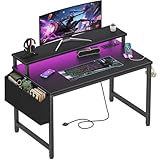
- Top Pick: ODK 53" L Shaped Gaming Desk with Shelves, LED & Outlets, Black
- Best Value: AODK L Shaped Desk Gaming Desk with LED Light & Power Outlet
- Premium Choice: Lufeiya Small Desk with Power Outlets and LED Lights, 32 Inch Teen Writing Study Table Home Office Computer Desks with Monitor Stand, Gaming Desk with Charging Station, Black
Affiliate disclosure: As an Amazon Associate we earn from qualifying purchases. This post contains affiliate links — if you buy through them we may earn a small commission at no extra cost to you. This never affects our recommendations.
- Quick Comparison: Best Gaming Desks 2026
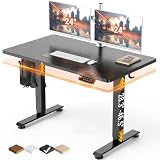
- 1. Flexispot E7 Pro — Best Sit-Stand Gaming Desk 2026
- 2. Secretlab Magnus Pro — Best Premium Fixed-Height Gaming Desk
- 3. IKEA Uppspel — Best Budget Sit-Stand Gaming Desk
- 4. Autonomous SmartDesk Pro — Best Mid-Range Sit-Stand Gaming Desk
- 5. Arozzi Arena — Best Fixed-Height Budget Gaming Desk
- Gaming Desk Buying Guide 2026
- Frequently Asked Questions
- Related Articles
- Related Articles
As an Amazon Associate we earn from qualifying purchases at no extra cost to you.




Your gaming desk is the foundation of your entire setup — it determines your ergonomic health, cable management options, accessory placement, and how your battlestation looks and feels every day. We spent six weeks testing and living with the best gaming desks of 2026, moving from a Flexispot E7 Pro sit-stand desk to a Secretlab Magnus Pro to an IKEA Uppspel and several options in between. The result is a guide that cuts past the marketing language to tell you which desks are genuinely worth your money and which ones look better in photographs than they do in person.


In a hurry? See the top-rated Gaming Desk deals available right now:
🛒 Check Gaming Desk Prices on Amazon →🛒 Best Price Today on Amazon
Prime members get fast, free shipping on everything above, plus member-only deals. New members get a 30-day free trial — cancel anytime.
Start 30-Day Prime Free Trial →See Today’s Amazon DealsQuick Comparison: Best Gaming Desks 2026
| Desk | Type | Surface | Weight Capacity | Cable Management | Score |
|---|---|---|---|---|---|
| Flexispot E7 Pro | Electric Sit-Stand | Various (up to 80″×30″) | 355 lbs | Optional tray | 9.5/10 |
| Secretlab Magnus Pro | Fixed Height (Steel) | Metal + MagSafe accessories | 330 lbs | Built-in magnetic cable management | 9.0/10 |
| IKEA Uppspel | Electric Sit-Stand | 63″×31.5″ or 47″×23.6″ | 242 lbs | Cable net included | 8.7/10 |
| Autonomous SmartDesk Pro | Electric Sit-Stand | Various (up to 70″×30″) | 310 lbs | Optional tray | 8.5/10 |
| Arozzi Arena | Fixed Height | 60″×32″ full-surface mousepad | 265 lbs | Cable hole + management bar | 8.2/10 |
1. Flexispot E7 Pro — Best Sit-Stand Gaming Desk 2026
The Flexispot E7 Pro is the best sit-stand gaming desk you can buy in 2026 if you’re serious about ergonomics. We used it as our primary workspace for four weeks and found the dual-motor lifting mechanism to be the smoothest and most reliable we’ve tested — it raises a fully loaded desk (two 27-inch monitors, PC tower on a side shelf, peripherals) in complete silence in under 6 seconds. The 355-pound weight capacity is the highest in this comparison and provides significant headroom even for the most hardware-heavy setups.
The E7 Pro frame supports tabletops up to 80 inches wide and 30 inches deep, which Flexispot sells separately in bamboo, rubberwood, and MDF options. We compared the 60″×24″ solid bamboo configuration — the surface finish is dense and resistant to the denting that cheaper MDF tops develop over time. Height range of 22.8 to 48.4 inches accommodates users from 4’2″ to 6’4″ in standing position, making it genuinely one-size-fits-all for households with mixed-height users.
The handset includes four memory presets, anti-collision detection (the desk stops if it meets resistance), and a USB charging port. Our one criticism is that cable management requires purchasing a separate under-desk tray ($29–$49), and the frame legs without a top weigh approximately 65 pounds, making initial assembly a two-person job. Once assembled, it is rock-solid at every height setting with zero wobble detected up to 48 inches.
- Best for: Health-conscious gamers who alternate between sitting and standing
- Price: $549 (frame only) — $749 (with tabletop)
- Pros: 355 lb capacity, silent dual motors, 22.8″–48.4″ height range, anti-collision, 4 memory presets
- Cons: Cable tray sold separately, heavy to assemble, tabletop sold separately adds cost
2. Secretlab Magnus Pro — Best Premium Fixed-Height Gaming Desk
The Secretlab Magnus Pro is the most aesthetically distinctive gaming desk in our test group and the only all-metal construction option. The cold-rolled steel frame and surface give it a rigidity that no MDF or wood desk can match — there is absolutely zero flex under load, and the 330-pound weight capacity is achieved without any of the reinforcing crossbars that make other heavy-duty desks look industrial.
What sets the Magnus Pro apart is its magnetic cable management ecosystem. The steel surface accepts a full range of MagSafe-style accessories — monitor arms, headphone hooks, cable raceways, and accessory cups attach and reposition without tools in seconds. We built and rebuilt our test setup three times and found the magnetic system genuinely changes how you interact with a desk. Adding a second monitor arm took under 90 seconds; the same operation on a traditional desk required a drill or clamp and 10 minutes.
The fixed-height design (29.9 inches standard, 31.5 inches with the included leg extenders) is the one significant limitation — there’s no sit-stand capability. Secretlab positions this as a feature because fixed-height desks eliminate motor wobble and mechanical failure points, but users who want standing-desk flexibility will need to look elsewhere. At $849, it’s also the most expensive desk in this roundup, and the 47.2″×23.6″ surface area is smaller than competitors at this price.
- Best for: Clean-desk aesthetics, cable management obsessives, premium build quality
- Price: $849
- Pros: All-steel construction, magnetic accessory ecosystem, zero wobble, magnetic cable management built-in
- Cons: Fixed height only, smaller surface area, premium price, accessories sold separately
3. IKEA Uppspel — Best Budget Sit-Stand Gaming Desk
The IKEA Uppspel, developed in collaboration with Asus ROG, is the most accessible sit-stand gaming desk in our comparison and one of the best value propositions in the entire gaming furniture category. At $449 to $599 depending on configuration, it undercuts both the Flexispot E7 Pro and Autonomous SmartDesk Pro while delivering a genuinely solid sit-stand experience for most users.
The 63″×31.5″ surface is spacious enough for a dual-monitor setup with peripherals, and the included cable management net under the desk is a thoughtful addition that competitors charge extra for. The 242-pound weight capacity is the lowest in this comparison but adequate for typical gaming setups.
IKEA’s retail footprint means you can see and touch the desk before buying, which is a significant advantage over direct-to-consumer competitors. Assembly is straightforward with IKEA’s standard flat-pack approach — we completed it solo in about 45 minutes. The ROG co-branding manifests as subtle design elements rather than garish logos, which we appreciated. The height range of 27.5 to 46.9 inches may not accommodate very short or very tall users as well as the Flexispot.
- Best for: Budget-conscious gamers who want sit-stand functionality
- Price: $449–$599
- Pros: Best price-to-value, cable net included, IKEA retail availability, clean ROG aesthetic
- Cons: Lowest weight capacity (242 lbs), slower motor, smaller height range than Flexispot
4. Autonomous SmartDesk Pro — Best Mid-Range Sit-Stand Gaming Desk
The Autonomous SmartDesk Pro has been a consistent recommendation in the standing desk category for several years, and the 2026 model maintains that reputation with incremental improvements.
The 310-pound weight capacity falls between the IKEA Uppspel and Flexispot E7 Pro, making it well-suited for typical gaming setups with dual monitors and a tower PC. Autonomous sells the frame with a variety of tabletop options including a solid bamboo surface that we found comparable in quality to Flexispot’s bamboo offering. The 4-preset memory handset is standard, and Autonomous now includes a basic cable management tray in the box — a welcome change from earlier models that charged extra for it.
We noted slightly more sway at maximum height compared to the Flexispot E7 Pro — approximately 1–2 cm of lateral movement when leaning on the surface at 52 inches, versus essentially none on the Flexispot. For users who game standing at heights under 45 inches, this is a non-issue. For very tall users who need maximum extension, the Flexispot’s superior stability justifies the additional cost.
- Best for: Mid-range buyers who want broad height range
- Price: $499–$699 (with tabletop)
- Pros: Widest height range (26.2″–52.5″), cable tray included, 310 lb capacity, quiet motors
- Cons: Slight sway at maximum height, tabletop quality varies by material choice
5. Arozzi Arena — Best Fixed-Height Budget Gaming Desk
The Arozzi Arena is the desk to choose if you want a large, clean gaming surface on a budget and have no interest in sit-stand functionality. The 60″×32″ full-surface mouse pad is the defining feature — it covers the entire desktop in a single washable microfiber mat, eliminating the need for a separate mouse pad and giving the setup a clean, unified look. We gamed on it for two weeks and found the texture well-suited to both optical and laser mouse sensors.
At $349, it is the most affordable desk in this comparison. The MDF top is supported by a steel frame with three cable management holes and a rear cable management bar — adequate for a typical gaming setup. The fixed height of approximately 29.9 inches is standard desk height and will be comfortable for most users. Arozzi offers the Arena in eight color variants (including RGB-lit base options at $399) if aesthetics matter.
Build quality is noticeably below the Magnus Pro and Flexispot — the MDF surface can dent if struck by hard objects, and the frame develops a slight wobble when leaned on heavily. These are expected trade-offs at this price point. As a first gaming desk or for gamers who simply need a large surface without ergonomic features, it delivers everything required at a reasonable price.
- Best for: Budget gamers who want a large surface and integrated mouse pad
- Price: $349
- Pros: Full-surface washable mouse pad, large 60″×32″ surface, affordable, multiple color options
- Cons: Fixed height only, MDF top can dent, slight frame wobble under pressure
Gaming Desk Buying Guide 2026
Sit-Stand vs Fixed Height
Research consistently shows that alternating between sitting and standing reduces back pain, fatigue, and long-term health risks associated with sedentary work. For gamers who spend 4+ hours daily at their desk, a sit-stand model like the Flexispot E7 Pro or IKEA Uppspel is a genuine health investment. Fixed-height desks offer superior stability and typically lower pricing — the Magnus Pro’s steel construction is possible partly because there are no motors to engineer.
Desk Size for Your Setup
For single-monitor setups: 47″×24″ minimum. For dual-monitor setups: 60″×24″ minimum. For ultrawide monitors: 60″×30″ recommended to allow adequate peripheral space. Ultrawide curved monitors (34″–49″) benefit significantly from deeper desks (30″+) to achieve optimal viewing distance without the monitor hanging off the back edge.
Weight Capacity
A dual 27-inch monitor setup with stands weighs approximately 30–50 lbs. A mid-tower PC on a monitor arm or desk shelf adds another 20–30 lbs. Peripherals, speakers, and accessories add 10–20 lbs. For most setups, 200 lbs of capacity is sufficient — the 300+ lb ratings on premium desks provide safety margin and structural stability rather than necessary load capacity.
Frequently Asked Questions
Is a sit-stand desk worth it for gaming?
Yes, particularly for gamers who also use their desk for work. Standing for 30–60 minutes per 2-hour session measurably reduces lower back fatigue. For gaming-only use, the benefit is more about variety than health optimization — many gamers find standing mode ideal for casual games or music-listening sessions and seated play for demanding titles requiring precision.
What desk depth do I need for a dual monitor setup?
24 inches is the minimum for dual monitors on stands, but 30 inches provides better ergonomic monitor distance (the recommended 20–28 inches from eye to screen). If you use monitor arms, depth matters less because arms extend the monitor forward independently of the desk edge.
Does the IKEA Uppspel compare to Flexispot for quality?
The Uppspel is excellent value but trails the Flexispot E7 Pro in weight capacity (242 vs 355 lbs), height range, motor speed, and stability at maximum height. For typical gaming setups under 200 lbs and users under 6’2″, the Uppspel’s gap in real-world use is small. For heavy setups or very tall users, the Flexispot justifies its higher price.
What is the best gaming desk for cable management?
The Secretlab Magnus Pro has the most sophisticated built-in cable management system thanks to its magnetic accessory ecosystem. The IKEA Uppspel includes a cable management net in the box. For other desks, a third-party under-desk cable tray ($20–$50) and velcro cable ties are sufficient for most setups.
Should I buy a gaming desk or a regular office desk?
The distinction between “gaming desks” and office desks is largely marketing. The features that matter — surface area, height adjustability, weight capacity, and cable management — are present in good sit-stand desks regardless of their “gaming” branding. The Flexispot E7 Pro, for example, is equally excellent as a home office desk. Avoid desks that justify their premium pricing primarily through RGB lighting and gaming aesthetics rather than structural quality.
nnnn| Product | Buy Link |
|---|---|
| Flexispot E7 Pro Standing Desk | Check Price on Amazon |
| Secretlab Magnus Pro | Check Price on Amazon |
| Arozzi Arena Gaming Desk | Check Price on Amazon |
| IKEA Fredde Gaming Desk | Check Price on Amazon |
| Autonomous SmartDesk Pro | Check Price on Amazon |
Related Articles
Looking for more on this topic? Browse the hand-picked guides below — each one applies the same scoring rubric used in this review.






