

Affiliate disclosure: As an Amazon Associate we earn from qualifying purchases. This post contains affiliate links — if you buy through them we may earn a small commission at no extra cost to you. This never affects our recommendations.
As an Amazon Associate we earn from qualifying purchases at no extra cost to you.

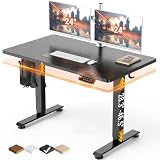


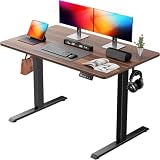
In a hurry? See the top-rated Standing Gaming Desk deals available right now:
🛒 Check Standing Gaming Desk Prices on Amazon →🛒 Best Price Today on Amazon
Prime members get fast, free shipping on everything above, plus member-only deals. New members get a 30-day free trial — cancel anytime.
Start 30-Day Prime Free Trial →See Today’s Amazon DealsQuick Picks
| Rank | Desk | Best For | Price Range |
|---|---|---|---|
| 1 | Flexispot E7 | Best Overall | $$$ |
| 2 | Uplift V2 Commercial | Best Stability / Premium | $$$$ |
| 3 | Autonomous SmartDesk Pro | Best Mid-Range Value | $$ |
| 4 | Flexispot E5 | Best Budget Dual-Use | $$ |
| 5 | SHW Electric Standing Desk | Best Entry-Level / Ultra-Budget | $ |
Why Gamers Are Switching to Standing Desks
Sitting for six, eight, ten hours straight during a gaming session is not a neutral act. Research consistently links prolonged sitting to back pain, circulation problems, reduced energy, and long-term cardiovascular risk. Standing desks do not replace exercise, but they do break the static load your spine carries when you sit in a fixed position for hours.
For gamers specifically, the benefits compound:
Posture and neck strain. Most gaming monitors are set too low for seated comfort, leading to chin-forward posture and chronic neck tension. At standing height, you naturally raise monitor placement, which aligns the cervical spine far better.
Alertness and reaction time. Standing increases blood flow. Multiple studies show cognitive sharpness improves when users alternate between sitting and standing throughout a session. For competitive players, that edge matters.
Core engagement. Standing activates stabilizer muscles that sitting completely switches off. Over months, this contributes to stronger postural muscles without any deliberate exercise.
Flexibility for multi-use. Gamers increasingly double as streamers, content creators, and remote workers. A height-adjustable desk transitions from work-mode at sitting height to streaming-mode standing in under ten seconds.
The practical rule: stand for 15–30 minutes every hour. Any quality electric standing desk with programmable presets makes this essentially automatic.
Single Motor vs. Dual Motor: What the Difference Actually Means
This is where most buyers get tripped up. Motor count affects more than just lift speed.
Single-motor desks use one motor to drive both legs through a shared drive shaft. They are mechanically simpler, cost less, and are adequate for lighter setups — a single monitor, keyboard, and mouse. Typical weight capacities sit around 220 lbs. The trade-off: at maximum extension, single-motor frames can develop slight wobble, especially if the surface is unevenly loaded. For a gaming rig with a heavy ultrawide monitor, dual monitors on arms, and a full peripheral array, single-motor designs often fall short on rigidity.
Dual-motor desks power each leg independently. The result is dramatically better stability at all heights, faster lift (typically 1.5–2 inches per second versus 1 inch for single-motor), and significantly higher weight capacities — often 300 lbs or more. Each motor compensates in real time for load imbalance, keeping the surface level even with a lopsided monitor arm setup.
For a serious gaming desk, dual-motor is the right call. The price premium is roughly $100–$150 over equivalent single-motor models, which is trivial when you consider the desk will outlast multiple PC builds.
Top 5 Standing Gaming Desks for 2026
1. Flexispot E7 — Best Overall
Flexispot E7
The E7 is our top pick for most gamers, and it is not particularly close.
The dual-motor frame lifts at 1.6 inches per second with near-silent operation — quiet enough that you will not hear it over typical game audio. The 355 lb weight capacity is the highest in this price bracket and comfortably handles triple-monitor rigs, full-size towers placed on the surface, and heavy peripherals without breaking a sweat.

The advanced keypad supports four programmable height presets, a lockout mode (critical if you have kids or pets), and a real-time height readout accurate to 0.1 inch. The anti-collision detection deserves specific mention: if the desk senses resistance mid-travel — from a cable, a chair, or anything else in the path — it stops and reverses automatically. This is not a gimmick; it protects both equipment and fingers.
Frame stability at full standing height is excellent. Testing at 47 inches with a 40-inch ultrawide mount and two accessory monitors showed less than 2mm of observable wobble under active use. The steel frame construction includes a cross-support beam option for extra rigidity on larger tabletop sizes.
Tabletop options are extensive: laminate, bamboo, and real wood finishes in widths from 48 to 80 inches. Cable management grommets are included. Leg color options (black, white, grey) cover most desk setups.
The one drawback: assembly takes about 45–60 minutes and requires two people for the tabletop attachment step. The instructions are clear, but this is not a solo ten-minute job.
Best for: Serious gamers running heavy setups, multi-monitor configurations, or anyone who wants premium stability without the Uplift price tag.
2. Uplift V2 Commercial — Best Stability / Premium Pick
Uplift V2 Commercial
The Uplift V2 Commercial is the desk for buyers who consider stability non-negotiable and are willing to pay for it. The commercial-grade frame uses thicker steel tubing than the standard V2, and it shows. At maximum height (51.1 inches), there is essentially no wobble even when the surface is aggressively loaded — and even when you intentionally push against it.
The 25-year warranty is the longest in the standing desk market by a significant margin, and Uplift actually honors it. Their customer service reputation in the standing desk community is consistently rated among the best.
The Uplift V2 Commercial lifts 355 lbs and reaches heights from 25.5 to 51.1 inches — a wider range than most competitors, making it suitable for very tall users who want standing height above 48 inches. The control panel supports four memory presets, plus Uplift’s optional Advanced Keypad adds a sitting/standing reminder timer, which is a genuinely useful feature for gamers who lose track of time.
The downside is price. Fully configured with a quality desktop, the Uplift V2 Commercial runs $200–$400 more than the Flexispot E7 at equivalent sizes. For most gamers, that premium buys marginal real-world benefit. For users who run standing setups for six-plus hours a day, the frame quality justification becomes clearer.
Best for: Power users, professional streamers, content creators who use their desk eight-plus hours daily and want the absolute best frame stability available.
3. Autonomous SmartDesk Pro — Best Mid-Range Value
Autonomous SmartDesk Pro
The SmartDesk Pro earns its place by delivering dual-motor performance at a price point that undercuts the Flexispot E7 by roughly $100–$150. The three-stage leg system is a meaningful distinction: three-stage legs provide a wider height range (26.2 to 52.5 inches) compared to most two-stage alternatives, and they fold more compactly for shipping and setup.
At 265 lbs, the weight capacity is lower than the E7 but still sufficient for most gaming setups — dual monitors, a full peripheral set, and a PC tower if needed. Motor noise is slightly louder than the Flexispot E7, a minor point but noticeable in a quiet room.

The control panel offers four programmable presets, though the keypad lacks the E7’s anti-collision feature at this price point. Cable management is decent but not as polished — the included cable tray attaches to the underside and handles most routing needs.
Frame rigidity at standing height is good but not quite at Flexispot E7 levels. For single-monitor or standard dual-monitor setups this will never be an issue. Running three monitors on arms with a large ultrawide at full height does produce slightly more motion than the top two picks.
The Autonomous app integration is a nice-to-have: it logs your sitting and standing time, sets reminders, and tracks weekly stats. For gamers building healthier habits, the data feedback loop is genuinely useful.
Best for: Budget-conscious gamers who want dual-motor performance and a wider height range without paying top-tier prices.
4. Flexispot E5 — Best Budget Dual-Motor Option
Flexispot E5
The E5 is where Flexispot’s reliability meets an accessible price. Single-motor construction keeps costs down, and the 220 lb capacity covers the majority of standard gaming setups: one or two monitors, keyboard, mouse, headphone stand, and typical accessories without issue.
Three memory presets handle the essential use case — one sitting height, one standing height, and a middle position for perching on a stool. The keypad is straightforward without the advanced features of the E7. Height range runs from 28 to 47.6 inches, slightly less than premium models, which may matter for very tall users.
Motor noise is more noticeable than dual-motor configurations but not disruptive. Transition from sit to stand takes about four seconds, which is fine for typical use.
Where the E5 wins is price-to-reliability. Flexispot’s build quality at this tier significantly exceeds generic brands at similar prices. The frame uses the same structural steel Flexispot deploys across their lineup, and the motor quality shows in day-to-day use. At two years of daily operation, the E5 frame holds up without developing play in the joints — a common failure point on cheaper alternatives.
Best for: First-time standing desk buyers, casual gamers, or users with lighter setups who want a trusted brand without premium pricing.
5. SHW Electric Standing Desk — Best Entry-Level Pick
The SHW is the starting point for buyers who want an electric standing desk under $300 and understand the trade-offs involved. At 154 lbs maximum capacity, it is strictly for light setups — a single monitor, laptop, keyboard, and mouse. Running dual monitors or monitor arms approaches the limit quickly.
Basic memory functionality covers two or three positions depending on configuration. Motor operation is audible but not objectionably loud. Height range (28–45 inches) is narrower than any other desk on this list.
The surface wobble at standing height is the most significant limitation. For light typing and office-style tasks, it is acceptable. For gaming sessions with physical peripherals — a mechanical keyboard, heavy mouse movements, or controller use — the motion becomes more noticeable.

That said, the SHW delivers on its core promise: it is an electric desk with programmable memory that goes up and down reliably. For a home office secondary setup, a child’s adjustable study desk, or a standing-desk trial before committing to a higher investment, it serves its role.
Best for: First-time standing desk users on a strict budget, secondary/guest setups, or light home-office use.
Full Comparison Table
| Desk | Motor Type | Max Weight | Height Range | Memory Presets | Warranty |
|---|---|---|---|---|---|
| Flexispot E7 | Dual | 355 lbs | 22.8″–48.4″ | 4 | 5 years |
| Uplift V2 Commercial | Dual | 355 lbs | 25.5″–51.1″ | 4 | 25 years |
| Autonomous SmartDesk Pro | Dual | 265 lbs | 26.2″–52.5″ | 4 | 2 years |
| Flexispot E5 | Single | 220 lbs | 28″–47.6″ | 3 | 5 years |
| SHW Electric Standing Desk | Single | 154 lbs | 28″–45″ | 2–3 | 1 year |
What to Look for in a Standing Gaming Desk
Weight capacity with headroom. Add up your monitor(s), monitor arm(s), PC if it sits on the surface, all peripherals, and the tabletop itself. Then buy a desk rated at least 30% above that total. A desk running at 90% of rated capacity degrades faster and may develop instability over time.
Height range for your body. Correct standing ergonomics put your elbows at 90 degrees with shoulders relaxed. Calculate your ideal standing desk height by standing naturally, bending your elbows to 90 degrees, and measuring from the floor to your hands. Most adults fall between 38 and 46 inches. Verify any desk you consider covers your specific range — do not assume.
Stability test expectations. At any price point, some motion at standing height is normal. The question is degree. For gaming, look for desks tested at less than 3mm wobble at 45 inches under active use. Manufacturer specs often claim “stability” without quantifying it; third-party tests from dedicated standing desk review sites provide better data.
Motor noise. If you stream, motor noise matters more than it does for a solo player. Dual-motor desks from Flexispot and Uplift are quiet enough to adjust on camera without disrupting audio. Budget single-motor desks are not.
Programmable presets and anti-collision. Four presets cover sit, stand, and intermediate positions with room to spare. Anti-collision is a safety feature you will not appreciate until the day it saves your monitor from a catastrophic meeting with your chair’s armrest mid-transition.
Cable management. A standing desk that transitions height eight times a day puts real stress on desk-mounted cables. Built-in cable trays, grommets, and spine routing systems are not cosmetic — they protect your hardware over the long term.
Tabletop dimensions. For a full gaming rig, a minimum of 60 inches wide is recommended. 72 inches accommodates triple-monitor setups or wide ultrawide configurations comfortably. Depth of at least 30 inches keeps monitors at a healthy viewing distance when standing.
Verdict
The Flexispot E7 is the best standing gaming desk for most people in 2026. Dual-motor reliability, 355 lb capacity, anti-collision safety, and four programmable presets at a price point that beats premium competitors by $200 or more makes it the clear value winner. Assembly is the only friction point, and it is a one-time investment.
Spend up to the Uplift V2 Commercial if you use your desk for eight-plus hours daily and want the best frame rigidity available with a warranty that means something long-term.
Step down to the Autonomous SmartDesk Pro if the E7 is over budget but you still need dual-motor performance. The Flexispot E5 covers single-monitor setups reliably at a lower price. The SHW is an entry point only — suitable for light use or standing desk trial runs before committing to a real investment.
Whichever desk you choose, the habit matters more than the hardware. Start with 15 minutes standing per hour. Use the memory presets. Your back, your posture, and your reaction time will all benefit.
Frequently Asked Questions
Are standing desks good for gaming?
Yes. An electric height-adjustable desk lets you alternate between sitting and standing, reducing the strain of long sessions. You can game seated and switch to standing during breaks.
What should I look for in a standing gaming desk?
A stable frame with minimal wobble at standing height, a strong motor, enough weight capacity for your monitors and gear, a wide height range, and a surface large enough for your setup.
Single or dual motor standing desk?
Dual-motor desks raise and lower faster, more smoothly, and handle more weight with better stability. For a gaming setup with multiple monitors, a dual-motor desk is the more reliable choice.
Is a standing desk worth it for a gamer?
If long sessions leave you stiff, the ability to stand and move helps posture and energy. It is a worthwhile ergonomic upgrade, though you still need a good chair for seated play.
Related Articles
Looking for more on this topic? Browse the hand-picked guides below — each one applies the same scoring rubric used in this review.






