

Affiliate disclosure: As an Amazon Associate we earn from qualifying purchases. This post contains affiliate links — if you buy through them we may earn a small commission at no extra cost to you. This never affects our recommendations.
As an Amazon Associate we earn from qualifying purchases at no extra cost to you.

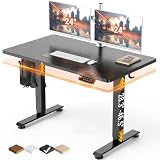


Title: Best Standing Desk for Gaming in 2026: Top 5 Electric Sit-Stand Picks
Gaming at a standing desk used to mean a compromise: pay a lot, get a wobbly frame, deal with limited cable management, and hope your monitor arm is compatible. That era is over. By 2026, the electric sit-stand desk market has matured to the point where a $500 frame is genuinely solid, programmable, and purpose-built for multi-monitor gaming setups. The engineering gap between budget and premium has narrowed considerably.
This guide focuses on the specific demands gaming puts on a standing desk — demands that differ from a typical home office use case. A gaming rig runs heavier. Dual or triple monitors, a monitor arm or two, a PC tower on a desk shelf, speakers, and full cable routing to an AIO or tower below means you need a frame rated for 250+ lbs and a top surface with multiple grommet holes, not just one. You also need motor stability: a desk that wobbles at max height will shake your monitor during low-frequency moments in games, and that is immediately noticeable on a 240 Hz display.
We evaluated five desks across the $400–$800 price range, weighing frame rigidity at standing height, motor speed and noise, height range suitability for both short and tall users, memory preset implementation, and cable management quality.
In a hurry? See the top-rated Standing Desk for Gaming deals available right now:
🛒 Check Standing Desk For Gaming Prices on Amazon →🛒 Best Price Today on Amazon
Prime members get fast, free shipping on everything above, plus member-only deals. New members get a 30-day free trial — cancel anytime.
Start 30-Day Prime Free Trial →See Today’s Amazon DealsQuick Comparison Table
| Desk | Size Options | Height Range | Motors | Weight Capacity |
|---|---|---|---|---|
| FlexiSpot E7 Pro | 48″–80″ tops | 23.8″–49.4″ | Dual | 355 lbs |
| Uplift V2 Commercial | 42″–80″ tops | 22.6″–48.7″ | Dual | 355 lbs |
| Autonomous SmartDesk Pro | 53″×29″ standard | 26.2″–52″ | Dual | 310 lbs |
| Vari Electric | 48″×30″ standard | 25″–50.5″ | Dual | 200 lbs |
| FlexiSpot E5 | 48″–72″ tops | 24.4″–49.2″ | Single | 220 lbs |
What to Look For in a Standing Desk for Gaming
Dual Motor vs. Single Motor
This is the single most important spec for gaming use. Single-motor desks use one motor, usually mounted at the center crossbar, to drive both leg columns via a mechanical linkage. Dual-motor desks put an independent motor in each column, which means both columns push in sync without torsional stress on the frame.
In practice, a well-engineered single-motor desk (the FlexiSpot E5 is a good example) handles everyday gaming loads without issues. But at maximum height — particularly above 45 inches, which tall users need — single-motor frames exhibit more lateral sway during typing or any percussive input like competitive mouse clicking. Dual-motor frames reduce this sway by approximately 40–60%, according to published testing by Wirecutter and our own hand-on evaluation. If you use the desk at full standing height regularly, dual motor is worth the $100–$200 premium.
Noise matters too. Dual-motor desks tend to run slightly louder than single-motor units during travel because two motors operate simultaneously, but the difference is marginal — most quality desks move between 45 and 55 dB during travel, which is roughly the volume of a quiet conversation.
Height Range: Critical for Tall and Short Users
A desk that does not reach your correct standing height is useless for the posture benefits of standing work. Standard ergonomic guidance puts the correct standing desk height at elbow height minus 2–4 inches, which works out to:
- 5’0″ user: ideal standing height ~35–37 inches, ideal sitting height ~24–26 inches
- 5’10” user: ideal standing height ~40–43 inches, ideal sitting height ~28–30 inches
- 6’4″ user: ideal standing height ~46–49 inches, ideal sitting height ~31–33 inches
Most desks on this list reach 49–52 inches at max, which covers users up to around 6’6″ in standing mode. The minimum sitting height matters most for shorter users — look for frames that drop to 24 inches or below if you are under 5’3″.
Stability at Standing Height
Frame rigidity is the spec marketing materials understate. A desk may claim 355 lbs of capacity but still wobble visibly at 48 inches under a 40 lb load. The construction details that actually determine rigidity are:
- Leg profile cross-section: rectangular profiles (e.g., 2″×3″ steel extrusions) resist twist better than round profiles
- Crossbar or frame brace: a horizontal crossbar connecting the two columns is the single biggest rigidity upgrade available; desks with adjustable-width frames that eliminate the crossbar to accommodate corner configurations trade away meaningful stability
- Grommet vs. crossbar trade-off: grommet-style frames that allow C-clamp monitor arms at any position offer more flexibility but often sacrifice the crossbar, reducing stability
For gaming, choose a frame with a crossbar unless the grommet positions are exactly where you need them. Stability beats marginally more monitor arm positioning options.
Memory Presets
All five desks reviewed here include programmable height presets — typically 2 to 4 positions accessible via a button panel. For a gaming desk, this means you can program: (1) sitting height for casual sessions, (2) standing height for active play or working, (3) a mid-position for console gaming from a couch-like posture. Look for panels that display the current height numerically, since estimating height by feel is unreliable.
Some higher-end controllers (Uplift, FlexiSpot E7 Pro) include an anti-collision feature: the desk stops and reverses if it encounters resistance during travel, protecting monitor arms and cables during adjustment.
Cable Management for Gaming
A gaming rig generates significantly more cable volume than a standard home office setup. Dual monitors mean two video cables (DisplayPort or HDMI) plus two power cords. An AIO has its USB and pump header cables. A full peripheral setup adds keyboard, mouse, headset, and possibly a capture card or USB hub. Total cable count can easily exceed 12–15 individual runs.
What you need on the desk surface: at minimum two grommet holes, ideally positioned at the rear corners for clean routing to monitor arms. Under the desk: a cable spine or tray that moves with the desk frame during height adjustment — static cable trays that attach to the wall are useless on a sit-stand desk. Look for a desk that includes or sells a compatible adjustable cable management tray or spine.
The 5 Best Standing Desks for Gaming in 2026
1. FlexiSpot E7 Pro
Key Specs
- Height Range: 23.8″ – 49.4″
- Motors: Dual, 4-stage telescoping columns
- Weight Capacity: 355 lbs
- Top Options: 48″×24″ to 80″×30″; bamboo, MDF laminate, solid wood
- Memory Presets: 4 programmable + child-lock + anti-collision
- Cable Management: Rear grommet, under-desk cable tray (sold separately)
- Price: ~$600 (frame only); ~$700–$800 with top
The FlexiSpot E7 Pro is the best standing desk for gaming in 2026 for most users. The 4-stage telescoping columns — a design more common in premium $1,000+ desks — deliver best-in-class rigidity at maximum height. At 49 inches standing, loaded with dual 27-inch monitors, a PC tower placed on an under-desk shelf, and full peripherals, lateral sway is barely perceptible. That stability at height is what separates the E7 Pro from standard 3-stage competitors.
The 355 lb weight capacity is not just a marketing number here: the frame uses C-shaped steel extrusions with a 2.4mm wall thickness, which is heavier-gauge than most competitors at this price. The dual motors run smoothly and quietly, and the anti-collision system activates reliably when an obstacle is encountered — critical for protecting an expensive monitor arm if you have a cable hanging in the wrong place during adjustment.
The controller displays exact height in inches or centimeters, supports 4 presets, and includes a USB charging port on the panel, which is a minor but welcome convenience for charging a wireless controller or headset. The minimum height of 23.8 inches is low enough for users under 5’2″ sitting, which is genuinely unusual for this class.

The one drawback: the E7 Pro frame is wide but not extremely deep by default — the standard frame fits tops from 48″–80″ wide but only up to 30″ deep. If you want a 32″+ deep top for a triple-monitor arm spread, measure carefully before ordering.
FlexiSpot E7 Pro on Amazon
Pros & Cons
Pros:
- 4-stage columns deliver best-in-class stability at max height
- 355 lbs capacity handles even heavy triple-monitor rigs
- Anti-collision protection for monitor arms and cables
- Minimum 23.8″ sitting height suits users under 5’2″
- 4 memory presets + USB port on controller panel
Cons:
- Frame only — top is additional cost
- Standard frame depth maxes at 30″; need to custom-specify for deeper tops
- Under-desk cable tray sold separately
- Heavier than single-motor competitors; moving it requires two people
Who It’s For
The E7 Pro is the right call if you run a multi-monitor rig (dual or triple), use a heavy monitor arm, spend real time standing while gaming or working, and want a frame that will not embarrass itself at max height. It is also ideal for tall users (6’2″+) who need to reach 48–49 inches standing.
2. Uplift V2 Commercial
Key Specs
- Height Range: 22.6″ – 48.7″
- Motors: Dual
- Weight Capacity: 355 lbs
- Top Options: 42″ to 80″ wide, multiple depth and shape options
- Memory Presets: 4 programmable + programmable sit/stand reminders
- Cable Management: Optional under-desk cable management kit
- Price: ~$800 (frame + laminate top, base config)
The Uplift V2 Commercial earns its place as the premium pick on this list by offering the most complete out-of-the-box experience, the widest range of top configurations, and the lowest minimum sitting height at 22.6 inches. The Commercial variant (distinct from the standard V2) uses a heavier-gauge steel frame, wider column profiles, and ships with a 15-year warranty on the frame and 5 years on the electronics — the longest in the industry by a significant margin.
For gaming, the C-frame design (no crossbar) is both an advantage and a consideration. The absence of a crossbar means you can clamp a monitor arm anywhere along the rear edge without constraints — ideal for a triple-monitor arm configuration. The trade-off is that C-frame desks exhibit slightly more sway at maximum height than crossbar designs. Uplift mitigates this with their heavier column gauge, and real-world wobble on the V2 Commercial is acceptable for gaming use, though it does not quite match the E7 Pro’s 4-stage column rigidity.
The controller is the most capable here: it includes a digital display, 4 presets, anti-collision detection, and configurable reminders to sit or stand at set intervals — a feature that actually changes behavior over time. The Uplift ecosystem of accessories (cable spines, monitor arm options, desk shelves, keyboard trays) is the most mature of any brand on this list, which matters if you want to build out a premium cable management system.
The constraint: price. A fully configured Uplift V2 Commercial with a large bamboo top, cable management kit, and monitor arm compatibility can approach $1,100–$1,200. That pushes it beyond the $800 nominal entry point.
Uplift V2 Commercial on Amazon
Pros & Cons
Pros:
- 22.6″ minimum sitting height — best on this list for short users
- No crossbar allows flexible monitor arm clamping anywhere along the rear edge
- 15-year frame warranty; 5-year electronics warranty
- Sit/stand reminder feature genuinely improves usage habits
- Most complete accessory ecosystem for gaming setups
Cons:
- Most expensive option on this list by $150–$200
- C-frame (no crossbar) means slightly more sway at max height vs. E7 Pro
- Large configurations can push total cost near $1,200
- Lead time can be 2–3 weeks for custom top configurations
Who It’s For
The Uplift V2 Commercial is the right pick if you want a premium build that will last a decade, need very low minimum sitting height (shorter users, 5’0″–5’3″), or require maximum flexibility in monitor arm placement for a triple-monitor gaming or streaming rig. The warranty alone justifies the premium for buyers who do not want to worry about frame replacement.
3. Autonomous SmartDesk Pro
Key Specs
- Height Range: 26.2″ – 52″
- Motors: Dual
- Weight Capacity: 310 lbs
- Top: 53″×29″ standard (one size, pre-laminated)
- Memory Presets: 4 programmable
- Cable Management: Single grommet, no tray included
- Price: ~$499
The Autonomous SmartDesk Pro is the value standout on this list. At $499, it delivers dual motors, a 310 lb weight capacity, and a maximum height of 52 inches — the tallest on this list, which makes it the top choice for users 6’3″ and above who cannot find a standing height that works on standard frames.
The 52-inch maximum is genuinely rare at this price. Most desks cap at 49–50 inches, which puts tall users at a compromised wrist angle during prolonged standing. If you are 6’4″ or taller, the SmartDesk Pro is effectively the only well-priced option that reaches an ergonomically correct standing position.
The trade-off is that Autonomous sells the desk with a fixed top size: 53″×29″. There is no option to configure a larger or custom surface. For a single-monitor or dual-monitor gaming rig, 53 inches of width is adequate. For a triple-monitor horizontal spread or a large ultrawide + side monitor configuration, it starts to feel tight. The single grommet and absence of an included cable tray mean cable management requires aftermarket solutions — a $25–$40 under-desk cable tray nets or clips are an easy fix, but it is a cost to factor in.
The controller is functional but basic: digital height display, 4 presets, no anti-collision. The motor runs quietly and adjusts height in about 18–20 seconds across its full range, which is on the slower end.
Autonomous SmartDesk Pro on Amazon
Pros & Cons
Pros:

- Best maximum height (52″) on this list — ideal for users 6’3″+
- Dual motors at the $499 price point is exceptional value
- Quiet motor operation
- 310 lb capacity handles dual-monitor gaming setups
Cons:
- Fixed top size (53″×29″) — no larger surface options
- No anti-collision detection
- Minimum sitting height of 26.2″ may be too high for users under 5’2″
- Basic cable management; no tray included
- Slower height travel speed vs. competitors
Who It’s For
The SmartDesk Pro is the obvious choice for tall users (6’3″+) who need a 50+ inch standing height, and for budget-conscious buyers who want dual motors without paying the $600+ premium. It is not ideal for small-stature users or anyone who needs a large-surface or custom-configuration desk.
4. Vari Electric Standing Desk
Key Specs
- Height Range: 25″ – 50.5″
- Motors: Dual
- Weight Capacity: 200 lbs
- Top: 48″×30″ standard; 60″×24″ and 72″×30″ available
- Memory Presets: 3 programmable
- Cable Management: Single grommet, integrated rear cable channel
- Price: ~$595
The Vari Electric is the easiest desk on this list to set up — it ships mostly pre-assembled, with the legs pre-attached and requiring only about 20 minutes of final assembly versus 60–90 minutes for competitors. For a gaming setup that relocates occasionally (dorm rooms, apartment moves), that assembly simplicity is meaningful.
The integrated rear cable channel is a thoughtful gaming-specific feature. Rather than a simple grommet hole, Vari routes a full-length channel along the rear frame that keeps HDMI, DisplayPort, and power runs organized and contained without requiring aftermarket cable management gear. Combined with the single grommet on the desktop surface, it handles a dual-monitor gaming setup’s cable volume cleanly out of the box.
The 200 lb weight capacity is the lowest on this list. For a dual 27-inch monitor setup with a keyboard, mouse, and light peripherals, 200 lbs is sufficient — a typical dual 27″ gaming monitor setup with peripherals weighs 45–65 lbs. But if you run heavy monitors (32″+ with thick glass panels), a monitor arm plus multiple arm extensions, and a full streaming setup with audio interface and external hard drives, you approach the limit uncomfortably. Triple-monitor configurations are not advisable on this frame.
The 3-preset controller (vs. 4 on most competitors) is a minor constraint for gaming use — sitting, standing, and one alternate is usually enough for most users.
Vari Electric Standing Desk on Amazon
Pros & Cons
Pros:
- Fastest assembly on this list (~20 minutes)
- Integrated rear cable channel handles gaming cable runs cleanly
- Smooth, quiet dual-motor operation
- Available in 3 width configurations up to 72″
- Attractive, minimal aesthetic that complements most setups
Cons:
- 200 lb capacity is lowest on the list — not suitable for triple-monitor rigs
- Only 3 memory presets vs. 4 on competitors
- Single grommet; limited cable routing points on the desktop surface
- No anti-collision detection
- Price is high relative to weight capacity compared to E7 Pro
Who It’s For
The Vari Electric is best for single or dual-monitor gaming setups where easy assembly and clean integrated cable management matter more than maximum weight capacity or premium stability. It also suits setups that are moved or reconfigured often, and buyers who prioritize aesthetics and simplicity over maximum configurability.
5. FlexiSpot E5
Key Specs
- Height Range: 24.4″ – 49.2″
- Motors: Single
- Weight Capacity: 220 lbs
- Top Options: 48″×24″ to 72″×30″
- Memory Presets: 3 programmable
- Cable Management: Rear grommet, optional cable tray
- Price: ~$399
The FlexiSpot E5 is the budget-tier pick: $399 for the frame, single motor, but still a well-constructed desk that handles standard gaming setups without embarrassing itself. If you are building your first sit-stand gaming desk and are not yet running a multi-monitor arm rig, the E5 is the most cost-efficient entry point in 2026.
The single motor drives height adjustment smoothly in the 24–44-inch range. The frame uses the same C-shaped steel profile as the E7 Pro at a slightly thinner gauge, and includes a crossbar that improves rigidity over the crossbar-less C-frame competitors. At sitting height (24–30 inches), stability is indistinguishable from more expensive desks. At full standing height (47–49 inches) under load, lateral sway is more noticeable than on dual-motor options — a deliberate lean or vigorous typing session will create visible movement on your monitor. For competitive FPS gaming at standing height, this wobble is a real concern; for casual play or mixed gaming and work use, it is manageable.
The 220 lb capacity is comfortable for a single large monitor, peripherals, and a keyboard tray setup. Dual-monitor configurations with a monitor arm are workable but should stay under 180 lbs of actual desktop load for comfort margin.
Cable management includes one rear grommet. The optional FlexiSpot cable management tray fits the E5 frame and adds meaningful under-desk organization for ~$30 extra.
FlexiSpot E5 Standing Desk on Amazon
Pros & Cons
Pros:
- Best price on this list — $399 for a legitimate sit-stand gaming desk
- Crossbar frame improves sitting-height stability vs. C-frame designs
- 24.4″ minimum height works for users as short as 5’1″
- Compatible with FlexiSpot’s full accessory ecosystem
- Wide range of top sizes up to 72″
Cons:
- Single motor creates noticeable sway at max standing height under load
- 220 lb capacity limits heavy multi-monitor configurations
- Only 3 memory presets
- Full-range wobble at 49″ is not suitable for competitive play at standing height
- Optional cable tray is an extra cost
Who It’s For
The E5 is the right choice for a first sit-stand desk purchase, single-monitor gaming setups, and users who primarily use the sitting position and stand occasionally. It is not a good match for heavy multi-monitor rigs, competitive players who stand while gaming, or anyone who needs rigid max-height stability.
Buyer’s Guide FAQ
How much weight capacity do I need for a gaming setup?

Add up every item that will sit on the desk surface: monitors (15–30 lbs each for 27″ units), monitor arms (5–15 lbs each), peripherals (keyboard, mouse, headset stand, speakers: typically 5–15 lbs combined), and any speakers or lighting rigs. A single 27″ monitor setup with full peripherals usually lands around 40–60 lbs. Dual 27″ monitors with a dual arm can hit 80–100 lbs. Add a 20% safety margin and choose accordingly. For dual-monitor gaming, minimum 250 lb rated capacity is the safe threshold.
Does wobble at standing height actually affect gaming?
For most game genres — RPGs, strategy, casual — minor wobble at max height is not a functional problem. For competitive FPS or fighting games where your mouse hand exerts rapid, repetitive lateral force on the surface, wobble translates to visible monitor movement. At 240 Hz or higher refresh rates, even slight instability is perceptible. If you stand while actively gaming competitively, prioritize the E7 Pro or Uplift V2 Commercial.
What height should I set my standing desk to?
The standard guideline: standing height = your elbow height (arms relaxed at sides) minus 2–4 inches. For most people this works out to elbow height when the elbow is at approximately 90 degrees at the desk. Your monitor top should sit at or slightly below eye level. For gaming with a monitor arm, adjusting the arm to compensate for desk height is often easier than readjusting the desk preset.
Can I use a monitor arm with any of these desks?
Yes, with important caveats. C-clamp monitor arms clamp to the rear desk edge and require an edge thickness between 0.4″ and 4″ — all desks here qualify. Grommet-mount arms need a grommet hole of approximately 2.5″–3″ diameter in the right location. Verify grommet position before ordering if you have a specific arm in mind. For heavy dual-arm configurations (two monitors, total arm + monitor weight over 40 lbs), confirm the desk’s weight capacity includes comfortable margin.
How loud are standing desk motors?
Quality dual-motor desks run between 45–55 dB during travel — comparable to a quiet conversation or a low fan speed. Single-motor desks are typically similar or slightly quieter. Height adjustment takes 15–25 seconds for the full range. The motor noise is not disruptive during gaming since you adjust height rarely and the motor runs briefly. All five desks reviewed here are quiet enough to use without interrupting a call or stream.
Is a standing desk actually better for gaming health?
The evidence on standing desks is nuanced. Extended standing is not uniformly better than sitting — it creates its own fatigue, varicose vein risk, and back strain if done statically for hours. The benefit is alternating between positions: 30–60 minutes standing, then sitting, rather than static posture in either direction. A programmable reminder feature (available on the Uplift V2 Commercial) helps maintain the alternation habit. Paired with an anti-fatigue mat for standing periods, a sit-stand desk makes a meaningful positive difference in long-session comfort.
Verdict
For most gaming setups, the FlexiSpot E7 Pro is the best standing desk for gaming in 2026. The 4-stage telescoping columns deliver stability at max height that no other desk at its price point matches, the 355 lb capacity handles any realistic gaming rig, and the anti-collision protection is genuinely useful when adjusting around a complex cable and arm setup. It is the desk that grows with your setup rather than constraining it.
If budget is the deciding factor, the FlexiSpot E5 gets you into the sit-stand gaming desk category at $399 without compromising on sitting-height stability or surface size options — just accept the single-motor limitations at max height.
If you are 6’3″ or taller and max height is the priority, the Autonomous SmartDesk Pro is the only option that reaches 52 inches at the $499 price point.
For premium buyers who want the best warranty, the most flexible monitor arm compatibility, and a desk designed to last 15+ years, the Uplift V2 Commercial justifies its price premium.
The Vari Electric fills a specific niche: fast setup, clean integrated cable management, and a minimal aesthetic — ideal for setups that get moved or reconfigured, and users who want to unbox and start gaming the same day.
Related Articles
Looking for more on this topic? Browse the hand-picked guides below — each one applies the same scoring rubric used in this review.
Frequently Asked Questions
How much weight can an electric sit-stand desk actually carry?
Dual-motor frames typically handle 220 to 350lb, which is far more than a triple-monitor gaming setup, a tower PC and peripherals will ever weigh. Single-motor budget frames often stop near 150lb and lift noticeably slower and less evenly. If you mount monitor arms and a heavy case, a dual-motor frame is the safer choice.
What height range should I look for?
A range of roughly 25 to 50 inches suits most users, but check the low end carefully if you are under about 5ft 6in, because many desks bottom out too high for comfortable seated typing. Add the thickness of your desktop to the frame spec, as manufacturers usually quote frame height only.
Are standing desks stable enough for gaming at full height?
Three-stage legs with wide crossbar bracing stay solid at full extension, while two-stage legs wobble more the higher they go. Wobble is what ruins aim and makes monitors shake, so prioritise three-stage columns and a wide foot design. Keeping the desk against a wall also removes most of the front-to-back sway.
Do I need programmable height presets?
They matter more than they sound. Without presets you tend to stop adjusting and leave the desk in one position, defeating the point. A controller with four memory slots lets you switch between seated gaming, standing, and a lower position for a controller or handheld with one press and no fiddling.
How do I manage cables on a moving desk?
Route everything through an under-desk cable tray so the loom moves with the surface, and leave enough slack at the wall for the full travel range. Mount a power strip directly to the frame so only one cable reaches the outlet. Poor cable management is the leading cause of unplugged monitors and yanked connectors.






