

Aura Displays has carved out a strong reputation in the portable triple-monitor space, offering laptop screen extenders that fold two extra panels out from your lid for an instant three-screen workspace. For professionals who travel, day-trade, or simply refuse to work on a single cramped display away from the office, the Aura lineup promises desktop-class productivity in a bag. The range spans several sizes and tiers, so choosing the right one matters.
This review evaluates the Aura triple display experience and how its models compare, alongside a couple of competing extenders, so you can pick the panel size and configuration that fits your laptop and workflow. Here is what to know before you buy.
As an Amazon Associate we earn from qualifying purchases at no extra cost to you.



🎮 Get More From Your Setup — Free
Prime Gaming gives you free PC games every month, in-game loot, and a free Twitch channel sub — plus fast free shipping on all the gear above. New members get a 30-day free trial.
Watch: Aura Triple Display Monitor — Video Review
Design & Build
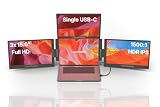
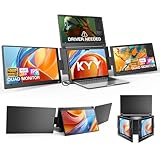
Aura’s extenders clamp to the back of your laptop lid and deploy two portable panels to either side, with the lineup offering 14-inch, 15.6-inch, and larger 18.5-inch options. The Triple Aero Pro Max 18.5-inch is the big-screen flagship for maximum working area, while the Triple Boost Pro comes in 14-inch and 15.6-inch sizes for a better balance of screen space and portability. The Triple Go 18.5-inch Max targets those who want the largest panels that still travel. Build quality is a strong suit for Aura, with sturdy hinges and clamps, and competing models like the KYY quad extender and Venraty detachable design offer alternative takes on the same idea.
Performance
The panels across these extenders are FHD 1080p IPS, delivering clear images and the wide viewing angles essential for screens that sit at an angle to your eyes. Larger Aura models like the 18.5-inch Aero Pro Max give you substantially more room for spreadsheets, trading windows, or reference material, at the cost of added weight that can make a laptop feel top-heavy. The 14-inch and 15.6-inch Boost Pro models strike a more travel-friendly balance. Connection is typically plug-and-play over USB-C or HDMI, and the Venraty’s detachable design adds flexibility for using a single extra panel when you do not need all three.
Pros & Cons
- Instant triple-screen workspace that folds out anywhere your laptop goes.
- Multiple sizes from portable 14-inch to expansive 18.5-inch panels.
- Sturdy build quality with reliable hinges and clamps.
- Clear FHD IPS panels with wide viewing angles for angled screens.
- Larger 18.5-inch models add weight that can unbalance the laptop.
- Premium pricing compared with generic extenders.
Alternatives to Consider
If you want maximum working area and mostly work at a desk, the Aura Triple Aero Pro Max 18.5-inch is the standout, but its size demands a stable surface. For frequent travel, the smaller Triple Boost Pro 14-inch keeps weight manageable. Budget shoppers or those wanting a detachable single-panel option should consider the Venraty extender, while the KYY quad model appeals to anyone who wants even more screens. Match the size to whether portability or working area matters more to you.
Related Guides
- CRUA 27” 4K Gaming Monitor, UHD 3840×2160 160Hz IPS Screen, Height/Pivot/Swivel/ Review (2026)
- Best OLED 32-Inch Gaming Monitor in 2026: Top 5 4K OLED Picks
- Best Gaming Monitor Gsync
- Best TV for Gaming 2026: 4K 144Hz, 1440p 240Hz, OLED Gaming TVs Reviewed
Frequently Asked Questions
Which Aura triple display size should I choose?
Pick a 14-inch or 15.6-inch Boost Pro for portability, or the 18.5-inch Aero Pro Max for maximum working area if you mostly use it at a desk. Larger panels add weight, so balance screen size against how often you travel.
Are Aura extenders plug-and-play?
They typically connect over USB-C or HDMI for straightforward setup, though some configurations may require a display driver. Check the specific model’s connection details if you want a completely driver-free experience.
Will an Aura extender fit my laptop?
Aura models are designed to clamp to a range of common laptop sizes, generally spanning 13 to 17.3-inch machines depending on the panel. Confirm the compatible range for the size you choose before buying.
Does the extender’s weight affect the laptop?
Larger 18.5-inch models add noticeable rear weight that can make a laptop feel top-heavy on unstable surfaces. On a desk or stable lap position this is a non-issue, and smaller models minimize the effect.
Verdict
Aura’s triple display extenders are among the best ways to carry a full three-screen workspace with your laptop. The Triple Aero Pro Max 18.5-inch is the pick for maximum desk productivity, while the Triple Boost Pro 14-inch is the smarter choice for travelers who prioritize portability. If you want a detachable or budget alternative, the Venraty extender is worth a look.
















