

The Silkland USB-C Monitor Display Cable is a specialised cable for one job — driving a high-refresh or high-resolution USB-C monitor from a laptop or desktop with USB-C DisplayPort output. The cable carries DisplayPort 1.4 with HBR3 + DSC and supports either an 8K@60Hz display or a 4K@144Hz display, plus 20Gbps of data and 100W of PD. At around $20 it is the right cable for buyers running a monitor over USB-C and the wrong cable for a TB4 dock or SSD. This Silkland USB-C monitor cable review covers the spec table, real-world display performance and the dedicated-cable trade-offs.
🛒 Best Price Today on Amazon
Prime members get fast, free shipping on everything above, plus member-only deals. New members get a 30-day free trial — cancel anytime.
As an Amazon Associate we earn from qualifying purchases.


![Silkland 80Gbps DisplayPort Cable 2.1 [VESA Certified] 6.6FT/2M, DP80 HDR](https://m.media-amazon.com/images/I/41ZU3eQbhEL._SL160_.jpg)
Silkland USB-C Monitor Cable at a Glance
| Component | Specification |
|---|---|
| Type | USB-C to USB-C monitor cable (DP 1.4 alt-mode) |
| Data speed | 20 Gbps (USB 3.2 Gen 2×2 / USB4 fallback) |
| Cable length | 2 m (6.6 ft) |
| Power Delivery | Up to 100W (PD 3.0) |
| Display output | Single 8K@60Hz / 4K@144Hz / 1440p@240Hz |
| Compatibility | USB-C DP alt-mode, Thunderbolt 4 / 3, USB4 |
| Connector | USB-C, both ends, DisplayPort-priority |
| Certification | USB-IF marketed (DP 1.4 HBR3 + DSC) |
| Approx price | Around $20 |
Performance and Data Speeds
The Silkland is a display-priority USB-C cable: it carries 20Gbps of data alongside its DisplayPort tunneling, which is the right balance for the cable’s intended job. A traditional 40Gbps TB4 cable splits its bandwidth between PCIe and DisplayPort dynamically; this cable instead pre-allocates the bulk of its bandwidth to DisplayPort and uses the remaining lanes for USB data. For a USB-C monitor — which acts as a hub for the laptop, with keyboard, mouse and webcam plugged into the monitor and routed back over the same cable — 20Gbps of data is enough for everything except sustained large-file transfer. The 2m length is the right reach for a monitor across a typical desk. Pair the cable with one of the host laptops in our best RTX 5070 gaming laptops guide for the full setup.
Power Delivery and Charging
The 100W PD rating is the workhorse number for a monitor-class cable. A USB-C monitor with an integrated PD output uses the same cable to push 60W to 100W back to the laptop while pulling the DisplayPort signal forward, which is the one-cable solution that defines premium USB-C monitor docks. The cable’s 100W ceiling covers a 14-inch MacBook Pro at full speed and a 15-inch / 16-inch laptop at almost-full speed (16-inch MacBook Pros pull 140W under full load but charge happily from 100W in normal use). For monitor users this is the right rating — far more useful than a 240W rating, because no current USB-C monitor pushes more than 100W back to the host.
Display Output and Multi-Monitor
The display capability is the cable’s headline. It carries DisplayPort 1.4 HBR3 with Display Stream Compression (DSC), which together unlock all the high-bandwidth display modes that matter today — 8K@60Hz, 4K@144Hz, 4K@120Hz with HDR, 1440p@240Hz. For competitive gamers running a 1440p high-refresh monitor, 144Hz / 240Hz panel users and 4K@120Hz HDR buyers, this is the cable that delivers the spec. The DisplayPort priority means the cable is single-monitor-only — it carries one DisplayPort signal, not two, which is the trade-off against a TB4 cable’s dual-4K capability. Buyers running a single high-refresh monitor should see our best 240Hz gaming laptops guide for laptop pairings.
Build and Connector Quality
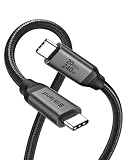
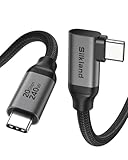
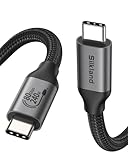
The Silkland uses braided nylon with aluminium-shell USB-C plugs and gold-plated contacts. At 2m the cable is long enough to route around a monitor arm or a stack of desk components, and the braided jacket prevents the cable from kinking when coiled behind the monitor. The USB-C plugs click positively into a port, and the cable’s stiffness is similar to a TB4 cable — heavy shielding for the DisplayPort signal makes it stiffer than a typical USB 3.2 cable. For monitor arm setups, see our best gaming desks and arm guides.
Compatibility — Mac, PC and Steam Deck
The cable works on every USB-C host that supports DisplayPort alt-mode — which is essentially every laptop with a USB-C port today. On a Thunderbolt 4 host it carries DisplayPort 1.4 with the host’s full HBR3 + DSC bandwidth. On a USB4 host it does the same through USB4’s DisplayPort tunneling. On a USB-C-only host with DP alt-mode (typical PC ultrabook, M-series MacBook Air) the cable carries the host’s native DisplayPort output. On the Steam Deck the cable carries the Deck’s DisplayPort signal at the Deck’s maximum supported mode (4K@60Hz). The cable is the right fit for any host that wants to run a USB-C monitor; it is the wrong fit for a TB4 dock or SSD, where a proper TB4 cable delivers more bandwidth. See the best OLED gaming laptops roundup for monitors that exploit the cable’s spec.
Verdict
At around $20 the Silkland USB-C Monitor Display Cable is the right cable for a specific role — driving a single USB-C monitor at high refresh or high resolution while running peripherals and PD charging back over the same link. The DisplayPort 1.4 HBR3 + DSC spec covers every demanding mode (8K@60Hz, 4K@144Hz, 1440p@240Hz, HDR), the 100W PD covers most laptops, and the 2m length is the right reach. It is not a TB4 cable and does not pretend to be — for a TB4 dock or SSD, choose a proper TB4 cable. For a USB-C monitor link, it is unbeaten at the price. See also our Intel Core Ultra laptop guide for systems matched to this kind of monitor work.
A real-world example: a MacBook Pro 14-inch on a desk riser, connected via the Silkland cable to a 4K@144Hz USB-C gaming monitor that itself doubles as a PD source. The single cable carries DisplayPort video forward, USB peripherals (keyboard, mouse, webcam in the monitor’s hub) back to the MacBook, and 96W of charging from the monitor’s built-in PD output. That is the one-cable desk experience that justifies a USB-C monitor in the first place, and the Silkland is the cable that delivers it without the overhead of a full TB4 cable. For buyers without a USB-C monitor (HDMI or DisplayPort only) the cable is the wrong fit; for buyers with one, it is the obvious pick.
Frequently Asked Questions
Can the Silkland USB-C Monitor cable run a 4K@144Hz monitor?
Yes. The cable supports DisplayPort 1.4 with HBR3 and Display Stream Compression (DSC), which together unlock 4K@144Hz over a single USB-C link. It also covers 8K@60Hz, 1440p@240Hz and 4K@120Hz HDR modes.
Is the Silkland USB-C Monitor cable the same as a Thunderbolt 4 cable?
No. A TB4 cable carries 40Gbps split between PCIe and DisplayPort, capable of dual 4K@60Hz; the Silkland monitor cable carries 20Gbps with DisplayPort priority for one high-refresh display. They suit different jobs.
Does the Silkland USB-C Monitor cable support dual displays?
No. The cable is DisplayPort-priority single-display by design — it carries one DisplayPort signal, not two. For dual-4K from a single cable, use a Thunderbolt 4 cable into a TB4 dock.
Will the Silkland USB-C Monitor cable charge my laptop?
Yes — up to 100W via USB Power Delivery 3.0. That is the right rating for a USB-C monitor that doubles as a PD source for the laptop on the desk.
More Thunderbolt 4 Reviews
- Anker 7-in-2 MacBook Dock TB-Compatible HDMI 4K Review
- Anker 13-in-1 USB-C Docking Station Triple Display Review
- Anker 11-in-1 USB-C Docking Dual Monitor 10Gbps Review
- MOKiN USB-C Hub 10Gbps 4K@60Hz 100W PD Review
- UGREEN Revodok Pro USB-C Hub 6-in-1 10Gbps 4K Review
- Anker 8-in-1 USB-C Dock Dual Monitor 2 HDMI 4K Review
- Maxonar 2-Pack Thunderbolt 4 Cable 40Gbps 240W 8K Review
- Cable Matters Intel-Certified TB4 Cable 3.3ft 40Gbps Review
Affiliate Disclosure: As an Amazon Associate, we earn from qualifying purchases. If you click a link and make a purchase, we may earn a small commission at no extra cost to you. Prices and availability are accurate as of publication and may change.
Related Articles
Looking for more on this topic? Browse the hand-picked guides below — each one applies the same scoring rubric used in this review.










